
AI Shorts Generator That Works From Your Real Footage
Upload a podcast, stream, webinar or vlog. EchoWave finds the moments worth posting, frames them vertical, captions every word and ranks the results while you watch.


AI Shorts Generator That Works From Your Real Footage Features
EchoWave's AI clip tools are used by YouTubers, podcasters and social media teams worldwide





Shorts from long video
Your best Shorts are already recorded
An AI Shorts generator is only as good as the material it starts from, and the strongest material is the long video you already made. EchoWave reads the whole recording, the transcript word by word plus the energy, reactions, speaker turns and scene cuts, and returns a ranked set of vertical Shorts with captions and a title on each. You see the work happen: frames being read, the waveform, the transcript, then Shorts landing in order of score. If you have no footage at all, a faceless video maker is the better starting point. For hand-built Shorts, use the YouTube Shorts maker; for the full clipping engine, see the AI clip generator.
-
30 min free
Source minutes analyzed every month on the free plan, no credit card needed
-
15-90 s
Short, Medium and Long presets, plus Auto or your own custom range
-
1-30
Shorts per run, or let the score decide how many moments qualify
-
60+
Word-timed caption styles sized for a vertical screen
What you get
A generator that edits like a producer
Every Short is picked, framed, captioned and titled from what actually happens in your video.
-
Starts From Footage You Recorded
Bring a file, a direct media link, something from your library or an existing project. The Shorts come from your own voice and face, not stock clips stitched to a script, so they sound like your channel.
-
Watch It Find the Moments
The analysis runs in front of you: frames read with faces tracked, the waveform, scene cuts and the transcript as it is written, then Shorts arriving ranked. Leave and come back and it picks up where it left off.
-
Ranked Before You Post
Each Short carries a 0-100 Viral Score with Hook, Clarity, Emotion, Value and Trend sub-scores and a written reason, so the top of the stack is the one to publish first. See the viral clip finder.
-
Vertical Framing That Follows People
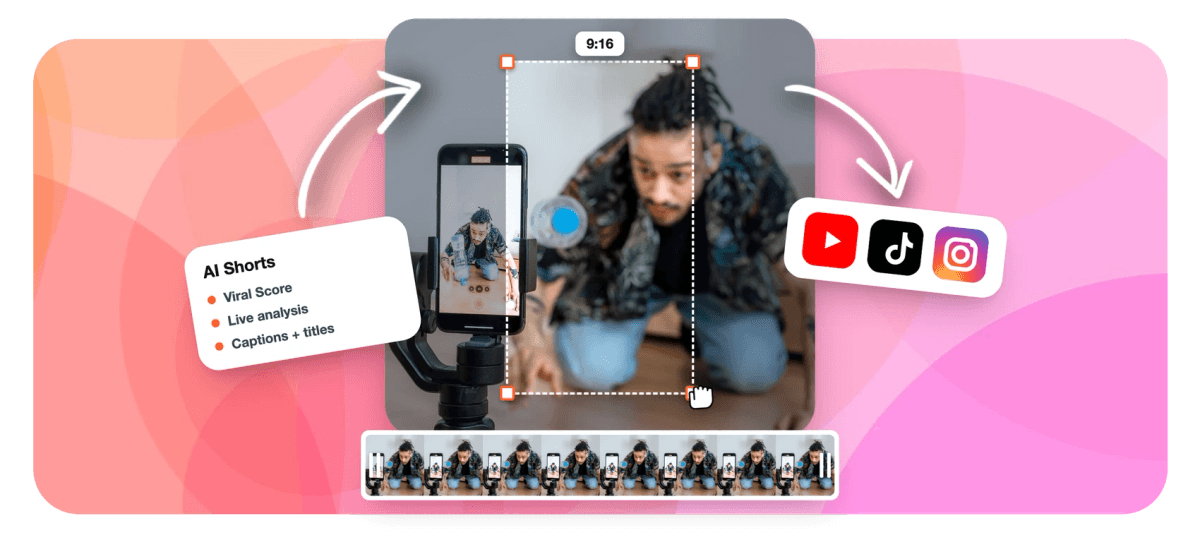
On-screen speaker detection matches lip movement to the voice and keeps whoever is talking in the 9:16 frame. Two hosts can share a stacked split, and slides get a presenter layout instead of a blind crop.
-
Captions and a Title on Every Short
Word-timed captions land in any of 60+ styles, from karaoke to word punch, and an AI title under 60 characters sits on top as an overlay. Hashtags and a description come with it, written in your video's language.
-
Change Shorts by Asking Echo
Echo, EchoWave's AI editor, takes requests like "make #2 shorter", "new title for #1" or "bigger captions on every clip" right on the results page. Ask it to undo when a change misses.
-
One Run for Every Short-Form Feed
The same moments work for YouTube Shorts, Instagram Reels and TikTok at 9:16, and you can switch to 1:1, 4:5 or 16:9 when a clip is headed for a feed post or back to the channel.
-
Every Short Opens in the Editor
Each result is an ordinary EchoWave project. Trim a word, restyle the captions or nudge a camera keyframe on one shot, then export, with no locked render standing between you and the fix.
How it works
How to generate Shorts with AI
Four steps from one long upload to a batch of vertical Shorts.
-
Upload the Long Video
Add a recording from your device, your library, a direct media link or an existing project. Video and audio files both work, and the language is detected for you.
-
Pick Length and Count
Choose Short, Medium, Long, Auto or a custom range, ask for 1 to 30 Shorts or let the score decide, and pick a genre preset such as podcast, gaming or webinar.
-
Watch and Review
Follow the analysis live, then read the ranked stack. Each Short shows its score, reasons, title, hashtags and timestamps, and you can add a custom range from the source strip.
-
Refine and Export
Ask Echo for quick changes or open a Short in the full editor, then bulk export. Free exports are 720p with a small watermark; Creator renders 1080p and Pro renders 4K.
Who uses it
Who generates Shorts this way
-
YouTubers with long uploads
Turn a 25-minute video essay into a week of Shorts that point viewers back to the full upload.
-
Video podcasters
Pull the funniest and sharpest exchanges from each episode, with both hosts kept in frame by the split layout.
-
Coaches and educators
Clip one clear teaching point per Short from a recorded session, captioned for viewers watching on mute.
-
Streamers
Feed in a downloaded VOD and let reaction peaks surface the plays chat lost its mind over.
-
Social media teams
Share clip jobs in a workspace so whoever schedules posts can pick from the same ranked stack.
-
Small businesses
Repurpose one recorded webinar or product demo into a month of short videos without hiring an editor.
Make your next week of Shorts from one video
Upload a long recording and get ranked, framed, captioned Shorts, with 30 free analysis minutes every month.
What creators say after trying EchoWave

About the EchoWave team
EchoWave is a browser-based video and audio editor built by Lemon Vault LLC since 2018. The people who build the editor write these guides and test every step in the production app before publishing.
AI Shorts generator FAQ
How do I generate Shorts with AI?
Upload a long video to EchoWave's Clips tool, choose a clip length and how many Shorts you want, and start the analysis. The AI transcribes the recording, reads it alongside audio energy, reactions, speaker turns and scene cuts, and returns vertical Shorts ranked by a 0-100 Viral Score. Each one already has word-timed captions, an AI title, hashtags and speaker-aware 9:16 framing. Review the stack, ask Echo for quick changes like a shorter cut, or open any Short in the full editor, then export the ones you want in bulk.
Can an AI Shorts generator turn a long YouTube video into Shorts?
Yes, as long as you start from the video file. EchoWave does not download from YouTube links, so use the original file you uploaded, export it from your editing software, or point to a direct media link. From there the generator finds the strongest moments, reframes them to 9:16 and captions them. Because the Shorts come from your own channel's footage, they work well as trailers that send viewers back to the full video. The YouTube to Shorts page covers that workflow in more detail.
Is there a free AI Shorts generator?
EchoWave's free plan includes 30 minutes of source analysis every month with no credit card, which is enough to run a full podcast segment or a short YouTube video through the generator. Free exports are 720p with a small watermark. Creator removes the watermark, exports 1080p and includes 180 analysis minutes a month, Pro renders 4K with 600 minutes, and Ultra includes 3,000 minutes for teams. Analysis is never unlimited on any plan, so the minutes are the number to compare.
Can it make Shorts if I have no video footage?
Not this tool. The AI Shorts generator works from a recording you supply, video or audio, and picks the best moments inside it. An audio-only podcast still works, because each moment becomes a captioned vertical clip. If you want Shorts built from a script with stock visuals and an AI voice instead, use the faceless video maker, which is designed for channels that never appear on camera. Many creators use both: faceless explainers for topics, and generated Shorts from their recorded episodes.
How long should an AI-generated Short be?
YouTube's Shorts creation tools support videos up to 3 minutes, but most strong Shorts are far shorter. EchoWave's presets give you Short at 15 to 30 seconds for a single punchy moment, Medium at 30 to 60 seconds for a complete point, and Long at 60 to 90 seconds for a story with setup and payoff. Auto mode lets each Short end where the thought ends. If you want the data behind those ranges, read the guide to the best clip length for Shorts, Reels and TikTok.
Does the AI add captions to the Shorts it makes?
Yes. Every Short is captioned automatically from the word-timed transcript, so words appear as they are spoken rather than in two-line blocks. You can pick from more than 60 caption styles, including karaoke and Hormozi-style word punch, all sized for portrait video. An AI title overlay is added as well. If a name is misheard, correct it in the editor before export. To restyle everything at once, ask Echo for bigger captions on every clip instead of editing each Short by hand.
Can I edit the Shorts after the AI generates them?
Completely. On the results page, Echo, EchoWave's AI editor, handles plain requests: make one Short shorter, give another a new title, change every clip at once, or undo the last change. For hands-on control, each Short opens as a normal project in the full editor, where you can trim on the timeline, restyle captions, change the layout and adjust each camera move, since the framing is stored as ordinary keyframes. Nothing is locked into a finished render until you export it.
What happens if I leave the page while my Shorts are being made?
The job keeps its place. When you come back, it picks up where it left off by itself, so a long recording does not have to be watched from start to finish. While you are on the page, the analysis is shown live: frames read with faces tracked, the waveform, scene cuts and the transcript, followed by Shorts arriving in the grid ranked by score. Team jobs are visible to everyone in the workspace, so a colleague can open the same results.
One upload a week of Shorts
Ranked, framed and captioned Shorts from the long videos you already made.
Get Started →























































