
Interview Clip Maker: Turn Every Great Answer Into a Quote Clip
Upload a recorded interview, video or audio. EchoWave scores every exchange, keeps the question for context, frames whoever is talking, and captions each clip for vertical feeds.


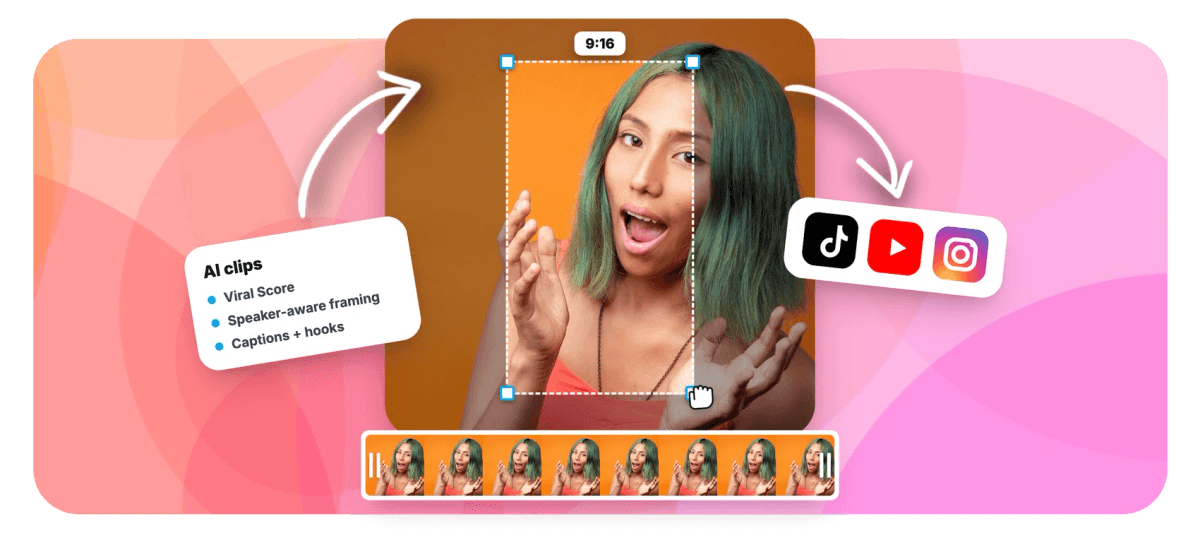
Interview Clip Maker: Turn Every Great Answer Into a Quote Clip Features
EchoWave's interview clip tools are used by podcast hosts, journalists and PR teams worldwide





Quote-led clipping
Keep the question, quote the answer
An interview clip maker earns its keep when it pulls the whole exchange, question and answer, not a quote that starts mid-thought. EchoWave reads the word-timed transcript, scores every exchange for Hook, Clarity, Emotion, Value and Trend, and ranks the strongest quote clips in a grid. When host and guest share the frame, speaker switching follows whoever is talking, detected by lip movement matched to the voice, so the camera holds on the answer instead of hunting for it. Each clip lands captioned, titled and cropped for vertical video. Clipping full episodes too? Try the podcast clip maker, pull a transcript with video to text, or restyle captions with animated captions.
-
0-100
Viral Score per clip, with Hook, Clarity, Emotion, Value and Trend sub-scores
-
7 layouts
Follow speaker, Split, Grid, Picture in picture and more for two-person frames
-
~99 languages
transcription auto-detects the interview's language before scoring begins
-
1-30 clips
per run, from 15-second soundbites to 90-second full exchanges
What you get
Built for the question and answer rhythm
Complete answers, a camera that respects speaking turns, and captions that carry the quote on mute.
-
Complete Answers, Not Cold Opens
The scorer favors answers with a clear start and finish, so clips do not open mid-thought. Clarity and Value sub-scores surface the exchanges that make sense to someone who never heard the full recording.
-
Speaker Switching Without Whip Pans
On-screen speaker detection (lip movement matched to the voice) cuts between host and guest on their turns. A dead zone, capped pan speed and smoothing stop the camera lurching to the wrong person mid-answer.
-
A Score With Reasons Attached
Every candidate clip gets a 0-100 Viral Score plus plain-English reasons like strong hook or back-and-forth, so you pick the sharpest soundbite instead of scrubbing an hour of footage on a hunch.
-
Captions That Read on Mute
Word-timed captions go on automatically in any of 60+ presets, karaoke, boxed or word-punch styles, sized for portrait. They use the same styles as add subtitles, so your look stays consistent.
-
Search for the Quote You Remember
Type a prompt like find moments about pricing, or the guest's name, and the search scans the transcript for matching passages. Keyword boosts push the topics you care about up the ranked grid.
-
Layouts Built for Two Faces
Keep host and guest visible with a stacked Split, cut to whoever is talking with Follow speaker, or hold Grid or Picture in picture. See split screen podcast clips for two-up styles.
-
Post Copy Written Per Clip
Each clip arrives with an AI title under 60 characters, a hook line, a description, 3-6 hashtags and a transcript excerpt, so the quote works as post copy, not just a video file.
-
Every Camera Move Is Editable
Reframing is written as ordinary keyframes. If one cut lands on the wrong speaker, fix that single shot in the editor timeline instead of re-cropping the whole clip by hand.
How it works
How to make clips from an interview
From an hour of conversation to a ranked grid of quote clips in four steps.
-
Upload the Interview
Drop in a video or audio file, pick one from your library, paste a direct media link, or start from an existing project. Transcription auto-detects the language across roughly 99 options.
-
Set the Interview Preset
Choose the Interview genre so scoring leans toward question and answer structure. Set clip length, Short, Medium, Long or a custom range, how many clips to find, and 9:16, 1:1, 4:5 or 16:9.
-
Review the Ranked Grid
Scan Viral Scores and their reasons, pick a camera layout per clip, set focus on a chosen speaker, and add a custom clip from any range on the source strip if the AI missed one.
-
Export or Refine
Open any clip as a full project to adjust captions, cuts or camera keyframes, then bulk select and export. Free exports carry a small watermark at 720p; Creator renders 1080p and Pro 4K.
Who uses it
One interview, many audiences
-
Podcast hosts
Promote each guest episode with quote clips from the strongest exchanges, captioned and framed for vertical feeds.
-
YouTube interviewers
Turn a 50-minute sit-down into portrait clips that keep the question, so the answer lands with full context.
-
Journalists
Pull the exact quote from a recorded interview, with a transcript excerpt and timestamps to check it against.
-
PR and comms teams
Clip press interviews and panel appearances into approved soundbites, with editable keyframes for a final review pass.
-
Recruiters and HR
Cut employee testimonials and talking head interviews into short captioned clips for careers pages and LinkedIn.
-
Content marketers
Stretch one customer interview into a week of posts, each with a ready title, hook line and hashtags.
Your best quotes are already recorded
Upload the interview and get a ranked grid of captioned, speaker-framed quote clips in minutes. Every account includes 30 free analysis minutes a month.
What people are saying about EchoWave

About the EchoWave team
EchoWave is a browser-based video and audio editor built by Lemon Vault LLC since 2018. The people who build the editor write these guides and test every step in the production app before publishing.
Interview clip maker FAQ
How do I make clips from an interview?
Upload the recording to EchoWave, video or audio, or pick it from your library. Set the genre to Interview, choose a clip length and aspect ratio, and run the analysis. The AI reads the word-timed transcript along with audio energy, silences, speaking turns and scene cuts, then returns a ranked grid of clips, each with a Viral Score, title, hook line and captions. Review the grid, adjust the camera layout or focus speaker where needed, and export. Each clip is a normal EchoWave project, so anything can still be changed in the editor before it renders.
Should a clip include the interviewer's question?
Usually yes. An answer that opens mid-thought forces viewers to guess what was asked, and most scroll on instead. The Interview genre preset tunes the highlight scoring toward question and answer structure, so candidate clips tend to start at the question or at an answer that restates it. When the question runs long, trim it in the editor and keep just enough setup for the quote to stand alone. The transcript excerpt on each clip makes it easy to check that the exchange reads as a complete thought before you post it.
Can AI find the best quotes in a long interview automatically?
Yes. EchoWave runs a language model over the word-timed transcript and combines it with audio and visual signals: energy and reaction peaks, silences, who-is-speaking turns and scene cuts. Every candidate clip gets a 0-100 Viral Score with five sub-scores, Hook, Clarity, Emotion, Value and Trend, plus plain-English reasons for the ranking. You can also steer it with a prompt, for example find moments about hiring, or boost specific keywords. Remember a quote but not when it was said? Ask Echo, the AI editor, for "the part where she talks about her first startup" and it brings that answer in as a clip.
How do you frame two people for a vertical interview clip?
Pick a layout per clip. Split stacks host and guest in a two-up so both stay visible through the whole exchange. Follow speaker cuts to whoever is talking, using on-screen speaker detection, lip movement matched to the voice, and switches on speaking turns. Grid handles three or four participants, and Picture in picture keeps a small second frame in the corner. The smart camera keeps faces at eye level, moves with a dead zone and capped pan speed, and never pans across a scene cut, so the frame stays calm during fast back-and-forth.
How long should an interview clip be for social media?
Most quote clips work best between 15 and 60 seconds: long enough for the question and the payoff, short enough to hold attention. EchoWave offers Short (15-30 s), Medium (30-60 s), Long (60-90 s), an Auto setting that picks per moment, and a custom range if a platform needs something specific. A tight soundbite suits fast vertical feeds, while a fuller 60-90 second exchange tends to perform better where viewers expect substance, such as LinkedIn. Run one analysis, then export different lengths for different placements.
How do you caption an interview clip?
Captions are added automatically. Transcription produces word-level timing, and each clip gets word-timed captions in whichever EchoWave preset you choose from 60+ styles, including word-punch, karaoke and boxed looks, all sized for portrait frames. Since transcription auto-detects around 99 languages, captions come out in the language spoken in the interview. Every caption is editable in the full editor: fix a name spelling, change the style, or reposition the text so it never covers a face. Captioning matters because most feeds autoplay interview clips muted.
Does it work with audio-only interviews?
Yes. Upload a phone interview, a podcast recording or any audio file and EchoWave finds the strongest quotes the same way it does for video, using the transcript, audio energy, silences and speaking turns. Each clip comes with word-timed captions, an AI title, a hook line, hashtags and a transcript excerpt, so the captions carry the clip visually where there is no camera footage. Journalists often use this to turn a recorded call into shareable soundbites, with timestamps to verify each quote against the original recording.
Is there a free tool to make clips from interviews?
EchoWave's free plan includes 30 minutes of analysis per month, enough for a couple of typical interviews, with no card required. Free exports carry a small watermark and are capped at 720p. Paid plans raise both limits: Creator analyses 180 minutes a month and exports 1080p, Pro covers 600 minutes with 4K exports, and Ultra includes 3,000 minutes with workspace-scoped jobs the whole team can see. Every plan gets the same scoring engine, camera layouts and caption presets, so you can judge clip quality before paying anything.
One Interview, A Week of Clips
Upload the recording and let the ranked grid show you which quotes deserve a post.
Get Started →























































