
Clip Generator API Your App and Agents Can Call
Start a clip job with one POST, poll for scored results, and materialize editable projects. REST, a hosted MCP server, an npm package, and Zapier, with self-serve API keys.


Clip Generator API Your App and Agents Can Call Features
EchoWave's clip API tools are used by product engineers, agent builders, and automation teams worldwide





Built for developers
The same clip engine, exposed as endpoints and tools
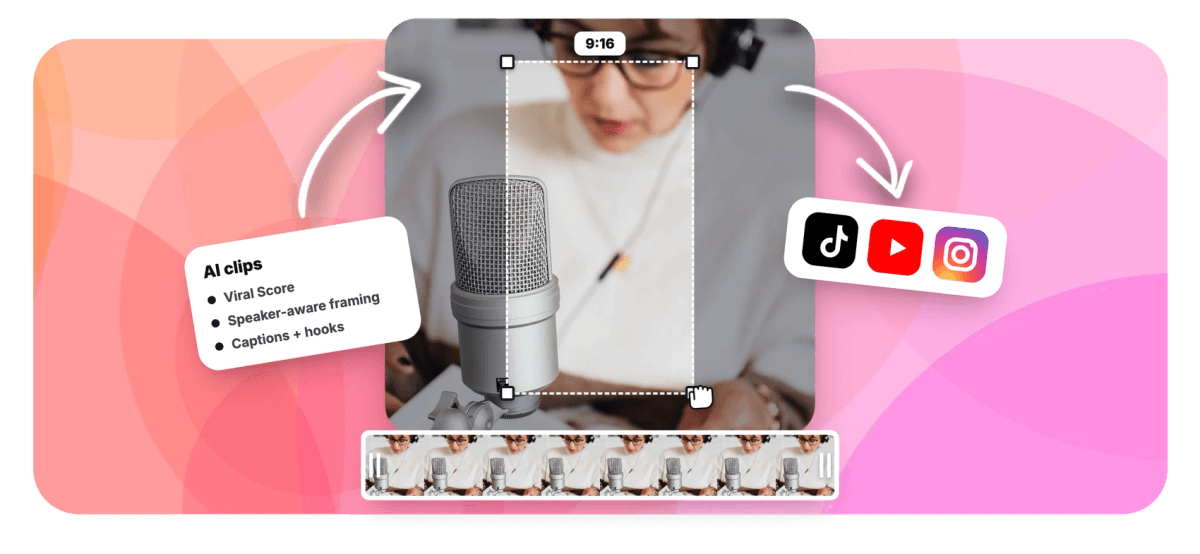
EchoWave's clip generator API runs the exact engine behind the AI clip generator: transcription across roughly 99 languages, Viral Scores with five sub-scores, speaker-aware reframing, and word-timed captions, all reachable from your own code. POST /api/v1/clips starts an async job, GET /api/v1/clips/{id} reports job status and returns the scored clip list, and two more endpoints materialize chosen clips as projects or run prompt search over the transcript. Building an AI video agent? A hosted MCP server and the echowave-mcp npm package expose five callable tools. Prefer no code? Zapier lets ops teams automate video editing with a trigger and an action. API keys come from account settings, no sales call required.
-
4
REST endpoints: create a job, check job status, materialize projects, and search moments by prompt
-
5
MCP tools: generate_clips, get_clip_job, list_clip_jobs, materialize_clips, and search_clip_moments
-
~99
languages auto-detected during transcription, with clip titles returned in the video's language
-
3,000
analysis minutes a month on Business, with 30 on Free, 180 on Basic, and 600 on Pro
What you get
Four endpoints, five MCP tools, one no-code path
Everything is stated up front: authentication method, job semantics, and what each call returns. No sales form between you and a working request.
-
POST /api/v1/clips
Start an async job from an uploaded file, a direct media link, or an existing project, with the same controls as the app: genre preset, clip length, clip count, and aspect ratio.
-
GET /api/v1/clips/{id}
Poll job status with a single endpoint. When the job completes, the response carries every clip with its Viral Score, five sub-scores, AI title, hook line, description, hashtags, keywords, and timestamps.
-
Materialize as Projects
POST /api/v1/clips/{id}/projects turns chosen clips into ordinary EchoWave projects. Each one opens in the full editor with camera moves as editable keyframes, then exports through the normal render pipeline.
-
Prompt Search Endpoint
POST /api/v1/clips/{id}/search finds moments about a topic across a completed job's word-timed transcript, so you can pull extra clips on demand without re-analyzing the source video.
-
Hosted MCP Server
Point any MCP-capable agent at echowave.io/mcp and it gains five callable tools for generating, listing, materializing, and searching clips, an agent-native interface next to REST, not an afterthought.
-
npm Package: echowave-mcp
Install the echowave-mcp npm package to run the MCP server in your own environment, exposing generate_clips, get_clip_job, list_clip_jobs, materialize_clips, and search_clip_moments to local agents.
-
Zapier Trigger and Action
The Clips ready trigger and Generate clips action cover the no-code path, so an ops person can wire clipping into a repurposing pipeline without touching an endpoint.
-
Self-Serve Keys, Clear Limits
Issue an API key from account settings and authenticate on your first request. Usage draws from plan analysis minutes, 30 on Free up to 3,000 on Business, and jobs are workspace-scoped so teammates see them.
How it works
How to use the clip generator API
The pattern is submit, poll, materialize. Four calls take you from a raw recording to exported clips.
-
Create an API Key
Open account settings and issue a key. Authentication is the key itself, sent with each request. There is no sales call, approval queue, or enterprise gate before your first job.
-
Start a Job
POST /api/v1/clips with an uploaded file, a direct media link, or a project ID. Set genre, clip length, clip count, aspect ratio, or a Find moments about prompt in the request body.
-
Poll Job Status
GET /api/v1/clips/{id} until the job completes, then read the ranked clips: Viral Scores, sub-scores, titles, hooks, hashtags, transcript excerpts, and timestamps, all in one response.
-
Materialize and Export
POST /api/v1/clips/{id}/projects for the clips you want. Each becomes a normal project you can open in the editor, tweak shot by shot, and export in bulk through the render pipeline.
Who uses it
Teams building clipping into their own products and pipelines
-
Podcast platforms
Call the REST API after an episode upload and hand hosts a ranked grid of scored, captioned clips inside your own product.
-
Agent builders
Give an agent search_clip_moments and generate_clips through MCP so it can pull specific moments from a video mid-workflow.
-
Marketing ops teams
Wire new episode published to Generate clips entirely inside Zapier, then act on the Clips ready trigger, no code written.
-
Agencies
Build a client-facing clipping service on the API and keep workspace-scoped jobs visible to everyone handling the account.
-
Course and webinar tools
Turn hour-long sessions into promo clips programmatically, with presenter plus slides layouts handled by the same engine.
-
Media SaaS products
Add an auto-clip feature to an existing video platform in days: one POST to start, one GET to poll, one POST to materialize.
Ship clipping into your product this week
Issue a key from account settings, send your first POST to /api/v1/clips, and poll for scored clips within minutes. The docs show every endpoint, parameter, and response shape.
What people are saying about EchoWave

About the EchoWave team
EchoWave is a browser-based video and audio editor built by Lemon Vault LLC since 2018. The people who build the editor write these guides and test every step in the production app before publishing.
Clip generator API FAQ
How do I use the clip generator API?
Issue an API key from your EchoWave account settings, then POST to /api/v1/clips with an uploaded file, a direct media link, or an existing project ID. The request accepts the same controls as the app: genre preset, clip length, number of clips, aspect ratio, a time range to analyze, and a Find moments about prompt. The job runs asynchronously, so poll GET /api/v1/clips/{id} until it completes, then POST /api/v1/clips/{id}/projects to turn chosen clips into editable projects you can export.
How do I integrate AI video clipping into my own app?
The typical pattern is three calls. When a user uploads a long video to your platform, your backend POSTs it, or a direct media link, to /api/v1/clips. Your worker polls job status until analysis finishes, then reads the ranked clips with Viral Scores, titles, hooks, hashtags, and timestamps, and shows them in your own UI. When the user picks clips, POST the projects endpoint to materialize them and export through EchoWave's render pipeline. Every clip is a real project, so users can also open it in the full editor and change anything.
What is an MCP server and how does it work with video tools?
MCP, the Model Context Protocol, is a standard that lets AI agents call external tools directly. EchoWave hosts an MCP server at echowave.io/mcp and publishes an npm package, echowave-mcp, for MCP clients that launch servers from npm. Either way, an agent gets five tools: generate_clips to start a job, get_clip_job and list_clip_jobs to track it, materialize_clips to create editable projects, and search_clip_moments to find topics in a transcript. That means an agent can clip a webinar or pull a specific quote as part of a longer workflow without custom glue code.
Does the API support webhooks, or do I have to poll for job status?
Job completion is checked by polling: call GET /api/v1/clips/{id} and read the job status field until the job reports complete, then the same response carries the full clip list. That keeps the integration simple, one endpoint for both status and results. If you want a push-style notification without building a poller, the Zapier integration includes a Clips ready trigger that fires when a job finishes, which many teams use to kick off downstream steps like logging clips to a sheet or notifying a channel.
How do I get an API key for the clip generation service?
Keys are self-serve. Sign in to EchoWave, open account settings, and create an API key, then use it to authenticate your requests. There is no sales conversation, enterprise tier, or approval step before you get real API access, and the public docs at /docs/api/ cover the actual endpoints rather than only the no-code product. Jobs started with your key are scoped to your workspace, so on a team plan your collaborators can see and pick up the results, and usage draws from the workspace's monthly analysis minutes.
Can I automate video clip creation with Zapier?
Yes. EchoWave ships a Zapier action called Generate clips and a trigger called Clips ready. A common Zap: when a new episode lands in a storage folder Zapier watches, the action starts a clip job with your chosen length, count, and aspect settings; when analysis finishes, the trigger fires with the scored clips so later steps can record titles and hashtags, alert the team, or file the results. No custom API code is involved, which makes this the right path for marketing ops teams without engineering time.
Is there a free tier for the video clipping API?
Yes. Every EchoWave account includes 30 free analysis minutes a month, and API usage draws from the same pool, so you can build and test the full submit, poll, materialize flow without paying. Paid plans raise the ceiling: Basic includes 180 minutes, Pro 600, and Business 3,000 per month. Exports follow plan limits too: free renders carry a small watermark and a 720p cap, Basic exports at 1080p, and Pro exports at 4K. Minutes are per workspace, so a team shares one allowance.
What does a typical clip API request and response look like?
The request is a POST to /api/v1/clips carrying your source, a file, direct media link, or project ID, plus options like genre, clip length range, clip count from 1 to 30, and aspect ratio such as 9:16 or 16:9. The job response returns an ID. Polling GET /api/v1/clips/{id} eventually returns each clip with a 0 to 100 Viral Score, Hook, Clarity, Emotion, Value, and Trend sub-scores, plain-English reasons, an AI title under 60 characters, hook line, description, 3 to 6 hashtags, keywords, a transcript excerpt, timestamps, and duration.
Clips by API no sales call
Grab a key from account settings and send your first POST in minutes.
Get Started →























































