
Memorial Video Maker: Honor a Life in Photos and Music
Gather the photographs that tell a life story, set them to slow, gentle motion and a quiet piece of music, then export a tribute to show at a service or share with family. Free to start.


Memorial Video Maker: Honor a Life in Photos and Music Features
EchoWave's memorial video tools are used by families, celebrants and funeral homes worldwide





A dignified tribute
A life in photographs, given the time it deserves
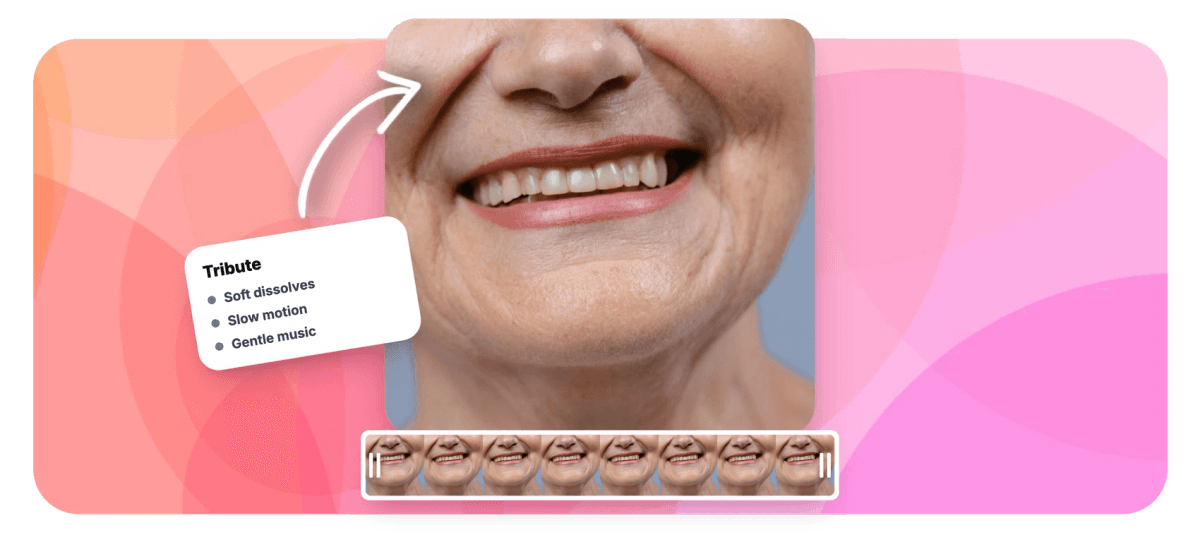
A memorial video maker turns the photographs of a life into a tribute you can show at a service or share with family. EchoWave is built on a real timeline, so you can lay a person's story out in order, from the earliest pictures to the most recent, and give it room to breathe. Each photo gets a slow, gentle Ken Burns move instead of a hard cut, so a still portrait drifts like a held gaze. Between photos, soft cross dissolves carry one memory into the next without drawing attention to themselves. Underneath it all, a calm piece of music with long fades holds the room. Free to start, in your browser.
-
8 dissolves
Soft cross dissolves with adjustable duration and six easings, the transition a tribute actually needs
-
10-second fades
Music fades in and out over as much as ten seconds, so it enters and leaves gently
-
Up to 4K
Paid exports reach 4K for a service screen; free exports are 720p with a small watermark
-
Free to start
Order the photos, add motion and music, and preview the whole tribute before paying
What you get
Everything a tribute needs, nothing that hurries it
Six quiet tools for a video meant to be watched together.
-
The Whole Story, In Order
Drag every photograph onto one timeline and arrange it the way a life unfolded: the earliest pictures first, then the years between, then the most recent. Reorder freely until the story reads the way the family remembers it.
-
Slow, Gentle Ken Burns Motion
One click gives each photo a slow push in or a soft drift sideways, so a still portrait moves like a held gaze rather than sitting flat. Keep every move unhurried. See the Ken Burns effect.
-
Soft Cross Dissolves
Between photographs, a gentle dissolve carries one memory into the next. No wipes, spins or flashes, just the quiet blend that reads as tribute rather than slideshow. The preview matches the final render exactly.
-
Names and Dates in Quiet Type
Add a name, the years, or a short line from a reading in a calm typeface, placed and sized so it never crowds the face behind it. You control the font, size, color and position.
-
A Calm Music Bed With Long Fades
Upload a piece that meant something to them, trim it to length, and fade it in and out over several seconds so the music never begins or ends abruptly. Add audio to video covers every option.
-
A Closing In Loving Memory Card
End on a still card: a final portrait, the name, the two dates, and a line such as in loving memory, held on screen long enough to sit with before the video fades to black.
How it works
How to make a memorial video
Four unhurried steps, from a box of photographs to a finished tribute.
-
Gather and Order the Photos
Collect photographs from across the family and drag them into the EchoWave editor. Arrange them chronologically, earliest to most recent, so the tribute follows the arc of a whole life. Choose a 16:9 canvas for a service screen.
-
Add Slow Ken Burns and Soft Dissolves
Give each photo a slow pan or gentle zoom, and place a soft cross dissolve at every cut. Keep the moves unhurried and let each portrait hold on screen for four to six seconds.
-
Add Names, Dates and Gentle Music
Type each name and the years in a quiet typeface, then lay a calm piece of music underneath and fade it in and out over several seconds so nothing starts or stops abruptly.
-
Close With a Tribute Card and Export
End on an in loving memory card, preview the whole tribute from the beginning, then export an MP4 in HD to show at the service or share privately with family.
Who uses it
Where a tribute video is shown
-
Funeral and Memorial Services
A photo tribute plays before or after the service on the room screen, giving mourners a quiet moment with a life well lived.
-
Celebration of Life Gatherings
A longer, warmer film runs on a loop as family and friends arrive, share memories and sit with the photographs together.
-
Families Sharing Privately
Relatives who could not travel receive a private link or file, so everyone can sit with the same tribute at home.
-
Celebrants and Funeral Directors
Officiants assemble a dignified slideshow from family photos ahead of the service, ready to play from a laptop or a USB stick.
-
Anniversary Remembrances
On the anniversary of a loss, families revisit and add to the tribute, keeping a quiet yearly ritual of remembrance.
-
Pet Memorials
The same gentle motion and soft music honor a companion animal, with favorite photos set to a calm, unhurried pace.
Take the time this deserves
Order the photographs, add gentle motion and a quiet piece of music, and preview the whole tribute before you export.
What people are saying about EchoWave

About the EchoWave team
EchoWave is a browser-based video and audio editor built by Lemon Vault LLC since 2018. The people who build the editor write these guides and test every step in the production app before publishing.
Memorial video maker FAQ
How do I make a memorial video?
Open the EchoWave editor and upload the photographs you have gathered. Arrange them on the timeline in the order the life unfolded, earliest to most recent, and give each one three to six seconds on screen. Add a slow Ken Burns pan or zoom so the stills move gently, place a soft cross dissolve between them, then type names and dates in a calm typeface. Lay a quiet piece of music underneath with long fades, close on an in loving memory card, and export an MP4. The whole tribute is free to build and preview in your browser.
How do I choose and order the photos for a tribute video?
Think of it as a life story told in order. Start with the earliest photographs, childhood and youth, move through the middle years, family, work, the things they loved, and end with the most recent ones. This chronological arc gives mourners a sense of a whole life rather than a random gallery. Favor photos where the person is present and recognizable over technically perfect ones, and mix portraits, candid moments and group shots. Forty to sixty photographs suits most tributes. Ask relatives to contribute, since the pictures one branch of a family keeps are often ones the others have never seen.
How long should a memorial video be, and how fast should it move?
Unhurried is the whole point. Give each photograph four to six seconds so viewers can actually see it, and keep every Ken Burns move slow, a gentle drift rather than a sweep. Most tributes land well between three and six minutes, which is roughly forty to seventy photographs set to one or two pieces of music. A celebration of life playing on a loop can run longer, but for a service, restraint holds attention better than length. If in doubt, let the music set the pace and end when the piece ends.
What music works for a memorial video, and how do the fades work?
Choose something calm and meaningful: a piece the person loved, a hymn, or a quiet instrumental that will not compete with the images. Upload your own audio file, trim it to the length of the tribute, and set a long fade in and fade out, up to ten seconds each, so the music enters and leaves gently rather than cutting in. A single unbroken piece usually feels more dignified than several songs. On rights: a file shown privately at a service rarely meets an enforcement system, but public uploads to YouTube or social platforms may mute commercial tracks, so licensed or royalty-free music is safer there.
How do I show the memorial video at a service?
Export the finished tribute as an MP4, the format every laptop, projector and smart TV plays without conversion. For a screen at a service, export in HD: 1080p is clean on most projectors, and 4K is available on paid plans for large displays. Save the file to the laptop that will run it and copy it to a USB stick as a backup, rather than relying on venue Wi-Fi or a streaming link. Test it on the actual screen beforehand, check the sound level in the room, and set it to play full screen. Free exports are 720p with a small watermark, which suits a draft you circulate for approval.
Can I add short video clips and voice memories to the tribute?
Yes. Video clips sit on the same timeline as photographs, so a few seconds of someone laughing, a birthday or a home movie can rest among the stills and dissolve in and out just as gently. Keep clips short, ten to twenty seconds, so they lift the tribute without dominating it. You can also include voice: a recorded message from a family member, a favorite saying in the person's own voice, or a short reading. Trim each clip, adjust its volume so it sits under or beside the music, and mute any audio you do not want.
How do I share a memorial video privately with family?
Export the MP4 and share the file itself rather than posting it publicly. For relatives nearby, a USB stick or AirDrop works; for those farther away, upload the file to a private cloud folder in Google Drive, Dropbox or iCloud and send a link only to the people you choose. Messaging apps such as WhatsApp also send video directly, though they compress it. Keeping the tribute private respects the family's wishes and sidesteps the music muting that public platforms apply. Your EchoWave project stays in your account, so you can revisit or adjust the tribute later without rebuilding it.
Is the memorial video maker free?
Yes. You can build, order and preview the entire tribute for free in your browser, with nothing to install. Free exports carry a small EchoWave watermark and are capped at 720p, which is fine for a version you circulate to family for approval. Paid plans remove the watermark and raise the quality: 1080p on Basic and 4K on Pro, which is worth it for a film shown on a large screen at a service. There is no time limit on building the project, so you can take the time this deserves and only upgrade when you are ready to export the final version.
A tribute worth keeping
Photographs, gentle motion and a quiet piece of music, edited with care in your browser.
Create a tribute























































