
Blur Video Background: Portrait-Mode Depth for Any Clip
Add a clean portrait-style background blur to any video. On-device AI keeps you sharp while the room behind you melts away. Adjustable strength, free to try, no download.


Blur Video Background: Portrait-Mode Depth for Any Clip Features
EchoWave's AI tools are used by creators, remote workers and brands worldwide





AI background blur
The video-call blur effect, for videos you already recorded
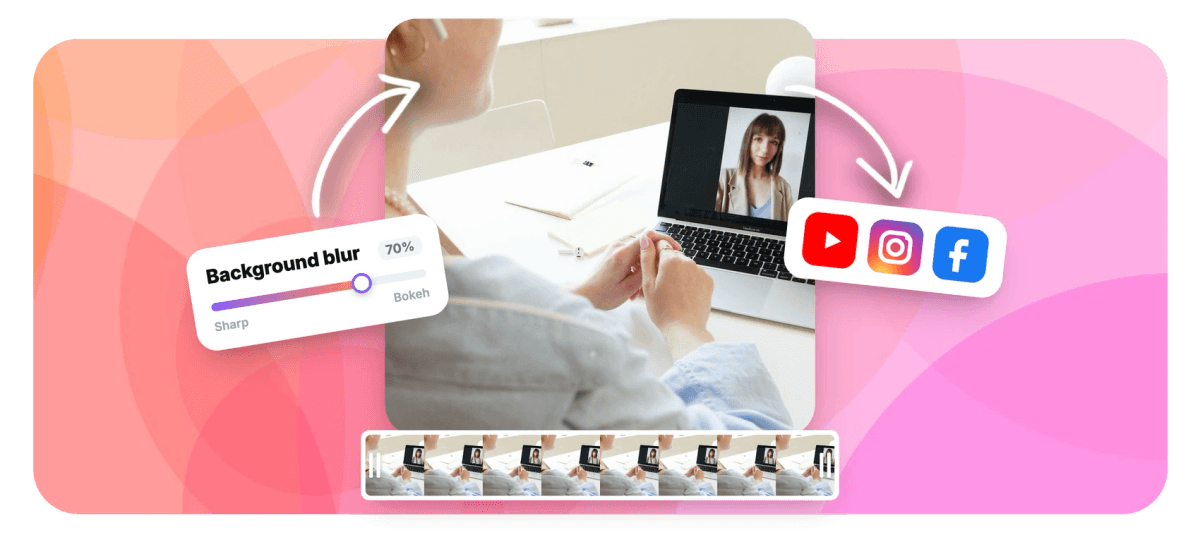
Meeting apps blur your background live, but once a video is recorded, that messy room is baked in. EchoWave fixes it after the fact: on-device AI finds you in every frame and blurs everything else, with a strength slider from a gentle soften to full bokeh. Nothing is uploaded for the analysis, and the final export is composited at full source quality. Want the background gone entirely instead? Use the video background remover, or clean up the frame further with the face retouch tool.
-
1 to 100
Blur strength range, from soft focus to full bokeh
-
On-device AI
Person detection runs in your browser, not on a server
-
2 quality tiers
Standard for speed, High for hair-level edge detail
-
No green screen
Works on normal footage from any camera
What you get
A background blur that holds up frame after frame
Not a static vignette or a one-frame mask: the AI follows you through the whole clip.
-
Automatic Person Detection
A segmentation model separates you from the scene in every frame, so the blur tracks your movement naturally. No rotoscoping, no manual masks, no green screen.
-
Adjustable Blur Strength
Dial the effect from 1 to 100: a subtle depth-of-field cue for interviews, or a heavy bokeh that makes any location anonymous. A live preview shows the result as you drag.
-
Edge Softness Control
Blend the boundary between you and the blur with a softness slider, avoiding the harsh cardboard-cutout edge cheap blur filters produce.
-
Private by Design
The AI runs on your own device with GPU acceleration and automatic fallbacks. At export, only a compact matte is uploaded so the server can composite the blur at full quality. Your footage is never sent off for analysis.
-
High-Quality Matting Tier
For the crispest result, the High tier runs a portrait matting model, WebGPU-accelerated where available, that preserves hair strands and fine edges even against a strong blur.
-
Part of a Full Editor
Background blur is a per-clip effect inside the online video editor, so you can add captions, trim, and brand the same clip without leaving the project.
How it works
How to blur the background of a video
Four steps to a portrait-mode look.
-
Upload Your Video
Drag any clip with a person in it into EchoWave. Webcam recordings, phone footage and screen-adjacent facecams all work.
-
Choose Blur Background
Pick the blur mode and a quality tier. The on-device AI locates you and shows a live preview of the blurred scene.
-
Set Strength and Softness
Drag the strength slider until the background sits where you want it, and tune edge softness for a natural blend.
-
Export
EchoWave renders the final video with the blur composited at full source quality. Download it or keep editing in the timeline.
Who uses it
For every video where the room should not star
-
Remote Workers
Recorded a Loom-style update or an interview with a distracting room behind you? Blur it after the fact and keep the take.
-
Talking-Head Creators
Give plain footage the shallow depth-of-field look of an expensive lens, pulling every eye to your face instead of your shelves.
-
Course Builders
Keep lessons consistent even when they were filmed in different rooms: the same blur strength makes every location look alike.
-
Privacy-Conscious Posters
Hide addresses, whiteboards, family photos and anything else in the background before a clip goes public.
-
Recruiters and Sales
Polish outreach and intro videos recorded on the road, so a hotel room reads as a neutral professional backdrop.
-
Event Recaps
Soften busy crowds and signage behind speakers so highlight clips stay focused on the person talking.
Blur your video background now
Free to start, right in your browser. Upload a clip and preview the blur in seconds.
What creators say after trying EchoWave

About the EchoWave team
EchoWave is a browser-based video and audio editor built by Lemon Vault LLC since 2018. The people who build the editor write these guides and test every step in the production app before publishing.
Blur video background FAQ
How do I blur the background of a video that is already recorded?
Upload the video to EchoWave, apply the background blur effect, set the strength, and export. The AI separates the person from the scene in every frame, so the blur follows you through the clip. This works on any recorded footage; you do not need to have filmed with portrait mode or a depth camera.
Does the blur track me if I move around?
Yes. Segmentation runs per frame, so the sharp region follows you as you move, lean and gesture. For the cleanest edges during fast movement, use the High quality tier, which runs a dedicated portrait matting model with finer boundary detail.
How strong can the blur be?
The strength slider runs from 1 to 100. Low values read as a subtle depth-of-field effect, mid values match what meeting apps call background blur, and high values dissolve the scene into full bokeh where nothing behind you is identifiable.
Is my video uploaded to a server for the AI to process?
No. The person-detection models download to your browser and run on your device, using your GPU where available. Only when you export does EchoWave upload a compact grayscale matte alongside your original upload so the final blur can be composited at full quality on the server.
Will the blur look like a cheap cutout around my hair?
That is exactly what the edge softness control and the High quality tier exist for. Softness feathers the boundary so it blends naturally, and the High tier's matting model preserves hair strands rather than cutting a hard silhouette. The live preview uses a fast GPU approximation, and the exported render applies the full-quality composite.
Can I blur the background of a video call recording?
Yes, as long as the recording shows a person on camera. Zoom, Meet and Teams recordings, webinar exports and webcam captures are common inputs. Blur is applied to the visible person's background like any other footage.
Can I remove the background completely instead of blurring it?
Yes. The same AI engine powers EchoWave's video background remover, which replaces the background with transparency or a solid color, including chroma green. Use removal when you want a new backdrop, and blur when you want the real location to stay recognizable but out of focus.
Is blurring a video background free?
You can upload, preview and tune the blur for free. Free exports include a small watermark and are capped at 720p; paid plans remove the watermark and unlock up to 4K and higher. No credit card is required to try the effect.
Ready to blur your background?
Portrait-mode depth for any clip, no green screen. Free to start.
Get Started →























































