
Free Intro Maker for Any Video or Platform
Intro maker for slick video openers and outros. Drop in your logo, pick an animation and add music, then export in HD. Free, in your browser, no watermark.


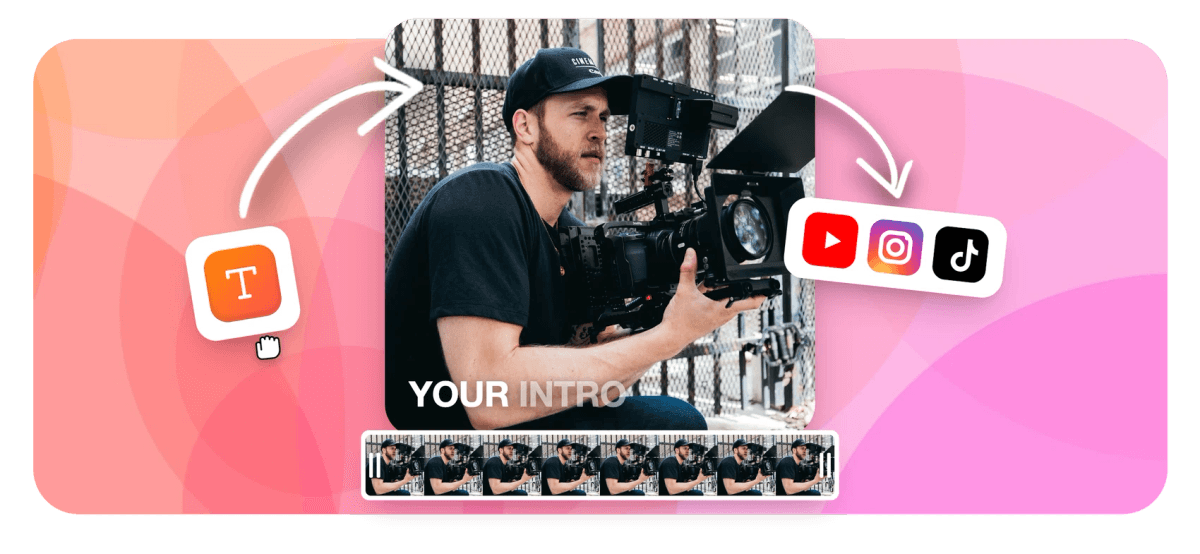
Free Intro Maker for Any Video or Platform Features
EchoWave's intro maker is used by content creators, educators, podcasters, and small brands around the world.





About This Tool
One Intro Maker for Every Platform and Format
Most intro tools are built only for YouTube. This page covers intros for any platform: TikTok, Instagram Reels, LinkedIn, podcasts, course videos, and more. If you need a YouTube-specific opener, see YouTube Intro Maker. When your video ends, pair it with our credits maker for a matching outro. Resize your canvas, animate your text, add a music track, and export in minutes.
-
5
aspect ratio presets: 9:16, 1:1, 4:5, 16:9, and custom
-
63
AI text-to-speech voices for narrated intro sequences
-
160+
caption presets for animated title and credit styles
-
4K
maximum export resolution on the paid plan
What You Can Do
Built for Animated Intros, Not Static Slideshows
Every feature below is available in the browser editor with no plugin or install required.
-
Keyframe Animation on Any Property
Set keyframes on position, opacity, scale, and rotation for any text layer or image. This is the core engine behind logo reveals and title card fly-ins. Unlike slide-based tools, you get full timeline control over every animated property.
-
Intro Text and Title Cards
Type your channel name, episode title, or tagline, then pick from 160+ caption and text presets to style it. Font, color, outline, shadow, and animation timing are all adjustable. Cross-link with Add Text to Video if you need lower-thirds throughout your full video.
-
Music Track on the Timeline
Upload your own intro jingle or background track in MP3, WAV, or AAC format and drop it on the audio lane. Trim to exactly 5 or 10 seconds, set fade-in and fade-out with keyframed volume, and lock it to your title card timing. EchoWave does not include a royalty-free stock music library, so bring your own track or use a free source like YouTube Audio Library.
-
Logo and Watermark Placement
Drag your PNG logo onto the canvas, resize it, and use keyframes to animate it in from off-screen or fade it up from zero opacity. Position it anywhere: center reveal for a cinematic opener, corner bug for a subtle brand mark. Supports PNG transparency so your logo composites cleanly over any background.
-
Multi-Aspect Canvas Resize
Switch your intro canvas between 9:16 for Reels and Shorts, 1:1 for feed posts, and 16:9 for YouTube or course platforms in one click. The canvas auto-sizes to your first media clip. Make one intro project and export it in three formats without rebuilding the composition.
-
Background, Overlay, and Blend Modes
Use a solid color, gradient, or video clip as your intro background. Stack overlays such as blurred footage, a looping animation, or a color shape above it. Blend modes let you mix layers for stylized effects without a separate graphics program.
-
Music Visualizer for Audio-Led Intros
If your intro is audio-first, add a waveform or FFT spectrum visualizer that reacts to your music track. This suits podcast intros, DJ sets, or any content where the audio is the brand identity. See Online Video Editor for a full tour of visualizer options.
-
Cloud Render, HD Free
Intros render on EchoWave's cloud farm, so a 5-second clip usually finishes quickly even on a low-powered laptop. Free exports are HD with a small EchoWave badge in the corner. Paid exports are 4K H.264 with the badge removed. No local CPU or GPU required.
How it works
How to Make an Intro with the EchoWave Intro Maker
You can build and export a finished intro in four steps, all inside your browser.
-
Open the Editor and Set Your Canvas Size
Go to EchoWave and create a new project. Select your aspect ratio: 9:16 for vertical, 1:1 for square, or 16:9 for widescreen. The canvas auto-sizes if you drag in a background clip first. Set your intro duration to 5 to 15 seconds.
-
Add Your Logo, Background, and Text
Upload your logo PNG and drag it onto the canvas. Add a background color or footage clip below it. Click the text tool, type your channel or brand name, and pick a preset style from the caption library. Position each layer at its final on-screen spot, then animate it into that position next.
-
Set Keyframes and Animate
Click the keyframe button on any layer to start animating. Move the playhead to the start of the clip, set an opacity of 0 or an off-screen position, then move to your target frame and set the final value. EchoWave interpolates between them. Add a music track and trim it to match your animation timing.
-
Export and Add to Your Main Video
Hit Export, choose your resolution (HD free, 4K on paid), and wait for the cloud render to finish. Download the MP4, then open your main video project and drag the intro clip to the very start of the timeline. Trim or crossfade it into the first scene.
Sized to post
The right shape for every platform
-
9:16 Vertical
- TikTok
- Reels
- Shorts
-
1:1 Square
- Instagram Feed
-
16:9 Widescreen
- YouTube
- Courses
- Twitch
Who Uses This
Intro Maker Use Cases
-
YouTube Channel Openers
Build a 5 to 8 second branded opener with your channel name and logo. Export at 16:9 HD and splice it onto every upload. For YouTube-specific templates and tips, the dedicated YouTube Intro Maker page goes deeper.
-
TikTok and Reels Brand Intros
Vertical creators use a 2 to 3 second animated logo bug at the top of each clip to build recognition. Set the canvas to 9:16, keep the animation tight, and let the music cut drive the timing.
-
Podcast Video Intros
Many podcast episodes are published as video on YouTube or Spotify. A 10-second audio visualizer intro with your show name and episode title sets the tone before the host appears on screen.
-
Online Course Title Cards
Instructors add a short title card at the start of each lesson to reinforce the course brand. A static or lightly animated card at 16:9 with the lesson name and module number is enough.
-
Small Business Promo Openers
A product promo or ad video benefits from a 3-second brand opener before the offer. Pair this with the Promo Video Maker to build the full clip in one project.
-
Localized Intros for Multiple Markets
Brands selling in multiple countries can swap the text layer on the same intro template to produce localized versions. Change the title card copy, export again, and you have separate intros for each market without rebuilding the animation.
Start Building Your Intro
Open EchoWave in your browser, set your canvas size, and have a finished intro exported in under ten minutes. Free to start, no credit card required.
What people are saying about EchoWave

About the EchoWave team
EchoWave is a browser-based video and audio editor built by Lemon Vault LLC since 2018. The people who build the editor write these guides and test every step in the production app before publishing.
Free Intro Maker for Any Video or Platform FAQ
How long should a video intro be?
Keep it between 3 and 8 seconds for most platforms. YouTube audiences tolerate up to 10 seconds for established channels, but shorter is safer for new creators. TikTok and Reels intros work best at 1 to 3 seconds so the viewer reaches the main content fast. Podcast video intros can run up to 15 seconds if they include a title card and music sting.
Can I use the intro maker free?
Yes. EchoWave is free to use in the browser with no install. Free exports are HD quality with a small EchoWave badge in the corner of your video. The paid plan removes the badge and raises the export ceiling to 4K H.264. You do not need a credit card to start.
What video formats does the intro export in?
EchoWave exports intros as MP4 (H.264) by default, which plays on every major platform. You can also export WebM, MOV, or GIF from the export settings. MP4 is the right choice for uploading to YouTube, TikTok, Instagram, or adding to a course platform.
Does EchoWave have intro templates?
EchoWave's Templates v2 system includes placeholders and replace-media slots, so you can build a reusable intro template once and swap the logo, text, or background for different projects. There is no dedicated intro-only template gallery, but any project you save can be duplicated and reused as a starting point.
Can I add my own music to the intro?
Yes. Upload any MP3, WAV, or AAC file and place it on the audio lane. EchoWave does not include a built-in royalty-free music library, so you will need to supply your own track. Free sources include YouTube's Audio Library, Free Music Archive, and Pixabay Music. Trim the audio to match your animation timing using the timeline trim handles.
How is this different from the YouTube Intro Maker page?
The YouTube Intro Maker focuses on channel-specific best practices: recommended lengths for YouTube, how to set an intro as a channel watermark, and 16:9 export tips. This page covers intros for any platform and format, including TikTok vertical intros, podcast title cards, and course openers. The underlying editor is the same.
Can I animate my logo for the intro?
Yes. Upload a PNG logo with a transparent background, place it on the canvas, and use the keyframe tool to animate its position, scale, or opacity over time. A common reveal is a scale from 0.8 to 1.0 combined with an opacity from 0 to 1 over 20 frames. No external animation software is needed.
What is the difference between an intro and an outro, and can EchoWave make both?
An intro plays at the start of a video to establish your brand. An outro plays at the end and typically includes calls to action, social links, or end-screen graphics. EchoWave can make both using the same timeline editor. For a dedicated outro workflow with credits and end cards, see the credits maker.
Does EchoWave run on mobile for making intros?
EchoWave runs in any modern browser including mobile Safari on iOS and Chrome on Android. The timeline editor is optimized for desktop use, where you have more screen space for placing keyframes accurately. For quick text-and-logo intros, mobile works fine. Complex multi-layer animations are easier on a laptop or desktop.
Ready to make your intro?
EchoWave is free in any browser. HD exports include a small watermark badge on the free plan; upgrade to paid for 4K and badge-free downloads.
Get Started →























































