
Free Online Video Editor
EchoWave is a free online video editor that runs in your browser. Trim, caption, add music and AI voiceover, then export up to 4K. No download.


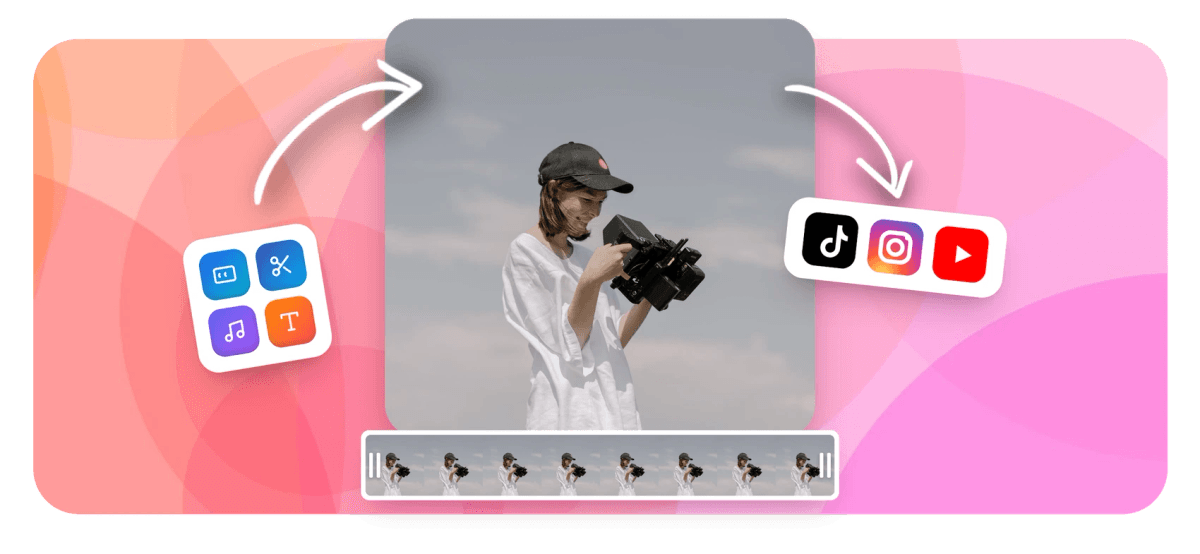
Free Online Video Editor Features
EchoWave's online video editor is used by creators, podcasters, musicians, and marketing teams around the world





Full editor in your browser
Every editing tool you need, without the download
Most browser tools do one thing. EchoWave brings a multi-track timeline, AI auto-captions, text-to-speech, green screen, waveform visualizers, and keyframe animation into a single tab. Edit MP4s, MOVs, and WebMs from any device, then export in HD or 4K, all from one place.
-
160+
Caption presets including word-level karaoke styles
-
63
AI voices for text-to-speech voiceover, with streaming generation
-
4K
Maximum export resolution (H.264, paid plan)
-
Free
Start editing immediately, no credit card required
What you can do
A browser editor built for the whole workflow
From a quick trim to a full keyframe-animated production, these tools cover the job.
-
Trim, Cut and Split
Drag handles on the multi-track timeline to trim clips to any length, cut out unwanted sections, or split a clip into multiple segments with a single click. No timeline experience needed. Use the dedicated video trimmer for fast, single-clip jobs.
-
AI Auto-Captions
Upload your video and EchoWave transcribes it automatically. Choose from 160+ caption presets including word-level karaoke animation in MrBeast, TikTok, and Kendrick Lamar styles. Translate subtitles into dozens of languages. Use the auto-subtitle generator for a dedicated caption workflow.
-
AI Text-to-Speech and Voice Cloning
Turn any script into a natural-sounding voiceover using 63 AI voices with streaming generation. Clone a custom voice for consistent narration across every video you make. The voiceover tool handles this as a standalone step too.
-
Music Visualizer and Waveforms
Turn any audio track into a waveform, FFT spectrum, or lyric video. Pick from multiple visualizer styles and animate them with keyframes to sync with your music. Explore the dedicated music visualizer for more options.
-
Multi-Track Timeline with Keyframes
Layer video, audio, text, images, stickers, and overlays on a magnetic multi-track timeline. Animate any property with keyframes for smooth motion graphics without a separate app.
-
Green Screen and Blend Modes
Remove a green screen background in the browser, swap it for any image or video, and combine layers with blend modes for compositing effects found only in desktop tools.
-
Resize for Every Platform
Change your video aspect ratio to 9:16, 1:1, 4:5, 16:9, or any custom size. EchoWave scales the canvas and repositions tracks so you can repurpose one video for TikTok, YouTube, and Instagram in minutes.
-
4K Export and Format Conversion
Export finished videos at up to 4K H.264 on a paid plan, or in HD on the free plan. Convert to GIF, WebM, MOV, or dozens of other formats using the built-in converter library. The video compressor is handy for reducing file size before sharing.
How it works
How to edit a video online
Four steps from raw clip to finished export.
-
Upload Your Video
Click Upload or drag your MP4, MOV, WebM, AVI, or other video file directly onto the timeline. EchoWave runs in any modern browser, so no software installation is required. Your file is processed securely in the cloud.
-
Edit With the Timeline
Trim, cut, and split clips on the multi-track timeline. Add captions, text, music, voiceover, overlays, stickers, or a waveform visualizer. Use the keyframe panel to animate any property. Enable AI auto-captions with one click to generate a timed transcript automatically.
-
Preview and Refine
Play back your edit in the real-time preview at any point. Adjust clip timing, style caption presets, tweak audio levels, or apply green screen compositing until every detail looks right.
-
Export and Download
Hit Export, choose your resolution (up to 4K on paid), and download your finished video as MP4. Free accounts include a small EchoWave watermark; upgrading removes it and unlocks 4K resolution.
Sized to post
The right shape for every platform
Pick an aspect ratio preset and EchoWave reframes your edit to fit.
-
9:16 Vertical
- TikTok
- Reels
- Shorts
-
1:1 Square
- X
-
16:9 Widescreen
- YouTube
- X
Who uses it
Built for every kind of video creator
-
Social Media Creators
Cut long recordings into short clips, add punchy word-level captions, resize to 9:16 for Reels and TikTok, and export in HD, all without leaving the browser.
-
Podcasters and Audiogram Makers
Turn podcast audio into shareable video with animated waveforms, guest photos, and auto-generated transcripts. EchoWave's audiogram and podcast-to-video tools handle the whole workflow.
-
Musicians and Artists
Build lyric videos and music visualizers directly from your audio file. Sync FFT spectrum animations to the beat and export in the format your distributor requires.
-
Marketers and Small Businesses
Use the template system with placeholders and bulk CSV mode to produce localized or personalized video ads at scale without a video production team.
-
Educators and Trainers
Record your screen or camera, add captions in 160+ styles, insert chapter markers as text overlays, and compress the final file for easy LMS upload.
-
Content Teams
Collaborate on projects, clone voices for consistent brand narration, and publish finished videos using EchoWave's REST and MCP template APIs for automated production pipelines.
Start editing your video now
Upload a clip and see how far you can get for free.
What people are saying about EchoWave

About the EchoWave team
EchoWave is a browser-based video and audio editor built by Lemon Vault LLC since 2018. The people who build the editor write these guides and test every step in the production app before publishing.
Online video editor FAQ
Is EchoWave's online video editor really free?
Yes. You can upload a video, edit on the multi-track timeline, add captions, music, and voiceover, and export in HD at no cost. Free exports include a small EchoWave watermark. Upgrading to a paid plan removes the watermark and unlocks 4K export.
Do I need to download or install anything?
No. EchoWave runs entirely in your web browser on any modern desktop or laptop. There is no software to install and no plugin required. Just open the editor and start working.
What video formats can I upload?
EchoWave accepts the most common video formats including MP4, MOV, WebM, and AVI. You can also upload audio files to create audiograms or lyric videos. The built-in converter library supports a wide range of input and output formats.
How do I add subtitles to a video online?
Click the Captions tool in the editor, then select Auto-Generate. EchoWave transcribes your video's audio and places timed caption cues on the timeline. You can edit the text, adjust timing, choose from 160+ style presets, and translate into other languages.
Can I edit a video without a watermark for free?
Most browser-based editors add a watermark on the free plan, and EchoWave is no exception. The free plan adds a small EchoWave badge. A paid subscription removes it entirely and also unlocks 4K exports and additional AI features.
What is the maximum resolution I can export?
Free plan exports are available in HD (up to 1080p). A paid plan unlocks 4K H.264 export. All exports are processed on EchoWave's cloud render farm, so your device's hardware does not limit the output quality.
Can I add music or voiceover to my video?
Yes. You can upload any audio file as a music track or use EchoWave's AI text-to-speech tool to generate a voiceover from a script using 63 natural-sounding voices. Voice cloning lets you record a custom voice once and reuse it across all your projects.
Does EchoWave work on Mac, Windows, and Linux?
Yes. Because EchoWave is browser-based, it works on any operating system that runs a modern browser including Chrome, Edge, Firefox, and Safari on Mac, Windows, and Linux.
Is my video data kept private?
EchoWave is operated by Lemon Vault LLC and processes your uploaded files on a secure cloud render farm. Files are used only to perform the editing and export operations you request and are not shared with third parties for advertising purposes.
Ready to edit your next video?
No credit card required. The free plan includes a small EchoWave watermark.
Get Started →























































