
Gaming Video Editor: Turn Raw Gameplay Into Highlights
Upload the recording, trim to the clutch, punch in on the play, add a facecam and karaoke captions, then export vertical for Shorts or widescreen for YouTube. Free to start, right in the browser.


Gaming Video Editor: Turn Raw Gameplay Into Highlights Features
EchoWave's gaming video tools are used by streamers, clip channels and Shorts creators worldwide





From VOD to highlight
Raw gameplay in, posted highlight out
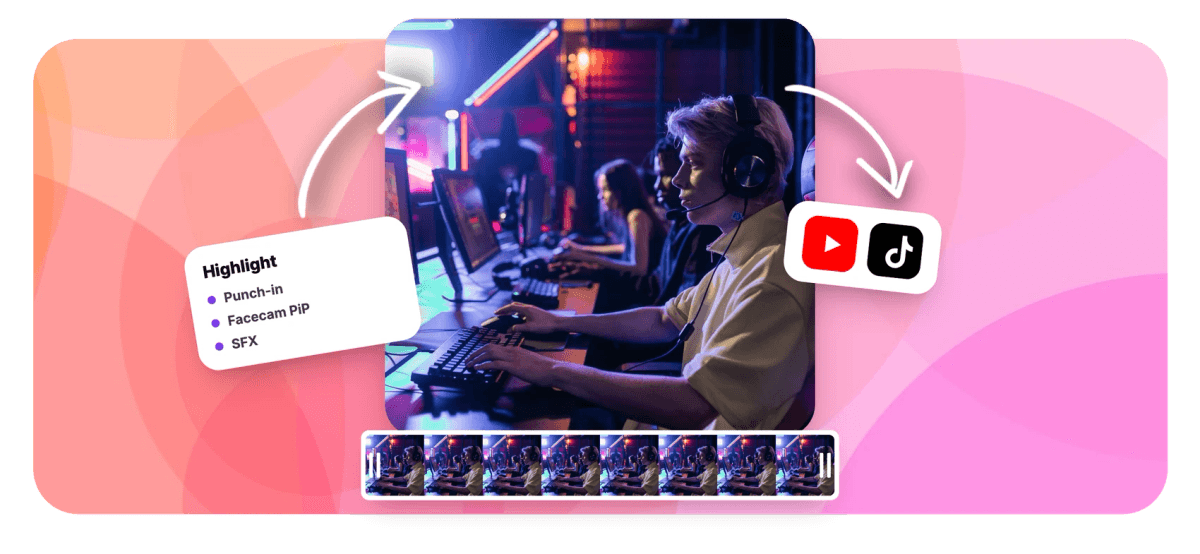
EchoWave is a gaming video editor that runs in the browser: upload the raw recording, trim to the moment and ship the highlight the same hour. Keyframed punch-in zooms push into the play, a picture-in-picture facecam keeps your reaction on screen and karaoke captions carry the commentary for viewers scrolling on mute. The built-in sound effects library supplies the impacts and risers, aspect presets re-frame the same edit for Shorts and TikTok, and region blur censors gamertags and chat before anything goes public. One honest note: EchoWave edits recordings you upload, or captures through browser screen recording. It is not a game-capture driver, so console players start by uploading their capture files.
-
45
Per-word caption animations, including 10 karaoke styles
-
56
Transitions across 5 families for montage cuts
-
9:16
One-click vertical canvas, plus 16:9, 1:1 and 4:5 presets
-
60 min
Longest single take in the built-in browser screen recorder
What you get
The full highlight kit in one tab
Everything between the raw session and the posted clip, no app switching.
-
Trim to the Moment
A long session hides a few seconds worth posting. Set in and out points around the play, delete the range, split clips and ripple the gaps closed so the highlight starts where the action does.
-
Punch-In Zooms on the Play
Keyframe position and scale to push into the headshot, the dodge or the misplay, and hold it while the moment lands. Punch-ins survive trims and speed changes, so slow-motion replays keep their framing.
-
Facecam Over the Gameplay
Stack your camera recording above the game footage, scale it into a corner and optionally remove its background so only you show over the game. The browser recorder even captures screen and camera as separate layers.
-
Karaoke Captions for Muted Feeds
Auto-transcribe your commentary with word-level timing, then style it with 170+ presets and 45 per-word animations: karaoke wipes, active-word recolor and highlight pills that keep muted viewers reading along.
-
Impacts, Risers and Stingers
Search the built-in sound effects library for impacts, risers and stingers, preview them in the panel and insert at the playhead, so the hit lands on the exact frame of the elimination.
-
One Edit, Every Feed
Flip the canvas between 16:9 for YouTube and 9:16 for Shorts and TikTok, re-frame around the action and export each version from the same project.
How it works
How to edit gaming clips online
Four steps from raw session to posted highlight.
-
Upload the Gameplay Recording
Drag the recording into the EchoWave editor, straight from your PC or from a console capture file. Filmstrips and audio waveforms appear on the clip so you can spot the action.
-
Trim to the Highlight and Punch In
Set in and out points around the play and delete the rest, then keyframe a punch-in zoom so the moment fills the frame.
-
Add Facecam, Captions and SFX
Layer your facecam in a corner, auto-transcribe the commentary into karaoke captions and drop an impact from the sound effects library at the playhead.
-
Export 9:16 or 16:9
Switch the canvas to 9:16 for Shorts and TikTok or keep 16:9 for YouTube, then render in the cloud and download your MP4.
Who uses it
Built for the people clipping every night
-
Streamers
Cut last night's VOD into highlights while chat still remembers the moment, facecam reactions and all.
-
Shorts and TikTok Gamers
Re-frame kills vertical, caption the callouts karaoke-style and post daily without opening a desktop editor.
-
Console Players
Upload capture files from PlayStation, Xbox or Switch and edit in the browser, no capture card or gaming PC required.
-
Montage Makers
Sync frags to impacts and risers, then cut between plays with 56 transitions across 5 families.
-
Guide and Tutorial Creators
Punch in on menus, builds and mechanics, and caption every step for players watching on mute.
-
Privacy-Careful Players
Blur or pixelate gamertags, chat boxes and party lists before a clip leaves your drafts.
Your best play deserves a real edit
Trim, zoom, facecam, captions and SFX in one browser tab. Free to start.
How creators use EchoWave in real projects

About the EchoWave team
EchoWave is a browser-based video and audio editor built by Lemon Vault LLC since 2018. The people who build the editor write these guides and test every step in the production app before publishing.
Gaming video editor FAQ
How do I edit gaming clips online?
Upload your gameplay recording to the EchoWave editor, it runs in the browser with nothing to install. Set in and out points to trim to the highlight, keyframe a punch-in zoom on the play, stack a facecam layer in the corner, auto-generate karaoke captions and add sound effects from the built-in library. When it looks right, choose 9:16 or 16:9 and export. Editing is free to start, and the final render happens on EchoWave's servers rather than your machine.
Can I add a facecam after I already recorded the gameplay?
Yes. Record or upload your camera video as a separate file, drop it on a layer above the gameplay and scale it into a corner like a stream overlay. Audio waveforms on both clips make it easy to line up your reaction with the moment. If the room behind you is distracting, per-clip AI background removal cuts it away so only you appear over the game. For future sessions, EchoWave's screen recorder captures screen and camera together and imports them as separate layers, so the facecam is always repositionable.
Can I edit console clips from PlayStation, Xbox or Switch?
Yes. EchoWave edits any video file you upload, so console footage works as soon as it is off the console: save the capture and transfer it the way your platform supports, then drag the file into the editor. To be clear, EchoWave is not a game-capture driver. It edits recordings you upload, and on a PC it can also record through the browser's screen capture. Console players just start from the upload step instead.
How do I make Shorts from a long gaming session?
Scrub the filmstrip on the timeline to find each play, set in and out points around it and delete the range outside. Switch the canvas to 9:16 and re-frame so the action sits center-frame, then add karaoke captions, since most short-form viewers watch muted. Export, then repeat for the next highlight. A single session often yields several Shorts, and captions plus a punch-in zoom are usually the difference between a skip and a rewatch.
Can I censor usernames and chat in my gaming clips?
Yes. The region blur tool puts a draggable, resizable rectangle over any part of the frame, a gamertag, the chat box, a party list, and applies blur, pixelate or blackout with strength up to 50 and adjustable edge feathering. You can restrict it to a time window so the censor only appears while the name is on screen. Need more than one region? Run the exported clip through the tool again; the free tools chain together. For faces in camera footage, the separate face blur effect detects and tracks every face automatically.
Does EchoWave have sound effects for gaming edits?
Yes, there is a stock sound effects library built into the editor. Search it by keyword, browse category chips, preview any effect in the panel and insert it at the playhead so it lands on the exact frame. Impacts and hits punch up eliminations, risers build tension before the clutch, and stingers sell the fail compilation. Each effect becomes a normal audio clip you can trim, move and mix against the game audio and your commentary.
Will EchoWave run on a modest PC or laptop?
Yes, and that matters for gaming setups where the GPU is busy elsewhere. The editor runs in a browser tab, and the final render is produced on EchoWave's servers rather than your hardware, so export quality and speed do not depend on your machine. You edit with a lightweight preview, press export and download the finished MP4. There is nothing to install, which also means it works on laptops and shared computers where desktop editing software is not an option.
Is the gaming video editor free?
Editing is free: build the whole project, preview it and export with a small watermark at up to 720p. Paid plans remove the watermark and raise the ceiling, 1080p on Basic, 4K with 50 and 60fps on Pro, and up to 8K with 120fps on Business. The standalone utilities like the trimmer and region blur are free with no signup at all, so quick one-off fixes cost nothing.
That clip won't post itself
From raw recording to captioned highlight in one browser tab.
Get Started →























































