
Barcode Generator
Make a print-ready barcode in seconds: pick one of 12 formats, type your data, and export PNG or SVG with the check digit computed for you. Free, in your browser.


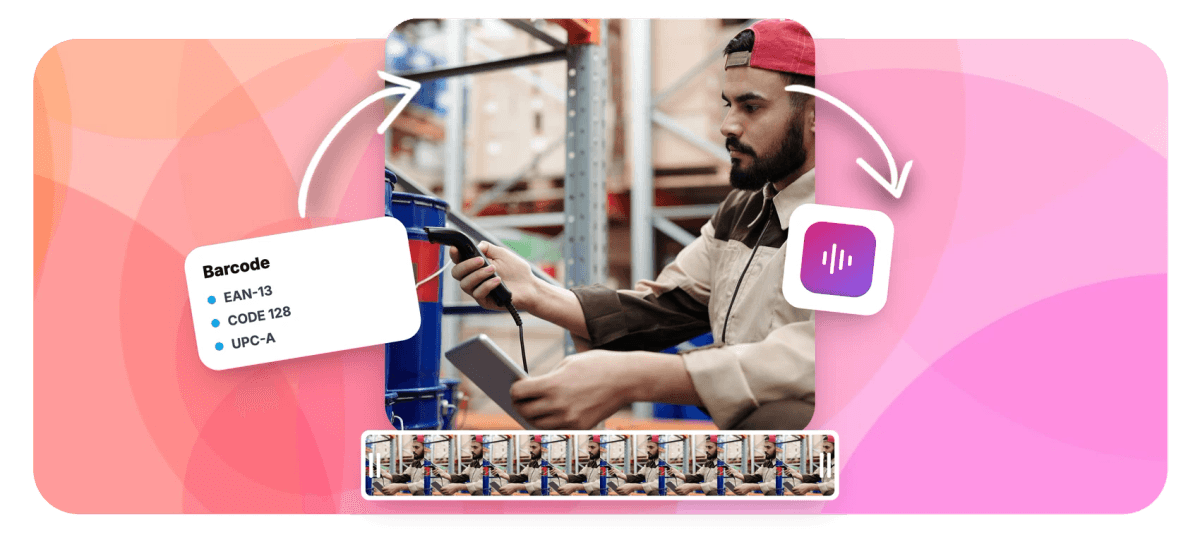
Barcode Generator Features
EchoWave's barcode tools are used by online sellers, warehouse teams, and packaging designers worldwide.





Print-ready barcodes
Barcodes that validate before they print
A barcode generator turns a product number or SKU into clean, scannable bars. EchoWave supports 12 formats, from retail EAN-13 and UPC-A to logistics workhorses like CODE 128 and ITF-14, and validates your input live against each format's rules, computing check digits automatically so the code you print is correct the first time. Style the bars and background, tune height, thickness, and quiet-zone margin, and show or hide the human-readable line. Export a sharp PNG or a vector SVG for packaging layouts, or add the barcode to product content in the online video editor. For square codes that open links, use the QR code generator instead.
-
12
barcode formats, from CODE 128 to Pharmacode
-
Auto
check digits for EAN, UPC, and ITF-14
-
2
export formats: sharp PNG and vector SVG
-
100%
generated locally in your browser, free
What you get
Everything a correct barcode needs
Pick a format, type the data, and export bars that scan the first time.
-
12 Barcode Formats
Generate CODE 128, EAN-13, EAN-8, UPC-A, UPC-E, CODE 39, CODE 93, ITF-14, ITF, MSI, Pharmacode, and Codabar, covering retail shelves, shipping cartons, and internal labels.
-
Live Validation
Your input is checked against the selected format's rules as you type, so wrong lengths and illegal characters are flagged immediately, not discovered by a scanner at the warehouse.
-
Automatic Check Digits
EAN, UPC, and ITF-14 codes need a correct final check digit to scan. EchoWave computes it for you, so a typo never becomes a misprinted product label.
-
Bar And Background Colors
Set custom bar and background colors, or make the background transparent so the code drops onto packaging artwork without a white box around it.
-
Height, Thickness, Margin
Tune bar height and thickness for your label size, and control the quiet-zone margin, the blank space scanners need on both sides of the code.
-
Human-Readable Text
Show or hide the digits beneath the bars, and set their size and weight, including bold, so the printed number stays legible at label scale.
-
PNG And SVG Export
Download a crisp PNG for quick jobs, or a vector SVG that scales perfectly inside packaging and print layouts in tools like Illustrator or Figma.
-
Add It To A Video
One click hands the barcode to the EchoWave editor, where you can lay it over product shots, mockups, and explainer frames like any other element.
How it works
How to make a barcode
From a number to a print-ready code in four steps.
-
Pick A Format
Choose from 12 formats: EAN-13 or UPC-A for retail products, CODE 128 for logistics and SKUs, ITF-14 for shipping cartons, or a specialist format like Codabar.
-
Enter Your Data
Type the number or text the code should carry. Validation runs live for the chosen format, and check digits for EAN, UPC, and ITF-14 are calculated automatically.
-
Style The Bars
Set bar color, background or transparency, bar height and thickness, the quiet-zone margin, and whether the human-readable digits show beneath the bars.
-
Download Or Add To Video
Export a sharp PNG or a vector SVG for print, or send the barcode straight into a video project in the editor with one click.
Who uses it
Who makes barcodes with EchoWave
-
Ecommerce sellers
Generate EAN and UPC codes for product listings and packaging without buying a label design suite.
-
Warehouse and operations
Print CODE 128 SKU labels and ITF-14 carton codes with the quiet zones scanners expect.
-
Packaging designers
Drop transparent-background SVG barcodes into artwork and scale them without losing an edge.
-
Small retailers
Make shelf labels and price tags with readable digits under the bars, sized for small stickers.
-
Libraries and labs
Produce Codabar and MSI codes for membership cards, samples, and legacy tracking systems.
-
Product video makers
Add a scannable code to product demos and unboxing content directly in the editor.
Make a barcode that scans the first time
Twelve formats, live validation, automatic check digits, and PNG or SVG export. Free in your browser, with no sign-up.
What people are saying about EchoWave

About the EchoWave team
EchoWave is a browser-based video and audio editor built by Lemon Vault LLC since 2018. The people who build the editor write these guides and test every step in the production app before publishing.
Barcode Generator FAQ
How do I make a barcode?
Open EchoWave's barcode generator, pick one of 12 formats, and type the number or text the code should carry. The tool validates your input against that format's rules as you type and calculates the check digit automatically for EAN, UPC, and ITF-14 codes. Style the bars, background, size, and human-readable text, then download the finished code as a PNG or a vector SVG. It is free, runs entirely in your browser, and there is no account to create.
Which barcode format should I use?
For products sold at retail, use EAN-13 in most of the world or UPC-A in the US and Canada, with EAN-8 and UPC-E as compact variants for small packages. CODE 128 is the modern all-rounder for logistics, SKUs, and internal labels because it encodes letters and numbers densely. ITF-14 marks shipping cartons, CODE 39 and CODE 93 appear in industrial labeling, Codabar survives in libraries and blood banks, MSI in older inventory systems, and Pharmacode on pharmaceutical packaging.
Does the generator calculate check digits?
Yes. EAN-13, EAN-8, UPC-A, UPC-E, and ITF-14 codes end in a check digit computed from the digits before it, and scanners reject codes where it is wrong. EchoWave computes it automatically as you type, so you enter the base number and the finished code is mathematically correct. That removes the most common cause of barcode misprints: a hand-calculated or copied check digit that does not match the rest of the number.
Why does it say my number is invalid?
Each format has strict rules, and the live validator holds your input against them. EAN-13 expects 12 digits before its check digit, UPC-A expects 11, and ITF formats need an even count of digits. Character sets matter too: EAN and UPC accept digits only, CODE 39 allows uppercase letters, digits, and a few symbols, while CODE 128 takes a much wider character range. An input that breaks the rules would produce a code that cannot scan, so the generator flags it immediately; fix the length or characters and the preview updates.
Should I download PNG or SVG for printing?
For professional print and packaging, use SVG: it is vector, scales to any size with perfectly crisp bars, and drops into Illustrator, Figma, or a packaging layout without quality loss. PNG works well for quick jobs, office printers, and on-screen use. Whichever you pick, keep the quiet-zone margin intact, print with strong contrast, dark bars on a light background, and test-scan a sample before you run a full batch of labels.
Can I make a barcode with a transparent background?
Yes. Switch the background to transparent and the exported PNG or SVG contains only the bars and the optional text, so it sits directly on packaging artwork or a video frame. Keep contrast in mind: scanners read the difference between the bars and what is behind them, so place a transparent code over a light, even surface and avoid busy textures. You can also set custom bar and background colors when the classic black-on-white look does not fit the design.
Is my product data uploaded anywhere?
No. The barcode generator runs entirely in your browser: the numbers and text you enter are used locally to draw the code and never leave your device. There is nothing to sign up for and nothing stored on EchoWave's servers. The one exception is explicit: if you click add to video, the finished barcode is saved into your EchoWave video project so the editor can place it on the timeline.
Can I use a barcode in a video?
Yes. One click sends the generated barcode into an EchoWave editor project, where you can position and resize it over product footage, mockups, or explainer slides and time exactly when it appears. It behaves like any other element on the timeline, so animations and transitions apply. Video exports are free with a small watermark and up to 720p, and paid plans remove the watermark and unlock 1080p, 4K, and higher tiers.
From number to barcode
Pick a format, type the data, and export a print-ready code, free in your browser.
Get Started →























































