
The button opens EchoWave's webcam recorder: click Start recording, allow camera access, and a live preview appears before anything is recorded. Check framing, focus and light, switch cameras, then record a short clip to check picture and sound together.
Teams that use EchoWave





See what your camera sends before anyone else does
A webcam test answers three questions: does the browser see your camera, does the picture look right, and does the sound match? EchoWave runs it inside its webcam recorder, so the preview you check is the one you record with. For a microphone level meter that moves as you talk, open the mic test first. Need your screen in the shot as well? The screen recorder adds a camera bubble.
Allow the camera, check the preview, record ten seconds, play it back.
- Live previewBefore you press record
- 480p to 1080pAs far as your camera allows
- No accountTo record and download a test clip
- 60 minutesLongest take, if the test becomes the real one
How to test your webcam
Four steps, about a minute in all.
-
1. Open the Recorder
Press Test my webcam, then click Start recording to open the camera setup.
-
2. Allow Camera Access
Choose Allow when the browser asks for your camera and microphone. No prompt? The fixes below show where to unblock it.
-
3. Check the Preview
Look at focus, framing and light, and open the camera menu to try another camera.
-
4. Record a Test Clip
Press record, let the 3-second countdown run, talk for ten seconds and stop. Play the take back, then retake or download it.
Every camera check in one tab
Each check takes seconds and needs no software.
-
Live Preview Before Recording
The picture starts as soon as you allow the camera, and nothing is captured until you press record. Confirm the right camera is on, in focus and level.
-
Mirror On or Off
The preview is mirrored by default, so moving to your left feels natural. Switch Mirror camera off in Settings for the unmirrored view.
-
Switch Cameras and Microphones
The device menu lists every camera and microphone the browser can use. A USB webcam you plug in joins the list without a reload.
-
Quality and Framing
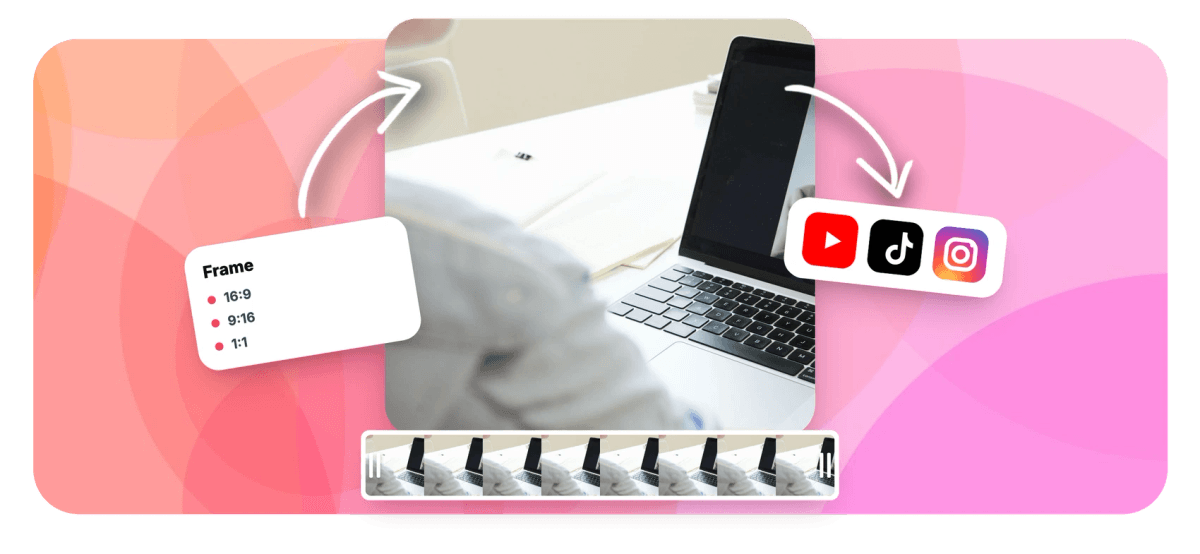
Choose 480p, 720p or 1080p and frame for 16:9, square, 4:5 or 9:16. A camera that cannot reach a setting opens at the closest quality it supports.
-
A Test Clip You Can Replay
Only a recording shows how you look and sound together. Record a few seconds, watch the take in the review screen, then retake or download it.
Test your webcam now
Live preview, camera switching and a test clip you can replay. Free, no account.
Use your camera as an online mirror
The preview doubles as a mirror in the browser: it is mirrored by default, the way a bathroom mirror shows you. Use it to check your hair, your collar or the room behind you before a call; nothing is recorded while you look. Switch Mirror camera off in Settings to see the picture the way the camera sees it, with writing on a shirt reading the right way round. To mirror a video file you already have, use the video flipper.
Webcam not working? Fixes that solve most problems
The browser blocked the camera
- Chrome and Edge: click the icon to the left of the web address, set Camera to Allow and reload.
- Safari on a Mac: open Safari, Settings, Websites, Camera, and set echowave.io to Allow.
- Firefox: click the crossed-out camera icon in the address bar to clear the block.
Your computer blocked the camera
- Windows 11: Settings, Privacy & security, Camera. Turn on Camera access and Let desktop apps access your camera; browsers count as desktop apps.
- Mac: System Settings, Privacy & Security, Camera. Switch your browser on, then quit and reopen it.
Another app is using the camera
Close Zoom, Teams, OBS or any other tab or program that might hold the camera, then try again. On Windows a camera often works in only one app at a time.
The picture is black
Check for a sliding privacy shutter over the lens and a camera key or switch on the keyboard or the side of the laptop. A virtual camera added by streaming software can also be selected by mistake: open the camera menu and pick your real webcam.
The wrong camera, or no USB webcam
With an external webcam, a phone used as a camera or a capture card, the camera menu lists several devices: choose yours before you record, since cameras cannot switch during a take. If a USB webcam is missing, plug it straight into the computer instead of a hub; the list updates by itself.

Webcam test FAQ
Is this webcam test free?
Yes. Checking the camera, recording a test clip and downloading it are free and need no account. If you choose Save & edit, the take goes into a free guest space you can claim later.
Does the webcam test record me?
Not until you press record; the preview only shows the picture. After a test take you choose to retake it, download it or open it in the editor. Closing the recorder stops the browser from using your camera.
Why is my camera black or not showing?
Usually a privacy shutter covers the lens, a keyboard key has turned the camera off, the browser or computer has blocked it, or another app holds it. A virtual camera may also be selected instead of your webcam. The fixes above cover each case.
How do I test my microphone too?
Record a short test clip and play it back to hear exactly what the microphone picked up, in sync with the picture. For a live level meter that moves while you speak, run the mic test. Microphones can be switched from the device menu at any time.
Can I test my phone camera?
Yes. Open this page in Safari or Chrome on your phone, press the button and allow camera access. If the phone lists more than one camera, pick the one you want from the camera menu.
Does the webcam test work on a Chromebook?
Yes, in Chrome. Allow the camera when Chrome asks, or from the icon to the left of the web address. If the picture stays black, check that camera access is on in the ChromeOS privacy settings and close the Camera app or any video call.
What file do I get if I download a test clip?
A video with picture and sound at the quality you chose. Chrome, Edge and Firefox save a WebM file; Safari may save an MP4. To turn a WebM into an MP4, use the WebM to MP4 converter.
What creators say after trying EchoWave
Loading the reviews
Camera looks good?
Record the real take
Get StartedThe test runs in the webcam recorder, so your next take can be the one you keep.