
Zoom In on a Video: Smooth Pushes, Snappy Punch-Ins
Set a keyframe where the zoom starts, another where it lands, and pick one of 30 easing curves. Slow cinematic push or fast punch-in, free in your browser.


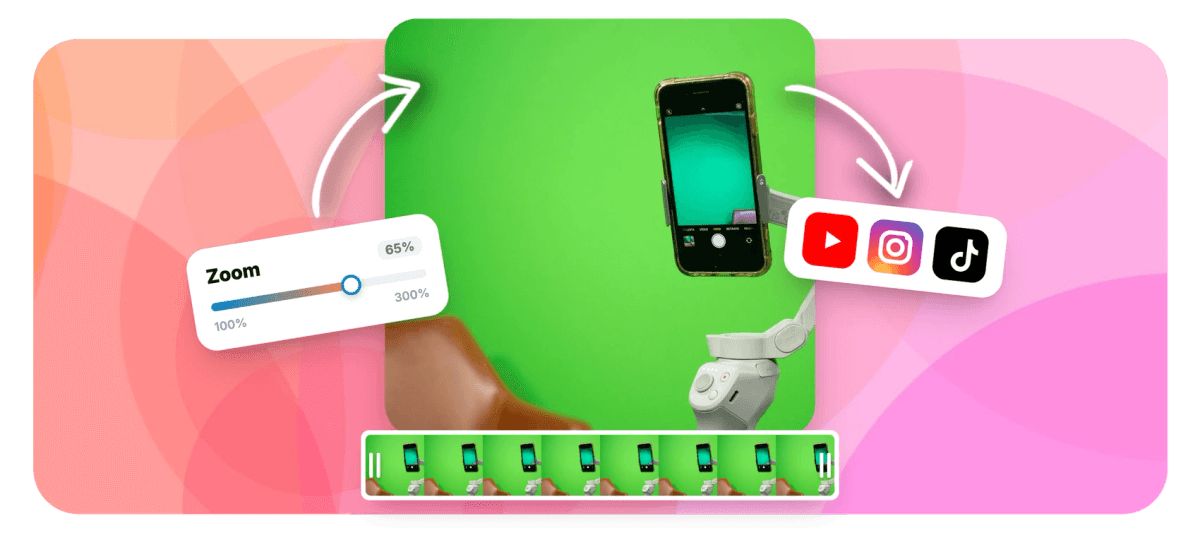
Zoom In on a Video: Smooth Pushes, Snappy Punch-Ins Features
EchoWave's zoom and keyframe tools are used by podcasters, course creators and social video editors worldwide





Keyframe-driven zoom
The zoom is two keyframes. The feel is the curve.
The fastest way to zoom in on a video is two keyframes: one at your starting scale, one zoomed in, and EchoWave animates every frame between them. Scale keyframes work on any clip, as x and y or width and height, and they pair with position keyframes so the zoom does not just magnify the center, it lands on the face, the product, the play. Then the part most editors skip: easing. Around 30 curves across the Sine, Quad, Cubic, Expo, Back, Elastic and Bounce families turn a constant-speed glide into a move that feels produced. Zooming happens inside the full video editor, so you can crop first, drop in transitions, and export in one pass.
-
30 easing curves
Linear plus the Sine, Quad, Cubic, Expo, Back, Elastic and Bounce families
-
2 keyframes
A start scale and an end scale is all one zoom takes
-
Scale + position
Paired lanes aim the zoom at your subject, not just the center of frame
-
~130%
Zoom past this on a 1080p export and a 4K source is what keeps it sharp
What you get
Real zoom controls, not a preset button
The same keyframe lanes professional editors use, without the timeline PhD.
-
Scale Keyframes on Any Clip
Every clip on the timeline takes scale keyframes, x and y together or width and height independently. Set one where the zoom starts, one where it ends, and the engine animates every frame in between.
-
Zooms That Land on the Subject
Scale alone magnifies the middle of the frame. Pair it with position keyframes and the push travels toward the face, the product or the play, so the zoom ends composed instead of cropped at random.
-
30 Easing Curves
Linear motion is the giveaway of an amateur zoom. Curves from the Sine, Quad, Cubic, Expo, Back, Elastic and Bounce families give each move acceleration that reads as intentional, from gentle drift to springy snap.
-
Punch-Ins in Two Clicks
A punch-in is just a fast scale step: two keyframes placed close together. Drop them on a beat or a punchline and you get the cut-in energy podcasts and commentary channels run on.
-
Crop Keyframes Too
Sometimes the move is a reframe, not a zoom. Crop keyframes animate the visible window of a clip over time, and the crop video tool handles static trims when nothing needs to move.
-
Keyframes That Survive Edits
Trim the clip or change its speed and the zoom stays glued to the moment it belongs to. Ramp a highlight with the speed up tool and the keyframes remap along with it.
How it works
How to zoom in on a video
From flat clip to finished zoom in four moves.
-
Add Your Clip
Upload your video to the EchoWave editor or drag it straight onto the timeline. Any clip can take scale keyframes.
-
Set the Starting Keyframe
Move the playhead to the moment the zoom should begin and add a scale keyframe at the starting size, usually 100%.
-
Zoom In on the Subject
Move the playhead to where the zoom should finish, raise the scale, then drag the frame so your subject sits exactly where you want it. The second keyframe records both scale and position.
-
Pick an Easing and Export
Choose a curve, Sine or Quad for a smooth push, Expo or Back for snap, preview the move, then export your video.
Who uses it
One effect, very different jobs
-
Podcast Clippers
Punch in on the speaker at the punchline. Two tight keyframes give clips the cut-in rhythm listeners expect.
-
Course Creators
Zoom into the exact button or line of code in a screen recording so students never squint at full-frame footage.
-
Product Marketers
A slow push onto the product shot adds intent to static footage and holds attention through the offer.
-
Sports Analysts
Drive the frame into the play as it develops, then ease back out wide for the breakdown.
-
Documentary Editors
Long, slow Sine-eased pushes across interviews and archival stills read as deliberate rather than digital.
-
Reels and Shorts Editors
Zoom steps every few seconds reset attention on vertical feeds without shooting a single extra angle.
Your footage is done sitting still
Two keyframes and an easing curve turn a static clip into a move. Free to start, right in the browser.
What people are saying about EchoWave

About the EchoWave team
EchoWave is a browser-based video and audio editor built by Lemon Vault LLC since 2018. The people who build the editor write these guides and test every step in the production app before publishing.
Video zoom FAQ
How do I zoom in on a video?
Open your clip in the EchoWave editor, put the playhead where the zoom should start and add a scale keyframe. Move the playhead to where it should finish, raise the scale, and drag the frame so the subject you care about sits center stage: that pairs a position keyframe with the scale, which is how you zoom in on one part of the video rather than just its middle. Pick an easing curve, preview, export. Two keyframes is the whole trick, everything after that is taste.
How do I make a smooth, slow zoom-in?
Distance and easing. Put the two scale keyframes far apart, ten seconds or more for a real cinematic push, and keep the scale change modest, something like 100% to 115%. Then choose a gentle curve from the Sine or Quad family so the move accelerates and settles instead of starting and stopping abruptly. The result is the slow push documentaries run under interviews. If it still feels mechanical, halve the scale change before you shorten the duration.
How do I do a punch-in, the fast zoom cut?
A punch-in is a fast scale step between two keyframes placed close together, a few frames apart, so the zoom reads as a jolt rather than a glide. Snappy easings from the Expo or Back family sharpen it further. You can also fake it with a hard cut: duplicate the clip, scale the second copy up 20 to 30%, and jump between them. Both patterns land the same beat; keyframes keep it one clip, the cut version gives you an instant switch.
Can I zoom in on a video without losing quality?
Digital zoom magnifies pixels that already exist, so the honest answer is that quality depends on your source. A 4K source zoomed into a 1080p export has pixels to spare, which is why 4K footage holds up best once you zoom past roughly 130%. A 1080p source exported at 1080p starts to soften around that same point. Upload the highest resolution you have, keep zooms on 1080p sources modest, and save aggressive punch-ins for footage with resolution headroom.
Can I zoom out instead, for a reveal?
Yes, a zoom-out is the same two keyframes reversed: start scaled in tight on a detail, end wide at 100%. It is the classic reveal, open on the logo, the face or the texture, then pull back to show context. Pair the scale with position keyframes so the pull-back re-centers the full frame, and use a Sine or Cubic ease so the move settles gently as the whole scene arrives.
Can I add a zoom to a photo or still image?
Yes. Images on the timeline take the same scale and position keyframes as video, which is exactly how the classic documentary pan-and-zoom over stills is made. If photos are your whole project, the Ken Burns effect page walks through the technique on still images specifically, slow pushes, drifts and reveals, with the same 30 easing curves behind them.
Can the zoom follow a moving subject?
Approximately, and honestly: there is no automatic motion tracking. Keyframes are manual waypoints, so if the subject drifts, you add a few position keyframes along their path and the frame moves through them. For a walking subject or a slow pan that works well; for fast, erratic motion it becomes hand animation, and you are usually better off zooming less and framing wider. Several waypoints with a gentle easing between them covers most real cases.
Is the zoom effect free?
Yes. Scale, position and crop keyframes and all the easing curves are part of the free EchoWave editor, with no install and nothing to unlock inside the effect itself. Free exports carry a small watermark and are capped at 720p; paid plans remove the watermark and raise the ceiling to 1080p, 4K and beyond, which matters here because export resolution is half of how sharp a zoom looks.
Ready to move the frame?
Keyframe zooms with 30 easing curves, free in the EchoWave editor.
Get Started →























































