
AI Caption Generator: Auto Captions, Karaoke Styles and Subtitle Export
Caption generator that transcribes your video and adds styled, perfectly timed subtitles automatically. Edit the text, pick a look and burn them in. Free, no watermark.


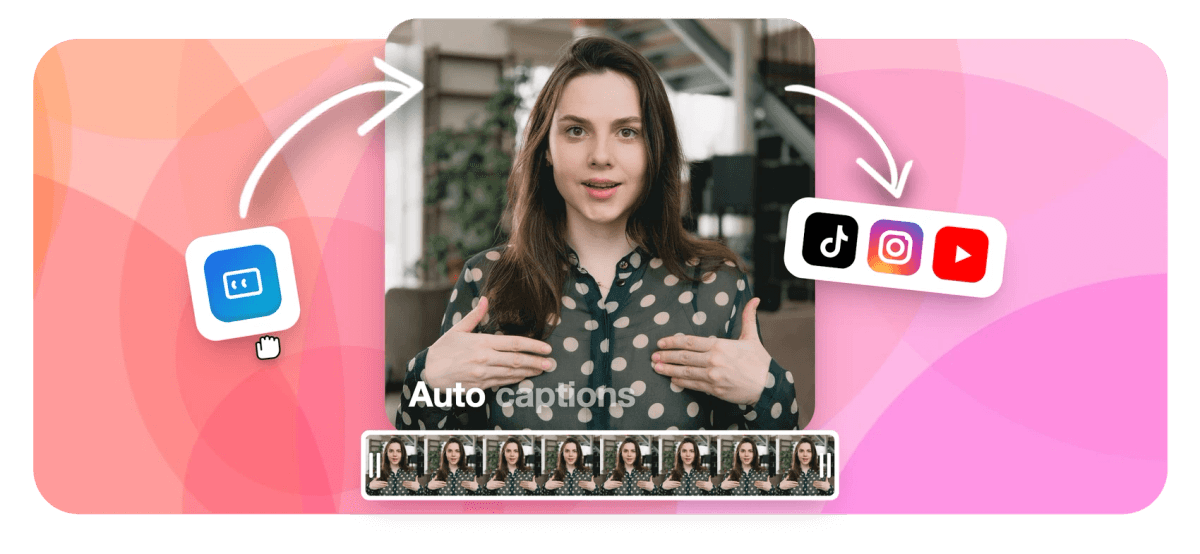
AI Caption Generator: Auto Captions, Karaoke Styles and Subtitle Export Features
EchoWave's caption generator is used by social creators, podcasters, and brands worldwide





Styled captions, instantly
Animated captions that pop on social video
Most caption tools give you plain white text. EchoWave gives you 160+ named presets, from MrBeast karaoke to Kendrick lyric pop, with word-level timing that highlights each syllable as it is spoken. Captions live on their own track in a full multi-track video editor, so you can style your captions, trim your clip, and add a waveform or voiceover all in the same session. Export a burned-in MP4 or a clean SRT/VTT file, your choice.
-
160+ presets
Caption styles including karaoke, outline, MrBeast, and Kendrick
-
50+ languages
Auto-caption and translation language support
-
4K H.264
Maximum export resolution on paid plans
-
Free to start
No credit card required; free plan adds a small watermark, paid removes it
What you get
Every caption feature in one editor
From one-click AI transcription to word-level karaoke animation, every tool you need is in the same session.
-
AI Auto-Captions in One Click
Our ASR engine transcribes your video audio automatically and syncs captions to the exact millisecond. Supports 50+ languages so your content reaches viewers worldwide. Need a pure accessibility workflow? See the auto-subtitle generator.
-
160+ Styled Caption Presets
Pick from over 160 caption styles including TikTok pop, bold outline, MrBeast karaoke, Kendrick lyric, and neon glow. Every style is fully editable: font, size, color, shadow, and background. You can also add subtitles manually if you prefer to place cues by hand.
-
Karaoke Word-Level Animation
Highlight each word as it is spoken with karaoke-style color pop, slide, pulse, or fade animations. Word-level timing keeps every syllable in sync for maximum viewer retention on short-form video.
-
Caption Translation to 50+ Languages
Translate your captions to reach a global audience. Switch the subtitle language without re-uploading your video and export translated SRT or VTT files for any platform. For audio-first transcription, try convert audio to text.
-
Full Style Control
Adjust font family, size, weight, color, stroke, background pill, opacity, position, and line breaks. Synthetic italics are supported even for fonts without a native italic face. Pair captions with text overlays for full typographic control.
-
Multi-Track Timeline Editor
Captions live on their own track inside a full magnetic timeline editor alongside your video, music, voiceover, overlays, and stickers. Edit caption cues and the rest of your project in the same session with the video editor.
-
Export Burned-In or as SRT/VTT
Download your video with captions permanently embedded, or export a clean SRT or VTT subtitle file to upload to YouTube, Instagram, LinkedIn, or any platform that accepts external caption files.
-
Works With Any Audio Source
Generate captions from recorded video, uploaded audio, screen recordings, voiceovers recorded inside EchoWave, or AI text-to-speech. Every audio track in your project is captionable. Add a voiceover track with the add voice-over tool.
How it works
How to add captions to a video
Four steps from raw video to captioned, styled, exported.
-
Upload Your Video
Drag and drop your video file into the EchoWave editor, or paste a URL. Common formats including MP4, MOV, WebM, and more are all accepted with no file conversion needed.
-
Auto-Generate Captions
Click the Captions tool and select Auto-Generate. Our AI transcribes the audio and places caption cues on the timeline synced to speech within seconds.
-
Style and Edit Your Captions
Choose a preset style or customize font, color, animation, and word-level highlight. Use the transcript editor to fix any word, adjust timing, or translate the captions to another language.
-
Export Your Captioned Video
Export as MP4 with captions burned in, or download an SRT/VTT file. Free accounts receive a small watermark; paid plans export at up to 4K with no watermark.
Who uses it
Built for every kind of creator
-
Short-Form Social Creators
TikTok, Reels, and Shorts creators use karaoke word-by-word captions to hold viewer attention, reduce drop-off, and drive shares without spending hours on manual subtitling.
-
Podcasters and Educators
Convert long-form talking-head or interview footage into accessible captioned video for YouTube, LinkedIn, and course platforms. Export SRT files for any CMS or LMS.
-
Marketing and Brand Teams
Produce on-brand captioned ads and social clips with consistent fonts, colors, and logo placement across multiple videos using EchoWave's styled caption presets and templates.
-
Multilingual Audiences
Reach Spanish, Portuguese, French, or 47 other language communities by translating captions in one click, without re-recording or re-uploading your video.
-
Lyric Videos and Music Creators
Build karaoke-style lyric videos with word-level pop animations synced to your music track. EchoWave's waveform and music visualizer tools work alongside captions in the same project.
-
Accessibility and Compliance
Make corporate, educational, and government video content accessible to deaf and hard-of-hearing viewers. Export closed-caption SRT or VTT files for platform compliance.
Add captions to your video now
Start free. Upload your video and generate styled captions in seconds.
What creators say after trying EchoWave

About the EchoWave team
EchoWave is a browser-based video and audio editor built by Lemon Vault LLC since 2018. The people who build the editor write these guides and test every step in the production app before publishing.
Caption generator FAQ
What is a caption generator?
A caption generator is an online tool that automatically transcribes the spoken audio in a video and places synchronized text captions on screen. Modern AI caption generators use automatic speech recognition (ASR) to do this in seconds, rather than requiring manual typing. EchoWave's caption generator also lets you style those captions with animated presets, translate them, and export the result as a video or as an SRT/VTT subtitle file.
Is EchoWave's caption generator free?
Yes. You can upload a video and auto-generate captions at no cost. Free exports include a small EchoWave watermark. Upgrading to a paid plan removes the watermark and unlocks 4K export resolution. No credit card is required to get started.
What is the difference between captions and subtitles?
Captions and subtitles both display transcribed speech as on-screen text, but captions are designed for viewers who cannot hear the audio and may also include non-verbal sound descriptions. Subtitles are typically used for translation, helping viewers who can hear but do not speak the language. In practice, most online video tools (including EchoWave) use the terms interchangeably, and the same SRT or VTT file works for both purposes.
How accurate are the auto-generated captions?
Accuracy depends on audio quality, accent clarity, and background noise. With clear speech and minimal background noise, EchoWave's ASR engine achieves high accuracy comparable to industry benchmarks. You can review and edit every word in the transcript editor before exporting, so any errors are easy to fix.
Can I add animated or karaoke-style captions for TikTok and Reels?
Yes. EchoWave includes 160+ caption presets with word-level karaoke animations where each word highlights in color as it is spoken. Styles include pop, slide, pulse, and fade animations sized and positioned for vertical 9:16 short-form video. Export at the correct aspect ratio directly from the editor.
Can I translate captions into another language?
Yes. After generating captions, select the Translate option and choose from 50+ languages. EchoWave rewrites the caption track in the new language and re-syncs the timing. You can then export the translated video or download the translated SRT/VTT file.
What video formats can I upload?
EchoWave accepts common video formats including MP4, MOV, WebM, and more. You can also generate captions for content recorded inside EchoWave using the built-in screen or camera recorder. Audio-only files can be converted to text using the Audio to Text tool.
Can I export the captions as an SRT or VTT file instead of burning them in?
Yes. After generating and editing your captions you can download a clean SRT or VTT subtitle file. This lets you upload the captions separately to YouTube, Instagram, LinkedIn, or any platform that supports external caption files, keeping the video file itself unmodified.
How is this caption generator different from EchoWave's auto-subtitle and add-subtitles pages?
All three tools use the same ASR engine. The caption generator page focuses on styled, animated social captions and karaoke word-level effects. The auto-subtitle generator page emphasizes accessibility and SRT/VTT export for long-form content. The add-subtitles page covers manual subtitle placement and editing workflows. For animated social-first captions, start here. For an SRT file for YouTube or a compliance workflow, visit the auto-subtitle generator.
Ready to caption your video?
No credit card required. The free plan includes a small EchoWave watermark.
Get Started →























































