
Quote Video Maker: Give Your Best Lines Motion
Type the quote, animate it over color, footage or a drifting photo, add music or an AI read, and export square or vertical. Free to start, in your browser.


Quote Video Maker: Give Your Best Lines Motion Features
EchoWave's quote video tools are used by motivation pages, authors and social media managers worldwide





Words worth motion
Static cards get skimmed, moving quotes get watched
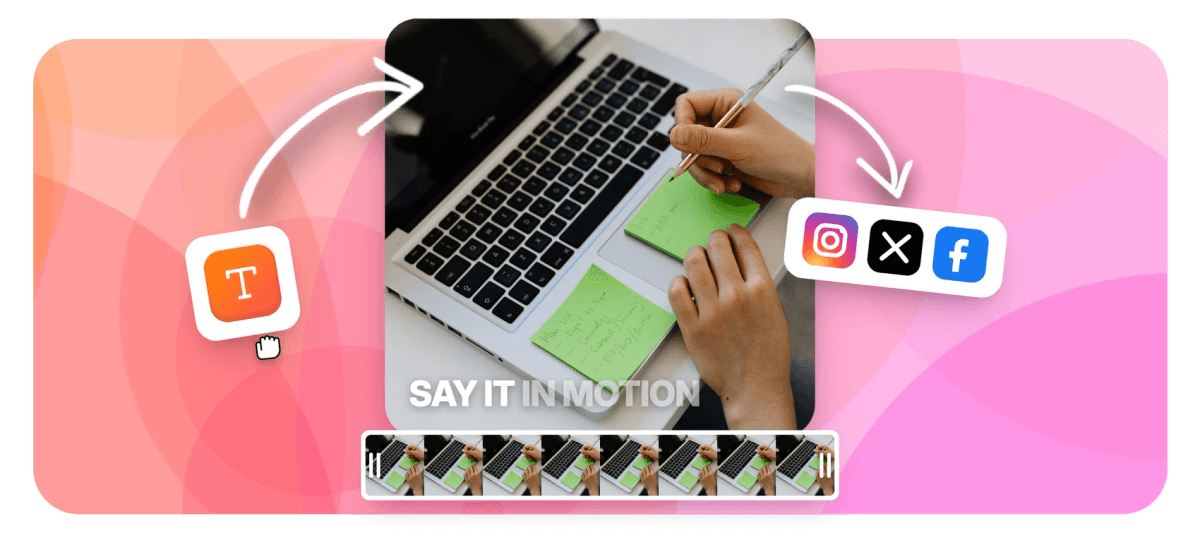
A strong quote reads in a second, and a quote video maker gives that second something static cards never get: motion, the one thing feeds reliably stop for. In EchoWave, type the line as animated text and pick from 45 word-level moves, including staggered reveals that walk the quote in word by word. Set it over a solid color, a gradient image, footage you upload, or a photo with a slow Ken Burns drift. Lay music underneath with a fade, or generate an AI voice that reads the line out loud. Credit the author in a smaller second line, then export 1:1 for feeds or 9:16 for Stories and Reels.
-
45 animations
Word-level ways for a quote to arrive, from quiet fades to staggered builds
-
1:1 and 9:16
Feed-square and Stories-vertical canvas presets, with 4:5 and 16:9 a click away
-
10 karaoke fills
Light up each word in turn, the natural partner for a spoken read
-
1 row = 1 video
Turn a finished quote into a template and a CSV of lines renders as a series
What you get
Everything a quote needs to hold a feed
The words, the backdrop, the sound and the sizing are each one decision, not one afternoon.
-
45 Animations for One Line
Type the quote and choose how it arrives: 20 reveals, staggered cascades that walk it in word by word, karaoke fills, loops. The animated text engine works at word level, so even short lines have somewhere to go.
-
Backgrounds That Stay Backgrounds
Set the quote over a flat brand color, upload a gradient image for the soft-poster look, drop in footage you shot, or give a still photo a slow Ken Burns drift. Quiet options, because the words are the point.
-
A Music Bed That Fades
Lay a track under the quote and fade it in and out so the video opens and closes clean. Add audio from your own library, trim it to length and set the level so it carries mood without competing.
-
An AI Voice Reads the Line
Optional but effective: generate a text to speech read of the quote and lay it over the music. Preview voices as they stream, pick one that suits the line, and sound-on viewers hear the words too.
-
The Author, One Size Smaller
Attribution is a second text element: smaller, quieter, under the quote. Style it once, save it as a preset, and every video in the series credits its author the same way.
-
Square and Vertical Exports
Canvas presets cover 1:1 for the feed, 9:16 for Stories, Reels and TikTok, plus 4:5 and 16:9. Pick the frame up front, or resize the canvas when a square post needs a vertical cut.
How it works
How to make a quote video
Four steps from line to post.
-
Type the Quote as Animated Text
Open the editor, add a text element and type the quote. Pick one of the 45 word-level animations, a stagger reads especially well, and add the author as a smaller second line.
-
Choose the Background
Set a solid color, upload a gradient image or your own footage, or place a photo and give it a slow Ken Burns move so the frame breathes without stealing focus.
-
Add Music or a Voice Read
Lay a music track underneath and fade it in and out. Want the quote heard as well as read? Generate an AI voiceover of the line and time the text to it.
-
Export 1:1 or 9:16
Choose the square preset for feed posts or vertical for Stories, Reels and TikTok, preview once, and export an MP4 ready to publish.
Who uses it
Anyone whose best material fits in a sentence
-
Motivation and Quote Pages
Daily lines over slow gradients, one project duplicated per post, the feed stays consistent and the queue stays full.
-
Authors and Book Marketers
Pull the sharpest sentence from the book, set it over a moody Ken Burns cover shot, credit yourself.
-
Coaches and Speakers
Turn the line that got applause into a vertical clip, an AI read makes it land with sound on.
-
Faith and Community Groups
A verse of the week over quiet footage, same fonts every Sunday, sized for the congregation's feeds.
-
Social Media Managers
Customer praise becomes content: the testimonial animates in, the customer's name sits smaller underneath, brand colors behind.
-
Podcasters
The guest's best one-liner, staggered in word by word over the episode art while the music swells.
Your best line deserves better than a static card
Animate the quote, back it with music or a voice, export it sized for the feed. Free to start.
What creators say after trying EchoWave

About the EchoWave team
EchoWave is a browser-based video and audio editor built by Lemon Vault LLC since 2018. The people who build the editor write these guides and test every step in the production app before publishing.
Quote video maker FAQ
How do I make a quote video?
Open the EchoWave editor, add a text element and type the quote. Choose one of the 45 word-level animations, staggered reveals suit quotes especially well, then add the author's name as a smaller second line. Set the background: a solid color, a gradient image, footage you upload, or a photo with a gentle Ken Burns move. Lay music underneath with a fade in and out, or generate an AI voice reading the line. Pick a 1:1 or 9:16 canvas and export an MP4 ready for any feed.
How do I keep the quote readable on a phone screen?
Three habits cover most of it. Contrast: put light text on dark backgrounds, or add an outline or background pill so the words separate from the footage. Size: type larger than feels natural on a desktop preview, most viewers read it on a phone held at arm's length. Pacing: leave the full line on screen long enough to read twice, and pick a calmer animation for longer quotes, a 20-word passage does not need every word bouncing. A quick check: play the preview at actual speed and read the quote aloud; if you run out of time, the video is too short. The same controls apply whenever you add text overlays to a video, not just quotes.
Can the quote appear word by word?
Yes, three ways. Staggered cascades bring the words in one after another, the classic quote-card build. Karaoke fills show the whole line and light up each word in sequence, which pairs naturally with a voice read. Reveals control how each word enters, from soft fades to hard pops. All 45 animation types work at word level on typed text, no transcript required, and you control when the sequence starts by dragging the text clip on the timeline.
Can I add a voice that reads the quote out loud?
Yes. EchoWave's voiceover studio generates an AI text to speech read inside the editor: paste the quote, preview voices as they stream, and drop the one you like onto the timeline. The standalone text to speech tool is also free with no signup. Once the read is in place, nudge the text animation so words land roughly as they are spoken; a karaoke fill over a voice read is the closest thing to the quote performing itself.
What backgrounds work without distracting from the text?
Quiet ones. A flat brand color is the safest and renders cleanly at any size. A gradient image gives the soft poster look quote pages lean on. If you want footage, choose slow, low-detail shots: clouds, water, traffic at dusk, and let the words carry the energy. A still photo with a subtle Ken Burns drift adds life without adding noise. Whatever you pick, check the region where the text sits: if it is busy, an outline or background pill restores the separation.
How do I keep a quote series looking consistent?
Build one video you like, then reuse it. Duplicating the project keeps fonts, animation, background treatment and music while you swap the line. Style presets let you restyle any new text element to match in one click. For volume, turn the project into a template with placeholder text and generate in bulk from a CSV, one row per quote becomes one rendered video, so a month of daily posts is a spreadsheet, not thirty editing sessions.
Do I need permission to put someone's quote in a video?
This is etiquette and common practice, not legal advice. Short quotes with clear attribution are a long-standing convention, and crediting the author in the video itself, not just the caption, is the polite default. Historical figures and public domain sources are the safest ground. For living writers, quoting a line with credit is normal; lifting long passages or implying endorsement is where accounts get into trouble. For customer testimonials, get a yes before you publish. When in doubt, ask, most authors are glad to see their words shared with their name attached.
Is the quote video maker free?
Yes to start. The editor is free: you can build the quote, animate it, add music or a voice read and preview everything without paying. Free exports carry a small EchoWave watermark and cap at 720p, which is fine for testing a look or a low-stakes post. Paid plans remove the watermark and raise the ceiling: 1080p on Basic, 4K with 50 or 60fps on Pro, and 8K on Business. The standalone text to speech tool is free with no signup at all.
One great line. Now it moves.
Animated words over a quiet background, music underneath, sized for any feed.
Get Started →























































