
Trailer Maker: Build the Hype Beat by Beat
Trailers follow a grammar you can learn: short hits of footage, a dip to black, a bold title card, a riser into an impact. Cut yours free in the browser.


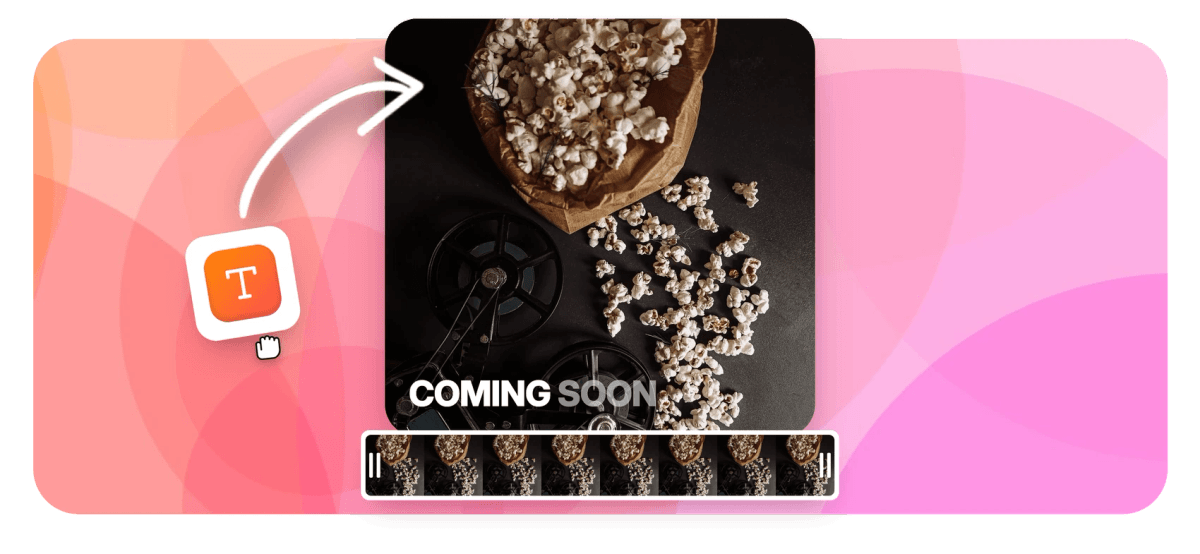
Trailer Maker: Build the Hype Beat by Beat Features
EchoWave's trailer tools are used by independent filmmakers, YouTube creators and course launchers worldwide





Trailer grammar
The studio tease is a formula, and the formula is learnable
A trailer maker is really four tools working one rhythm: short hits of footage, a dip to black, a bold title card, a swell of sound. EchoWave has each piece on one timeline. 56 video transitions include dip-to-black and flash, with duration, easing and dip color controls, so the cut breathes exactly when you want. 45 word-level animated text behaviors turn loglines into title cards that move. The built-in sound effects library holds the risers, impacts and whooshes that make each beat land, and your music bed sits on its own track underneath. No AI writes the tease for you: you pick the shots, the tools make them hit.
-
56
transitions in 5 families, including the dip-to-black and flash beats trailers run on
-
45
word-level text animations for title cards that move like the studio version
-
6
easing curves per transition, so a dip can hit hard or breathe out slowly
-
9:16
aspect preset beside 16:9, 1:1 and 4:5 for cutting the same tease down for feeds
What you get
Every beat in the formula has a tool
The pieces trailer editors reach for, already sitting on one browser timeline.
-
Dip-to-Black Between Beats
Drop one of 56 transitions between clips, including dip-to-black and flash. Set duration, pick from 6 easings and tune intensity and dip color, so the black holds for exactly as long as the moment needs.
-
Title Cards With Real Motion
Type the logline and style it with 45 word-level animated text behaviors: reveals, staggered cascades, loops that keep a card alive. Full font, outline and color control keeps every card on brand across the whole tease.
-
Risers, Impacts and Whooshes
Search the built-in sound effects library by keyword or category, preview in the panel and insert at the playhead. A riser under the build and an impact on the title card is the oldest trick in the trailer book.
-
A Music Bed That Swells
Drop your track on its own audio lane, trim it to the cut and fade it out under the closing card. Per-clip volume and mute keep the dialogue hits readable over the bed.
-
Short Hits, Tight Cuts
Split and trim clips into one-to-three-second hits with magnetic snapping and ripple delete, so the rhythm stays tight while you rearrange. Start from the cut video workflow if your source is one long take.
-
A Closer That Names the Date
End on the title, the date and where to watch. The credits maker adds a scrolling cast and crew roll when your short film wants the full theatrical sign-off.
How it works
How to make a trailer
Four steps, one rhythm: hit, black, card, hit.
-
Pick 6 to 12 Short Moments
Upload your footage and split out the strongest 6 to 12 moments: the best line, the biggest reaction, the widest shot. Trim each to a one-to-three-second hit and drop them on the timeline in rough order.
-
Alternate Footage, Cards and Dips
Build the rhythm: a hit of footage, a dip to black, a title card, another hit. Add dip-to-black transitions between beats and spread your logline across two or three animated title cards.
-
Add a Riser, an Impact and Music
Search the sound effects library for a riser and place it under the build, then land an impact on the title card. Lay your music bed on its own track and balance it against the dialogue.
-
Export and Post It Everywhere
Preview the cut, then export an MP4. Free exports are 720p with a small watermark; paid plans remove it and unlock 1080p, 4K or 8K. Switch the canvas to 9:16 for a feed-ready cutdown.
Who uses it
Every launch deserves a tease
-
Short Films
Festival submissions and premieres need a tease. Cut your three best shots against a title card and a date.
-
YouTube Channel Trailers
The channel-page trailer sells a subscribe in under a minute: best clips, one promise, where to start watching.
-
Course Launches
Tease the transformation, not the syllabus: student results, module title cards and a launch date beat a lecture clip.
-
Podcasters
Cut the season tease from your loudest moments: three hot takes, dips between guests, the feed name on the closer.
-
Event Organizers
Last year's crowd is this year's ad. Big moments, a dip to black, the date and the ticket link.
-
Game Dev Logs
Wishlist pushes run on gameplay hits cut to impacts, with a feature title card between each mechanic reveal.
Give it the premiere treatment
Six clips, two title cards, one riser, one impact. The whole formula is sitting in the editor, free to start.
What people are saying about EchoWave

About the EchoWave team
EchoWave is a browser-based video and audio editor built by Lemon Vault LLC since 2018. The people who build the editor write these guides and test every step in the production app before publishing.
Trailer maker FAQ
How do I make a trailer?
Collect your footage in the EchoWave editor and split out 6 to 12 short moments, each trimmed to a beat of one to three seconds. Alternate those hits with animated title cards that carry your logline, and drop dip-to-black transitions between beats so the trailer breathes. Add a riser from the sound effects library under the build, an impact on the title card, and a music bed underneath it all. Close on your title, your date and where to watch, then export. You choose the shots; the tools make the beats land.
How long should a trailer be?
30 to 90 seconds covers almost every case. A YouTube channel trailer earns the subscribe fastest at 30 to 60 seconds. A short film or event trailer can hold 60 to 90 seconds if every beat pulls its weight. Past 90 seconds you are no longer teasing, you are summarizing, and a summary kills the reason to click through. If you are posting to feeds, cut a 15 to 30 second teaser version too: same beats, fewer of them, with the title card up front because scrollers will not wait for it.
Why do trailers cut to black between shots?
The dip to black is punctuation. It separates beats so each shot reads as its own reveal instead of one continuous scene, and it buys a breath for the sound design to reload: riser up, black, impact, next shot. It also hides the fact that your shots come from different scenes, lighting setups or days, because the eye resets on every dip. In EchoWave, add a dip-to-black transition between clips and tune its duration and easing; a fast dip feels urgent, a slow one feels ominous. Shorten the gaps as the trailer accelerates toward the title.
How do I make title cards that feel cinematic?
Keep them short: three to six words per card, one thought each, set over black so they read as beats rather than subtitles. Then let them move. EchoWave's 45 word-level animated text behaviors include reveals and staggered cascades, and a slow reveal with restrained motion reads instantly as trailer language. Time each card to the music, hold it just long enough to read twice, and cut to footage on the beat. Save one text style preset and reuse it on every card so the sequence feels designed, not assembled.
What sound effects does a trailer need?
Three do most of the work. A riser builds tension under your fastest run of shots. An impact, a boom or a hit, lands on the title card or the hardest cut to black. A whoosh smooths the movement between beats. In EchoWave, open the sound effects panel, search by keyword, preview in place and insert at the playhead, then nudge each effect a few frames until it sits exactly on the cut. Keep effects a touch louder than the music, and pull the bed down while dialogue plays.
What is the difference between a trailer and a teaser?
Length and information. A teaser runs 15 to 30 seconds and sells a feeling: one or two shots, a title, a date, deliberately withholding the rest. A trailer runs 30 to 90 seconds and sells the premise: who it is for, what the stakes are, why now, still without giving away the ending. Cut the trailer first, then make the teaser by deleting everything except the strongest beat and the title card. Same project, same music, fewer shots. Post the teaser early to prime the audience and the trailer closer to launch.
Where should I publish my trailer?
Everywhere the decision happens. On YouTube, set it as your channel trailer so new visitors see it before anything else. Cut a 9:16 version with the aspect presets for Shorts, Reels and TikTok, and post it natively rather than linking out. Embed it at the top of a course sales page or event page, where a 60-second tease outsells a paragraph of copy. For film festivals, put it on your submission page and pin it across your socials the week of the premiere.
Is the trailer maker free?
Yes, free to start. The editor, the 56 transitions, the animated text engine and the sound effects library are all usable on the free plan, and free exports render at up to 720p with a small EchoWave watermark. Paid plans remove the watermark and raise the ceiling: 1080p on Basic, 4K with 50 or 60fps on Pro, 8K on Business. For a festival submission or a paid course launch that upgrade matters; for testing whether your cut works, the free plan gives you the full rhythm.
Lights down. Trailer up.
Cut the tease in your browser: dips, title cards, risers and a music bed, free to start.
Get Started →























































