
Animated Word Art
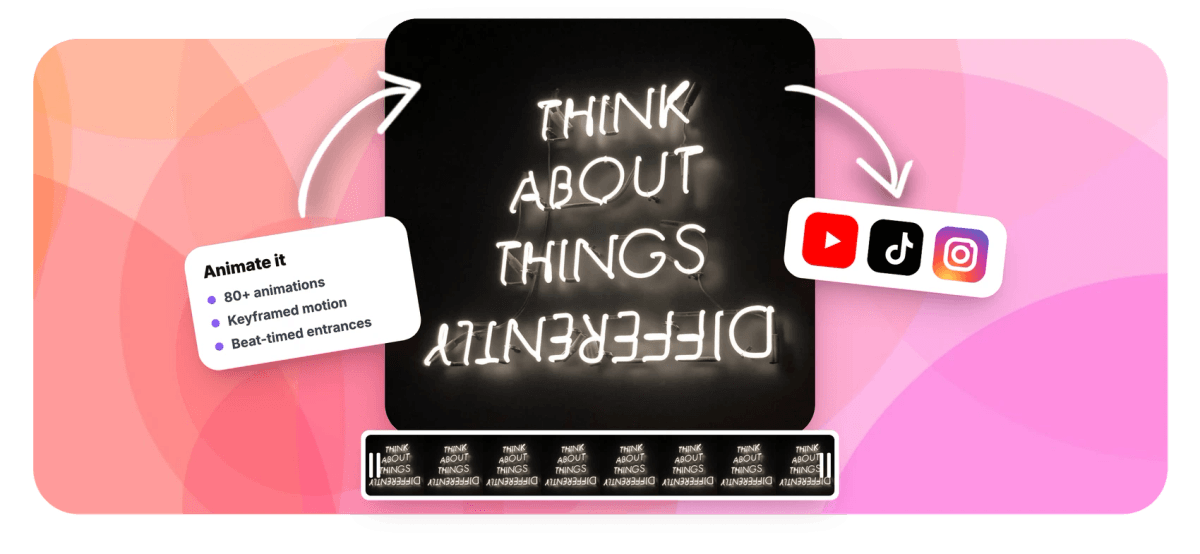
Word art is better when it moves. Fill words with your photos, then animate them over footage with entrances, motion, and music: and export as video.


Animated Word Art Features
EchoWave's motion tools power intros, promos, and recaps for creators worldwide.





Word art in motion
Static word art is a poster. This is a moment.
Most word art generators hand you a picture. EchoWave hands you a scene: words filled with your own photos that fade in as the beat drops, drift across your footage, and exit before the next cut. The collage is built inside a free online video editor, so every motion tool applies, entrance and exit animations, keyframed position and scale, opacity, precise timeline timing, even cuts synced to the music with the beat sync editor. The art itself stays editable the whole time: rewrite the words, swap photos, change the font, and the animation carries over untouched. For the still version and the full styling rundown, see the word art maker.
-
80+
animations, from fades and slides to bounces
-
8
photos per collage, shuffled with one click
-
100%
transparent background, floats over any footage
-
0
re-work when you edit words after animating
What you get
Everything you need to put word art in motion
Build the collage once, then direct it like any other actor in your edit.
-
Entrances And Exits
Fade, slide, zoom, and more: give the word art a proper arrival and departure instead of popping on and off, straight from the editor's animation panel.
-
Keyframed Motion
Keyframe position, scale, rotation, and opacity to drift the words across a landscape shot, punch in on a beat, or park them in a corner as a watermark.
-
Timed To The Music
Place the art on the timeline to the exact frame, and use beat sync to line up its entrance with the drop: recaps and hype edits land harder on the beat.
-
Floats Over Anything
The collage renders with a fully transparent background, so it composites cleanly over footage, slideshows, solid colors, or other layers.
-
Photo-Filled Letters
The words themselves are built from up to eight of your photos: trimmed clean at the letter edge, faded soft, or overflowing like real prints.
-
Edit Words Mid-Edit
Change the text, photos, or font at any point and the collage re-renders in place: position, timing, and every animation you set are preserved.
-
Real Typography
Quick bold styles, 1,000+ Google Fonts, brand fonts on paid plans, and weight controls: motion looks best on letterforms with real presence.
-
Export Anywhere
Render your edit as MP4: free with a small watermark at up to 720p, higher resolutions on paid plans, or turn a short loop into a GIF with the converter.
How it works
How to make animated word art
From still collage to moving title in four steps.
-
Build The Word Art
Pick a Text art style in the Elements panel, type your words, and fill them with up to eight photos.
-
Place It In The Scene
Drop the art over your footage or slideshow, size it, and set exactly when it appears and disappears on the timeline.
-
Add The Motion
Choose an entrance and exit, or keyframe your own move: a slow drift, a beat-timed punch-in, a gentle float.
-
Export The Video
Render the MP4 and post it. Need a change? Click the art, edit the words or photos, and export again: the animation stays.
Who uses it
Where moving word art earns its place
-
YouTube intros
A channel name built from the episode's frames, sliding in before the cold open.
-
Event recaps
The festival name in crowd photos, punching in on the first beat of the recap track.
-
Birthday and wedding films
A name in memories that fades in as the music swells: the emotional opening shot.
-
Promos and launches
A campaign word in product shots, animated as the hook of a 15-second ad.
-
Sports edits
The team name in season highlights, slamming in over the winning play.
-
End cards
THANKS FOR WATCHING made of the video's own moments, holding while the outro plays.
Make word art that moves
Fill your words with photos, animate them over footage, and export the moment as video. Free in your browser, no sign-up.
How creators use EchoWave in real projects

About the EchoWave team
EchoWave is a browser-based video and audio editor built by Lemon Vault LLC since 2018. The people who build the editor write these guides and test every step in the production app before publishing.
Animated Word Art FAQ
How do I animate word art?
Build the art first: in EchoWave's editor, pick a Text art style from the Elements panel, type your words, and add up to eight photos to fill the letters. Add it to your canvas, then open the animation panel to give it an entrance and exit, fades, slides, zooms, and more, or keyframe position, scale, rotation, and opacity for custom motion. Time it on the timeline, add music, and export as MP4. The whole flow runs free in your browser; free exports include a small watermark at up to 720p.
Can the word art move in time with music?
Yes. Two tools make it easy: precise timeline placement lets you start the art's entrance on the exact frame the beat lands, and EchoWave's beat sync can mark the music's beats for you so you are not hunting by ear. A classic recipe: hold a dark frame for the first bar, then fade or punch the photo-filled title in on beat one of the chorus. Because the art is a normal layer, it obeys every timing tool the editor has.
Can I put animated word art over my own video?
Yes, the collage renders with a fully transparent background, so it floats over footage without a box behind it. Drop your clip on the timeline, place the word art above it, and the letters composite cleanly whatever is underneath: video, a photo slideshow, or a solid color. Soft and Overflow edge styles look especially good over moving footage because the photo edges feel organic rather than stamped on.
What is the difference between animated word art and animated text?
Animated text moves letterforms, fonts, colors, and per-character effects like typewriter or bounce. Animated word art moves a collage: the letters themselves are built from your photographs, then the whole piece animates as one. Use animated text for captions, lower thirds, and kinetic typography; use animated word art when the words should carry memories or brand imagery, a name in photos, a campaign word in product shots. EchoWave does both, and they combine well in one edit.
If I change the words, do I lose the animation?
No. The art stays editable after it is animated: click it, change the words, photos, font, or style, and the collage re-renders in place with its position, timeline timing, keyframes, and animations intact. That means you can lock the motion design early and keep polishing the content, or reuse the same animated template for a series by just swapping words and photos each episode. Every change is a single undo step.
Can I export animated word art as a GIF?
Export your edit as MP4 first, that is the native output and what social platforms want. If you specifically need a GIF, run the MP4 through EchoWave's video to GIF converter to get a looping GIF of the moment. Keep GIF clips short and the frame reasonably small for a shareable file size. For most uses, though, the MP4 will look better and weigh less than a GIF of the same clip.
Is the animated word art maker free?
Yes. Building the word art, animating it, and editing the video are free in your browser with no sign-up required to start. Video exports on the free plan include a small EchoWave watermark and go up to 720p; paid plans remove the watermark, unlock higher resolutions, and add extras like Brand Kit fonts so the typography can match your brand exactly. Your photos upload only to your own private media library to render the collage.
Ready to set your words in motion?
Photo-filled words, animated over your footage, exported as video. Free in your browser.
Get Started →























































