
Lower Thirds Maker: Broadcast-Style Name Straps in the Browser
Type a name and role, wrap them in a colored pill, slide the strap in and time it to your speaker. Built on EchoWave's text engine, free to start in the browser.


Lower Thirds Maker: Broadcast-Style Name Straps in the Browser Features
EchoWave's lower third tools are used by interview podcasters, news-style YouTubers and course creators worldwide





The name strap
Say who is talking without interrupting them
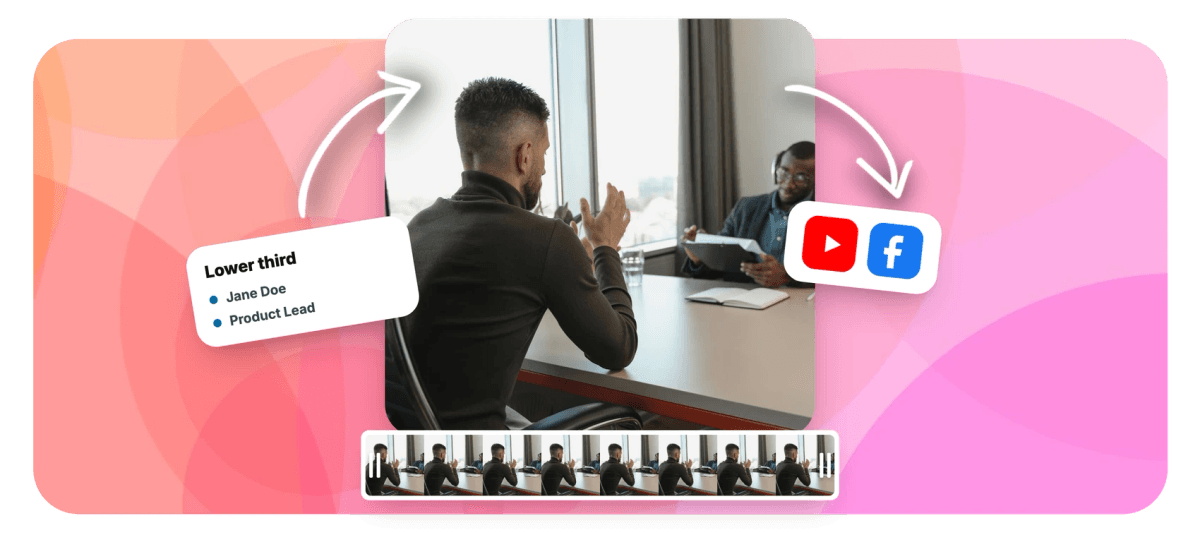
A lower thirds maker is really a text engine with opinions, and EchoWave's has the right ones. The strap under an interviewee, bold name, lighter role, sits on a background pill with adjustable color, roundness and padding so it holds up over busy footage. Entrances come from the same 45 types behind animated text; a quiet slide or fade suits an interview better than a firework. Park it inside the frame edge, time it on the timeline to land as your speaker starts talking, and let it leave before it overstays. There is no stock strap gallery here: you style it once in the video editor and your saved project becomes the template for the whole series. For a single static caption, add text to video is the shorter route.
-
45 animations
Entrance types at word level; slides and fades give straps the broadcast feel
-
16:9 to 9:16
Canvas presets keep the strap inside the frame on landscape interviews and vertical clips
-
0 installs
Everything runs in the browser, from styling to export, and projects autosave to the cloud
-
Up to 8K
Free exports are 720p with a small watermark; paid plans unlock 1080p, 4K and 8K
What you get
A lower third builder made of real text controls
Every part of the strap, pill, fonts, entrance and timing, is a control you set by hand and can save for next episode.
-
Two Lines, Two Weights
Stack a bold name over a lighter role as separate text elements, then group them so they move as one strap. Full control of font, size, weight and color per line keeps the hierarchy obvious at a glance.
-
A Pill That Earns Its Keep
The background pill has its own color, roundness and padding controls, so the strap stays readable over shaky b-roll, busy conference stages and white kitchen walls alike. Match it to your brand hex exactly.
-
Entrances With Restraint
Choose from 45 animation types: a low-key slide or fade reads broadcast, while a stagger can walk the name in a beat ahead of the role. You set the energy to match the show.
-
Safe Inside the Frame
Drag the strap into the bottom-left, nudge it clear of the edge and platform UI, and use the align tools to keep the inset identical shot after shot. Aspect presets cover 16:9 interviews and 9:16 clips.
-
Timed to the First Word
The strap is a clip on the timeline: drag it to start as your speaker does, hold it long enough to read twice, and set the out point so it exits before the next cut. Magnetic snapping lands it exactly.
-
One Project, Every Guest
Save the styled strap as its own project and it becomes your reusable template: placeholder text swaps the name, the look never drifts. Style presets and copy-paste text styling keep one-off edits consistent too.
How it works
How to make a lower third
From blank canvas to finished strap in four steps.
-
Add Name and Role
Open your footage in the editor, click Text and type the speaker's name. Add a second element for their role or handle, then group the pair so the strap moves as one unit.
-
Style the Pill and Fonts
Give the text a background pill and set its color, roundness and padding. Make the name bold, the role lighter and a step smaller, and switch both lines to your brand fonts.
-
Pick the Entrance and Exit
Choose an entrance and exit from the animation options: a short slide or fade reads broadcast. Preview until the strap arrives and leaves the way a news graphic would.
-
Time It on the Timeline
Drag the strap clip so it starts the moment your speaker does, hold it four to six seconds, and export. Magnetic snapping makes the in point land exactly on the cut.
Who uses it
Anywhere a name belongs on screen
-
Interview Podcasters
Introduce each guest the first time they speak, name on top, show handle underneath, identical every episode.
-
News-Style Channels
Reporter names, locations and story straps give commentary and street interviews the authority of a broadcast desk.
-
Course Creators
Open each module with the instructor's name and credentials so students know who is teaching before the first slide.
-
Event Videographers
Tag conference speakers, panelists and wedding toasts by name in recap films without pausing for title cards.
-
Corporate Comms Teams
Label executives and department heads in town hall recordings so new hires can follow who owns what.
-
Webinar Hosts
Reintroduce presenters in the edited replay, then reuse the same strap project for next month's session.
Give every speaker a name
Pill, fonts, entrance and timing, styled once and reused all season. Free to start in the browser.
What creators say after trying EchoWave

About the EchoWave team
EchoWave is a browser-based video and audio editor built by Lemon Vault LLC since 2018. The people who build the editor write these guides and test every step in the production app before publishing.
Lower thirds FAQ
How do I make a lower third for my video?
Open your footage in the EchoWave editor and add a text element with the speaker's name, then a second one for their role. Group the pair, give them a background pill, and set the pill's color, roundness and padding until the strap reads clearly over your footage. Pick an entrance from the 45 animation types, drag the strap into the bottom-left of the canvas, and position its clip on the timeline so it appears as the person starts talking. Export, and the strap is rendered into the video.
What is a lower third in video?
A lower third is the strap of text that sits in the bottom portion of the frame, usually bottom-left, identifying who is on screen: a bold name with a role, title or affiliation underneath. The term comes from broadcast, where graphics were kept to the lower third of the picture so they never covered the subject's face. Interviews, news packages, documentaries and video podcasts all use them because they answer the viewer's first question, who is this, without anyone having to say it out loud.
How do I make the two-line lower third style, bold name over a lighter role?
Build it from two text elements: the name set bold and larger, the role in a lighter weight a step smaller, stacked with a consistent gap. Group them so they move and time together as one strap. Keeping them separate elements gives each line its own size, weight and color, which is what sells the hierarchy; a viewer should catch the name instantly and the role a beat later. Store both looks as style presets so the next strap starts from the same pair.
When should a lower third appear, and how long should it stay up?
Bring it in the first time a person speaks, not while someone else is talking. Hold it long enough to be read twice, around four to six seconds for a two-line strap, then take it out; a strap that never leaves stops being information. Repeat it briefly if the speaker returns after a long stretch or viewers are likely to join mid-video. Set all of this by dragging the strap clip's in and out points on the timeline. The video's opening title is a different job entirely; build that with the intro maker.
How do I keep lower thirds consistent across a whole series?
Style the strap once, then reuse the project. In EchoWave, your own saved projects act as templates: mark the name as placeholder text and each new episode is a swap, not a rebuild, so the pill color, fonts and inset never drift. There is no stock lower-thirds gallery to pull you off-brand, the template is yours by design. For a season's worth of guests, bulk CSV generation renders one video per row from the same template. Pair the strap with a consistent corner mark using add logo to video and the whole package reads like one show.
Where should I place a lower third so nothing gets cut off?
Keep it inside the frame edges with a comfortable inset, roughly five percent of the frame on the left and bottom is a safe starting point, and check it against the platform's own UI: progress bars and player controls live at the bottom of most screens. On vertical video, raise it higher, since usernames, buttons and the caption line from a caption generator all crowd the lower part of a 9:16 frame. Preview at the aspect ratio you will publish, EchoWave's canvas presets cover 16:9, 9:16, 1:1 and 4:5, and use the align tools to repeat the exact position in every shot.
Can the lower third animate in instead of just popping on?
Yes. The strap uses the same engine as EchoWave's animated text, with 45 animation types to draw on. For interviews, restraint wins: a short slide from the left or a fade matches the broadcast look, and a stagger can bring the name in a beat ahead of the role. Sharper pops suit promos and event recaps. Whatever you choose, make the exit as deliberate as the entrance by ending the clip before the next cut, so the strap never lingers into the wrong shot.
Is the lower thirds maker free to use?
Yes, you can build, animate and preview lower thirds free in the browser, no install. Free exports include a small EchoWave watermark and are capped at 720p, which is enough to test a strap design or share a rough cut. Paid plans remove the watermark and raise the export ceiling: 1080p on Basic, 4K with 50 or 60fps on Pro, and 8K on Business. Since the strap lives in a normal project inside the video editor, upgrading later changes nothing about how you build it.
Who is talking? Now they know.
Broadcast-style name straps built from EchoWave's text engine, free to start online.
Get Started →























































