
Podcast Clip Maker: One Episode, a Week of Clips
Trim the sharpest moment from a video or audio-only episode, add word-timed captions and a waveform layout, then export vertical for Reels, Shorts and TikTok. Free to start.


Podcast Clip Maker: One Episode, a Week of Clips Features
EchoWave's podcast tools are used by interview hosts, solo creators and show producers worldwide





Podcast clips
Clips are how podcasts get discovered
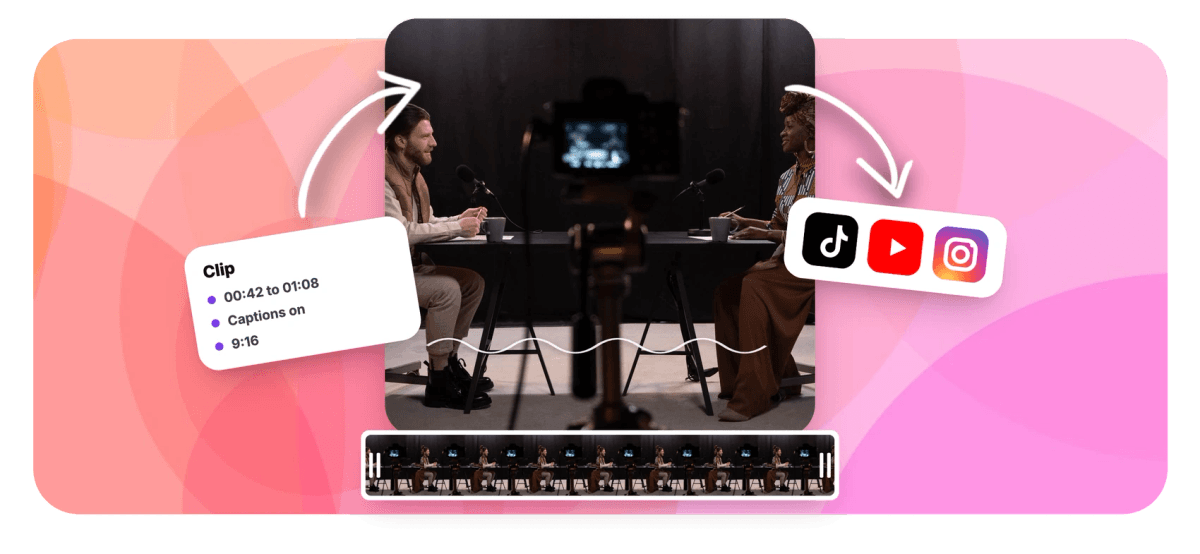
A podcast clip maker turns one strong moment from an episode into a short, captioned video that feeds will actually surface: an episode link gets skipped, a good clip travels. EchoWave covers both kinds of shows. On a video pod, trim to the moment, resize the canvas to 9:16 and add karaoke captions. On an audio-only show, build an audiogram-style clip from cover art, an animated waveform and the same word-timed captions. Because the editor works from a transcript, you can also cut the ums and dead air so a three-minute ramble becomes a forty-second quote. Publishing full episodes is a podcast to video job; clips are how new listeners find you.
-
9:16, 1:1, 16:9
Canvas presets sized for Shorts, feeds and YouTube
-
170+ presets
Caption styles, many designed vertical-first
-
50+ languages
Auto transcription with word-level timing
-
0.3-2.0s
Adjustable silence threshold for tightening clips
What you get
Everything between the episode and the post
Trim, captions, waveform layouts and platform sizes in one browser timeline.
-
Trim to the Moment
Set in and out points around the quote, delete the range, and nudge edges until the clip opens on the first word. Split, ripple delete and magnetic snapping keep the cut tight.
-
Resize for Every Platform
Switch the canvas between 9:16 for Reels, Shorts and TikTok, 1:1 for feed posts and 16:9 for YouTube, then reposition video, art and captions to sit right in each frame.
-
Karaoke Captions
Auto-transcribe the clip and style it with 170+ caption presets, including karaoke fills that light up each word as it is spoken. Clips autoplay muted, so the words carry the hook.
-
Waveform and Cover Layouts
For audio-only shows, pair episode art with an animated waveform or music visualizer element. The spectrum is baked from the audio, so the motion matches the voice even while scrubbing.
-
Transcript-Based Tightening
Clean Audio flags ums, uhs and long pauses as proposed cuts you approve one by one, and the silence remover ripple-closes the gaps while captions stay in sync.
-
Audio In, Video Out
Drop in the episode MP3 or the full video recording; either way the export is a standard MP4. From a video source you can also extract the audio for the feed.
-
AI Picks the Quote For You
Skip the scrubbing when you want to: EchoWave's AI clip generator scores every moment in the episode 0-100 for hook, clarity and payoff, then returns a ranked shortlist with captions, waveform layout and platform sizing already built, ready to trim and export.
How it works
How to make podcast clips
From full episode to postable clip in four steps.
-
Upload the Episode
Drag your episode into the EchoWave editor, either the full video recording or the audio file from your feed.
-
Trim to the Moment
Scrub to the quote worth sharing, set in and out points around it, and delete everything outside them.
-
Add Captions and a Layout
Auto-generate word-timed captions and pick a karaoke style. For audio-only shows, add cover art and an animated waveform.
-
Export per Platform
Set the canvas to 9:16 for Reels, Shorts and TikTok, or 1:1 and 16:9 elsewhere, then export the MP4.
Who uses it
Every show has moments worth clipping
-
Interview Hosts
Clip the guest's sharpest answer, tag them when you post, and let their audience discover your show.
-
Solo Commentary Shows
One hot take per episode, captioned and vertical, argues your point to people who have never heard the show.
-
Audio-Only Podcasters
No cameras required: cover art, an animated waveform and captions turn plain audio into a feed-ready video.
-
Producers and Editors
Deliver a set of promo clips with every episode edit from one project, one moment and export at a time.
-
Comedy Shows
The bit that made the room laugh is the clip; word-by-word captions land the punchline even on mute.
-
B2B and Expert Shows
Quote clips from expert interviews give sales and social teams something concrete to post between episodes.
Turn this week's episode into clips
Trim the moment, caption it and size it per platform, all in the browser.
What creators say after trying EchoWave

About the EchoWave team
EchoWave is a browser-based video and audio editor built by Lemon Vault LLC since 2018. The people who build the editor write these guides and test every step in the production app before publishing.
Podcast clip maker FAQ
How do I make clips from a podcast?
Upload the episode to the EchoWave editor; video and audio files both work. Scrub to the moment worth sharing, set in and out points around it and delete the rest. Generate captions so the clip reads on mute, add cover art and a waveform if the show is audio-only, then set the canvas to 9:16 and export an MP4 for Reels, Shorts or TikTok. The same project can be resized to 1:1 or 16:9 and exported again for other feeds.
Can I turn an audio-only episode into a video clip?
Yes, this is the audiogram approach. Put your cover art or a solid background on the canvas, add an animated waveform element that moves with the voice, and generate captions on top. The waveform's spectrum is baked from the audio, so it stays accurate when you scrub the timeline. The result is a normal MP4 that Reels, Shorts and TikTok accept, built from nothing but the episode audio and a picture. The audiogram creator covers this layout style in more depth.
How long should a podcast clip be?
Most clips that travel run 20 to 60 seconds: long enough for one complete idea, short enough that people reach the end, which is what feed algorithms reward. The stricter rule is editorial rather than a number. A clip should be one self-contained moment, a claim, a story beat or a punchline that needs no setup. If the quote needs context, compress the setup into the first five seconds instead of stretching the clip past a minute.
Can the captions highlight each word as it is spoken?
Yes. Transcription is word-timed, so karaoke styles can fill each word progressively, recolor the active word or place a highlight pill behind it, and optionally dim words that have already been said. Cues can hold one to five words, which keeps the text large and readable on a phone screen. There are 45 per-word animations across the caption presets, and since vertical feeds autoplay muted, that word-by-word motion is usually what makes a clip watchable without sound.
What is the quickest way to tighten a rambling answer?
Run the Clean Audio pass before you polish anything else. It works from the transcript rather than the waveform: filler words like um and uh, plus pauses longer than a threshold you set between 0.3 and 2.0 seconds, appear as suggested cuts with a running total of time saved. Keep or reject each one, then apply them all as a single undoable ripple edit; captions stay attached through the cuts. A three-minute answer often tightens into a clean sixty-second clip this way.
How do I batch several clips from one episode?
The AI clip generator handles this in one run: set the number of clips anywhere from 1 to 30, bulk select the keepers from the ranked grid, and it creates a project and export for each in one pass. Manually, trim to the first moment and export it, then re-trim the same project to the next moment and export again, or duplicate the project so each clip keeps its own edit. Projects save to the cloud, so the episode only needs uploading once. Keeping one caption style across the set makes the clips instantly recognizable as the same show.
Does it pick the best moments automatically?
Yes. The AI clip generator reads a word-timed transcript plus audio energy, silences and speaking turns, then returns a ranked grid of 1 to 30 clips. Each carries a Viral Score from 0 to 100 with Hook, Clarity, Emotion, Value and Trend sub-scores and plain reasons like strong hook or big reactions, plus a title, hashtags and captions in any of 60+ styles. A prompt search finds moments about any topic, and analysis can run on-device so the episode never leaves your browser. You can still pick the quote by hand from the transcript. Free analysis covers 30 source minutes a month; free exports carry a small watermark at 720p.
Can EchoWave pull episodes from a link or post the clips for me?
You can import from a direct media link, a URL that points straight at the file, but not from YouTube or other platform pages, so download the episode from your host first. There is no scheduler or auto-publish: export the MP4s and post them yourself or through whatever tool your team already uses. The clip generator only works with footage you give it, does not dub or translate voices, record multi-guest sessions, or watch an RSS feed for new episodes. It finds, frames and captions the moments; publishing stays in your hands.
Is the podcast clip maker free?
Free to start: upload an episode, trim, caption and preview clips without paying. Exports on the free plan carry a small EchoWave watermark and are capped at 720p, which is fine for testing the workflow. Paid plans remove the watermark and raise the ceiling, with 1080p on Basic, 4K plus 50 and 60 fps on Pro, and 8K on Business. Since most podcast clips ship as 1080x1920 verticals, Basic covers a typical clipping routine.
Ready to clip your best moment?
New listeners find shows through clips. Make yours from this week's episode.
Clip my podcast























































