
Church Video Editor
EchoWave is a free church video editor that runs in your browser, so any volunteer on the media team can cut this week's sermon into clips, caption them for muted feeds, and post before Monday. Trim a 40 minute message down to the 60 seconds that matter, add word-by-word captions from 176 presets, build worship lyric videos, and render everything in the cloud, even on the church office Chromebook.


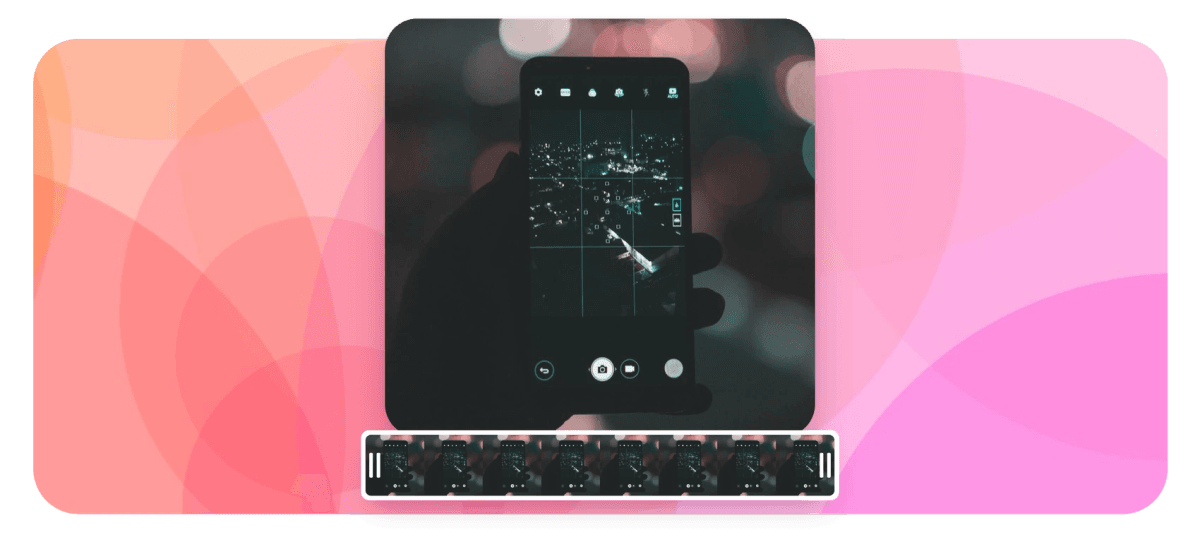
Church Video Editor Features
EchoWave's church video editor is used by worship teams, youth ministries, and volunteer media crews around the world.





For churches
One editor for the whole weekly rhythm
Most churches do not need a production suite, they need a church video editor that a rotating volunteer team can pick up in an afternoon. EchoWave covers the week in one place: a sermon clip maker for Reels and Shorts, a lyric video maker for worship sets, plus announcements, event promos, and tribute videos, with templates that make next week faster than this one.
-
176
caption presets
-
86
subtitle translation languages
-
93
music visualizer styles
-
63
AI voice over voices
Built for church media
From Sunday's recording to a week of content
The weekly church media workload, covered in one browser tab with nothing to install.
-
Cut sermons by editing the transcript
Upload the full service recording and EchoWave transcribes it. Delete a paragraph of transcript and the matching video cut happens for you, and one click removes ums, uhs, and long silences so a preached moment reads clean at 60 seconds. It is the fastest way to pull three clips from a 40 minute message.
-
Captions for the sound-off scroll
Most people watch sermon clips on mute, so burned-in captions decide who keeps watching. The built-in caption generator transcribes speech automatically, offers 176 caption presets including word-by-word karaoke styles with active-word fill, and lets you correct names and Scripture references per word before export.
-
Worship lyric videos and audiograms
Type or paste lyrics, sync lines to the track with automatic beat detection and snap-to-beat, and choose from 93 music visualizer styles for waveform or spectrum backdrops. The same tools make audiograms for a sermon podcast: a title, a moving waveform, and a pull quote.
-
Everything a church video editor needs in one tab
A multi-track magnetic timeline with keyframe animation, 56 transitions, 81 text animations, green screen, picture-in-picture, and color adjustment presets. It behaves like a real editor rather than a slideshow tool, and it still runs in the browser your volunteers already have.
-
Templates that survive volunteer turnover
Build this week's sermon clip layout once, save it as a template with text and media placeholders, and next week's volunteer swaps the content and renders. The brand kit stores your church colors, logo, and fonts, so every ministry's video looks like it came from the same team.
-
Announcements, promos, and voice overs
Record welcome videos and event announcements with the built-in screen, webcam, and voice recorders, teleprompter included. If nobody wants to be on camera this week, generate a voice over from 63 AI voices and pair it with photos, footage, and animated text.
-
Tributes, testimonies, and quote posts
Assemble a memorial video from family photos with Ken Burns pan and zoom, gentle crossfades, and scrolling end credits. Between Sundays, pull one sentence from the message into a quote video with animated text for the feed.
How it works
How to edit a church video
One volunteer, one browser tab, and a finished clip from this week's message.
-
Upload the service recording
Drag in the MP4, MOV, WebM, or AVI export from your livestream or camera. The canvas sizes itself to the footage, and nothing installs on the church computer because EchoWave runs in the browser.
-
Cut the moment out
Skim the auto transcript, keep the section you want, and delete everything around it. Run filler removal to drop ums and dead air, then tighten both ends on the timeline so the clip starts where the thought starts.
-
Caption, resize, and brand it
Add auto captions and pick one of 176 presets, then fix names and Scripture references word by word. Resize the canvas to 9:16 for Reels and Shorts, and apply your brand kit fonts and colors.
-
Render in the cloud and post
Rendering happens on EchoWave's cloud render farm, so an aging office laptop finishes as fast as a new machine. Download the MP4 free in HD (up to 720p) with a small removable EchoWave watermark badge, or pick a paid plan to remove the badge and export at 1080p up to 4K, then post it where your congregation scrolls.
Sized to post
The right shape for every platform
-
9:16 Vertical
- Reels
- Shorts
- TikTok
-
16:9 Widescreen
- YouTube
- Worship screens
- Website
-
1:1 Square
- Instagram feed
What churches make
Six videos your team can ship this month
-
Sermon clips for Reels and Shorts
Pull the strongest 30 to 90 seconds from Sunday's message, caption it, and post it vertical. A few clips a week keeps the sermon working long after the service ends.
-
Worship lyric videos
Sync lyrics to your worship team's own recording with beat snap and a visualizer backdrop. Use them on in-service screens, YouTube, or as teasers when you introduce a new song.
-
Welcome and announcement videos
Record a 60 second welcome with the webcam recorder and teleprompter, then add text overlays for service times and locations. Swap the details each week from a saved template.
-
Event promos
Build promos for VBS, Christmas and Easter services, or a youth retreat from photos, clips, and animated text. Reuse last year's template and replace only the dates and media.
-
Memorial and tribute videos
Arrange photos with Ken Burns motion, soft transitions, and the family's chosen song for a funeral or celebration of life. Scrolling end credits close it out with every name done right.
-
Sermon podcast audiograms
Turn the sermon audio into a waveform audiogram with the series title and a pull quote. It gives audio-first listeners something to share on visual platforms.
Compare
How EchoWave compares
| Feature | EchoWave | Sermon Shots | Canva | CapCut |
|---|---|---|---|---|
| Free to edit in a browser | Yes | trial | Yes | yes (web) |
| Full multi-track timeline with keyframes | Yes | No | limited | Yes |
| AI auto captions | yes (176 presets) | Yes | yes (Pro) | Yes |
| Word-by-word karaoke caption styles | Yes | Yes | No | Yes |
| Subtitle translation | yes (86 languages) | Yes | No | Yes |
| Edit video by editing the transcript | Yes | No | No | yes (desktop) |
| Lyric videos and music visualizers | yes (93 styles) | No | limited | No |
| Reusable templates with placeholders | Yes | Yes | Yes | Yes |
| Church-specific template library | no (general templates) | Yes | Yes | Yes |
| AI auto-clipping of sermon highlights | No | Yes | No | Yes |
| Direct social publishing and scheduling | No | No | yes (Pro) | yes (TikTok) |
| Free exports | yes (720p, watermark badge) | no (trial) | yes (limits) | Yes |
Based on each tool's public pages as of July 2026. Features and plans change, so check current pricing before your team commits.
Give your media team one tool for the whole week
Edit sermons, captions, lyric videos, and announcements in the browser for free, then render in the cloud and download in HD with a small removable EchoWave watermark badge. Paid plans remove the badge and add 1080p up to 4K, with 8K on Business.
What creators say after trying EchoWave

About the EchoWave team
EchoWave is a browser-based video and audio editor built by Lemon Vault LLC since 2018. The people who build the editor write these guides and test every step in the production app before publishing.
Church Video Editor FAQ
What is the best free church video editor?
EchoWave is free to edit, preview, and export in the browser with no install, which suits volunteer teams working on shared or older computers. You get the full timeline, auto captions with 176 presets, transcript editing, and reusable templates without paying, and free exports are HD (up to 720p) MP4 with a small removable EchoWave watermark badge and a short branded end card. Paid plans remove the badge and add 1080p up to 4K. Canva and CapCut are also worth a look if your team mostly needs graphics or mobile-first editing.
How do churches make sermon clips for social media?
Most teams export the livestream recording, pick one to three strong moments, and cut each to 30 to 90 seconds. In EchoWave you highlight those moments in the transcript, delete the rest, add karaoke captions, resize to 9:16, and render. Saving the layout as a template turns it into a weekly routine instead of a fresh project every Monday.
How long should a sermon clip be?
30 to 90 seconds is the working range for Reels, Shorts, and TikTok, and many teams aim for under 60. Start the clip where the thought starts, cut the setup, and end on the landing line. If a point will not fit, split it into two clips rather than rushing the delivery.
How do I add captions to a sermon video?
Upload the clip and run auto captions; EchoWave transcribes the speech with word-level timestamps in dozens of languages. Pick one of 176 caption presets, including word-by-word karaoke styles, then correct names and Scripture references in the caption editor. Captions are burned in on export so they display on every platform, and you can also export SRT, VTT, TXT, or JSON files.
Can volunteers with no editing experience use it?
That is the point of the design. The timeline is magnetic so clips snap together, templates carry the layout from week to week, and Echo, the built-in AI assistant, handles jobs like adding captions or trimming clips from a plain chat instruction. Echo also makes a checkpoint before big changes, so a nervous volunteer can revert anything in one click.
Can we use worship music in our church videos?
Playing music in a service and posting it online are licensed differently. A CCLI streaming license typically covers live worship streams, but produced videos with commercial recordings posted to social platforms usually need separate permission, so check your license or use recordings your team owns. EchoWave does not include a stock music library; you upload your own audio, and 30 categorized sound effect packs cover transitions and emphasis.
What video sizes do church social platforms need?
Use 9:16 vertical for Reels, Shorts, and TikTok, 16:9 for YouTube and in-service screens, and 1:1 or 4:5 for feed posts. EchoWave resizes the canvas to any of these, though reframing is manual crop and zoom rather than automatic speaker tracking, so check that faces stay centered after a resize.
Does EchoWave run on Chromebooks and older church computers?
Yes. It runs in Chrome, Edge, Firefox, and Safari on Mac, Windows, Linux, and Chromebooks, and there are desktop apps for Mac and Windows. Rendering happens on a cloud render farm rather than the local machine, so the donated office laptop produces the same output quality a new workstation would.
How much does EchoWave cost for a church?
Editing, previewing, uploading, and building templates are free with no time limit, so volunteers can learn without a card on file. Free exports are HD (up to 720p) MP4 with a small removable EchoWave watermark badge and a short branded end card, and paid plans remove the badge and raise quality, with 1080p from Basic, 1440p and 4K from Pro, and 8K on Business. There is no real-time multi-user collaboration yet, so most teams have one volunteer finish a project before the next one starts.
Ready to edit this Sunday's sermon?
Start free in your browser, no install and no card, and export in HD with a small removable watermark badge. Pick a plan when you want the badge gone and 1080p up to 4K.
Get Started →























































