
Retouch Video Online: Natural Face Retouching Powered by AI
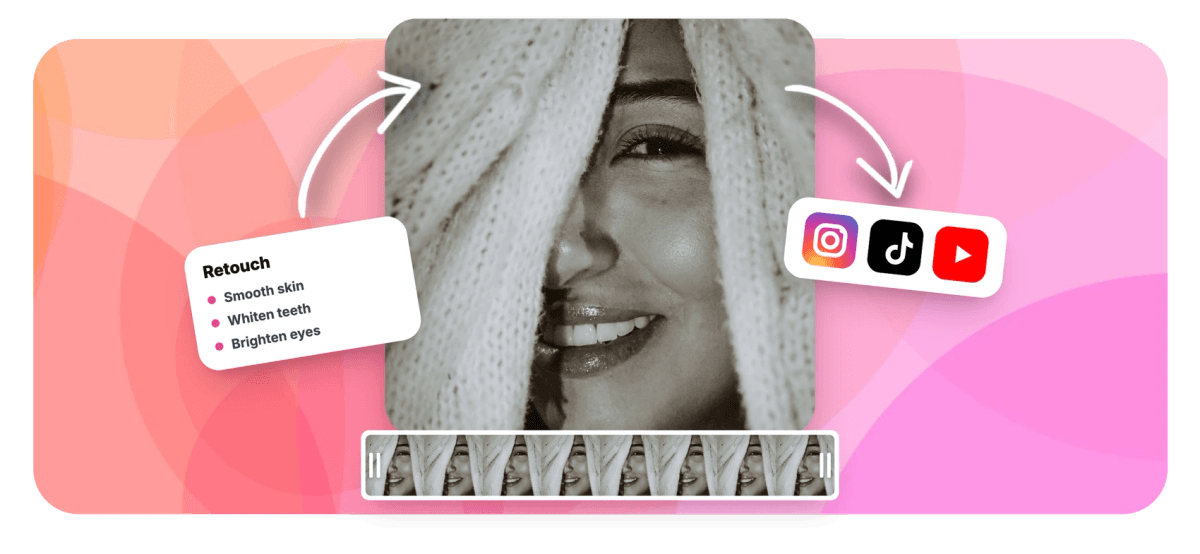
Photo-style retouching for moving footage. Smooth skin, whiten teeth, brighten eyes and tint lips with AI face tracking that follows you frame by frame. No masking, no download.


Retouch Video Online: Natural Face Retouching Powered by AI Features
EchoWave's AI tools are used by creators, brands and on-camera professionals worldwide





AI face retouch
Look camera-ready in every frame, not just the thumbnail
Retouching a photo is easy; retouching 30 frames a second used to be an After Effects project. EchoWave detects the faces in your footage with an on-device landmark model, builds precise skin, teeth, eye and lip masks, and applies your adjustments consistently through the whole clip. Everything is a slider, everything previews live, and nothing needs manual rotoscoping. It pairs naturally with background blur for a full talking-head glow-up, and with color correction for the rest of the frame.
-
7 adjustments
Skin smoothing, brightening, even tone, teeth, eyes, lips, iris
-
Up to 3 faces
Landmark tracking retouches everyone in a group shot
-
On-device AI
Face analysis runs in your browser, not on a server
-
0 to 100
Every effect is a slider, from invisible to unmistakable
What you get
The retouching kit, adjustment by adjustment
Each control targets the right region automatically, thanks to per-frame face landmarks.
-
Skin Smoothing
Edge-preserving smoothing reduces blemishes and texture noise while keeping real detail like eyes, hairlines and lips crisp. It reads as good lighting, not as a plastic filter.
-
Brightening and Even Tone
Lift shadows and midtones on the face and calm redness and blotchiness with separate sliders, the difference between looking tired on camera and looking rested.
-
Teeth Whitening
A dedicated teeth mask lets you whiten smiles from a subtle cleanup to a full studio finish, without touching lip or skin color.
-
Eye Brightening
Brightens the whites of the eyes and reduces redness in one control, an instant fix for early-morning takes and long recording days.
-
Lip Tint and Iris Color
Tint lips from preset swatches or any custom color with adjustable intensity, and recolor eyes with a luma-preserving effect that keeps them looking natural instead of painted.
-
Private, On-Device Analysis
The face landmark model runs in your browser with GPU acceleration. Your footage is not uploaded for AI analysis; only compact masks travel to the server at export, where the full-quality render is composited.
How it works
How to retouch a video
From raw take to camera-ready in four steps.
-
Upload Your Video
Add your clip to the EchoWave editor and select it on the timeline. Talking heads, interviews and to-camera social clips are ideal inputs.
-
Enable Face Retouch
Open the clip's effects and turn on retouching. The AI locates each face and its features, up to three people per shot.
-
Dial In Your Look
Adjust skin smoothing, brightening and even tone, then teeth, eyes, lip tint and iris color. The live preview updates as you drag each slider.
-
Export
EchoWave applies the retouch consistently to every frame at full source quality and renders your finished video.
Who uses it
For everyone who talks to a camera
-
YouTubers and Streamers
Keep a consistent on-camera look across videos filmed on different days, lights and amounts of sleep.
-
Beauty and Fashion Creators
Fine-tune lip color and eye color to match a look, and let smoothing carry the close-ups.
-
Founders and Sales Teams
Polish pitch recordings, outreach videos and webinar appearances without booking a studio or a makeup chair.
-
Wedding and Event Editors
Give speeches and interviews a gentle, flattering finish that matches the rest of the film's grade.
-
Course Creators
Record hours of lessons knowing every take will get the same subtle cleanup in the edit.
-
Anyone on Camera
A five-percent touch-up that nobody can point to is often the difference between reshooting and shipping.
Retouch your video now
AI face tracking, photo-grade adjustments, live preview. Free to start.
How creators use EchoWave in real projects

About the EchoWave team
EchoWave is a browser-based video and audio editor built by Lemon Vault LLC since 2018. The people who build the editor write these guides and test every step in the production app before publishing.
Video retouch FAQ
How do I retouch a face in a video?
Upload your clip to EchoWave, enable the face retouch effect, and adjust the sliders: skin smoothing, brightening, even tone, teeth whitening, eye brightening, lip tint and iris color. The AI detects the face and its features automatically and applies your settings to every frame, so there is no manual masking or frame-by-frame work.
Will it look natural or like a beauty filter?
That is your choice, because every adjustment is an independent 0 to 100 slider. The defaults are deliberately conservative, and the smoothing is edge-preserving, so it removes blemishes and noise while keeping real facial detail. Pushed to maximum it reads as a stylized look; kept low it reads as better lighting.
Can it whiten teeth in a video?
Yes. Teeth whitening has its own control backed by a dedicated teeth mask from the face landmark model, so the whitening lands on the smile and not on lips or skin. It ranges from a subtle lift to a bright studio finish.
Can I change my eye color in a video?
Yes. The iris recolor control offers preset swatches and a custom color picker with adjustable intensity. The effect is luma-preserving: it shifts the color of the iris while keeping its natural brightness and texture, which is what stops recolored eyes from looking flat or painted.
Does it work if I move around in the shot?
Yes. Face landmarks are tracked per frame, so the retouch follows your face through movement, head turns and gestures. Extreme motion blur or a face leaving the frame will naturally interrupt tracking until the face is visible again.
How many people can it retouch at once?
Up to three faces per shot are detected and retouched with the same settings, which covers interviews, duets and small panel recordings.
Is my footage uploaded for the AI analysis?
No. The landmark model downloads to your browser and runs on your device, GPU-accelerated where available. When you export, EchoWave uploads only the compact masks it generated locally, and the server composites the retouch with your original upload at full quality.
Is video retouching free?
You can enable the effect, tune every slider and preview the result for free. Free exports carry a small watermark and are capped at 720p; paid plans remove the watermark and unlock exports up to 4K and beyond.
Ready to look camera-ready?
AI retouching for moving footage, right in your browser. Free to start.
Get Started →























































