
Brighten a Video: Rescue Dark, Underexposed Footage
Too dark to post? Lift brightness, raise the midtones with gamma and restore contrast, all with a live preview in your browser. Free, no download, no editing skills needed.


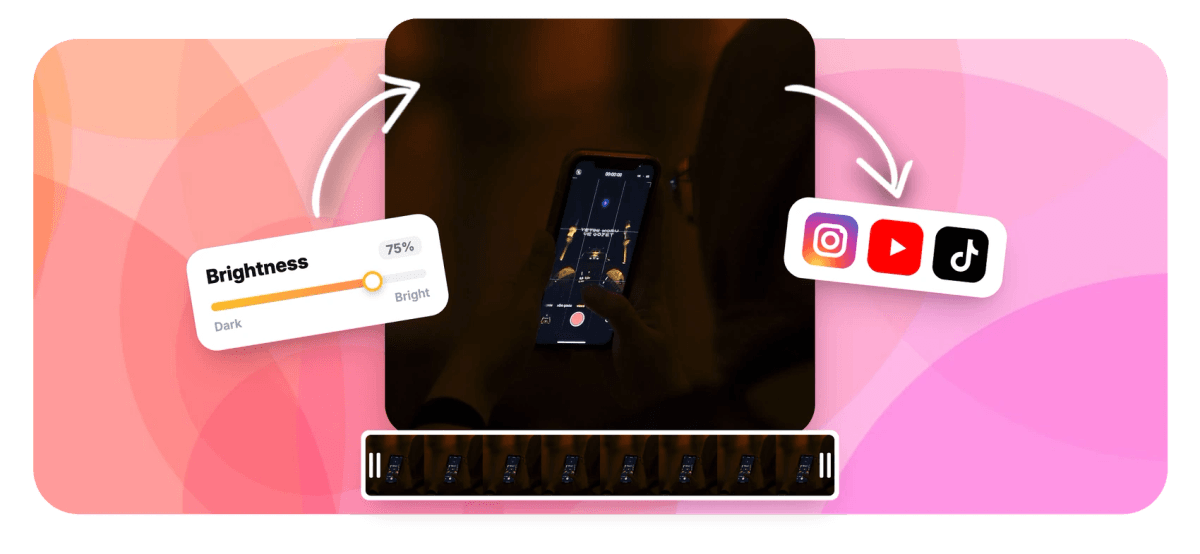
Brighten a Video: Rescue Dark, Underexposed Footage Features
EchoWave's tools are used by creators, families and businesses worldwide





Fix dark video
The moment was great. The lighting was not.
Concerts, restaurants, evening walks, badly lit rooms: cameras give up long before memories do. Brightening a video properly takes more than one slider, because pushing brightness alone washes the image out. EchoWave pairs brightness with a gamma control that lifts the dark midtones while protecting the areas that are already bright, and a contrast dial to put the depth back afterwards. Everything previews live on your clip. It is the focused, fix-it entrance to the same engine as the full color correction tool.
-
3 dials
Brightness, gamma and contrast, the dark-video trio
-
0.1 to 3.0
Gamma range that lifts shadows without clipping highlights
-
Live preview
Watch the exposure change as you drag
-
Free
Fix and export in your browser, no download
What you get
Brighter without the washed-out look
Three controls, used in the right order, fix almost any dark clip.
-
Brightness Lift
The straightforward exposure push that brings the whole image up. Start here for clips that are uniformly dark.
-
Gamma for the Shadows
Gamma raises the midtones and shadows while leaving the brightest parts nearly untouched, the secret to brightening indoor and night footage where lamps and windows are already at their limit.
-
Contrast Restoration
Lifted footage can look flat and milky. A touch of contrast after brightening restores the depth so the fix is invisible.
-
Live Before-Your-Eyes Preview
Every slider updates the preview instantly, and each has its own reset, so finding the natural stopping point takes seconds, not renders.
-
The Full Color Kit One Click Away
Need warmth, saturation or a stylized look after the rescue? The same tool carries the complete color correction set: temperature, vibrance, hue and one-click looks.
-
Chain the Fix
Send the brightened clip straight on to trim, compress or the full video editor without re-uploading.
How it works
How to brighten a dark video
The three-slider rescue, in order.
-
Upload Your Video
Drag the dark clip into the tool. It loads in the player so you can see the starting point.
-
Raise Brightness, Then Gamma
Push brightness until the scene starts to appear, then lift gamma to open the shadows without blowing out lights and windows.
-
Add Back Contrast
A small contrast boost removes the milky look lifting creates. Stop when it looks natural, the live preview is your guide.
-
Export and Download
EchoWave renders the corrected clip at source quality and hands you a standard MP4.
Who uses it
Dark footage happens to everyone
-
Concerts and Nights Out
Phone footage from gigs and dinners lives in the shadows. Lift it enough to share.
-
Family Moments
Birthday candles, school plays and living-room recitals were shot for the memory, not the histogram.
-
Vloggers
The golden-hour clip that ran twenty minutes past golden hour still makes the cut.
-
Real Estate and Rentals
Brighten dim interiors so rooms read as spacious instead of gloomy.
-
Security and Dashcam
Pull detail out of low-light recordings before reviewing or sharing them.
-
Event Recaps
Venue lighting flatters the room, not the camera. Fix the exposure in the edit.
Brighten your video now
Three sliders, a live preview, and your clip is watchable again. Free.
What people are saying about EchoWave

About the EchoWave team
EchoWave is a browser-based video and audio editor built by Lemon Vault LLC since 2018. The people who build the editor write these guides and test every step in the production app before publishing.
Brighten video FAQ
How do I brighten a dark video?
Upload it to EchoWave's color tool and raise three sliders in order: brightness to bring the image up, gamma to open the shadows and midtones, and a little contrast to restore depth. The live preview shows each change instantly, and the export bakes the correction into a standard MP4.
Why does my video look washed out when I only raise brightness?
Brightness shifts every pixel up equally, including the parts that were already bright, which compresses the image toward white and kills contrast. The fix is gamma: it lifts the dark regions much more than the bright ones. Brightness plus gamma plus a touch of contrast is the standard rescue combination, and all three are on this tool.
Can a very dark video be fully recovered?
Within limits. Brightening reveals what the camera actually captured; it cannot invent detail that was never recorded, and heavily lifted footage will show more grain because sensor noise lives in the shadows. Most too dark to post clips recover well; footage that is near-black may become visible but noisy.
Will brightening blow out the bright parts, like windows and lamps?
Not if you lean on gamma rather than raw brightness. Gamma's curve leaves the top of the range nearly untouched, which is exactly why it exists. Watch the brightest areas in the preview and stop lifting when they start to lose detail.
Can I fix the color at the same time?
Yes. The same tool includes temperature, saturation, vibrance and hue controls plus one-click looks, so a dark orange restaurant clip can be brightened and neutralized in one pass. For the full grading workflow, see the color correction page.
Does brightening reduce video quality?
The correction itself is applied during a full-quality re-render, so nothing is lost beyond normal encoding. What brightening can expose is noise that was hiding in the shadows of the original recording; moderate settings keep it unobtrusive.
Is the video brightener free?
Yes. Upload, adjust, preview and export in your browser at no cost, with no download or signup required.
Ready to see what you filmed?
Rescue dark footage with a live preview. Free, in your browser.
Get Started →























































