
Sales Video Maker: A 60-Second Pitch That Beats Cold Email
Record a personal sixty-second pitch with a teleprompter, overlay the prospect's name and company, caption it for the muted preview, and send outreach that stands out from cold email. Free to start.


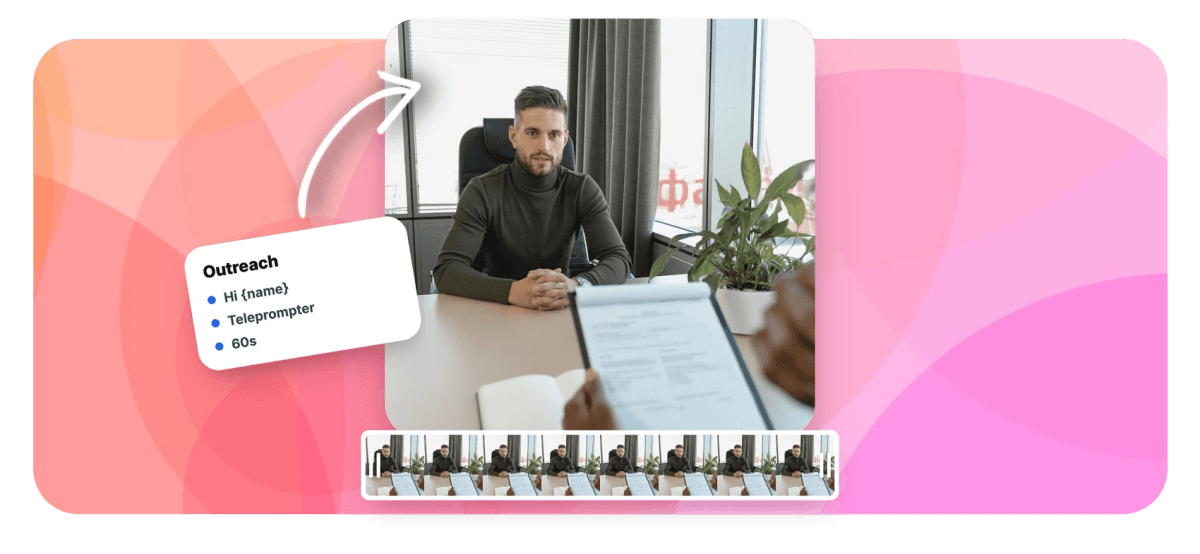
Sales Video Maker: A 60-Second Pitch That Beats Cold Email Features
EchoWave's recording tools are used by sales reps, founders and agencies worldwide





Personal video outreach
Sixty seconds of you beats another cold email
A sales video maker is really a few tools in the right order: a script, a camera, a place to name the prospect, and captions. EchoWave chains them in one browser tab. Write your pitch, load it into the online teleprompter so it scrolls near the lens, and record a tight sixty seconds instead of rambling. When a demo helps, record your screen and drop it in as picture in picture so your face stays in the corner. Then overlay the prospect's name and company as text, caption it for the muted autoplay in their inbox, and export. It is real recorded video, you on camera, not an AI avatar reading a template.
-
60 seconds
The sweet spot for outreach a prospect finishes
-
Up to 1080p
Camera quality settings of 480p, 720p or 1080p
-
170+
Caption presets for muted autoplay in the inbox
-
Separate layers
Screen demo and camera import as editable clips
What you get
Everything a personal pitch needs
A script, a camera, the prospect's name on screen, and captions for the muted preview.
-
Teleprompter to Keep It Tight
Load your pitch into the online teleprompter and it scrolls near the lens while you record. Text size 18 to 72px, speed set to your pace, so a personal message stays under a minute and never wanders.
-
The Real You on Camera
Record a genuine take with the webcam recorder: mirror preview, a 0/3/5/10 second countdown, camera quality up to 1080p, retakes until it lands. A prospect can tell a recorded person from an AI avatar, and the person gets the reply.
-
The Prospect's Name on Screen
Drop a text element with the prospect's name and company over the video, styled in your fonts and colors. Seeing their own name mid-clip is the signal that this was made for them, not blasted to a list.
-
Screen Demo in the Corner
When a quick demo helps, combine your screen recording and camera as picture in picture: the screen fills the frame, your face sits in a rounded corner, and keyframes tuck it away when the screen needs the room.
-
Captions for the Muted Preview
Video autoplays silent in email and LinkedIn, so captions carry the hook before anyone turns the sound on. Auto-transcribed with word-level timing, burned into the export, and legible on a phone screen.
-
Your Brand, Not a Template Look
Add your logo, set the caption and text colors to your brand, and keep the framing consistent across every prospect. The video looks like it came from you and your company, because it did.
How it works
How to make a sales video
From blank pitch to a video in their inbox, in four steps.
-
Script the Pitch and Load the Teleprompter
Write about sixty seconds: why you are reaching out, one specific reason it matters to them, quick proof, and the single next step. Paste it into the teleprompter and set the scroll speed.
-
Record Your Take
Turn on the mirror preview, frame yourself at eye level, count in and record. Add a screen recording of a demo if it helps, and retake until the delivery sounds natural.
-
Caption, Personalize and Brand
Auto-caption the take, add the prospect's name and company as on-screen text, drop the screen demo in as a corner inset, and apply your logo and colors.
-
Export and Send
Export an MP4, then send it: paste a thumbnail link in an email, upload it to a LinkedIn message, or drop it into your sequencing tool. Duplicate the project for the next prospect.
Who uses it
Who sends video instead of another email
-
Cold Outreach SDRs
Break into a named account with a face and their company on screen, instead of sending a fifth follow-up that gets ignored.
-
Account Executives
Recap a demo, answer an objection, or restart a stalled deal with a sixty-second personal video that reads faster than a long email.
-
Founders Selling
Founder-led outreach where a real minute from the person building the product outperforms any polished template a prospect has seen before.
-
Agencies and Consultants
Pitch a prospect by walking through their own website or funnel on screen, with your face in the corner explaining the fix.
-
Customer Success
Renewal and upsell check-ins that feel personal at a glance, recorded once as a template and tailored per account with name text.
-
Partnerships and BD
Open a partner conversation with a short, specific video instead of a templated intro that looks exactly like everyone else's.
Land in the inbox as a face
Script, record, personalize and caption in one browser tab. Free to start.
How creators use EchoWave in real projects

About the EchoWave team
EchoWave is a browser-based video and audio editor built by Lemon Vault LLC since 2018. The people who build the editor write these guides and test every step in the production app before publishing.
Sales video FAQ
How do I make a sales video?
Write a short pitch, one you could say out loud in about a minute, and load it into EchoWave's teleprompter. Record yourself with the webcam recorder in the same browser tab: mirror preview for framing, a countdown to settle, retakes until it sounds like you. If a demo helps, record your screen and drop it in as a corner inset. Then overlay the prospect's name and company as text, add captions for the muted preview, brand it, and export an MP4 you can send. It is you on camera, not an AI avatar reading a script.
How long should a sales video be?
Aim for about sixty seconds, and treat ninety as the ceiling. A cold prospect gave you no time at all, so the video has to earn the next fifteen seconds in its first five. A workable shape: five seconds on why you are in their inbox, thirty on the specific reason this matters to them, fifteen on proof, and ten on the single next step you want. If the first take runs long, cut the setup, never the ask. Shorter and specific beats longer and thorough every time in outreach.
How do I keep my pitch on track without sounding scripted?
Use the built-in teleprompter. Paste your pitch and it scrolls in a floating overlay near the lens while you record, so your eyes stay close to the camera instead of drifting to notes. Set the text size between 18 and 72 pixels for your distance, and match the scroll speed to how you actually talk rather than chasing it. Read the pitch aloud twice first so the sentences feel spoken, then let the countdown and retakes do the rest. The overlay never shows up in the recording; only you do.
How do I personalize a video for each prospect?
Two layers of personalization. Say the prospect's name in the first line, then reinforce it on screen: add a text element with their name and company over the video, styled to match your brand. For volume, build one project as your template and duplicate it per prospect, swapping the name text and re-exporting rather than re-recording the whole pitch. The opening and close change; the middle stays. That is how a personal video scales past a handful of accounts without turning into a mail merge anyone can spot.
How do I add a screen demo to my sales video?
Record the demo with the screen recorder, then combine it with your camera take as picture in picture: the screen fills the frame and your face sits in a rounded corner inset. Because a screen-plus-camera take imports as separate layers, you can resize the bubble, move it, or keyframe it smaller the moment the screen needs the room. Walk the prospect through their own website, your product, or a proposal, with your face there the whole time so it still feels like a person, not a faceless walkthrough.
Do I need captions on a sales video?
Almost always. Video in an email or a LinkedIn message usually autoplays muted, so the first few seconds are silent, and a silent talking head is easy to scroll past. Captions give the viewer the hook before they decide to turn the sound on. EchoWave auto-transcribes your take with word-level timing, offers 170+ presets (pick something clean and legible, not a flashy karaoke style for outreach), and burns the captions into the export so they survive every player and inbox. They also help when your prospect reads faster than they listen.
Where do I host and send the sales video?
Export an MP4 and put it wherever your prospect already is. For email, most reps upload the video to a hosting page and paste an animated thumbnail that links to it, since inboxes are unreliable with attachments. On LinkedIn, upload the MP4 straight into a message or a post. In a sequencing tool, drop in the hosted link. EchoWave exports the standard H.264 MP4 that every host, inbox and player accepts, so the file is never the blocker; you just point it at the channel where the prospect is most likely to hit play.
Is the sales video maker free?
Yes, to start. You can record with the camera, run the teleprompter and download your raw takes without an account or a payment. The editor is free to use as well. Where plans come in is export: the free tier stamps a small EchoWave watermark and limits you to 720p, which works for rehearsing but not for a video going to a decision-maker. Basic and up remove the watermark and export at 1080p or higher. Most reps rehearse on the free tier and upgrade once for the versions they actually send.
Skip another cold email
Record sixty personal seconds, name the prospect, and show up as a face in the inbox.
Record a sales video























































