
Vertical Video Converter: Turn Any Landscape Video Into 9:16
Turn 16:9 footage into 9:16 for Shorts, Reels and TikTok. Let AI reframe and follow the on-screen speaker across 7 camera layouts, or drag the crop yourself in the editor.


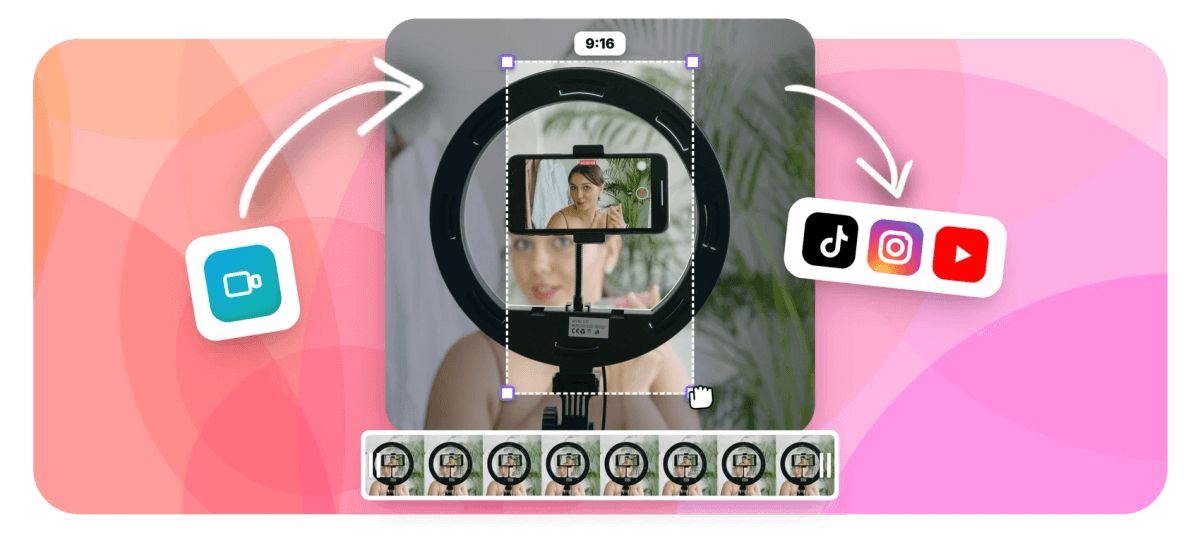
Vertical Video Converter: Turn Any Landscape Video Into 9:16 Features
EchoWave's vertical video tools are used by short-form creators, podcasters, and social media teams worldwide





Horizontal to vertical
Going vertical is a framing decision, not just a crop
A vertical video converter really makes one decision: what survives when a 16:9 shot becomes 9:16, where only about a third of the original width fits on screen. EchoWave puts that decision in your hands. Choose fill to scale the shot up and drag exactly which slice stays, or choose fit to keep the whole frame and turn the bands above and below into working room for animated captions, titles and branding. Positioning is manual, pixel-level and instant in the preview, or hand it to the AI clip generator, which reframes with on-screen speaker detection (lip movement matched to the voice) and 7 camera layouts. When the framing is right, export an HD file for Shorts, Reels and TikTok, or open the video resizer for other shapes.
-
2 framing modes
Fill crops to a full-bleed 9:16 slice you position yourself; fit keeps the entire 16:9 frame with margins you can use
-
1-click 9:16 preset
Canvas presets for 9:16, 1:1, 4:5 and 16:9, with auto-size from the first clip you add
-
170+ caption presets
Vertical-first caption styles and 45 per-word animations to fill the space fit mode frees up
-
Up to 4K export
Free plan exports 720p with a small watermark; Basic unlocks 1080p and Pro reaches 4K at 60fps
What you get
Everything the landscape-to-vertical jump needs
Framing controls first, then captions, branding and a full timeline to finish the clip.
-
One-Click 9:16 Canvas
Switch the project canvas to 9:16 with a single preset, or grab 1:1 and 4:5 from the same menu for feed posts. The preview updates instantly, so you judge the vertical frame before touching anything else.
-
Fill Mode: Choose the Slice
Fill scales your landscape shot until it covers the whole vertical frame, then hands you the position. Drag left or right to decide exactly which slice of the image survives, full manual precision, or let the AI clip generator's auto-reframe follow the speaker for you instead.
-
Fit Mode With Working Margins
Fit keeps every pixel of the 16:9 frame visible and leaves clean bands above and below. Fill them with a title, captions, or your logo using text overlays instead of settling for dead space.
-
Vertical-First Caption Presets
Auto-transcribe the clip with word-level timing, then style it from 170+ presets including vertical-first layouts built for phone screens. Drop animated captions into the lower margin so they never cover the footage.
-
A Full Timeline Underneath
The converter is EchoWave's multi-track editor, so you can trim, split, and sequence several clips in one project, add music, and position every clip individually before a single export.
-
Uniform Scaling, HD Export
Both modes scale the footage uniformly, so nothing is ever squeezed or distorted. Export MP4 at 720p free with a small watermark, 1080p on Basic, or 4K on Pro.
-
Or Let AI Auto-Reframe the Shot
The AI clip generator reframes to 9:16 using on-screen speaker detection (lip movement matched to the voice) and cuts between speakers across 7 camera layouts, from Follow speaker to Split and Presenter + slides. Every camera move lands as an ordinary keyframe you can edit shot by shot.
-
Find and Score the Best Moments
Beyond framing, the clip generator pulls 1 to 30 highlights per run from a long video, gives each a Viral Score of 0-100 with Hook, Clarity, Emotion, Value and Trend sub-scores plus plain-English reasons, and takes a prompt to find moments about any topic.
How it works
How to convert a video to vertical
Four steps from a landscape file to a 9:16 export.
-
Upload Your Landscape Video
Drag and drop an MP4, MOV, WebM or other common format into the editor. The canvas auto-sizes to your footage, so a 16:9 clip opens as 16:9.
-
Set the Canvas to 9:16
Open the canvas size menu and choose the 9:16 preset. The frame flips to vertical instantly and your clip stays untouched, ready to be framed.
-
Pick Fill or Fit, Then Position
Fill scales the clip to cover the frame; drag it sideways until the right slice survives. Fit shows the whole shot and leaves margins above and below for captions and titles.
-
Export Your Vertical Video
Click Export and download a 9:16 MP4 ready for Shorts, Reels and TikTok. Free exports are 720p with a small watermark; paid plans reach 1080p and 4K.
Who uses it
Who converts landscape to vertical
-
Podcast Clippers
Cut a wide two-camera episode into 9:16 highlights, splitting the clip and re-centering on whoever is speaking.
-
Streamers and Gamers
Slide the fill window over the play that matters, or fit the whole screen and caption the band below it.
-
Course Creators
Fit the full slide or demo, then put the lesson title in the top margin and captions underneath.
-
Social Media Teams
Repurpose one landscape brand film into vertical cuts for TikTok, Reels and Shorts without booking a second shoot.
-
Event Videographers
Deliver vertical teasers from 16:9 ceremony footage, framing the couple by hand or letting AI auto-reframe follow them across the aisle.
-
Musicians and Labels
Convert live sets and music videos to 9:16, positioning the frame on the performer before exporting for Reels.
Frame it for the feed
Upload a landscape clip, choose fill or fit, and export a 9:16 video in minutes.
What creators say after trying EchoWave

About the EchoWave team
EchoWave is a browser-based video and audio editor built by Lemon Vault LLC since 2018. The people who build the editor write these guides and test every step in the production app before publishing.
Vertical video converter FAQ
How do I convert a video to vertical without stretching it?
Upload your clip to EchoWave, open the canvas settings and pick the 9:16 preset. The video never stretches: choose fill to scale it uniformly until it covers the vertical frame, then drag it sideways to keep the part you want, or choose fit to shrink the whole shot into the frame with space above and below. Both modes preserve the original proportions, so people and text stay the correct shape. Export when the framing looks right.
Is fill or fit better for converting to 9:16?
Fill wins when the clip has one clear subject: a talking head, a product, a performer. It covers the phone screen edge to edge, which is what Shorts, Reels and TikTok feeds reward. Fit wins when the whole frame carries information: gameplay, screen recordings, slides, or wide shots with several people. The margins fit leaves are not wasted space, they are where captions, titles and logos live. Many creators mix both in one video, filling for close-ups and fitting for the wide moments.
Where should the subject sit in a 9:16 frame?
Keep faces and action in the middle band, slightly above center. Platform interfaces stack captions, sound credits and engagement buttons along the bottom and right edge, so anything placed there gets covered. In EchoWave you drag the clip until the subject lands where you want; the position stays fixed for that clip, so if the subject moves across the shot, split the clip and reposition each piece, or set manual position keyframes to glide between framings. If you would rather not position it clip by clip, EchoWave's AI clip generator can auto-reframe and follow the speaker to that same target for you, with the result landing as ordinary editable keyframes.
Can I add captions in the empty space above and below the video?
Yes, and it is the strongest argument for fit mode. Auto-transcribe the clip, then choose from 170+ caption presets, including vertical-first styles sized for phone screens, and drag the caption block into the lower margin so it never covers the footage. The upper margin works for a hook line or an episode title. See animated captions for the full preset library and add text to video for titles and logos.
Can I convert multiple clips to vertical in one project?
Yes. EchoWave is a multi-track timeline, so you can line up any number of clips in a single project, set the canvas to 9:16 once, and position each clip individually. One export renders the whole sequence as a single vertical video. If you need separate files instead, run each clip through its own project; the canvas preset takes one click each time.
Does converting a video to vertical reduce quality?
Fit mode scales the frame down, so it stays sharp at any output size. Fill mode enlarges a slice of the frame, so the source resolution decides the result: a 4K landscape file leaves plenty of pixels for a crisp vertical crop, while a 720p source will look softer. Start from the highest-resolution file you have and export at 1080p or above on paid plans. EchoWave never stretches pixels, so any quality loss comes from enlarging, not distortion.
Is the vertical video converter free to use?
Yes. Converting runs free in the browser with no install. Free exports carry a small EchoWave watermark and top out at 720p at 30fps, which is fine for testing your framing. The Basic plan removes the watermark and unlocks 1080p, Pro exports 4K at up to 60fps, and the Business tier reaches 8K. The fill and fit framing, captions, and the full timeline editor are all available on the free plan.
Should I use this converter or a platform-specific resize tool?
This page covers the decision every landscape-to-vertical conversion shares: fill or fit, and where the frame sits. For platform specifics, the TikTok resizer and Instagram resizer pages cover their feeds, and the YouTube Shorts maker handles Shorts. All of them run on the same editor, so one well-framed 9:16 export usually works across every platform.
Can EchoWave auto-reframe the video for me instead of positioning it myself?
Yes. The AI clip generator auto-reframes for 9:16, 1:1, 4:5 or 16:9 using on-screen speaker detection (lip movement matched to the voice) and cuts between speakers across 7 camera layouts: Follow speaker, Split, Grid, Presenter + slides, Picture in picture, Fill and Letterbox over blur. It can also burn word-timed captions in any of 60+ styles sized for portrait. Every camera move is an ordinary keyframe, so you can still nudge any shot in this same fill and fit editor. Analysis covers 30 free source minutes a month, and free exports carry a small watermark at 720p.
Does the AI clip generator post the vertical clips or pull video from a YouTube link?
No on both counts. There is no scheduler or direct publishing, so you download the finished 9:16 file and post it yourself, and there is no YouTube link downloading, so you upload your own source file or pick one from your library. It also does not generate AI B-roll, dub or clone voices, record multi-guest remote sessions, or watch an RSS feed for new episodes. What it does is find up to 30 moments per run, score each 0-100 with Hook, Clarity, Emotion, Value and Trend sub-scores and reasons, and reframe every clip vertical.
Ready to go vertical for free?
No install and no re-shoot. Free exports include a small EchoWave watermark.
Get Started →























































