
How to Make Clips From a Podcast
Turn one episode into a week of short clips. This guide covers finding moments, picking clip length per platform, framing two hosts, captioning, and a posting cadence you can keep.


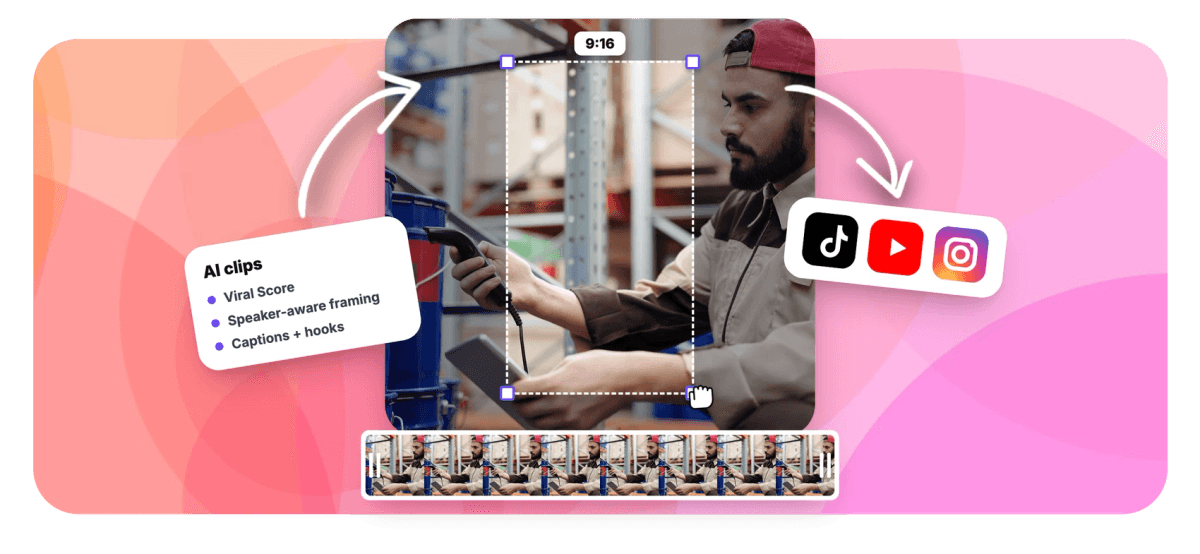
How to Make Clips From a Podcast Features
Why clipping your podcast is worth the effort
Short clips are how new listeners find a show. Edison Research and SSRS report in The Infinite Dial 2026 that 80% of Americans age 12 and over have listened to or watched a podcast, about 230 million people, and 58% consumed one in the last month, an all-time high. The same report finds 57% have both listened to and watched a podcast, and frames podcasting as a dual-format medium now, with video expanding it rather than replacing audio.
Discovery increasingly happens on video platforms. YouTube for Creators states YouTube is the number one place in the U.S. to consume podcasts, with over a billion people tuning in monthly, and that 84% of Gen Z monthly podcast listeners surveyed in the U.S. discovered a podcast on YouTube. Spotify for Creators pushes the same direction, telling creators to upload video, get discovered, and grow their show.
The episode you already recorded contains the raw material. What follows is the process: find the moments, cut them to the right length, frame the speakers, caption everything, then post on a schedule.
What our creator community is saying
Step 1: Find the best moments in the episode
You have three options for moment picking, and most podcasters end up combining them.
Listen back and timestamp. Reliable but slow. A 60-minute episode takes over an hour to review, plus the time to mark in and out points. Fine for a weekly solo show, painful at any real cadence.
Read the transcript. Faster than listening. Scan for questions, disagreements, numbers, stories with a clear start and payoff, and any line you would quote in a tweet. Mark the timestamps and cut around them.
Let software rank the episode. EchoWave's podcast clip maker runs a language model over the word-timed transcript and combines it with signals from the recording itself: audio energy and reaction peaks, silences, who-is-speaking turns, and scene cuts. Each candidate clip gets a Viral Score from 0 to 100 with five sub-scores (Hook, Clarity, Emotion, Value, Trend) and plain-English reasons like "strong hook" or "back-and-forth", so you can pick from a ranked grid instead of scrubbing a timeline. If you already know the topic you want, type it into the "Find moments about" prompt and it searches the transcript for you. You can also add a custom clip from any range on the source strip, so manual picks and ranked picks live in the same job.
You do not have to wait in the dark while it works. The analysis plays out on screen: frames being read with each host's face tracked, the waveform, scene cuts and the transcript, then clips arriving ranked. Step away mid-episode and it resumes from the same point when you return. Once the grid is ready, Echo, EchoWave's AI editor, takes requests in plain words, such as "find the part about the sponsor read" or "make #2 shorter", and can undo anything you change your mind about.
Step 2: Pick the right clip length for each platform
Clip length is where most guides get sloppy, because the platform limits keep changing. As of the source date, YouTube Help states that Shorts creation tools support videos up to 3 minutes long. That is a ceiling, not a target. Limits can change, so treat them as current guidance rather than fixed rules.
In practice, length should follow the moment, not the maximum:
- 15 to 30 seconds suits a single punchy exchange, a hot take, or a one-liner with a reaction. This is the safest default for TikTok.
- 30 to 60 seconds fits a complete point: setup, argument, payoff. A strong all-rounder for Instagram Reels and YouTube Shorts.
- 60 to 90 seconds works for a story or explanation that genuinely needs the room. Only go here when the moment earns it.
EchoWave maps these directly to presets, Short (15-30 s), Medium (30-60 s), Long (60-90 s), plus Auto and a custom range, so you can generate one batch per platform instead of re-trimming by hand. Aspect ratio matters too: 9:16 vertical for Shorts, Reels and TikTok, 1:1 or 4:5 for feeds, 16:9 if the clip is going back to a channel page.
Step 3: Frame two hosts in a vertical clip
Two-host shows always hit the same question: split the screen or cut between speakers? The honest answer is both, depending on the moment.
Use a stacked split for back-and-forth. When the value of the clip is the exchange itself, an interruption, a disagreement, a joke landing on someone's face, a stacked two-up keeps both reactions visible the whole time. Viewers read the listener's face while the speaker talks.
Cut to a single frame for a monologue. When one host delivers a strong 40-second point, a full-frame shot of that speaker is more engaging than a split where half the screen does nothing.
EchoWave's Smart camera handles this automatically. It detects faces and uses on-screen speaker detection (lip movement matched to the voice) to know who is talking, then cuts between speakers on their turns. Layouts include Follow speaker, Split (stacked two-up), Grid, Presenter plus slides, and Picture in picture. The camera keeps subjects at eye level and moves like an operator, with a dead zone, capped pan speed and smoothing, and it never pans across a scene cut. Every camera move is written as ordinary keyframes, so you can override any shot in the editor, for example locking a "focus on" a chosen speaker for the whole clip.
Step 4: Caption every clip
A large share of short-form video is watched with the sound off, and podcast clips are pure talk, so captions are not optional. Two rules make them work.
Word-timed, not line-timed. Captions that appear one word or phrase at a time as the speaker says them hold attention far better than static two-line subtitles. Because EchoWave's clips are built from a word-timed transcript, every clip gets word-accurate captions by default, in any of the 60+ animated caption presets, including the Hormozi-style word punch, karaoke and boxed styles, all sized for portrait video.
Add a title, not just captions. A short on-screen title at the top of the frame does the job a thumbnail does elsewhere: it tells scrollers why to stop. EchoWave drafts an AI title (60 characters or under), a hook line, a description and 3 to 6 hashtags for each clip, in the language of the video, since transcription auto-detects around 99 languages. Read them, edit the ones that miss, and keep the drafts as a starting point rather than a final answer.
Step 5: Set a posting cadence and keep it
Inconsistent posting is the quiet killer of podcast clip strategies. One episode produces a burst of five clips in a weekend, then nothing for two weeks, and the algorithm and the audience both forget the show exists.
A cadence that works for most shows: one clip per weekday, per platform. A single 40 to 60 minute episode typically yields 5 to 10 genuinely usable moments, which covers a full week or two of posting from one recording session. Batch the work: generate and review clips the day the episode is edited, pick the keepers, export them all at once (EchoWave supports bulk select, so many clips become projects and exports in one pass), and keep them in a folder labeled by date.
To be clear, this is workflow advice, not automation. EchoWave does not post or schedule to social platforms for you; you upload the exported files to each platform yourself, or hand the folder to a VA with the captions and hashtags already drafted per clip. For teams, clip jobs are workspace-scoped and visible to every member, which makes the handoff to whoever posts straightforward.
What if my podcast is audio only?
Audio-only shows can clip too, and they are not a special case in this workflow. Upload the audio file exactly as you would a video: EchoWave accepts uploads, library media, direct media links, or an existing project. The transcript, moment ranking, Viral Scores, titles and word-timed captions all work identically, because they run on the transcript and the audio signal, not the picture.
The difference is the visual layer. Without camera footage there are no speakers to reframe, so pair the captions with cover art, a waveform, or simple motion so the clip reads as video in a feed. The podcast to video tool covers that step, and if you are weighing whether to add cameras to the show itself, the video podcast guide walks through the format and the gear.
One more practical note on cost: free accounts get 30 analysis minutes a month, with a watermark and 720p cap on free exports; Creator exports at 1080p and Pro at 4K.
Sources & further reading
- Edison Research / SSRS, The Infinite Dial 2026: 80% of Americans 12+ have ever listened to or watched a podcast (about 230 million people), 58% in the last month, and 57% have done both, described as a dual-format medium.
- YouTube Help, Shorts creation: Shorts creation tools support videos up to 3 minutes long.
- YouTube for Creators, Podcasts: YouTube as the number one place in the U.S. to consume podcasts, over a billion monthly viewers, and 84% of surveyed U.S. Gen Z monthly podcast listeners discovering a podcast there.
- Spotify for Creators: Spotify's positioning of video as central to its podcast platform, urging creators to upload video and grow their show.

About the EchoWave team
EchoWave is a browser-based video and audio editor built by Lemon Vault LLC since 2018. The people who build the editor write these guides and test every step in the production app before publishing.
Podcast clipping FAQ
How do I make clips from a podcast?
Upload the full episode (video or audio) to EchoWave's Clips tool. It transcribes the file, scores candidate moments 0 to 100 using the transcript plus audio energy, silences, speaker turns and scene cuts, then presents a ranked grid. Pick a length preset (Short 15-30 s, Medium 30-60 s, Long 60-90 s, or custom), choose an aspect ratio like 9:16, and every clip comes back with word-timed captions, an AI title, a hook and hashtags. Each clip is a normal EchoWave project, so you can adjust anything in the editor before exporting.
What length should a podcast clip be?
Match the length to the moment. A single punchy exchange works at 15 to 30 seconds, a complete point with setup and payoff fits 30 to 60 seconds, and a story that earns the room can run 60 to 90 seconds. Platform ceilings are higher than that, YouTube Help states Shorts creation tools support videos up to 3 minutes as of the source date, but a ceiling is not a target, and limits can change. When in doubt, cut tighter: the clip should end while the viewer still wants more.
How many clips can I get from one podcast episode?
A typical 40 to 60 minute episode yields 5 to 10 genuinely usable moments: strong questions, disagreements, stories with a clear payoff, and quotable one-liners. That is enough to cover one clip per weekday for a week or two from a single recording. EchoWave lets you set the number of clips per job (auto, or 1 to 30), and you can add custom clips from any range on the source strip if the ranking missed a moment you know is good.
Do I need video to make podcast clips, or does audio work?
Audio works. Upload the audio file the same way you would a video: transcription, moment ranking, Viral Scores, titles and word-timed captions all run on the transcript and audio signal, so nothing in the workflow changes. The only difference is the visual layer, since there is no footage to reframe. Pair the captions with cover art or a waveform so the clip reads as video in a feed; EchoWave's podcast to video tool handles that step from the same upload.
How do you clip a podcast with two hosts?
Use a stacked split layout when the exchange itself is the value, so viewers see both faces and reactions the whole time, and cut to a single full-frame speaker when one host carries a longer point alone. EchoWave's Smart camera does this automatically: it detects faces, identifies who is talking with on-screen speaker detection (lip movement matched to the voice), and cuts on speaker turns. Layouts include Split (stacked two-up), Follow speaker, Grid and Picture in picture, and every camera move is ordinary keyframes you can edit shot by shot.
How often should I post podcast clips?
One clip per weekday, per platform, is a cadence most shows can actually sustain, and consistency beats volume for growth. Batch the work on episode day: generate and review the clips, keep the best 5 to 10, bulk export them, and store them with their drafted titles and hashtags. Note that posting itself stays manual or goes to a VA; EchoWave does not schedule or publish to social platforms, it prepares the finished files and copy so the posting step takes minutes.
Is there a free way to make podcast clips?
Yes. EchoWave's free plan includes 30 analysis minutes a month, enough to clip a half-hour episode or test the workflow on part of a longer one. You get the full pipeline: moment ranking with Viral Scores, speaker-aware reframing, word-timed captions and AI titles. Free exports carry a small watermark and a 720p cap; the Creator plan exports at 1080p with 180 monthly minutes, and Pro exports at 4K with 600 minutes, which suits weekly shows posting daily clips.
Clip Your Episode Post All Week
Upload one episode and get ranked, captioned vertical clips in minutes.
Get Started →























































