
How to Repurpose a Podcast Episode for Every Platform
One recording can become a full YouTube episode, a week of vertical clips, audiograms, show notes and a newsletter. This guide maps each format to its platform and gives you a workflow that does not eat your week.


How to Repurpose a Podcast Episode for Every Platform Features
Why one episode should become many things
Podcasts are no longer audio-only. Edison Research and SSRS report in The Infinite Dial 2026 that 57% of Americans age 12 and over have both listened to and watched a podcast, and they describe podcasting as a dual-format medium. YouTube for Creators says YouTube is the number one place in the U.S. to consume podcasts, with over a billion people tuning in monthly.
That means each episode has several audiences in several places: people who listen in an app, people who watch on YouTube, people who discover shows through short clips, and people who prefer to read. Repurposing is how one recording session reaches all of them. Done well, it is not extra content creation; it is the same conversation, shaped for each place it travels.
The repurposing map: one episode, seven assets
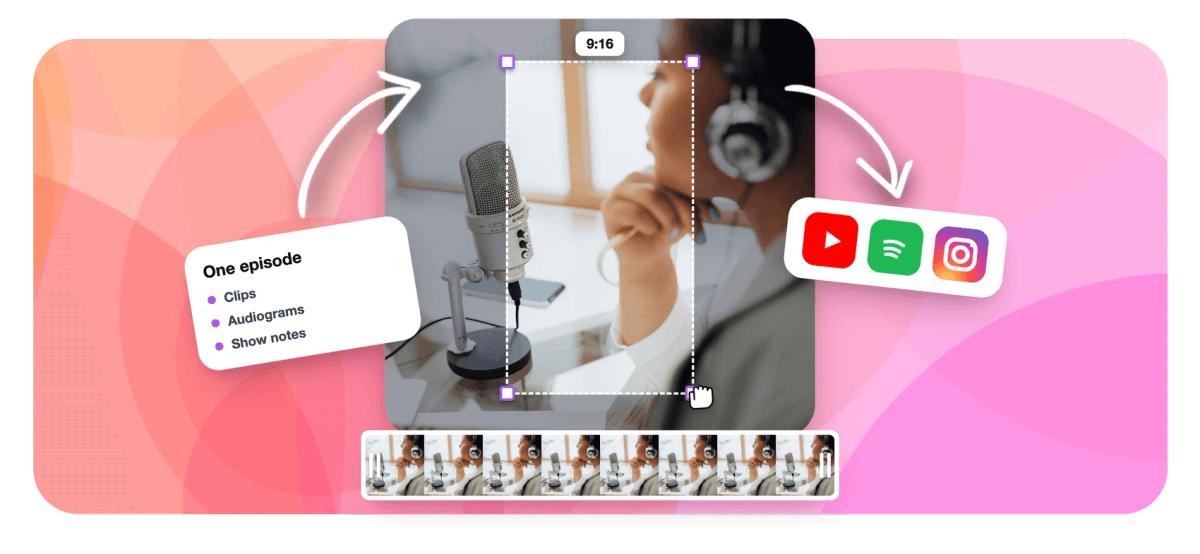
Here is what a single episode can produce, and where each piece belongs.
- The full episode on YouTube. If you record video, the complete episode is the anchor. Audio-only shows can publish it with a waveform or cover art; the podcast to video tool covers that conversion.
- Vertical clips. Three to eight short moments for YouTube Shorts, Instagram Reels and TikTok, each captioned and framed for 9:16.
- Audiograms. Waveform videos with captions over cover art, ideal for audio-only shows and for sharing a quote in a feed. See the audiogram generator.
- A full transcript. Useful on its own for accessibility and search, and the raw material for every written asset.
- Show notes or a blog post. A summary, key points and timestamps built from the transcript.
- A newsletter section. The episode's single best idea in a few paragraphs, with a clip or link.
- A professional-feed post. A square or 4:5 clip with a short written takeaway for LinkedIn and similar feeds.
What creators say after trying EchoWave
The order of operations
Repurposing goes wrong when every asset is made from scratch. The fix is a strict order, where each step feeds the next.
1. Finish the master edit first. Cut the episode once, cleanly: remove false starts, long pauses and filler. Every derivative inherits this edit, so tightening it once saves you fixing the same stumble in five clips. A transcript-based editor makes this faster, because you delete words to delete footage.
2. Generate the transcript. The transcript is the backbone of the written assets and the fastest way to find clip moments. A podcast transcript generator gives you the text with timestamps.
3. Pick and cut the clips. Read the transcript for strong openings, stories with payoffs and disagreements, or let software rank the candidates. The step-by-step version of this is in the guide to making clips from a podcast.
4. Make the audiograms. Reuse the best clip moments as audiograms for audio-first audiences and for platforms where cover art performs better than a face.
5. Write the text assets last. Show notes, the newsletter section and the professional-feed post all come from the transcript and the clips you already chose, so you are summarizing decisions instead of making new ones. The show notes guide covers that format.
Shape each piece for its platform
The same moment needs different packaging depending on where it goes.
- YouTube, full episode: a clear title and thumbnail, chapters from your timestamps, and the transcript or a summary in the description. The guide to posting your podcast on YouTube walks through setup.
- YouTube Shorts, Reels, TikTok: 9:16, captions burned in, a hook in the first seconds, usually under 60 seconds. With two hosts, either cut between speakers on their turns or stack both in a split frame so reactions stay visible.
- Instagram feed and Stories: 9:16 for Reels and Stories, 4:5 or 1:1 for feed posts. The guide to posting a podcast on Instagram covers the options.
- LinkedIn and professional feeds: square or 4:5, a takeaway rather than banter, and a written post that states the insight.
- Email: a thumbnail that links to a clip or the episode; video rarely plays inside the inbox itself.
One rule applies everywhere: captions. Short-form video is widely watched with the sound off, and podcast clips are pure talk, so word-timed captions are what make them watchable.
A weekly repurposing schedule
For a weekly show, a sustainable rhythm looks like this. On release day, publish the full episode, the show notes and one strong clip on each short-form platform. Over the next four days, post one clip or audiogram per day per platform, rotating formats. Midweek, send the newsletter with the episode's best idea and a clip. At the end of the week, post the professional-feed takeaway and a teaser for the next episode. One recording covers the whole week, and nothing new has to be filmed.
EchoWave does not post or schedule to social platforms for you, so keep a simple folder or spreadsheet of exported files with their captions and hashtags, and upload them on schedule yourself or hand the folder to whoever manages your accounts.
Measure which formats earn their place
Not every format will work for every show, and after a month you will know which ones do. Track a few simple numbers per format rather than chasing total views.
- Clips: average watch percentage and how many viewers go on to the full episode or your channel.
- Audiograms: saves and shares, since they are often passed along as quotes.
- Full YouTube episodes: watch time and how many viewers arrive from your Shorts.
- Newsletter: clicks on the episode link.
- Show notes: search traffic to the episode page over the following months.
Drop the format that consistently underperforms and put that time into the one that grows the show. A podcast with a strong visual setup might lean on clips; a narrative audio show might get more from audiograms and written posts. Repurposing is a portfolio, and the portfolio should change as the data comes in.
Doing it in EchoWave
EchoWave covers the video side of this workflow in one place. Edit the master episode by deleting words in the text-based video editor, with one-click filler and pause removal. Then upload the episode to the podcast to Shorts workflow: the analysis plays out live, and ranked clips arrive with word-timed captions, AI titles, hashtags and speaker-aware vertical framing that keeps both hosts in shot. Ask Echo, EchoWave's AI editor, for notes such as "find the part about the sponsor" or "bigger captions on every clip" before you bulk export.
For audio-only shows, the same clips work with captions over cover art, and the audiogram and podcast to video tools handle the waveform formats. The free plan includes 30 minutes of clip analysis a month, with a small watermark and 720p on free exports; paid plans remove the watermark and raise the minutes.
Sources & further reading
Figures in this guide come from the following sources, checked September 3, 2026.
- Edison Research / SSRS, The Infinite Dial 2026: 57% of Americans 12+ have both listened to and watched a podcast, described as a dual-format medium.
- YouTube for Creators, Podcasts: YouTube as the number one place in the U.S. to consume podcasts, with over a billion monthly viewers.

About the EchoWave team
EchoWave is a browser-based video and audio editor built by Lemon Vault LLC since 2018. The people who build the editor write these guides and test every step in the production app before publishing.
Podcast repurposing FAQ
How do I repurpose a podcast episode?
Work in a fixed order so each step feeds the next. Finish a clean master edit, generate a transcript, pick three to eight short moments and cut them as captioned vertical clips, turn a few of those moments into audiograms, then write show notes, a newsletter section and a professional-feed post from the transcript. Publish the full episode on YouTube as the anchor. Spread the clips and posts across the week rather than posting everything on release day.
What can you turn a podcast episode into?
A single episode can become a full YouTube upload, a set of vertical clips for YouTube Shorts, Instagram Reels and TikTok, audiograms with captions over cover art, a full transcript, show notes or a blog post, a newsletter section, and a square or 4:5 clip with a written takeaway for LinkedIn. Audio-only shows can produce all of these too, using waveforms, cover art and captions in place of camera footage.
How many clips should I make from each podcast episode?
Three to eight is a practical range for a typical 40 to 70 minute episode, which is enough to post one clip per platform per day for a week. The number depends on the episode: a lively conversation with stories and disagreements yields more usable moments than a dense technical discussion. Choose clips that stand on their own without context and open with a strong line, and skip the rest rather than padding the week.
Can I repurpose an audio-only podcast into video?
Yes. Publish the full episode on YouTube with a waveform or cover art, and turn the best moments into short clips with word-timed captions carrying the visual load, or into audiograms with a moving waveform. EchoWave's clip tools work on audio files as well as video: the highlight ranking runs on the transcript and the audio signal, and each moment becomes a captioned vertical clip you can dress with images or text in the editor.
What is the best order to repurpose podcast content?
Master edit first, then transcript, then clips, then audiograms, then written assets. The master edit removes stumbles once instead of in every derivative. The transcript makes finding clips and writing show notes much faster. Choosing clips before writing means your newsletter and social posts can point to clips that already exist. Following this order is the main thing that keeps repurposing from taking longer than recording the episode.
Should podcast clips be vertical or square?
Both, depending on the destination. Use 9:16 vertical for YouTube Shorts, Instagram Reels, TikTok and Stories, where the clip fills the phone screen. Use 1:1 or 4:5 for feed posts on Instagram and for LinkedIn, where a square frame takes up more space than landscape without looking out of place. Many tools, EchoWave included, can generate the same moments in more than one aspect ratio so you do not cut each version by hand.
How do I repurpose a podcast without spending all week on it?
Batch the work into one session right after the master edit, and let software do the searching. An AI clip tool can rank the episode's moments and return captioned, framed clips in one pass, so your time goes to choosing and light polishing rather than scrubbing. Write the text assets from the transcript in the same sitting, export everything into one dated folder with captions and hashtags, and post on a schedule from there.
Can EchoWave post my podcast clips automatically?
No. EchoWave finds, frames, captions and exports clips, but it does not publish or schedule posts to social platforms. Export the clips with their drafted titles and hashtags, then upload them yourself or hand the folder to whoever manages your accounts. Teams that want to automate the production side can start clip jobs through Zapier or the REST API when a new episode file appears, and pick up the results when the job finishes.
One episode every platform
Ranked, captioned clips from your episode, framed for Shorts, Reels, TikTok and feeds.
Get Started →























































