
Sermon to Shorts: One Complete Teaching Point Per Clip
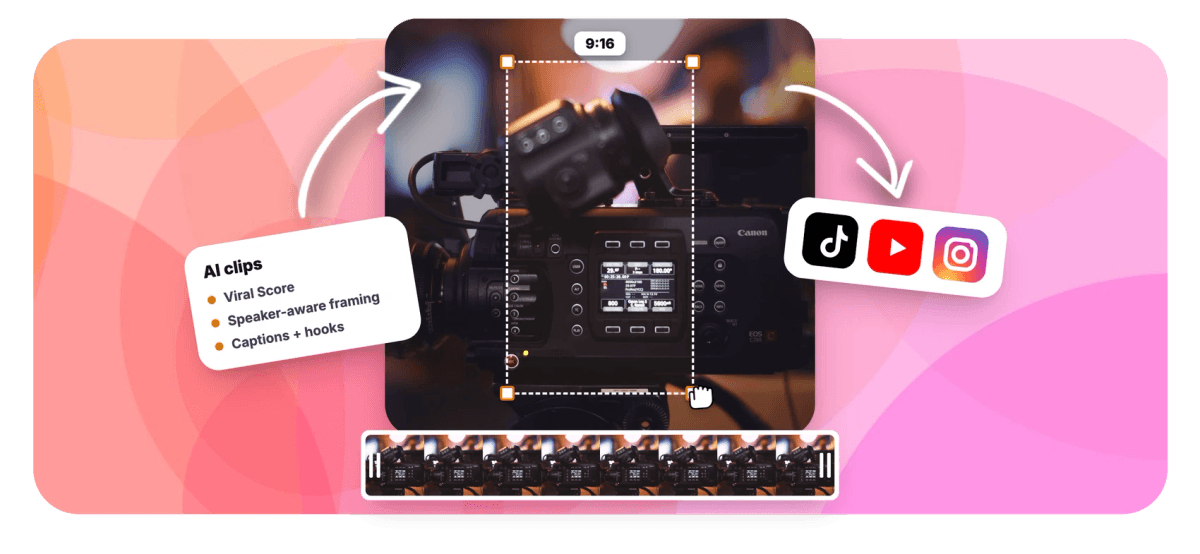
Upload the full Sunday message and get ranked, captioned vertical clips that open and close on a whole thought, with a camera that keeps the pastor in frame.


Sermon to Shorts: One Complete Teaching Point Per Clip Features
EchoWave's sermon clip tools are used by volunteer church media teams, communications staff, and multi-campus ministries worldwide





Sunday to social
The clip is already in the sermon. Finding it is the job.
Sermon to shorts is usually a Monday chore for a church media team: rewatch a 45 minute message, hunt for the two moments worth posting, then wrestle a wide stage shot into vertical. EchoWave analyzes the word-timed transcript with a dedicated sermon genre preset, so clips start and end on a complete teaching point instead of an arbitrary time box. A speaker-aware camera follows the pastor across the stage, and word-timed animated captions keep every clip readable on mute. Each result lands as an editable project on the same pipeline as our sermon clip maker and church video editor, so a volunteer can have posts ready before lunch.
-
~99 languages
Transcription auto-detects the spoken language of the message
-
7 layouts
Camera options including Follow speaker, Split, and Presenter + slides
-
60+ presets
Word-timed caption styles sized for portrait, from karaoke to word punch
-
30 min free
Analysis minutes per month on the free plan; Creator 180, Pro 600, Ultra 3,000
What you get
Built around the shape of a sermon, not just volume spikes
Detection tuned for preaching that builds an idea over minutes, framing that survives a wide stage, and captions for a congregation scrolling on mute.
-
Upload the Whole Message
Add Sunday's recording as video or audio, from your files, your library, a direct media link, or an existing project. A 50 minute sermon goes in whole, no pre-trimming or manual scrubbing required.
-
Sermon Genre Preset
Pick sermon as the genre and detection weighs complete teaching points, illustrations, and application moments over raw energy peaks, which fits preaching that develops one idea across several minutes.
-
Viral Score With Reasons
Every candidate clip carries a 0-100 score across Hook, Clarity, Emotion, Value, and Trend, with a plain-English reason attached, so a volunteer picks the strongest moment without rewatching the message.
-
Follow Speaker Framing
Smart camera finds the on-screen speaker by matching lip movement to the voice, then tracks the pastor across a wide stage shot at eye level with capped pan speed. It never pans across a scene cut.
-
Captions for Muted Feeds
Word-timed captions apply automatically in any of 60+ presets, boxed, karaoke, or word-punch styles sized for vertical video. Most of your congregation scrolls with sound off, so the point still lands.
-
Length Fits One Thought
Choose Short 15-30 s, Medium 30-60 s, Long 60-90 s, or a custom range, so the clip holds the full illustration instead of cutting mid-sentence to satisfy an arbitrary duration.
-
Titles, Hooks, Hashtags Written
Each clip ships with an AI title under 60 characters, a hook line, a description, and 3-6 hashtags in the sermon's language, useful for a media team without a dedicated copywriter.
-
Ask Echo for the Passage
Ask Echo, EchoWave's AI editor, for "the part about forgiveness" or "the fishing trip story" and it clips that passage. Then ask for bigger captions on every clip so older viewers can follow along.
How it works
How to turn a sermon to shorts
From full Sunday recording to postable vertical clips in four steps, no editing experience needed.
-
Upload Sunday's Recording
Add the full message, video or audio, to the Clips tool. Transcription starts automatically and detects the spoken language across roughly 99 options.
-
Set the Sermon Preset
Choose sermon as the genre, pick 9:16 for Reels and Shorts, and set a clip length that matches one complete thought. Use the prompt search to find moments about a specific story or verse.
-
Review the Ranked Grid
Scan candidate clips by Viral Score, read the reasons each moment was picked, check the transcript excerpt, and drop a custom clip from any range on the source strip if you want one more.
-
Export or Refine
Bulk select the keepers and export them together, or open any clip in the full editor to adjust the captions, the camera keyframes, or the title overlay before it goes out.
Who uses it
Church media teams of every size
-
Volunteer media teams
One or two volunteers turn Sunday's message into postable social clips Monday morning without professional editing skill.
-
Communications staff
Part-time comms staffers keep a consistent weekly clip cadence instead of skipping social most weeks over time cost.
-
Multi-campus churches
One recording feeds several campus accounts, with different clip lengths and aspect ratios generated from the same message.
-
Youth and college ministries
Student pastors pull punchy 15-30 second moments with word-punch captions for feeds that scroll fast and muted.
-
Guest speaker series
Conference and guest messages get clipped speaker by speaker, with the camera focused on whoever is teaching on stage.
-
Audio-only sermons
Podcast-style sermon audio works too: the AI finds teaching points from the transcript and captions carry the clip.
Post this week's message this week
Upload Sunday's sermon and get ranked, captioned vertical clips built on complete teaching points. Free plan includes 30 analysis minutes a month.
How creators use EchoWave in real projects

About the EchoWave team
EchoWave is a browser-based video and audio editor built by Lemon Vault LLC since 2018. The people who build the editor write these guides and test every step in the production app before publishing.
Sermon to shorts FAQ
How do I turn a sermon to shorts?
Upload the full Sunday recording, video or audio, to EchoWave's Clips tool, choose the sermon genre preset, pick 9:16 vertical, and set a clip length. The AI transcribes the message, finds moments that hold a complete teaching point, and returns a ranked grid of clips with word-timed captions, an AI title, hook line, description, and hashtags each. Review the scores, open any clip in the editor if you want changes, then export. A volunteer with no editing experience can go from raw recording to postable clips in one sitting.
Can AI find the best part of a sermon automatically?
Yes. EchoWave runs a language model over the word-timed transcript and combines it with audio energy, reaction peaks, silences, speaking turns, and scene cuts. The sermon genre preset tunes that judgment toward complete thoughts, an illustration, an application point, a story, rather than arbitrary volume spikes. Each candidate gets a Viral Score from 0-100 with sub-scores for Hook, Clarity, Emotion, Value, and Trend, plus a plain-English reason, so you see why a moment was chosen. It works from the transcript and signals, not theological interpretation, so a quick human review of the top picks is still worth it.
How long should a sermon clip be for TikTok or Shorts?
Most sermon clips land best between 30 and 60 seconds: long enough for a complete point, short enough to hold a scrolling viewer. EchoWave gives you Short 15-30 s, Medium 30-60 s, Long 60-90 s, or a custom range, so you can match the length to the thought instead of cutting mid-sentence. A tight one-liner from the pastor suits Short, a story or illustration usually needs Medium or Long. Generating a mix of lengths from the same message and comparing scores is the fastest way to learn what your congregation actually watches.
Do sermon clips need captions?
Practically, yes. Most social viewers watch muted, so a sermon clip without burned-in captions gets scrolled past regardless of how strong the moment is. EchoWave applies word-timed captions to every clip automatically, in any of 60+ presets including karaoke, boxed, and word-punch styles, all sized for portrait. Because the captions come from the same transcript used to find the clips, timing matches the pastor's delivery word by word. You can swap styles or edit the text in the editor before exporting.
How do I follow the pastor when they walk across the stage in a vertical video?
This is where a static center crop fails: the pastor walks from the podium to center stage and out of frame. EchoWave's Smart camera detects faces and matches lip movement to the voice, then the Follow speaker layout tracks the pastor across a wide stage shot at eye level. It moves like an operator, with a dead zone, capped pan speed, and smoothing, and it never pans across a scene cut. Every camera move is stored as ordinary keyframes, so you can adjust any shot by hand in the editor if a moment needs different framing.
Is there a free tool for churches to make sermon clips?
EchoWave's free plan includes 30 analysis minutes per month, enough to test a message or clip a shorter teaching segment each week. Free exports carry a small watermark and cap at 720p. For a weekly 40-50 minute sermon, Creator covers 180 analysis minutes a month with 1080p exports, Pro gives 600 minutes and 4K, and Ultra covers 3,000 minutes with workspace-scoped jobs the whole media team can see. There is no unlimited tier, so match the plan to how many minutes of preaching you analyze monthly.
How do I turn one Sunday message into multiple social posts?
Set the number of clips, anywhere from 1 to 30 or let it decide, and the AI returns a ranked grid from a single upload. Generate 9:16 for Reels and Shorts, then re-run at 1:1 or 4:5 for feed posts from the same recording. Use the 'Find moments about' prompt to surface clips on a specific theme, and add keyword boosts for recurring series language. Each clip already has a title, hook, description, and hashtags, so a week of posts comes out of one Sunday message. Bulk select to create projects and exports at once.
Can our media volunteers share the clipping work?
Yes. On team plans, clip jobs belong to the church's workspace and every member can see them, so the volunteer who uploads Sunday's message and the one who posts on Wednesday are looking at the same ranked grid. Analysis minutes are pooled per workspace rather than per person, which keeps a rotating team from burning through separate allowances. Each finished clip is a normal EchoWave project, so whoever picks it up can adjust captions or framing and export through the standard pipeline.
Sunday's message. Monday's clips.
Upload the sermon and get captioned, speaker-framed shorts built on complete teaching points.
Get Started →























































