
Fitness Video Maker for Clear, Captioned Workouts
Turn your workout clips into clean fitness videos. Label each exercise, add set and rep captions, slow down the form checks, and export vertical for Reels, TikTok, and Shorts.


Fitness Video Maker for Clear, Captioned Workouts Features
EchoWave's fitness video tools are used by personal trainers, coaches, and fitness creators worldwide





Fitness clips, made clear
The workout video editor that labels every move
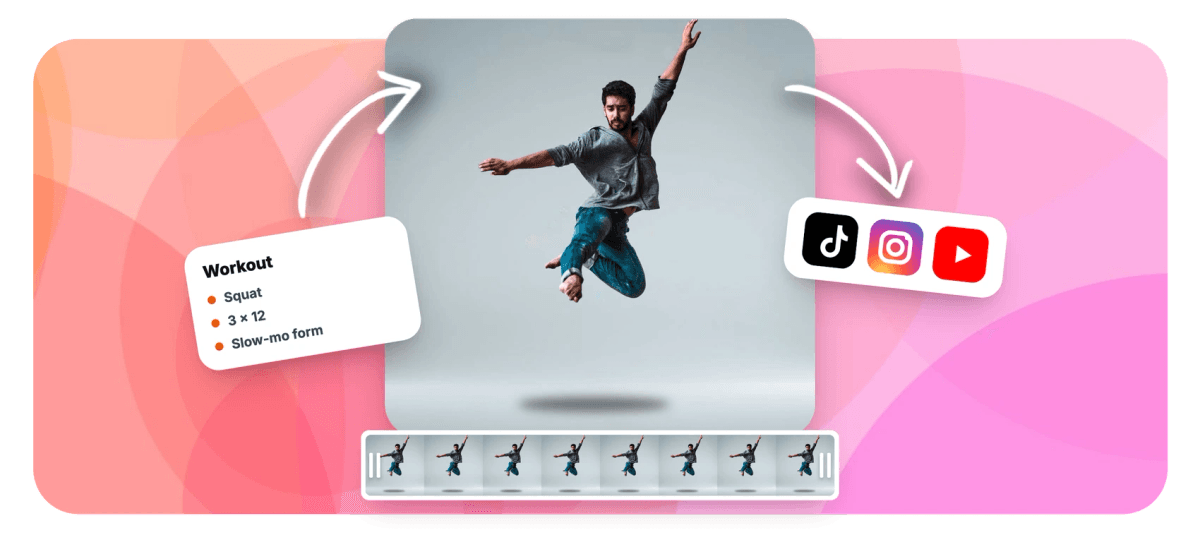
EchoWave is a fitness video maker for people who teach with video, where clarity beats flash. Start from your own workout clips, label each exercise with a title card, and add set, rep, and cue captions so viewers know exactly what to do. Slow-mo the form-check moments and speed through rest, then lay a driving track underneath. To be clear about what this is: there is no rep-counting AI and no pose analysis. You set the labels, captions, and timing yourself, which is exactly why the result stays accurate to your program instead of a machine's guess.
-
0.25x to 4x
Speed range: slow-mo the working reps or speed through rest periods
-
9:16
Vertical canvas preset for Reels, TikTok, and Shorts, plus 16:9, 1:1, and 4:5
-
170+
Caption presets to style set, rep, and cue overlays for small screens
-
4K
Maximum export resolution on a paid plan; free exports go up to 720p
What you get
Instruction-first tools for every workout clip
The pieces that turn raw gym footage into a clear, followable fitness video.
-
Title Cards for Every Exercise
Label each move with a clean title card so viewers always know what they are watching. Add text to video with your own fonts, colors, and timing, positioned to stay clear of the phone UI.
-
Set, Rep, and Cue Captions
Overlay set and rep counts, tempo, and form cues as captions. Generate captions from your voiceover or type them by hand, then style them big and legible for small screens.
-
Slow-Mo Form Checks, Fast Rest
Drop key reps to 0.25x so viewers can study technique frame by frame, then speed through rest periods at up to 4x. Set a different speed on each clip in one timeline.
-
Punch In on Technique
Zoom into a grip, foot position, or bar path so the detail is unmissable. Zoom into your video with keyframes that move the framing smoothly across the clip.
-
A Driving Track Underneath
Lay a music bed under the whole workout to set pace and energy. Add audio to video on a separate track, trim it to length, and it stays in sync through every speed change.
-
Vertical 9:16 for Reels
Set a 9:16 canvas so your fitness videos fill the screen on Reels, TikTok, and Shorts. Switch to 16:9, 1:1, or 4:5 when you need a different feed, all before you export.
-
Reuse a Layout as a Template
Trainers scaling a program can save one workout project and reuse it as a template, swapping in new clips and captions while the layout, fonts, and timing stay put across every session.
-
One Timeline, One Export
Trim clips, arrange the circuit, layer titles and captions, and mix the music in a single browser project, then export a finished MP4 with no round-tripping between apps.
How it works
How to make a fitness video
Four steps from raw gym clips to a clear, vertical fitness video.
-
Add Your Exercise Clips
Open the editor and upload the clips for each exercise. Drag them onto the timeline in the order of your workout or circuit, and trim any dead time at the start or end of each move.
-
Label Each Move and Caption the Reps
Add a title card naming each exercise, then caption the sets, reps, tempo, and form cues. Type them directly or generate them from your voiceover, and size the text to stay readable on a phone.
-
Slow-Mo Form Checks and Speed Rest
Select the form-check clips and drop them to 0.5x or 0.25x so technique is easy to follow. Speed rest periods and transitions up to 4x so the video stays tight.
-
Add Music and Export Vertical
Lay a driving track under the workout, set the canvas to 9:16, then export an MP4 for Reels, TikTok, or Shorts. Free to start; upgrade for watermark-free, higher-resolution exports.
Who uses it
Built for everyone who teaches a workout
-
Personal Trainers
Film client-ready demos of each lift, label the sets and reps, and slow the form check so technique reads clearly.
-
Online Coaches Scaling Programs
Reuse one workout layout as a template across a 12-week plan, swapping clips and captions while the format stays consistent.
-
Home and HIIT Creators
Build fast follow-along circuits for Reels: title each move, caption the work-rest intervals, and drive it with music.
-
Yoga and Mobility Instructors
Slow-mo the transitions and hold cues, add calm captions for breath and alignment, and export vertical for class recaps.
-
Physical Therapists
Demonstrate rehab exercises with clear rep captions and zoomed-in detail on joint position, so patients follow the plan at home.
-
Gym and Studio Marketers
Turn class footage into punchy vertical promos with exercise labels and a driving track, sized for Reels, TikTok, and Shorts.
Turn workout clips into clear fitness videos
Label the moves, caption the reps, slow the form checks, and export vertical. Free to start.
What creators say after trying EchoWave

About the EchoWave team
EchoWave is a browser-based video and audio editor built by Lemon Vault LLC since 2018. The people who build the editor write these guides and test every step in the production app before publishing.
Fitness video maker FAQ
How do I make a fitness video?
Upload your exercise clips to EchoWave, arrange them on the timeline in workout order, and label each move with a title card. Add set and rep captions, slow the form-check moments and speed through rest, then lay a music track underneath. Set the canvas to 9:16 for Reels or TikTok and export an MP4. Everything happens in the browser, and you can start for free with no signup.
How do I label exercises and show sets and reps?
Add a text title card at the start of each exercise with its name, then use captions for the set, rep, tempo, and cue details. You can generate captions from your voiceover or type them by hand, then style them large and high-contrast so they stay readable on a phone. Position the text clear of the platform's buttons so nothing important gets covered. Note that EchoWave does not count reps for you; you set every number.
How do I slow down a clip for a form check?
Select the clip and lower its speed in the speed panel. Drop to 0.5x for a steady demo or 0.25x for a detailed frame-by-frame form check. Because speed is set per clip, you can slow just the working reps and leave the rest of the video at normal pace, or speed rest periods up to 4x to keep things tight. All of it renders in a single export.
How do I highlight a technique detail?
Use zoom to punch in on the exact detail that matters, a grip, a foot position, or bar path. Keyframes let the framing move smoothly into the close-up and back out, so viewers see the detail without you cutting to a second angle. Pair it with a slow-mo speed on the same clip and a short caption cue for a form point that is impossible to miss.
What size should a workout video be for Reels or TikTok?
Use a 9:16 vertical canvas for Reels, TikTok, and YouTube Shorts, since that fills the whole phone screen. EchoWave also has 16:9, 1:1, and 4:5 presets for YouTube, feed posts, or a studio screen. Set the aspect ratio before you build so your title cards and rep captions sit safely inside the frame and do not get cropped by each platform's interface.
Should I make a full follow-along or quick demos?
Both work, and the build is the same. For a quick demo, keep each exercise to a few labeled reps with a slow-mo form check, ideal for a 30 to 60 second Reel. For a full follow-along, keep the clips real-time, caption the work and rest intervals, and let a music track carry the pace. You control the length and timing on the timeline, so nothing is locked to a fixed template.
Can I reuse a workout layout across a whole program?
Yes. If you are a trainer scaling a program, save one finished workout as your own project and reuse it as a template. The layout, fonts, title-card style, caption format, and music slot stay in place, and you swap in new exercise clips and update the numbers for each session. That keeps a 12-week plan visually consistent without rebuilding the format every time.
Is the fitness video maker free?
Yes. You can build, caption, and preview your whole workout video for free, with no signup to start. Free exports include a small EchoWave watermark and go up to 720p. A paid plan removes the watermark and unlocks higher resolutions up to 4K, plus higher export frame rates. To be clear, EchoWave does not do rep-counting AI or pose analysis; you set the labels, captions, and timing.
Ready to make a fitness video?
No credit card required. Free exports include a small EchoWave watermark, removable on a paid plan.
Get Started →























































