
Add Animated Text to Video: 45 Ways to Make Words Move
Type a line, pick one of 45 word-level animations, reveals, pops, karaoke fills, staggered cascades, and style it in your fonts and colors. Free to start, right in the browser.


Add Animated Text to Video: 45 Ways to Make Words Move Features
EchoWave's text animation tools are used by YouTubers, social media marketers and course creators worldwide





Text in motion
The difference between pasted-on and produced is motion
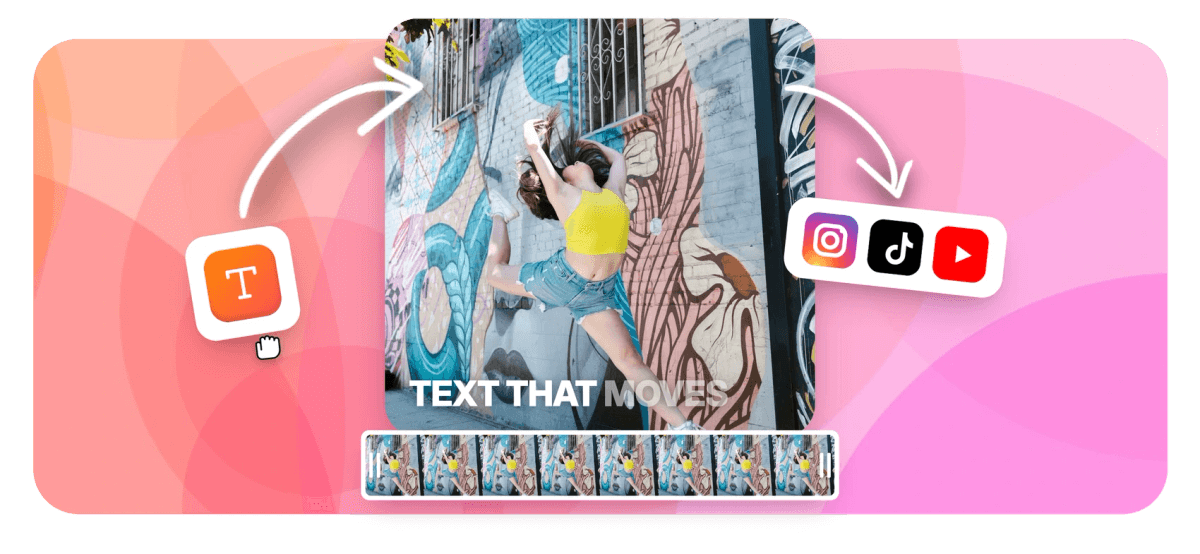
Add animated text to video and a flat overlay starts reading as design: words reveal on cue, pop on the beat, fill karaoke-style or cascade in line after line. EchoWave's text engine ships 45 word-level animation types, 5 basic moves, 20 reveals, 10 karaoke behaviors, 3 staggered cascades and 7 loops, and the same engine drives typed titles and caption tracks alike. Typography stays yours: fonts, weights, outlines, background pills, B/I/U/S, style presets, even synthetic italics when a font has no italic face. Place text anywhere on the canvas in the video editor, layer it over footage and time every entrance on the timeline. Just need a static line? The simpler add text to video workflow covers that.
-
45 types
Word-level animations in five families, on typed text and captions alike
-
20 reveals
Entrance styles that decide exactly how a title arrives
-
10 karaoke
Fill behaviors that light up each word in turn
-
7 loops
Continuous motions that keep a headline alive while it is on screen
What you get
A complete text animation maker, not one preset
Motion, typography and timing are separate controls, so the look is yours rather than a template's.
-
45 Word-Level Animations
Five families cover the range: 5 basic moves, 20 reveals for entrances, 10 karaoke behaviors that light up the active word, 3 staggered cascades and 7 loops. Each word animates on its own clock, not the block as a whole.
-
Reveals That Set the Tone
Twenty entrance styles range from restrained fades for interviews to hard pops for hooks. Pick the energy per line: an opener, a chapter title and a closing card can each move differently.
-
Karaoke Fills and Staggered Lines
Make words appear one by one: karaoke behaviors fill each word in sequence, and staggered cascades walk a multi-line title onto the screen. Both run on typed text, no transcript needed.
-
Full Typographic Control
Fonts, weights, colors, outlines and background pills, plus bold, italic, underline and strikethrough. When a font ships without an italic face, EchoWave synthesizes the slant so your styling never quietly falls back to upright.
-
Position, Layer, Reuse
Drop text anywhere on the canvas and stack as many animated lines as the edit needs, each on its own track. Style presets and copy-paste text styling keep every title in a project consistent.
-
One Engine, Text and Captions
The same 45 animation types drive caption tracks, so typed titles and animated captions transcribed from speech can share one motion language in a single video.
How it works
How to add animated text to a video
Four steps take a title from typed to timed.
-
Upload Your Video
Drag your clip into the EchoWave editor, or open an existing project. The canvas sizes itself to your footage automatically.
-
Add a Text Element
Click Text, type your title, hook or label, and drag it into position on the canvas. Add as many text layers as the edit calls for.
-
Pick an Animation and Style It
Choose one of the 45 word-level animations, then set the font, weight, color, outline and background pill until it matches your brand.
-
Time It and Export
Drag the text clip on the timeline so the entrance hits the right frame, preview, and export an MP4 with the motion baked in.
Who uses it
Wherever a title has a job to do
-
YouTube Creators
Pop the hook line into the first three seconds, then reuse the same reveal on every chapter title.
-
Social Media Marketers
Run product names in on background pills for promos watched on mute, where the words do the selling.
-
Lyric and Music Pages
Karaoke fills track a chorus word by word, the lyric-video look without motion design software.
-
Course Creators
Reveal key terms as you say them so definitions land on screen exactly when they are spoken.
-
Event Videographers
Names, dates and venue lines stagger in over highlight reels, styled once and saved as a preset.
-
Meme and Clip Accounts
Time the punchline so it slams in on the beat, then loop it for the replay.
Put your titles in motion
45 word-level animations, full typographic control, entrances timed on a real timeline. Free to start.
What people are saying about EchoWave

About the EchoWave team
EchoWave is a browser-based video and audio editor built by Lemon Vault LLC since 2018. The people who build the editor write these guides and test every step in the production app before publishing.
Animated text FAQ
How do I add animated text to a video?
Upload your video to the EchoWave editor, click Text and type your line. With the text element selected, choose one of the 45 word-level animation types, a reveal for the entrance, a karaoke fill, a stagger or a loop. Style the font, colors, outline and background pill, then drag the text clip on the timeline so it starts exactly where you want. Export, and the motion is rendered into the MP4, so it plays identically everywhere you post it.
What kinds of text animations does EchoWave have?
There are 45 word-level animation types in five families. Five basic moves cover simple entrances. Twenty reveals control how words arrive in the frame, from soft to punchy. Ten karaoke behaviors fill, recolor or highlight each word in sequence. Three staggered cascades bring words and lines in one after another, and seven loops keep a title moving continuously while it is on screen. Word-level means each word animates on its own timing rather than the whole block moving as one.
How do I make the words appear one by one?
Use a staggered cascade when you want words to walk in one after another, or pick a karaoke behavior when you want the whole line visible and each word lighting up in turn. Both run at word level on typed text, no transcript or caption track required. Drag the element's clip on the timeline to control when the sequence starts and how long the line stays on screen.
Can I use my own fonts and brand colors on animated text?
Yes. Pick your fonts and weights, set fill and outline colors, add background pills and apply bold, italic, underline or strikethrough. Style presets let you save a look once and apply it to every title in the project. One detail that saves headaches: if a font you use has no italic face, EchoWave generates a synthetic italic instead of silently showing upright text, so branded slanted styles hold up in the export.
Can I make animated lower thirds or name straps?
Yes. Type the name and role as a text element, give it a background pill so it stays readable over any footage, and use a reveal or a staggered cascade for the entrance. Position it in the lower third of the canvas and set its start and end on the timeline. Save the look as a style preset and every speaker in a series gets an identical strap; for the closing roll, the credits maker handles full scrolling credits.
What is the difference between animated text and animated captions?
Animated text is words you type: titles, hooks, labels, name straps. Animated captions are words transcribed from the speech in your video, each one timed to when it is actually said. The same 45-type engine animates both, so a typed title and a caption track can share one motion style inside a single edit. Reach for captions when the words already live in the audio; add a text element when you are writing the words yourself.
Can I make an animated intro or title card with this?
Yes. Stack text elements over your opening shot and offset their entrances on the timeline: a staggered cascade for the show name, a reveal for the episode line, a loop that keeps the title alive until the cut. Each element sits on its own track with its own start and end, so a two-second opener can carry three coordinated moves. For complete openers with music and transitions, start from the intro maker.
Is adding animated text to a video free?
Yes. The editor is free to use, and you can build, animate and preview your text without paying. Free exports carry a small EchoWave watermark and top out at 720p; paid plans remove the watermark and raise the ceiling, 1080p on Basic, 4K with 50 or 60fps on Pro, and 8K on Business. If you are testing a look for a client or a channel rebrand, you can get all the way to a finished preview before deciding.
Type the title. Watch it move.
Reveals, karaoke fills, staggers and loops, styled in your fonts, free in the browser.
Get Started →























































