
Fade Video In and Out: Smooth Openings, Clean Endings
Give any clip a one-click entrance or exit fade, put cross dissolves and dips between scenes, and fade the audio to match. Free in your browser.


Fade Video In and Out: Smooth Openings, Clean Endings Features
EchoWave's fade tools are used by YouTubers, wedding editors and course creators worldwide





Fades, three ways
Ease in, ease out, dissolve between.
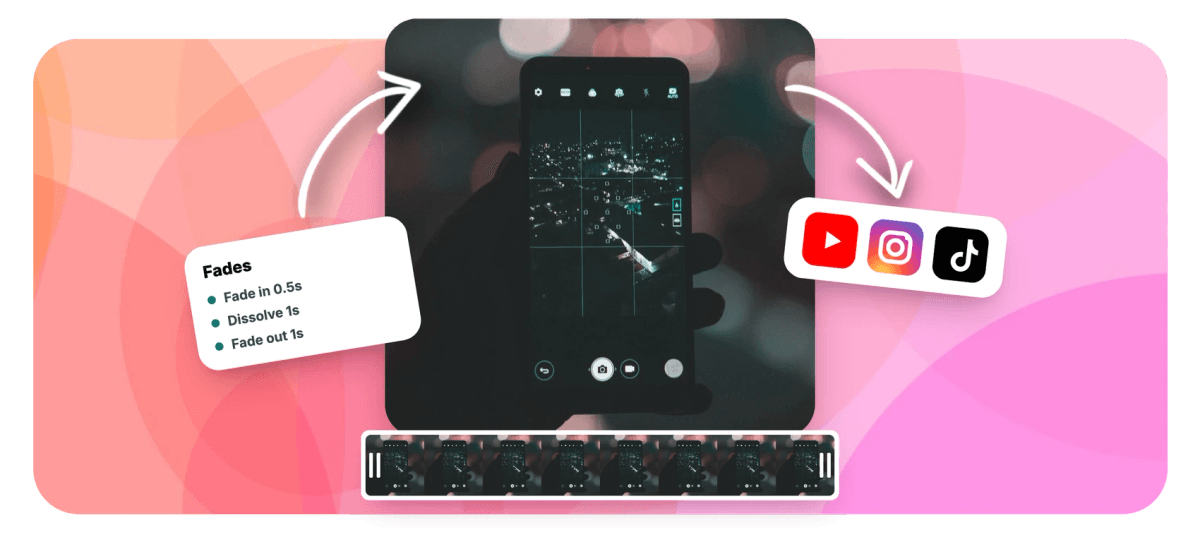
To fade a video in and out you actually do three jobs, and the EchoWave video editor gives each one its own tool. Clip ends take one-click entrance and exit fades, which work on any clip including the very first and the very last, or custom opacity keyframes with around 30 easings when you want to draw the curve yourself. Cuts between clips take real video transitions: cross dissolve, dip to black, dip to white, luma fade or soft blur fade, each with duration and easing controls. And audio gets per-clip fade in and fade out sliders, so the sound eases with the picture instead of stopping dead. For quick jobs, the video trimmer bundles fade-to-black and audio fade toggles right into the trim.
-
1 click
Entrance and exit fades on any clip, including the first and the last
-
~30 easings
Curve options for custom opacity keyframe fades
-
8 dissolves
Cross dissolve, dip to black or white, luma fade, soft blur fade and more, between clips
-
Sound + picture
Per-clip audio fade in and fade out sliders match the visual fade
What you get
Fades for the ends, dissolves for the middle, sliders for the sound
Three fade jobs, three purpose-built controls, one timeline.
-
One-Click Entrance and Exit Fades
Select a clip, click fade in or fade out, done. These are clip animations, not transitions, so they work anywhere on the timeline, including the opening of your very first clip and the end of your very last.
-
Custom Opacity Keyframes
When the stock fade is too plain, keyframe the clip's opacity yourself and pick from around 30 easings, from gentle ease-in-out curves to sharp snaps. Keyframes survive trims and speed changes, so your curve stays put while the edit moves.
-
Cross Dissolves Between Clips
Click the boundary between two adjacent clips and add a cross dissolve or luma fade with adjustable duration and easing, part of the full set of 56 video transitions whose preview engine matches the render exactly.
-
Dips to Black and White
The classic chapter break: the outgoing clip sinks to a solid color and the next rises from it. Dip to black, dip to white, or set a custom dip color, plus a soft blur fade when you want it dreamier.
-
Audio Fades That Track the Picture
Every clip has audio fade in and fade out duration sliders, so music swells with the opening and dies away with the ending instead of cutting off mid-note. Sound design, two sliders.
-
Quick Fades in the Trim Tool
No project needed for small jobs: the standalone video trimmer includes fade-to-black and audio fade toggles, so you can shorten a clip and soften both ends in one pass, free with no signup.
How it works
How to fade a video in and out
Four steps from hard stops to soft edges.
-
Add Your Clips
Upload one clip or several to the EchoWave editor and arrange them on the timeline in story order.
-
Fade the Opening and the Ending
Select the first clip and apply a one-click entrance fade, then give the last clip an exit fade, or keyframe opacity for a custom curve.
-
Put Dissolves Between Clips
Click each boundary where you want a blend and add a cross dissolve, dip to black or white, or luma fade, then set its duration and easing.
-
Match the Audio and Export
Set each clip's audio fade in and fade out sliders so the sound eases with the picture, preview the ends, and export.
Who uses it
Anyone whose video has a beginning and an end
-
Wedding and Tribute Editors
Cross dissolves between memories, a slow exit fade at the end, and music that dies away with the final frame.
-
YouTubers With End Screens
An exit fade closes the story, or a dip to black hands off to the end card without a jolt.
-
Documentary and Interview Cutters
Luma fades and dissolves mark time passing between answers, quieter than a wipe and kinder than a hard cut.
-
Course and Training Producers
Dip to white between lessons, entrance fades on chapter titles, and audio fades so narration never clips off.
-
Podcast and Talk Clippers
Clips pulled mid-conversation start and end mid-sound. Short audio and video fades make excerpts feel deliberate.
-
Trailer and Teaser Makers
Fade up from black, dip between beats, then cut the music with a fast fade-out before the title card.
Fade your video in and out now
One-click fades on the ends, dissolves in the middle, audio to match. Free to start.
What people are saying about EchoWave

About the EchoWave team
EchoWave is a browser-based video and audio editor built by Lemon Vault LLC since 2018. The people who build the editor write these guides and test every step in the production app before publishing.
Video fades FAQ
How do I fade a video in and out?
Open the EchoWave editor and add your clip. Select it, apply the one-click entrance fade so it opens from nothing, then apply the exit fade so it closes the same way. The fades are clip animations, so they work on any clip on the timeline, including the first and the last. Set the clip's audio fade in and fade out sliders to similar lengths so the sound eases with the picture, then preview and export.
How do I fade to black at the end of a video?
Two honest options. If your last clip is the end of the video, give it an exit fade: a transition cannot sit there, because transitions connect two adjacent clips and nothing comes after the last one. If you close on an end card or logo, place a dip to black between the final scene and the card, so the picture sinks to black and rises again. Either way, add a matching audio fade out so the sound does not outlive the picture.
Can I fade the audio together with the picture?
Yes, and you should: a video that fades to black while the music keeps playing at full level feels broken. Every clip in the editor has audio fade in and fade out duration sliders, separate from the visual fade, so you set both and they run together. Match the durations for a classic ending, or let the audio fade run slightly longer for a softer landing.
What is the difference between a fade and a dissolve?
A fade involves one clip: it comes in from nothing (fade in) or goes out to nothing (fade out). A cross dissolve involves two clips, the outgoing one fading away while the incoming one fades up, overlapping so the screen is never empty. A dip to black or white is two fades chained: the first clip fades to a solid color, then the next fades back in from it. Use fades at the ends of a video, and dissolves or dips at the cuts inside it.
Can I make a custom fade curve instead of the stock one?
Yes. Keyframe the clip's opacity: put one keyframe where the fade starts and one where it ends, then choose from around 30 easings to shape the motion between them, from slow cinematic ease-outs to sharp snaps. You can add more keyframes for multi-stage fades, like a quick rise to half brightness followed by a slow climb to full. Keyframes survive trimming and speed changes, so the curve stays anchored to the clip as the edit evolves.
Can I fade just the music without touching the picture?
Yes. Audio fades are set per clip, so open the music clip's settings and set its fade in and fade out durations; the video keeps playing at full opacity. If the sound is baked into a video clip, detach the audio first and fade the detached track on its own. For a standalone file, the volume tool adds automatic fades of up to ten seconds while it adjusts the level.
What is the fastest way to trim a clip and add a fade?
Skip the editor and use the standalone trim tool. Upload the clip, drag the in and out points, then switch on its two toggles: fade to black for the picture and audio fade for the sound. Download the result. It is free, runs in the browser, and needs no signup, which makes it the right tool for shortening a clip and softening both ends in under a minute.
Is fading a video free on EchoWave?
Yes. Entrance and exit fades, opacity keyframes, the dissolve transitions and per-clip audio fades are all included in the free editor; free exports carry a small watermark and are capped at 720p, while paid plans remove the watermark and unlock up to 4K, with higher tiers going beyond. The standalone trim tool with its fade toggles is free with no signup at all.
Ready to fade in and out?
Openings, endings, dissolves and matching audio, free in the EchoWave editor.
Get Started →























































