
Video Editor for Agencies
EchoWave is a video editor for agencies that need the same design shipped correctly, over and over, for different clients. Save each client's fonts, colors and logos in a brand kit, lock the layout into templates with placeholders, then re-version by swapping media or render up to 100 campaign variants from one CSV. It runs in the browser, renders in the cloud, and the free plan exports HD MP4 with a small removable EchoWave watermark badge.


Video Editor for Agencies Features
EchoWave's agency video editor is used by marketing agencies, social teams and production studios around the world.





Built for client work
One editor, every client, zero off-brand videos
Agencies lose margin to repetitive edits: new hook, new logo, same layout, twenty times a month. EchoWave treats that as a production line. Build the design once, hand teammates a template they cannot break, then batch the variants with the bulk video generator or script the whole pipeline through the video editing API. That repeatability is what makes it a genuine video editor for agencies.
-
100
videos per CSV batch
-
176
caption presets
-
86
subtitle translation languages
-
63
AI voices
Agency features
Repeatable video production for client work
Everything here exists to make the second, tenth and hundredth version cheaper than the first.
-
A video editor for agencies with brand kits built in
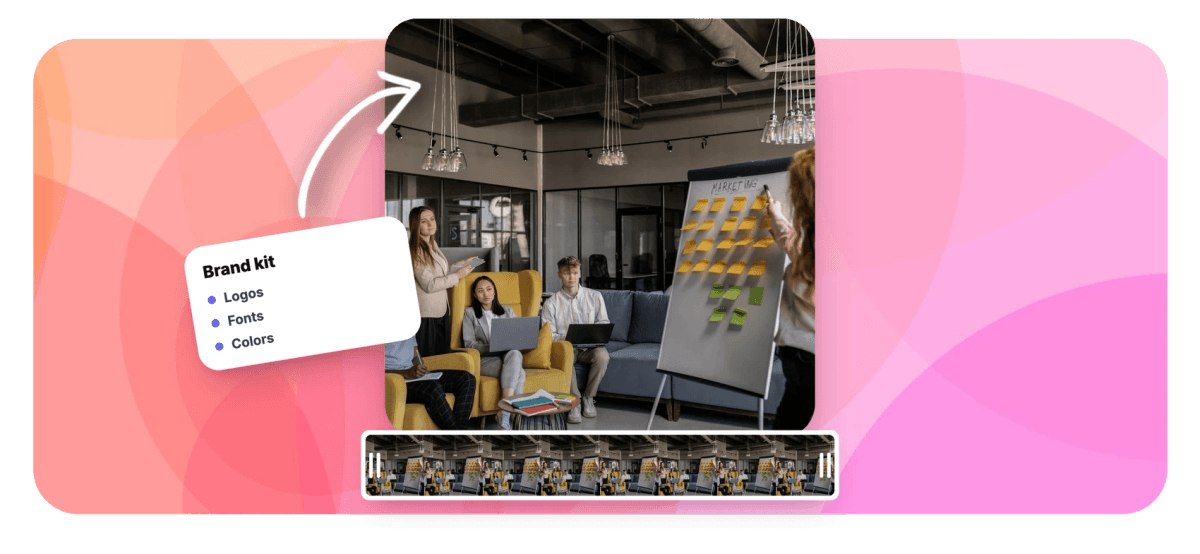
Save each client's colors and logos, and upload their licensed fonts so they appear in the text style picker. The team picks from approved assets instead of eyeballing hex codes. Pair the kit with a persistent logo overlay so every export carries the right mark.
-
Templates a junior cannot break
Templates use placeholders for text, image, video and audio slots. A junior editor or account manager fills the slots while the layout, keyframes and caption styling stay locked. The design survives every hand-off.
-
Replace-media re-versioning per client
Duplicate a finished project, swap the footage and logo, and every keyframe, transition and caption style carries over. One hero edit becomes a client-specific version in minutes instead of a rebuild from scratch.
-
Bulk CSV rendering, 100 rows per batch
Upload a CSV where each row fills a template's placeholders with a different hook, offer or city name, and EchoWave renders up to 100 videos per batch on its cloud render farm. It is the fastest route from one approved design to a full campaign of variants.
-
REST API and MCP for pipelines
With an API key, scripts can list templates, fill placeholders, start renders and poll status; the echowave-mcp npm package gives Claude and other MCP clients the same controls. External access covers template fill and rendering only, not free-form timeline edits. If you want to automate video editing end to end, this is the entry point.
-
Captions clients approve on the first pass
Auto-transcribe speech in dozens of languages, then style the result with 176 caption presets, including word-by-word karaoke fills with active-word color. Translate subtitles into 86 languages for multi-market clients, and export SRT, VTT, TXT or JSON when a platform wants sidecar files.
-
Echo, the in-editor AI assistant
Echo is a chat panel with 39 editing tools: it cuts by transcript, adds and styles captions, sets keyframes, applies transitions and generates voice over with 63 voices. It makes a checkpoint before big changes, so an experiment on a client file reverts in one click.
-
Cloud renders, client-grade formats
Rendering happens on EchoWave's servers, so a producer's aging laptop exports as fast as a new workstation. The free plan exports HD MP4 with a small removable watermark badge; Basic removes it and adds 1080p, Pro adds MOV, GIF, WAV, FLAC, 1440p and 4K, and Business adds 8K and 120fps. Useful when one marketing video has to land on six platforms.
How it works
How to set up an agency video workflow
From brand assets to a rendered batch, here is a first client project end to end.
-
Load the client's brand assets
Open echowave.io in any browser, no install needed, and add the client's logos and colors to the brand kit. Upload their licensed fonts too; they appear in the text style picker for every future project.
-
Build the master template
Edit one video to the standard you want: the layout, animations from the 81 available, a caption preset, the logo in the corner. Then convert the text, image, video and audio layers you want editable into placeholders and save it as a template.
-
Fill, re-version or batch
For a single deliverable, fill the placeholders in the editor. For a campaign, upload a CSV and render up to 100 variants in one batch, or trigger the same fills programmatically through the REST API.
-
Render in the cloud and deliver
Export MP4 for most platforms, or MOV, WAV and 4K on Pro when a client asks for masters. Free exports are HD (up to 720p) with a small removable EchoWave watermark badge and a short branded end card; paid plans remove both and add 1080p up to 4K, with 8K on Business.
Agency workflows
What agencies produce with EchoWave
-
Multi-platform social packages
Cut one hero video, then use multi-aspect resize to deliver 9:16, 1:1, 4:5 and 16:9 versions of the same edit. Captions and logo overlays come along for each size.
-
Ad variant testing
Build one ad template, then feed it a CSV of hooks, offers and CTAs to render dozens of variants per batch. Media buyers get fresh creative without an editor touching the timeline.
-
Monthly retainer content
Keep a template per client and re-version it each week by replacing the media. The fifth video of the month costs a fraction of the first.
-
Multi-location and franchise campaigns
One CSV row per location swaps the city name, offer and logo. A hundred storefronts get localized spots from a single approved design.
-
Podcast and webinar clips for B2B clients
Edit the transcript to cut talking-head footage, strip ums and silences automatically, then apply a karaoke caption preset. An hour of webinar becomes a week of posts.
-
Voiced explainers and product demos
Record the screen with the built-in recorder and teleprompter, then narrate with one of 63 AI voices when the client has no spokesperson. Finish with scrolling end credits and the brand kit logo.
Compare
How EchoWave compares
| Feature | EchoWave | VEED | Kapwing | Canva |
|---|---|---|---|---|
| Brand kit (fonts, colors, logos) | Yes | yes (paid) | yes (paid) | yes (paid) |
| Templates with locked placeholders | Yes | No | No | yes (paid) |
| Bulk render from CSV | yes (100 rows) | No | No | yes (paid) |
| REST API for template rendering | Yes | limited | No | limited |
| MCP server for AI agents | Yes | No | No | Yes |
| AI captions with preset styles | yes (176 presets) | Yes | Yes | Yes |
| Subtitle translation | yes (86 languages) | Yes | Yes | No |
| Real-time multi-user collaboration | No | Yes | Yes | Yes |
| Stock music library | no (SFX only) | Yes | Yes | Yes |
| Direct social publishing | No | Yes | Yes | Yes |
| 8K and 120fps export | yes (Business) | No | No | No |
| Free exports | yes (720p, watermark badge) | yes (watermark) | yes (watermark) | Yes |
Based on each tool's public pages as of July 2026. Plans and features change often, so verify current details before committing an agency budget.
Put your client work on rails
Build the design once, template it, and let brand kits, CSV batches and the API absorb the repetition. EchoWave exports free in HD with a small removable watermark badge; paid plans remove the badge and add 1080p up to 4K, with 8K on Business.
What people are saying about EchoWave

About the EchoWave team
EchoWave is a browser-based video and audio editor built by Lemon Vault LLC since 2018. The people who build the editor write these guides and test every step in the production app before publishing.
Video Editor for Agencies FAQ
What is the best video editor for agencies?
It depends on where your margin leaks. If the problem is repetitive client edits, brand kits, locked templates and batch rendering matter more than a longer effects list, and EchoWave covers those plus a REST API and MCP server for automation. Agencies doing broadcast-grade color grading or VFX will still keep Premiere Pro or DaVinci Resolve in the stack for that work.
How do agencies keep client videos on brand?
Save each client's colors, logos and licensed fonts in EchoWave's brand kit so they appear in the text style picker, then lock the design into a template with placeholders. Whoever fills the template cannot move layers or restyle text, which removes the most common source of off-brand deliverables.
Can junior editors work on client projects without breaking the design?
Yes, that is what placeholders are for. A template exposes only the slots you define for text, image, video and audio; the layout, keyframes and caption styles stay fixed. Juniors and account managers swap content while senior editors own the design.
How does bulk video rendering from a CSV work?
You map CSV columns to a template's placeholders, one row per output video, and EchoWave renders up to 100 videos per batch in the cloud. Each row can carry a different headline, clip, logo or offer. The same operation is available through the REST API for scheduled or triggered runs.
Does EchoWave have real-time collaboration or client review comments?
No. There is no live multi-user editing and no frame-accurate comment system. Agencies usually pair EchoWave with a review tool such as Frame.io for client approvals, then apply the notes in EchoWave, where replace-media re-versioning keeps revision rounds short.
Is there an API for automating agency video production?
Yes. With an API key, scripts can list templates, fill placeholders, start renders for single videos or 100-row batches, and poll render status. There is also an MCP server, the echowave-mcp npm package, so AI agents like Claude can drive the same pipeline. External access is template fill and render only; free-form timeline editing stays inside the editor.
How much does EchoWave cost for an agency?
The editor itself is free: upload, edit, preview and export client work in HD (up to 720p) MP4 with a small removable EchoWave watermark badge and a short branded end card. Paid plans remove the badge and end card and add resolutions and formats, with 1080p from Basic, 1440p and 4K on Pro, and 8K and 120fps on Business. Check the pricing page for current plan details before quoting a client budget.
What export formats do client platforms need?
MP4 with H.264 covers Instagram, TikTok, YouTube, LinkedIn and most ad managers, and every EchoWave plan renders MP4. Basic adds WebM plus MP3 and M4A audio, and Pro adds MOV, GIF, WAV, FLAC, 1440p and 4K for clients who ask for higher-grade files. Bitrate, fps and codec controls are available when a spec sheet demands exact settings.
Can I reuse one project across several clients?
Yes. Duplicate the project, replace the media in each slot, and swap in the other client's brand kit assets. All timing, animations and caption styling carry over, which is why retainer work gets cheaper after the first deliverable.
Ready to systemize your client videos?
Free HD exports with a small removable watermark badge in any browser; paid plans remove the badge and add 1080p up to 4K, with 8K on Business.
Get Started →























































