
Long Video to Short Clips in One Pass
Feed in one long recording and get back a ranked batch of short clips, each reframed for vertical video and captioned. Pick the keepers and export them together.


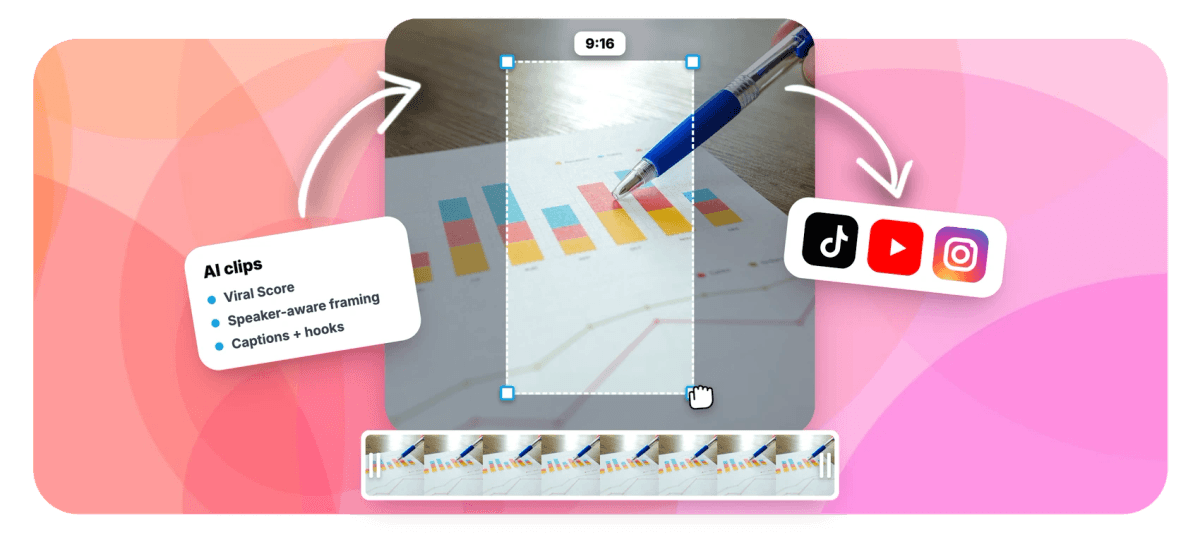
Long Video to Short Clips in One Pass Features
EchoWave's repurposing tools are used by podcasters, agencies and course creators worldwide





One file, many posts
A 2-hour recording is a week of content, if you can get at it
Turning a long video to short clips by hand means scrubbing a two hour file, cutting ten ranges, resizing each for vertical video, and captioning them one at a time. EchoWave scans the long-form recording once, transcribes it in roughly 99 auto-detected languages, and scores every moment for hook, clarity, emotion, value and trend. You get a ranked grid of candidate clips, already reframed and captioned, and you create and export the batch in one pass. Genre presets tune the results, so a podcast run behaves like our podcast clip maker, a sermon like the sermon clip maker, and everything routes through the same video repurposing workflow.
-
1-30
Clips per run: set an exact count or let auto scale the batch to the length of the source
-
~99 languages
Transcription auto-detects the spoken language, and each clip's AI title arrives in it
-
5 sub-scores
Every clip carries a 0-100 Viral Score built from Hook, Clarity, Emotion, Value and Trend
-
3,000 min/mo
Business workspaces analyse up to 3,000 minutes a month; Free plans start with 30
What you get
Built for batches, not one clip at a time
Everything here exists so you only go back to the source recording once.
-
One Scan, Multiple Clips
The engine reads the full transcript alongside audio energy, silences, speaker turns and scene cuts, then returns every highlight moment in a single ranked grid. No scrubbing, no re-watching minute forty to check if it was good.
-
Bulk Create and Export
Select every keeper across the grid and turn them into separate EchoWave projects and exports in one action. The manual loop of cut, save, resize, repeat is exactly the part that never scaled.
-
Ranked by Viral Score
Each clip gets a 0-100 score with plain-English reasons like strong hook or big reactions, so the best two minutes of a long recording surface at the top instead of hiding in the middle.
-
Smart Camera Per Clip
On-screen speaker detection (lip movement matched to the voice) drives an auto-reframe that cuts between speakers, holds eye level, and never pans across a scene cut. Layouts include Follow speaker, Split, Grid and Presenter + slides.
-
Auto Captions Across the Batch
Word-timed captions apply to every clip in any of 60+ presets, including word punch, karaoke and boxed styles, sized for portrait. An AI title overlay and hashtags come attached to each clip too.
-
Four Aspect Ratios
Output at 9:16, 1:1, 4:5 or 16:9, so the same source recording covers vertical feeds, square posts and widescreen without you resizing anything by hand after export.
-
Length Presets for a Mix
Ask for Short 15-30 s, Medium 30-60 s, Long 60-90 s, a custom range, or Auto, then add your own clip from any range on the source strip when the AI misses a moment you wanted.
-
Workspace-Scoped Jobs
Every job is visible to workspace members with per-workspace minutes, so a team can see which recordings are already clipped instead of duplicating work on the same shared file.
How it works
How to turn a long video into short clips
Four steps from one long file to a batch of exports.
-
Add the Recording
Upload a long video or audio file, pick one from your library, paste a direct media link, or start from an existing project. Podcasts, webinars, lectures, meetings and stream VODs all work.
-
Set the Batch
Choose a genre preset, a clip length, a clip count from 1 to 30 or auto, and an aspect ratio. Limit analysis to a time range or type a prompt to find moments about a specific topic.
-
Review the Ranked Grid
Read each clip's Viral Score, sub-scores, title, hook line and transcript excerpt. For batch tweaks, ask Echo, the AI editor, for changes like bigger captions on every clip.
-
Bulk Export the Keepers
Select the clips you want and create projects and exports in one pass. Open any clip in the full editor first: every camera move is ordinary keyframes you can adjust shot by shot.
Who uses it
One recording, a whole posting calendar
-
Podcasters
Process each weekly episode into eight ranked clips on Monday and cover the whole week's short-form slots from one session.
-
YouTubers
Pull Shorts-length highlights from every long upload without re-editing the same footage, using the score to pick which moments deserve a post.
-
Agencies
Run five clients' recordings in one workspace and review every ranked batch together, with the whole team looking at the same jobs.
-
Course creators
Split a long teaching session into multiple short lessons with the education preset, each captioned and titled before you ever open an editor.
-
Marketing teams
Turn a two hour conference talk or webinar into a mix of Short and Medium clips, with Presenter + slides keeping the screen share readable.
-
Streamers
Run the gaming preset over a VOD and let reaction peaks and audio energy surface the moments chat actually went off about.
Your next ten posts are already recorded
Upload one long file, review the ranked grid, and export the batch. Every plan includes 30 free analysis minutes a month.
What people are saying about EchoWave

About the EchoWave team
EchoWave is a browser-based video and audio editor built by Lemon Vault LLC since 2018. The people who build the editor write these guides and test every step in the production app before publishing.
Long video to short clips FAQ
How do I turn a long video into short clips?
Open the Clips tool and add your recording by upload, from your library, from a direct media link, or from an existing project. Pick a genre preset, a clip length, how many clips you want, and an aspect ratio, then run the analysis. EchoWave transcribes the file and finds highlight moments using the word-timed transcript plus audio energy, silences, speaker turns and scene cuts. You get a ranked grid of clips, each reframed and captioned. Select the ones you like, create them as projects, and export the batch together.
How many short clips can I get from one long video?
You choose. Set an exact number from 1 to 30 per run, or leave it on auto and the batch scales with the length and density of the source. A 45-minute podcast might return eight strong clips while a two hour conference talk returns far more. If the AI misses something, add a custom clip from any range on the source strip, and use the prompt search or keyword boosts to steer another pass toward specific topics.
Can AI automatically find the best clips in a long recording?
Yes. A language model reads the word-timed transcript while signal analysis tracks audio energy, reaction peaks, silences, who-is-speaking turns and scene cuts. Every candidate clip gets a 0-100 Viral Score with five sub-scores for Hook, Clarity, Emotion, Value and Trend, plus plain-English reasons like strong hook or back-and-forth. The grid is ranked, so you start reviewing from the strongest material. Genre presets for podcast, webinar, meeting, interview, lecture and more tune what counts as a highlight for that kind of long-form recording.
Do I need to manually resize each clip for different platforms?
No. Choose 9:16, 1:1, 4:5 or 16:9 and the Smart camera reframes every clip automatically, using on-screen speaker detection (lip movement matched to the voice) to keep the active speaker framed. Layouts include Follow speaker, Split, Grid, Presenter + slides, Picture in picture, Fill and Letterbox over blur. The camera holds subjects at eye level and moves like an operator with smoothing and capped pan speed. Since every move is ordinary keyframes, you can adjust any shot in the editor before export.
Can I export several clips from one video at once?
Yes, batch export is the default workflow. Bulk select clips in the ranked grid, create them as separate EchoWave projects in one action, and queue all the exports together through the normal render pipeline. Free exports carry a small watermark and a 720p cap, Basic renders at 1080p, and Pro renders at 4K. Each clip stays a full project afterward, so you can reopen one, swap the caption preset or trim a beat, and re-export just that clip without touching the rest.
Can a team share and split up clipping a long recording?
Yes. Clip jobs are workspace-scoped and visible to every member, with analysis minutes pooled per workspace, so nobody duplicates work on a recording a teammate already processed. An agency can process several clients' webinar files in one workspace and split the review among its editors. For unattended repurposing, the REST API, the hosted MCP server, and Zapier's Generate clips action and Clips ready trigger let a workflow run without anyone in the app.
How do I clip a podcast episode into multiple short videos?
Choose the podcast genre preset when you set up the run. It works with video recordings and audio-only files, since transcription drives the analysis either way. The engine favors the moments podcasts trade on, strong hooks, back-and-forth exchanges and big reactions, and each clip arrives with a title under 60 characters, a hook line, a description and 3-6 hashtags. Add auto captions in a word punch or karaoke preset so audio-first moments still read with the sound off.
How long does it take to turn a 1-hour video into clips?
It depends on the file, so we do not quote a fixed number. You are not left waiting blind, though: the analysis runs in front of you, with frames read and faces tracked, the waveform, scene cuts and the transcript appearing as it goes, and clips land in the grid ranked as they are found. If you leave and come back, the job picks up where it left off. Reviewing a ranked, pre-captioned batch then takes minutes, compared with the hours of scrubbing, cutting and captioning ten clips by hand.
One recording, many short clips
Scan a long file once and export a ranked batch, 30 free analysis minutes every month.
Get Started →























































