
Travel Video Maker: Turn a Trip's Camera Roll Into a Story
Chain your best clips and photos, stamp each place with a location title, cut to an upbeat track, and speed past the boring bits. A trip becomes a story, free in your browser.


Travel Video Maker: Turn a Trip's Camera Roll Into a Story Features
EchoWave's travel video tools are used by backpackers, road-trippers and travel creators worldwide





Camera roll to story
The trip felt like a story. The camera roll doesn't.
EchoWave is a travel video maker built on a real timeline, and that matters because a trip comes home as chaos: four hundred phone photos, a dozen shaky clips, and no order to any of it. Drop the keepers onto one timeline in the order you traveled, then stamp each new place with a location and date title card so viewers always know where they are. Carry the energy with whip pans and punch zooms between scenes, speed through the long drives and airport lines, and hold real time on the view that made you stop walking. Lay one upbeat track underneath and cut to it. Free to start, in your browser.
-
56 transitions
Whip pans, punch zooms and dissolves for the cuts between places, each with duration and easing
-
0.25x to 4x
Blast through the travel days and the queues, hold slow on the view that earned it
-
9:16 and 16:9
Vertical for Reels and TikTok, widescreen for YouTube, plus 1:1 and 4:5 presets
-
720p free
Free exports carry a small watermark; paid removes it and reaches 4K and beyond
What you get
Everything a trip recap needs, on one timeline
Location titles, energetic cuts, speed ramps and a music bed, each a real control in the browser.
-
Best Clips and Photos, One Timeline
A trip is half video, half photos. Drag both onto one multi-track timeline, reorder by the day you shot them, and build the route: land, explore, the big hike, the flight home. The whole trip lives in one edit.
-
Location and Date Title Cards
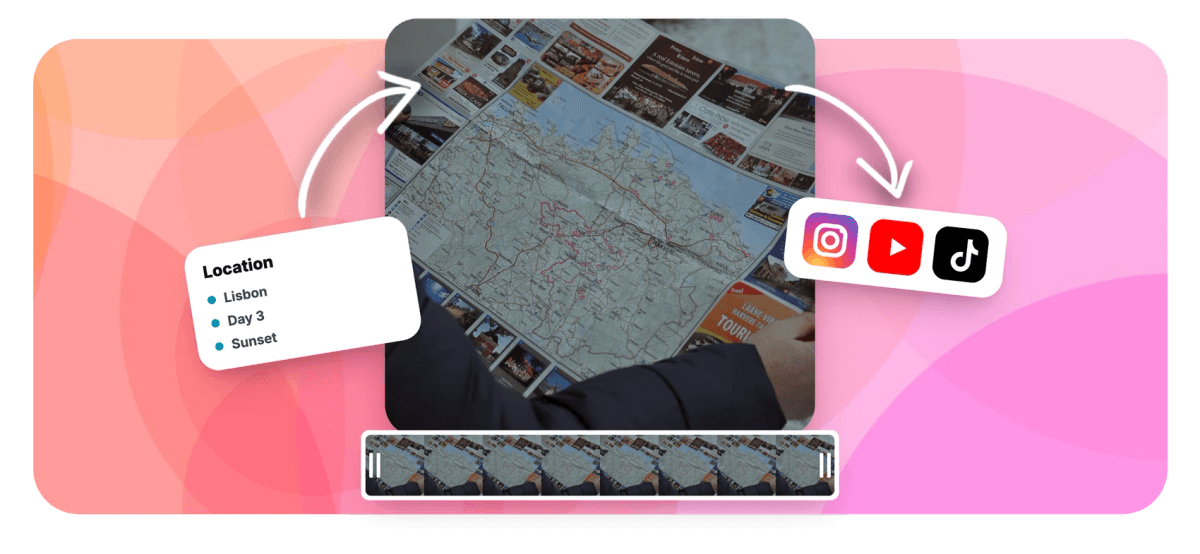
Stamp each new place with its name and date so viewers never lose the map: Lisbon, Day 3. Full text styling and style presets, timed to fade up on an establishing shot. Add text to video covers every option.
-
Whip Pans and Punch Zooms
Energy lives in the joins. Whip pans, spin and pop zooms and quick flashes, drawn from 56 transitions across five families, each with duration, easing, direction and intensity, so a scene change actually feels like arriving somewhere new.
-
Speed Ramps for the Dead Time
Nobody wants the full airport line or the three-hour drive. Speed through the boring middles with per-clip controls from 0.25x to 4x, then drop back to real time so the summit or the reef gets to breathe. Keyframes survive the remap.
-
Brighten Dim and Evening Shots
Trips happen in temples, night markets and dim bars where phones struggle. Lift brightness, gamma and contrast to rescue underexposed clips, and warm the color so a whole day matches. Brighten a dark video in a click.
-
One Upbeat Track, Cut to It
Lay a single upbeat song under the whole edit and let it set the pace. Detach or mute the clips' own wind and chatter so nothing fights the music, then nudge the cuts onto the beat you can see in the waveform.
How it works
How to make a travel video
Four steps from a messy camera roll to a trip worth posting.
-
Drop In Your Best Clips and Photos
Pull the keepers from your camera roll into the EchoWave editor and lay them on the timeline in the order you traveled. Skip the near-duplicates now; it saves time later.
-
Add Location Titles and Transitions
Stamp each place with a location and date title card, then place whip pans and punch zooms at the cuts between scenes so the trip moves with energy.
-
Speed-Ramp and Brighten as Needed
Speed through the long drives and airport lines, hold real time on the hero moments, and lift brightness on any dim indoor or evening shots that came out dark.
-
Add Music and Export Per Platform
Lay an upbeat track under the cut, then export: 9:16 for Reels and TikTok, 16:9 for YouTube. Same project, two aspect ratios.
Who uses it
Every kind of trip, told as a story
-
Backpackers on the Road
Chain a month across Southeast Asia into two minutes: Bangkok markets, a Bali sunrise, night trains and every border crossing.
-
Road Trip Recaps
Turn a coast-to-coast drive into a story, from the first gas station to the canyon, with the boring highway miles sped up.
-
Honeymoon and Anniversary Trips
Couples cut a Santorini or Maldives trip into a keepsake reel, the hero shots slowed, one song underneath.
-
Family Vacation Films
Parents turn a week at the beach or Disney into a recap the kids rewatch, dim evening shots brightened.
-
Travel Creators and Vloggers
Vloggers post a destination reel the same night, location titles on every stop, cut vertical for Reels and TikTok.
-
Hiking and Adventure Logs
Trekkers compress a multi-day summit push into ninety seconds, the long ascent sped up, the view at the top held.
Your camera roll is already the trip
Chain the keepers, title each place, cut to an upbeat track, and export for any feed. Free to start.
What people are saying about EchoWave

About the EchoWave team
EchoWave is a browser-based video and audio editor built by Lemon Vault LLC since 2018. The people who build the editor write these guides and test every step in the production app before publishing.
Travel video maker FAQ
How do I make a travel video?
Pull the best clips and photos from your trip into the EchoWave editor and lay them on the timeline in the order you traveled. Stamp each new place with a location and date title card, then add whip pans or punch zooms at the scene changes for energy. Speed through the long drives and queues, hold real time on the hero moments, and brighten any dim indoor or evening shots. Lay one upbeat track underneath, cut to the beat, and export: 9:16 for Reels and TikTok, 16:9 for YouTube. The whole edit runs in your browser and is free to build.
How do I pick the best clips for a travel video?
Be ruthless. A trip generates hundreds of near-identical clips, and the recap only wants the ones that move: the establishing shot of each place, one clear action per scene, and the moment that made you stop and film. Drop everything onto the timeline first, then delete the duplicates and the shaky throwaways in a fast pass. Aim for variety, a wide, a detail, a face, a motion shot, rather than five angles of the same view. If a clip needs explaining, it is probably not a recap beat. Keep each one to a second or two and let ripple delete close the gaps.
How do I add location and date title cards?
Use text elements as title cards: type the place and date, Lisbon, Day 3, or Kyoto, October, and drop the card on the establishing shot of each new location so viewers always know where they are. Full text styling, bold, italic, underline, and style presets let you match one look across the whole trip, and you can fade each title up and out so it sits on the shot instead of blocking it. Keep titles large enough to read on a phone. The add text to video page walks through styling and timing in detail.
How do I give a travel video energy?
Energy comes from two things: the cuts and the pacing. For cuts, save the big moves, whip pans, spin zooms and pop zooms, for the moment you change places, and keep them short, a few tenths of a second, so they read as punctuation. EchoWave's 56 transitions all expose duration, easing and intensity for exactly this. For pacing, speed up the dead time, the drives, the queues, the walks, and drop back to real time on the payoff. Then cut the whole thing to an upbeat track so every change lands on a beat. Motion plus rhythm is the trick.
How do I fix dark or dim travel footage?
Travel footage is full of dim shots: temples, caves, night markets, candlelit dinners, sunsets that came out muddy. Select the clip and lift brightness, gamma and contrast until detail returns, then nudge saturation and vibrance so the color does not go flat. Warmth and temperature help match an evening shot to the daytime clips around it, and six looks from Vivid to Warm give a fast starting point before you fine-tune. The brighten video tool covers the sliders in depth. If a clip is pure black with no detail captured, no edit can invent it, so light the important moments a little on the trip.
Should a travel video be vertical or widescreen?
It depends where it is going. Reels, TikTok and Shorts are vertical, so set the canvas to the 9:16 preset for phone-first feeds. YouTube and a laptop still favor 16:9 widescreen. The good part is you do not choose once: build the edit in one aspect, then resize the same project and re-center each clip for the other, since position and crop are per-clip. Many travelers export twice from one project, a 9:16 cut for Reels and a 16:9 version for YouTube. Square 1:1 and 4:5 presets cover feed posts too. Shoot a mix on the trip so you have options either way.
What music can I use in a travel video?
Upload any audio file you have the rights to, trim it to length and fade it in and out under the edit. An upbeat track is what makes a travel recap feel like a trip, so pick the tempo first and cut to it. On rights: a private file shared with family rarely triggers anything, but Instagram, TikTok and YouTube scan public uploads and may mute or limit videos using commercial songs. For posts that go public, licensed or royalty-free music is the safer route. EchoWave lets you bring your own audio; the licensing call is yours.
Is the travel video maker free?
Yes. You can build the entire travel video free in your browser: the timeline, all 56 transitions, speed controls, location titles, brightening and a music track are included, and projects autosave to the cloud with nothing to install. Free exports carry a small watermark and cap at 720p, which is fine for a quick recap or a draft you share for feedback. Paid plans remove the watermark and raise the ceiling: 1080p on Basic, 4K with 50 and 60fps on Pro, and up to 8K on the top tier. Build and preview everything before you decide.
Turn the trip into a story
Best clips, location titles, punchy cuts and a track, edited free in your browser.
Make a travel video























































