
Reels From Long Video, Found and Framed by AI
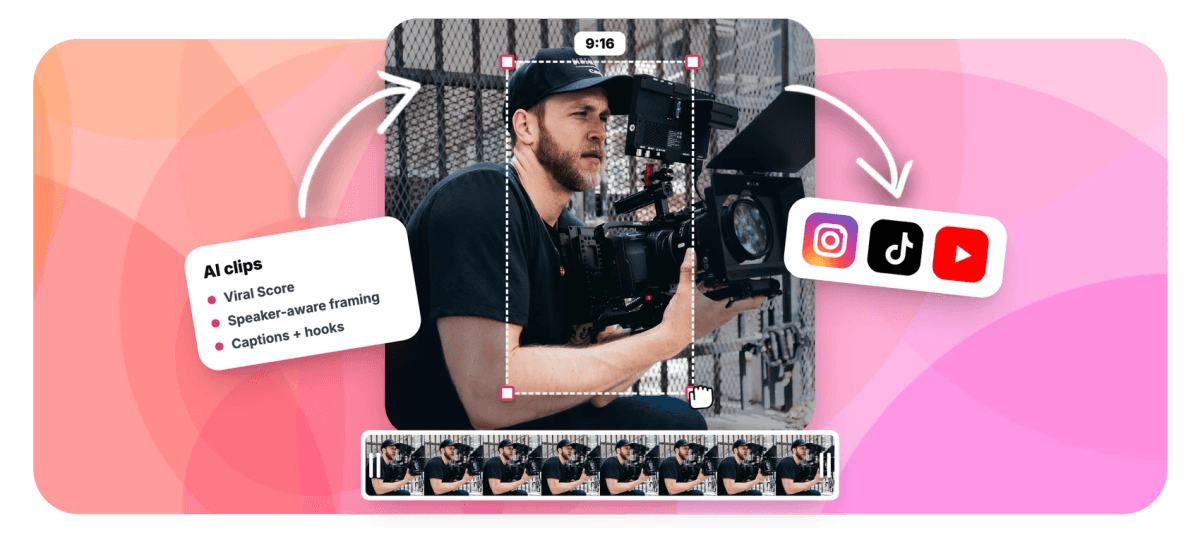
Upload one long-form video and AI surfaces the highlight moments, frames them 9:16 with speaker tracking, adds word-timed captions and scores each clip so you post the strongest first.


Reels From Long Video, Found and Framed by AI Features
EchoWave's Reels tools are used by Instagram creators, podcasters and agencies worldwide





Reels clip finder
That 40-minute video has six Reels hiding inside it
Making reels from long video by hand means scrubbing an hour of footage for the 30 seconds worth posting. EchoWave skips the scrubbing: it reads the word-timed transcript alongside audio energy, reaction peaks and scene cuts to surface highlight moments, then frames each one 9:16 with speaker-aware auto-reframe and layers on captions built for muted-first viewing. Every clip carries a Viral Score from 0 to 100, so the strongest Reel is obvious before you post. Build a full set with the Reels maker, fit existing footage with the Instagram video resizer, or run the same file through the Shorts converter for other platforms.
-
0-100
Viral Score per clip with Hook, Clarity, Emotion, Value and Trend sub-scores and plain-English reasons
-
1-30
clips per run, so one long video becomes a week of Reels instead of a single highlight
-
60+
word-timed caption styles sized for portrait, including word-punch, karaoke and boxed presets
-
~99
languages auto-detected at transcription, with AI titles written in the video's own language
What you get
A Reels-ready clip, not just a vertical crop
Center-cropping 16:9 footage is where most converters stop. EchoWave picks the moment, frames the speaker, captions the words and ranks the result.
-
9:16 Auto-Reframe
Each clip is reframed for vertical video with a virtual camera that keeps subjects at eye level, moves like an operator with capped pan speed, and never pans across a scene cut.
-
Follow Speaker Layout
On-screen speaker detection (lip movement matched to the voice) tracks a presenter who walks around the frame, so a moving host stays centered instead of getting cropped out of the shot.
-
Viral Score Ranking
Every candidate gets a 0-100 score across Hook, Clarity, Emotion, Value and Trend, with reasons like "strong hook" or "big reactions". No more guessing which moment will hold attention.
-
Reel-Length Presets
Pick Short 15-30 s, Medium 30-60 s, Long 60-90 s, or set a custom range. Lengths match how Reels actually get watched instead of leaving trimming to you.
-
Word-Timed Captions
Most Reels play muted, so every clip ships with captions in any of 60+ portrait-sized presets. Pair them with copy from the Instagram caption generator for the post itself.
-
Moment Search
Type "Find moments about pricing" and the AI searches the transcript for matching sections. Add keyword boosts or analyze only a time range when you already know where the gold sits.
-
Batch Output
Generate up to 30 clips in one run, bulk select the keepers, and create projects and exports at once. One 90-minute upload can cover your posting calendar for a week.
-
Watch Your Reels Take Shape
Frames are read with faces tracked, the transcript fills in and scene cuts appear while you watch, then Reel candidates arrive ranked. Leaving the page does not lose the run: it picks up where it stopped.
How it works
How to make Reels from long video
From upload to a folder of Reels-ready projects in four steps.
-
Add Your Long Video
Upload the file, pick it from your library, paste a direct media link, or start from an existing project. Podcasts, vlogs, webinars, lessons and event recordings all work.
-
Set Aspect and Length
Choose 9:16 for Reels, pick a length preset like Medium 30-60 s, select a genre preset such as talking head or interview, and set how many clips you want.
-
Review the Ranked Grid
Scan clips sorted by Viral Score, read the reasons behind each score, check the AI title and hook line, and add a custom clip from the source strip if a moment was missed.
-
Polish and Export
Open any clip as an ordinary EchoWave project, adjust camera keyframes or caption style shot by shot, then export. Free exports carry a small watermark at 720p; Creator renders 1080p, Pro 4K.
Who uses it
One long recording, many feeds fed
-
Instagram creators
Turn a long vlog or talking-head video into a week of Reels without re-watching an hour of their own footage.
-
Podcasters
Cut Reels teasers from a video episode, with the back-and-forth moments and big reactions surfaced and scored automatically.
-
Agencies and brands
Repurpose an event keynote or webinar recording into daily Reels, each with its own AI title, hook and hashtags.
-
Coaches and course creators
Slice a long lesson into bite-size Reels that tease the full material, using moment search to target specific topics.
-
Cooking and demo hosts
Follow speaker tracking keeps a host who moves around the kitchen in frame instead of center-cropping them out.
-
Social media teams
Run clip jobs scoped to the workspace, so every member sees the ranked clips and shares the per-workspace minutes.
Your next six Reels are already filmed
Upload one long video and get a ranked, framed, captioned set of clips back. 30 minutes of analysis free each month, no card required.
What creators say after trying EchoWave

About the EchoWave team
EchoWave is a browser-based video and audio editor built by Lemon Vault LLC since 2018. The people who build the editor write these guides and test every step in the production app before publishing.
Reels from long video FAQ
How do I make Reels from a long video?
Upload your long-form video to EchoWave's clip generator, set the aspect to 9:16 and pick a length preset like Medium 30-60 s. The AI transcribes the file, reads audio energy, reaction peaks, speaker turns and scene cuts, and returns a ranked grid of highlight moments. Each clip arrives framed vertically with speaker tracking, word-timed captions, an AI title, a hook line and hashtags. Open any clip in the editor to tweak it, then export. The whole run takes minutes, not the hours a manual scrub would.
What is the best length for an Instagram Reel?
Per Meta, Reels can run up to 20 minutes, recorded as one clip or several combined, but Reels over 3 minutes are not recommended to new audiences in the algorithm. In practice most Reels cut from long-form video land between 30 and 60 seconds: long enough to deliver one complete idea, short enough to hold a scroll. EchoWave's presets map to this directly, with Short 15-30 s for punchy moments, Medium 30-60 s as the default, and Long 60-90 s for stories that need room.
How do I crop a horizontal video to 9:16 without cutting off the speaker?
A plain center crop fails the moment anyone moves. EchoWave's speaker-aware auto-reframe detects faces and who is talking, then keeps them framed at eye level as the shot plays. The Follow speaker layout tracks a single presenter around the frame, Split stacks two people in conversation, Grid handles three or four, and Presenter + slides puts a screen share above the speaker. There are also Fill, Picture in picture and Letterbox over blur options. Every camera move is ordinary keyframes you can edit shot by shot.
Can AI find the best moments in a long video automatically?
Yes. EchoWave runs a language model over the word-timed transcript and combines it with audio and visual signals: energy, reaction peaks, silences, who-is-speaking turns and scene cuts. Each candidate clip gets a Viral Score from 0 to 100 with five sub-scores for Hook, Clarity, Emotion, Value and Trend, plus plain-English reasons. You can also steer it with a prompt like "Find moments about launch pricing", add keyword boosts, or restrict analysis to a time range, so picking the moment stops being guesswork.
How many Reels can I make from one long video?
One run can generate up to 30 clips, or leave the count on auto and the AI decides based on how many strong moments the footage holds. A 90-minute recording routinely yields a week or more of Reels. What limits volume is your monthly analysis minutes: the free plan covers 30 minutes of source video per month, Creator 180, Pro 600 and Ultra 3,000. Bulk select the clips you like and create projects and exports for all of them at once.
Do Instagram Reels need captions?
They are close to mandatory, since a large share of viewers watch Reels muted in the feed. EchoWave adds word-timed captions to every clip automatically, drawn from the same transcript used to find the moment, so timing is exact. Choose from more than 60 caption presets sized for portrait video, including Hormozi-style word punch, karaoke and boxed looks. Transcription auto-detects around 99 languages, so captions come out in the language the video was spoken in.
Can I change all my Reels at once before exporting?
Yes. Echo, EchoWave's AI editor, takes plain-language requests on the results page and inside the clip editor. Ask for bigger captions on every clip or to make them all 4:5 for the feed, and the whole batch updates. It also handles single edits like "make #3 shorter" or "new title for #1", and it can undo a change you do not like. Each finished clip is still an ordinary EchoWave project, so anything Echo does can be adjusted by hand afterward.
How much does it cost to turn long videos into Reels?
You can start free: the free plan includes 30 minutes of source video analysis each month, and free exports carry a small watermark with a 720p cap, enough to test the ranked grid on real footage. Creator raises analysis to 180 minutes a month and renders watermark-free at 1080p. Pro covers 600 minutes with 4K exports, and Ultra scales to 3,000 minutes per workspace. Every clip opens in the full editor regardless of plan, so nothing is locked away from editing.
One upload, a week of Reels
AI picks the moments, frames them 9:16 and captions every clip.
Get Started →























































