
AI Clip Editor: Tell Echo What to Change
Turn a long video into ranked, captioned clips, then edit the whole batch in plain words: find a moment, shorten one clip, retitle another, restyle every clip, undo anything.


AI Clip Editor: Tell Echo What to Change Features
EchoWave's AI editing tools are used by creators, marketers and video teams worldwide





Edit by request
The last ten percent of clipping, done by asking
Generating clips is the easy half. The slow part is the round of small fixes afterward: this one runs long, that title is flat, the captions are too small on all of them. An AI clip editor should take those notes the way a human editor would. In EchoWave, Echo, the AI editor, sits on the clips results page and inside the clip editor, and acts on plain requests across one clip or the whole batch. The clips themselves come from the AI clip generator, scored, framed and captioned. For prompt-driven editing on a full timeline, Echo also powers the AI video agent, and anything it does can still be adjusted by hand.
-
2 places
Echo works on the clips results page and inside the clip editor
-
1 or all
Requests can target a single clip by number or every clip in the batch
-
1-30 clips
Clips per run that Echo can work across in one conversation
-
30 min free
Source analysis included every month on the free plan
What you get
Notes in, edits out
Echo understands the kinds of changes people actually ask for after a first cut.
-
Ask for a Moment
Say "find the part about pricing" or "the story about the first customer" and Echo locates that stretch of the recording and brings it in as a clip, captioned and framed like the rest.
-
Edit One Clip by Number
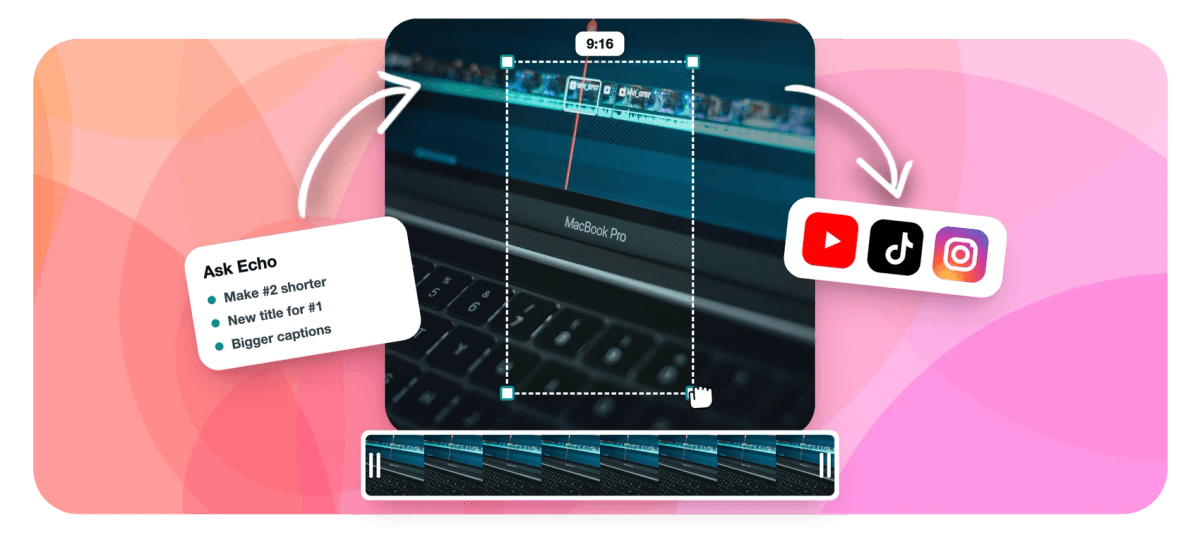
Clips are numbered in the grid, so a note can be exact: "make #2 shorter" or "new title for #1". Echo changes that clip only and leaves the rest of the batch alone.
-
Change the Whole Batch
Some notes apply everywhere. "Bigger captions on every clip" or "make them all square" updates every clip in one request instead of twelve identical trips through an editor.
-
Undo by Asking
Changed your mind about the square crop? Ask Echo to undo and the clips go back to how they were, so trying an idea costs one sentence rather than a careful manual rollback.
-
Clips Worth Editing to Begin With
The batch Echo works on is already ranked by a 0-100 Viral Score with written reasons, framed by on-screen speaker detection and captioned word by word, so the requests are refinements, not rescue work.
-
Hands-On Control Stays
Every clip is an ordinary EchoWave project with camera moves stored as keyframes. When a fix needs a precise touch, open the clip in the full editor and drag it yourself.
-
See the Clips Arrive First
Before you ask for anything, the analysis plays out live: frames read with faces tracked, the waveform, scene cuts and transcript, then clips landing ranked. Leave and it resumes where it was.
-
Pairs With Transcript Editing
For word-level cuts, the text-based video editor lets you delete words to delete footage, and the same project moves between it and the clip tools without losing work.
How it works
How to edit clips with an AI clip editor
From a long recording to a finished batch, with your notes doing the editing.
-
Upload a Long Recording
Add a podcast, webinar, interview or stream VOD from your device, library, a direct media link or an existing project, and pick a genre, length and clip count.
-
Let the Clips Arrive
Watch the analysis run, then scan the ranked grid. Each clip shows its number, Viral Score, reasons, title and captions, ready for notes.
-
Ask Echo for Changes
Type requests the way you would brief an editor: find a moment, shorten #3, retitle #1, enlarge captions on every clip. Ask to undo whenever a change misses.
-
Export the Batch
Bulk export the finished clips, or open any one in the full editor first. Free exports are 720p with a small watermark; Creator is 1080p and Pro is 4K.
Who uses it
Who edits clips by asking
-
Social media managers
Apply a brand note like bigger captions to an entire batch in one line, then spend the saved time on scheduling.
-
Podcasters
Ask for the guest's story about their first job when you remember the quote but not the timestamp.
-
Agencies
Turn client feedback such as "make them all square for the feed" into a finished revision in one request.
-
Solo creators
Tighten the one clip that rambles past its point without opening a timeline or rewatching the episode.
-
Marketers
Try a sharper title on the top-scoring clip, compare it, and undo if the original read better.
-
Video editors
Hand routine notes to Echo and keep the keyframe-level polish for the clips that deserve it.
Give your clips notes, not hours
Generate ranked clips from a long video, then edit them by asking. Free to start with 30 analysis minutes a month.
What people are saying about EchoWave

About the EchoWave team
EchoWave is a browser-based video and audio editor built by Lemon Vault LLC since 2018. The people who build the editor write these guides and test every step in the production app before publishing.
AI clip editor FAQ
How do I edit clips with an AI clip editor?
Start by generating clips: upload a long recording to EchoWave's Clips tool and it returns a ranked, captioned, vertical batch. Then talk to Echo, the AI editor, on the results page or inside the clip editor. Ask for a specific moment, a change to one clip by its number, or a change to every clip, and Echo applies it. If you do not like the result, ask it to undo. When you need precise control, open any clip in the full editor, adjust it by hand and export.
Can I edit video clips by chatting with AI?
Yes. Echo takes requests written the way you would brief a person, such as "make #2 shorter", "new title for #1", "bigger captions on every clip" or "make them all square". There is no command syntax to learn. It works on clips EchoWave generated from your recording, so it knows each clip's transcript, captions and title. Chat editing suits routine notes across a batch; for frame-accurate work, the timeline editor and transcript editor are still one click away.
What kinds of changes can Echo make to my clips?
Echo handles four kinds of request on clips. It can find a specific moment in the source and turn it into a clip. It can change a single clip, for example making it shorter or writing it a new title. It can change every clip at once, such as enlarging the captions or switching all of them to square. And it can undo a change. Anything outside those requests, like fine-tuning one camera move, is done by hand in the editor.
Can I change all of my clips at the same time?
Yes, and this is where an AI clip editor saves the most time. A note like "bigger captions on every clip" or "make them all square" applies to the whole batch in one request, so twelve clips do not mean twelve separate edits. Because each clip remains an ordinary EchoWave project, you can still open one afterward and override the batch change for that clip alone, for example keeping a single clip vertical for Shorts while the rest go square.
Can I undo an edit the AI made?
Yes. Ask Echo to undo and the last change is reversed, which makes it cheap to try an idea like a new title or a different aspect ratio and back out if it reads worse. The full editor also keeps its own undo and redo history, so edits you make by hand can be stepped back the usual way. Nothing is rendered into a final file until you export, so experimenting never costs you an export.
Is Echo the same thing as EchoWave's AI video agent?
It is the same assistant working in a different place. On clips, Echo focuses on the batch: finding moments, changing one clip or all of them, and undoing. Inside the full timeline editor, the AI video agent version of Echo works on any project with a wider set of editing actions, such as cutting by transcript or styling captions by prompt. Developers who want automation outside the app use the REST API, the MCP server or Zapier instead, covered on the AI clip generator API page.
Does the AI clip editor replace manual editing?
It replaces the repetitive part. Notes like shorten this, retitle that or enlarge the captions everywhere are what Echo is for. Taste-level decisions still benefit from a human: which clip to post first, whether a joke lands, exactly where a cut should fall. EchoWave keeps both paths open, since every clip is a normal project with editable captions, trims and camera keyframes. Most people let Echo do the first round of revisions, then polish the two or three clips they plan to promote.
Is there a free AI clip editor?
EchoWave is free to start. The free plan includes 30 minutes of source analysis every month to generate clips, and free exports are 720p with a small watermark. Paid plans remove the watermark and raise both quality and minutes: Creator exports 1080p with 180 analysis minutes, Pro exports 4K with 600 minutes, and Ultra includes 3,000 minutes for teams. Editing in the full editor is not metered by clip, so trimming and restyling the clips you generate costs nothing extra.
Edit by asking export when it's right
Ranked clips from your long video, revised in plain words by Echo.
Get Started →























































