
AI Hook Generator for Scroll-Stopping Video Clips
Upload one long video and get ranked clips, each with an AI-written hook, title, description, and hashtags. The hook renders on screen as an editable title overlay.


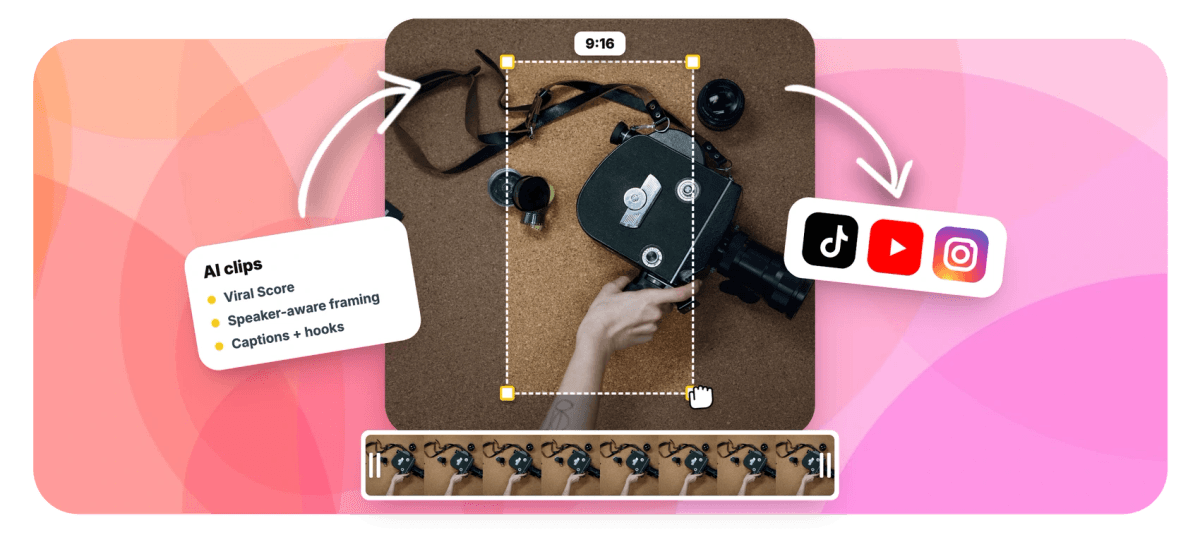
AI Hook Generator for Scroll-Stopping Video Clips Features
EchoWave's AI clip tools are used by podcasters, clippers, and social media managers worldwide





Hooks written for you
A scroll-stopping opener for every clip, no blank line required
An AI hook generator only earns the name if the hook matches the exact moment on screen, so EchoWave writes hooks while it finds the clips. Upload a podcast, webinar, or any long video and the engine scores every candidate moment, then writes a hook line, a title under 60 characters, a description, keywords, and 3 to 6 hashtags for each clip, all in the video's spoken language. A dedicated Hook sub-score inside the Viral Score shows which opener is strongest before you post. Render the hook onto the frame with any of 60+ caption presets, then size everything for TikTok in the same pass.
-
5 sub-scores
Hook, Clarity, Emotion, Value, and Trend break down every clip's 0-100 Viral Score
-
60 characters
The cap on every AI-written title, so it fits platform title fields without truncation
-
3-6 hashtags
Generated per clip alongside keywords, a description, and a transcript excerpt
-
60+ presets
Caption and title styles for burning the hook onto the frame, sized for portrait
What you get
Hooks that match the clip, not a template
Every hook is drafted from the word-timed transcript of that exact moment, then rendered, scored, and left fully editable.
-
A Hook Line Per Clip
Every clip the engine finds arrives with an attention-grabbing hook drafted from what was actually said in those seconds. Hooks stay honest to the footage, so viewers who stop for the opener stay for the payoff.
-
A Dedicated Hook Sub-Score
The Viral Score breaks out Hook as one of five sub-scores, with plain-English reasons like strong hook or big reactions. Compare openers across the ranked grid instead of guessing which one to post.
-
Hook Rendered as a Title Overlay
No copying text into a separate editor. The hook renders directly on the clip as a title overlay in any of 60+ caption and text presets, sized for portrait and timed to the first frame.
-
Word-Timed Captions Underneath
Pair the hook with animated captions timed to each spoken word, in styles from word punch to karaoke to boxed. The opener grabs attention, the captions hold it through the clip.
-
Genre Presets Tune the Tone
Podcast, interview, webinar, gaming, sermon, education, vlog, comedy: pick a preset and the hooks shift with the material. An education clip leads with the concept, a comedy clip leads with the setup.
-
The Full Caption Kit
Alongside the hook you get an AI title under 60 characters, a short description, keywords, 3 to 6 hashtags, timestamps, and a transcript excerpt. Paste them into any caption box as written or trim to taste.
-
Hooks in ~99 Languages
Transcription auto-detects around 99 languages, and hooks, titles, and descriptions are written in the language your video is spoken in. A Spanish interview gets Spanish openers, no translation step needed.
-
Every Word Stays Editable
Each clip becomes an ordinary EchoWave project. Dislike one hook's wording? Open the text-based editor and retype the overlay in place while the preset, styling, and timing hold.
How it works
How to generate an AI hook for every clip
One upload, one settings pass, and every clip comes back with its opener already written and on screen.
-
Upload Your Long Video
Add a podcast, interview, webinar, lecture, or stream VOD from your device, your library, a direct media link, or an existing project.
-
Set Genre, Length, and Aspect
Pick a genre preset so hooks match the material, choose a clip length like Short 15-30 s, set 9:16, 1:1, 4:5, or 16:9, and request up to 30 clips or let the engine decide.
-
Compare Hook Sub-Scores
Scan the ranked grid. Each clip shows its Viral Score, its Hook sub-score, and a plain-English reason. Shortlist the strongest openers, and if one reads flat, ask Echo for a new title on that clip.
-
Polish the Overlay and Export
Open any clip in the full editor, retype the hook or swap the preset, then export. Bulk select to render many clips at once. Free exports carry a small watermark at 720p; Pro renders 4K.
Who uses it
Anyone who posts clips and hates writing openers
-
Clippers
Turn one long video into dozens of shorts, each with its own hook, without drafting a single opener by hand.
-
Social media managers
Keep hook quality consistent across a high weekly clip volume, with sub-scores to justify which ones ship.
-
Podcasters
Promote each episode with clips whose hooks quote the actual conversation, not generic curiosity bait.
-
Marketers
Compare several hook angles on the same underlying moment, then post the clip with the strongest Hook sub-score.
-
Course creators
The education preset shapes each hook around the concept taught in that clip, pulling students into the lesson.
-
Streamers
Run a VOD through the gaming preset and get reaction-led openers on every highlight before the moment goes stale.
Stop staring at a blank line
Upload one long video and get back ranked clips with hooks, titles, and hashtags already written. Your first 30 minutes of analysis each month are free.
How creators use EchoWave in real projects

About the EchoWave team
EchoWave is a browser-based video and audio editor built by Lemon Vault LLC since 2018. The people who build the editor write these guides and test every step in the production app before publishing.
AI hook generator FAQ
How do I use an AI hook generator?
Go to the Clips tool, upload a long video or audio file, and pick a genre preset, clip length, and aspect ratio. EchoWave transcribes the file, finds highlight moments, and writes a hook line, a title under 60 characters, a description, and 3 to 6 hashtags for each clip. The hook renders on the clip as a title overlay in your chosen caption preset. Review the ranked grid, compare Hook sub-scores, edit any wording in the full editor, and export. Free accounts get 30 analysis minutes a month.
What is the difference between a hook and a title?
A title labels the video in feeds and search, so it is descriptive and short. A hook is the first line a viewer hears or reads inside the video itself, and its only job is to stop the scroll in the first seconds. Many tools generate one line and use it for both, which produces flat, descriptive openers. EchoWave writes them as separate fields per clip: an AI title capped at 60 characters for the platform field, and a distinct hook line built for the opening frame.
How long should a video hook be?
Short enough to land within the first seconds of the clip. One sentence a viewer can read or hear in about a second works best, which usually means well under a dozen words. Longer setups push the payoff past the point where most viewers have already swiped. EchoWave writes hooks at that length by default, and because the hook is an ordinary editable overlay, you can tighten the wording further in the editor without touching the clip's timing.
What is the first three seconds rule for video?
Short-form feeds decide a clip's reach largely on early retention: if viewers swipe away in the first three seconds, the platform stops showing it. So those seconds need a reason to stay, which is exactly what the hook provides. EchoWave attacks this from both ends. The clip engine selects moments with strong openings using audio energy, reaction peaks, and the transcript, and the hook overlay gives viewers something to read the instant the clip starts.
Can AI write video hooks that actually work?
Yes, when the AI reads the actual content. EchoWave drafts every hook from the word-timed transcript of that specific moment, so the opener reflects what really happens in the clip rather than a recycled formula. That matters for retention: a hook that overpromises gets viewers to stop, then swipe, which hurts the clip. No tool can promise a viral result, but the Hook sub-score and its plain-English reasons let you compare options on evidence before you choose what to post.
How do I add the hook as text on my video?
You do not have to add it by hand. The generated hook renders directly on the clip as a title overlay, styled with any of EchoWave's 60+ caption and text presets and sized for portrait. Word-timed captions can run underneath in the same pass. If you want different wording, placement, or timing, open the clip in the full editor: the overlay is a normal text layer, so you can retype it, restyle it, or slide it on the timeline like anything else.
Is the AI hook generator free?
You can start free. Every account gets 30 minutes of analysis each month, enough for a couple of long episodes, and each analysed video returns clips with hooks, titles, descriptions, and hashtags included. Free exports carry a small watermark and are capped at 720p. Paid plans raise both limits: Creator includes 180 analysis minutes a month with 1080p exports, Pro includes 600 minutes with 4K exports, and Ultra includes 3,000 minutes for teams with workspace-scoped jobs.
Does it write hooks in languages other than English?
Yes. Transcription auto-detects roughly 99 languages, and every generated line, the hook, the title, the description, and the hashtags, is written in the language your video is spoken in. A German webinar gets German hooks without a translation step. Asking for a rewrite works the same way: tell Echo, the AI editor, "new title for #3" in your own words and it drafts another option in the clip's language.
Hooks written before you post
Every clip arrives with its opener on screen, scored and ready to edit.
Get Started →























































