
LinkedIn Video Clips From Talks, Webinars and Panels
Feed EchoWave a recorded talk, webinar or panel and get quote-led clips scored for hook strength, framed 1:1 or 4:5 for the feed, and captioned for muted autoplay.


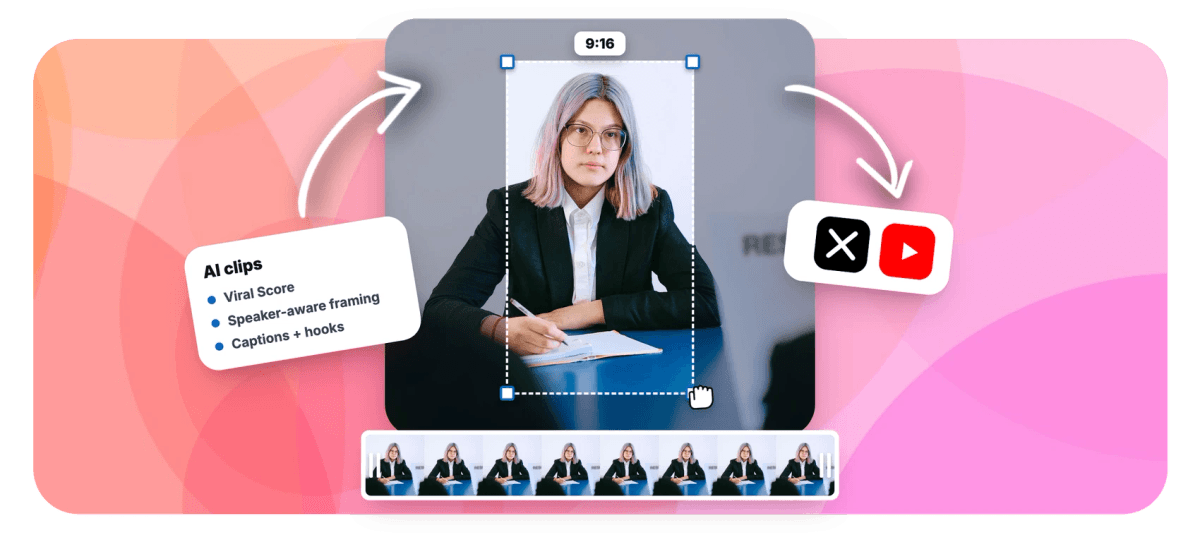
LinkedIn Video Clips From Talks, Webinars and Panels Features
EchoWave's AI clip tools are used by B2B marketers, founders and comms teams worldwide





LinkedIn video clips
Your best quote is buried in a 45-minute recording
LinkedIn video clips work when they open on a complete thought, sit natively in the feed and stay readable with the sound off. EchoWave's AI clip generator transcribes a webinar, panel or keynote recording, finds self-contained quotable moments and scores each from 0 to 100 with a Hook sub-score and a plain-English reason. Choose 1:1 or 4:5 so the clip fills LinkedIn's feed instead of forcing a vertical crop built for another platform. The Presenter + slides layout handles webinar recordings with screen share, Split keeps panelists in frame, and word-timed animated captions hold viewers before the audio kicks in. Every clip opens as a project in the editor before export.
-
1:1 and 4:5
Feed-native aspect presets alongside 9:16 and 16:9, so clips are framed for LinkedIn rather than cropped for it
-
0-100 Viral Score
Five sub-scores including Hook and Clarity, each with a plain-English reason a moment made the ranked grid
-
~99 languages
Transcription auto-detects the spoken language, and titles and hooks are drafted in the video's own language
-
1-30 clips
Set the exact number of clips per run, or leave it on auto and let the scoring decide how many moments hold up
What you get
Framing and copy built for the LinkedIn feed
Talks, panels and webinars need different treatment than a talking-head TikTok. These features are tuned for professional recordings and a B2B audience.
-
Hook Scoring on Every Clip
Each clip carries a Viral Score from 0 to 100 with a Hook sub-score and a plain reason like "strong hook", so you post the quote that opens on a statement, not a warm-up sentence.
-
1:1 and 4:5 Presets
Pick square or 4:5 and the clip is framed for LinkedIn's native feed from the start. 9:16 and 16:9 sit one click away when the same moment needs to go elsewhere.
-
Presenter Plus Slides
Webinar recordings with screen share get a layout that stacks the deck on top and the speaker below, so a product walkthrough still reads clearly at feed size on a phone.
-
Split and Grid for Panels
A plain center crop cuts panelists out of frame. Split stacks two speakers, Grid holds three or four, and the camera cuts to whoever is talking on their turn.
-
Captions for Muted Autoplay
LinkedIn's feed autoplays without sound, so every clip ships with word-timed captions in any of 60+ presets. Boxed and karaoke styles stay legible over slides and conference-stage lighting.
-
Titles, Hooks and Hashtags Drafted
Every clip arrives with an AI title under 60 characters, a hook line, a description and 3-6 hashtags, written in the video's language and editable inline before anything exports.
-
Find Moments by Prompt
Type "find moments about pricing objections" and the engine searches the word-timed transcript for matching passages. Keyword boosts push the topics your LinkedIn audience cares about up the ranking.
-
Hands-Off Runs via API or Zapier
When a webinar recording lands, start a clip job with Zapier's Generate clips action or the REST API, then pick up ranked clips when the Clips ready trigger fires. See how to automate the whole run.
How it works
How to make LinkedIn video clips
From a long recording to a set of feed-ready clips in four steps.
-
Upload the Recording
Drop in the webinar, panel or keynote file, paste a direct media link, or reuse an existing project. Transcription starts automatically and auto-detects any of ~99 languages.
-
Review the Scored Grid
Scan the ranked clips, check the Hook and Clarity sub-scores, and run a prompt search to pull moments on a specific topic. Add a custom clip from any range on the source strip.
-
Set Format and Layout
Choose 1:1 or 4:5 for the feed, pick Presenter + slides for webinars or Split for panels, and apply a caption preset. Edit the drafted title and hook inline.
-
Export and Post Natively
Open any clip in the full editor to add a logo or brand color, then render. Upload the file to LinkedIn as native video and use the drafted hook as your post copy.
Who uses it
One recording, a whole content calendar
-
B2B marketers
Turn one product webinar into a week of native LinkedIn video posts, each framed 4:5 with captions and a drafted hook.
-
Founders and sales leaders
Pull the sharpest quote from a keynote or panel appearance and post it as a 1:1 clip with the key line as the title overlay.
-
Coaches and consultants
Build thought leadership from recorded talks; the Value sub-score surfaces the advice-dense moments worth putting in front of prospects.
-
Corporate comms teams
Turn town halls and internal panels into short recaps for the company page, with clip jobs visible only to members of your workspace.
-
Event and conference teams
Repurpose panel discussions after the event with Split or Grid layouts that keep every speaker framed instead of center-cropped out.
-
Agencies
Run clip jobs for several clients in workspace-scoped queues, then bulk-create projects and exports through the API or Zapier.
Post the quote, not the recording
Upload one webinar and get a ranked grid of feed-ready clips, each framed, captioned and drafted with a hook.
What people are saying about EchoWave

About the EchoWave team
EchoWave is a browser-based video and audio editor built by Lemon Vault LLC since 2018. The people who build the editor write these guides and test every step in the production app before publishing.
LinkedIn video clips FAQ
How do I make LinkedIn video clips?
Upload a recorded talk, webinar or panel to EchoWave's clip generator, pick a genre preset and set the aspect ratio to 1:1 or 4:5. The AI transcribes the recording, finds quotable moments and returns a ranked grid with a Viral Score and plain-English reasons for each clip. Select the ones you want, apply a caption preset, tweak the drafted title and hook, then export and upload the file to LinkedIn as a native video post. Free accounts include 30 analysis minutes a month, enough for a full webinar.
Should LinkedIn videos be square, vertical or landscape?
LinkedIn's feed favors formats that fill more of the screen, which is why square 1:1 and portrait 4:5 are the usual picks for native video posts. Full 9:16 vertical was built for other platforms and can read off-tone here, while 16:9 landscape shrinks in the feed. EchoWave treats 1:1 and 4:5 as first-class presets alongside 9:16 and 16:9, and the speaker-aware reframe keeps faces at eye level in every format, so one webinar moment can be exported in more than one shape.
What is the best length for a LinkedIn video clip?
There is no single right length, but short, self-contained clips hold attention best in a feed. EchoWave's length control offers Short (15-30 seconds), Medium (30-60 seconds) and Long (60-90 seconds) presets, plus a custom range. A quote clip from a panel usually works at Short; a webinar walkthrough with slides needs Medium or Long to let the point land. The Clarity sub-score helps you decide: a high-scoring clip stands on its own without the surrounding context, whatever its duration.
Can I repurpose a Zoom or Teams webinar recording for LinkedIn?
Yes. Export the recording file from Zoom, Teams or any webinar platform and upload it like any other source. The generator is screen share aware, so slide-heavy sessions get the Presenter + slides layout with the deck stacked above the speaker. Meeting and webinar genre presets tune the moment finding for that kind of content, and transcription auto-detects the spoken language. Each highlight becomes a clip you can frame 1:1 or 4:5, caption and export for a native LinkedIn upload.
How do I clip a panel discussion with multiple speakers?
Use the Split or Grid layout. EchoWave detects faces and uses on-screen speaker detection (lip movement matched to the voice) to know who is talking, then cuts between speakers on their turns. Split stacks two panelists, Grid holds three or four, and Follow speaker tracks a single active face. Every camera move is stored as ordinary keyframes, so if an auto-cut misses a beat you can adjust it shot by shot in the editor before export.
How do I add captions to a LinkedIn video post?
Burn them into the clip before you upload, so they display everywhere the video plays. EchoWave generates word-timed captions from the same transcript used to find the clip, with 60+ presets including boxed, karaoke and word-punch styles, and any word is editable before export. Since most feed video autoplays muted, captions are usually the difference between a scroll-past and a full watch. Styles are sized for the format you chose, so 4:5 clips stay readable on a phone.
How many clips can I get from one webinar?
Set the clip count anywhere from 1 to 30 per run, or leave it on auto and let the scoring decide. A 45-minute webinar typically yields a mix: a few strong quote moments, a demo segment and a Q&A exchange. Bulk select turns several clips into projects and exports at once, which is how one recording becomes a multi-week posting cadence. Monthly analysis minutes depend on plan: 30 free, 180 on Creator, 600 on Pro and 3,000 on Ultra.
Is there a free way to make LinkedIn video clips?
Yes. The free plan includes 30 minutes of source analysis per month, enough for one full webinar or a couple of shorter talks. Free exports carry a small watermark and are capped at 720p; Creator removes the watermark and renders 1080p, and Pro goes up to 4K, which matters if a clip will also live on a website or in a sales deck. Everything on this page, including 1:1 and 4:5 framing, captions and the scored grid, works on the free tier.
One webinar, six native posts
Quote-led clips, framed 1:1 or 4:5, captioned and ready for the LinkedIn feed.
Get Started →























































