
Video Repurposing Tool: Turn One Recording Into a Batch of Clips
Feed EchoWave a podcast, webinar, or stream VOD and get back up to 30 scored, reframed, captioned clips in one run, with bulk export and shared team workspaces.


Video Repurposing Tool: Turn One Recording Into a Batch of Clips Features
EchoWave's video repurposing tools are used by agencies, marketing teams, and creators worldwide





Repurposing at scale
Repurposing is a pipeline, not a one-off export
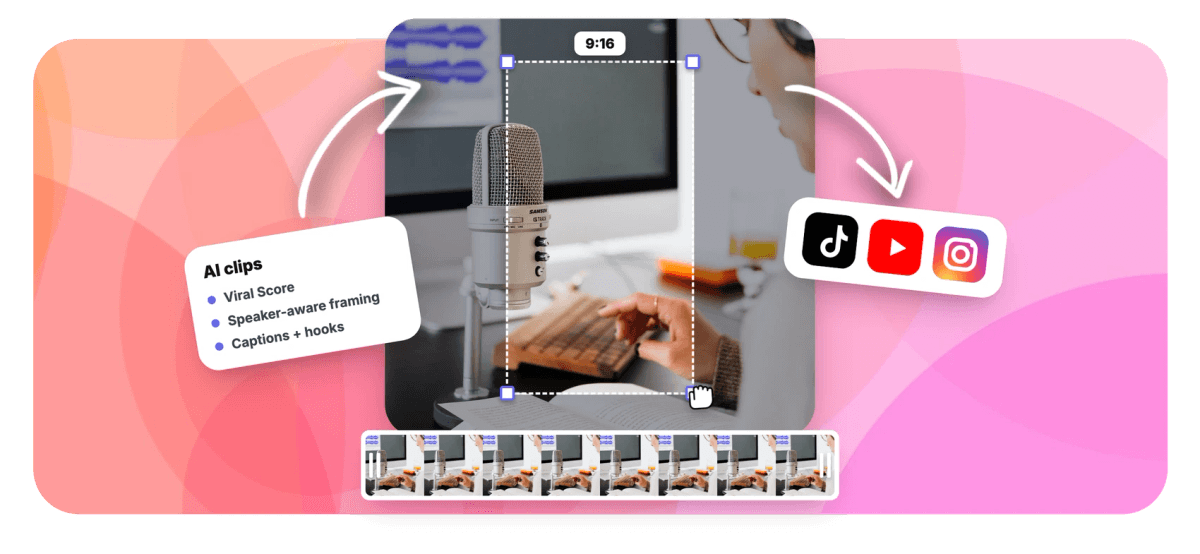
A video repurposing tool should handle more than one clip at a time, and this one does: feed it a podcast episode, webinar, meeting recording, or stream VOD and get back up to 30 scored, reframed, captioned clips in a single pass. Under the hood it is the same engine as our AI clip generator, tuned for volume. Genre presets match moment-finding to the kind of recording, prompt search can find moments about any topic in the transcript, and bulk select turns a ranked grid into projects and exports in one move. Jobs are workspace-scoped so your team sees what has already been pulled from each source video, and a REST API plus Zapier let you automate the pipeline end to end.
-
1-30
clips per run, each ranked by a 0-100 Viral Score with plain-English reasons for the pick
-
~99 languages
auto-detected transcription, with AI titles written in the video's own language
-
4 aspect ratios
9:16, 1:1, 4:5, and 16:9, so a single batch covers every platform format you post to
-
3,000 min/mo
analysis minutes on Ultra, tracked per workspace; the free plan starts at 30 a month
What you get
Built for batches, not one clip at a time
Everything here is designed around volume: one source video in, a stack of finished clips out, and a way to automate the whole loop when the app itself becomes the bottleneck.
-
Batch Clip Generation
Set the clip count to auto or anywhere from 1 to 30, pick Short, Medium, Long, or a custom length range, and one run returns a full batch, every clip scored 0-100 with reasons.
-
Bulk Select and Export
Tick the clips you want in the ranked grid and create projects and exports for all of them at once, instead of repeating the same open, tweak, render loop thirty times per recording.
-
Genre Presets
Presets for podcast, webinar, meeting, interview, talking head, gaming, sermon, education, vlog, and comedy tune moment-finding to the recording, so a screen-share heavy webinar is read differently from a back-and-forth interview.
-
Team Workspaces
Clip jobs are workspace-scoped and visible to every member, so nobody duplicates a moment someone already pulled from the same source video. Analysis minutes are tracked per workspace, not per person.
-
Batch Edits in Plain Words
Ask Echo, EchoWave's AI editor, for bigger captions on every clip or to make them all square, and the whole batch changes at once. One clip off? "Make #5 shorter" fixes just that one, and undo is a request away.
-
Jobs That Resume Themselves
A long recording does not need a babysitter. The analysis plays out live on screen, and if you leave and come back, the job picks up where it left off without being restarted.
-
API, MCP, and Zapier
Queue jobs from your own stack through the REST API, a hosted MCP server, or Zapier's Generate clips action, then catch the Clips ready trigger when a batch finishes.
-
Captions, Titles, and Hashtags
Every clip lands with word-timed captions in any of 60+ presets, an AI title under 60 characters, a hook line, a description, and 3-6 hashtags, all sized for portrait.
How it works
How to repurpose long form video into clips
Four steps take one long recording to a batch of finished projects, and the whole flow can also run headless through the API.
-
Add the Source Recording
Upload a long video or audio file, pick one from your library, paste a direct media link, or start from an existing project. Podcasts, webinars, meeting recordings, lectures, and VODs all work.
-
Configure the Batch
Choose a genre preset, set the clip count and length range, then pick an aspect ratio and Smart camera layout for the batch.
-
Review the Ranked Grid
Scan clips ranked by Viral Score, read the reasons behind each pick, run a prompt search for moments about a specific topic, and add custom clips from any range on the source strip.
-
Bulk Export the Keepers
Select every clip worth posting and create projects and exports in one move. Each clip is an ordinary EchoWave project, so open any of them in the full editor before rendering.
Who uses it
Teams that repurpose on a schedule
-
Agencies
Turn five clients' weekly podcast episodes into batches of platform-ready clips without an editor re-watching every episode end to end.
-
Marketing teams
Mine a backlog of 40 past webinars for a quarter of LinkedIn and Instagram posts, one batch job per recording.
-
Content ops leads
Keep every clip job visible in a shared workspace so the whole team sees what already came out of each source video.
-
Solo founders
Record one long session, then fill a week of TikTok, Reels, Shorts, and LinkedIn posts from a single run.
-
Streamers
Drop in a three hour VOD after the stream ends and review a stack of ranked clips instead of rewatching the broadcast.
-
Developers
Wire repurposing into an existing publishing pipeline with the REST API, MCP server, or Zapier, with no manual uploads in the loop.
Stop re-cutting the same recording by hand
Upload one long video, get back a ranked batch of framed, captioned clips, and export the keepers together. The free plan includes 30 analysis minutes a month.
What people are saying about EchoWave

About the EchoWave team
EchoWave is a browser-based video and audio editor built by Lemon Vault LLC since 2018. The people who build the editor write these guides and test every step in the production app before publishing.
Video repurposing tool FAQ
How do I repurpose a long video into short clips?
Open the Clips tool, add your recording by upload, library, direct media link, or from an existing project, then set a genre preset, a clip count from 1 to 30, a length range, and an aspect ratio. EchoWave transcribes the audio, scores candidate moments with a language model plus audio energy, reactions, silences, speaker turns, and scene cuts, and returns a ranked grid. Review the batch, bulk select the keepers, and create projects and exports in one move. Free exports carry a small watermark and a 720p cap; Creator renders 1080p and Pro renders 4K.
What is a content repurposing workflow?
A repurposing workflow is a repeatable pipeline: collect source recordings, analyze each one for its strongest moments, review and approve the candidates, then export in the formats your channels need. EchoWave maps to each stage. Your library holds source videos, a batch job finds and scores 1 to 30 moments per recording, the ranked grid is the review step, and bulk export produces the finished clips. Because jobs live in a team workspace, the review stage is shared rather than trapped on one editor's machine, and the API can drive the whole loop for recurring shows.
How do I turn one podcast episode into multiple social media clips?
Pick the podcast genre preset and let one job return a batch of clips sized for Reels, Shorts, and TikTok. Transcription auto-detects around 99 languages, moment-finding leans on the back-and-forth between hosts, and each clip gets a Viral Score with sub-scores for Hook, Clarity, Emotion, Value, and Trend. Smart camera detects on-screen speakers by matching lip movement to the voice and cuts between hosts on their turns, or stacks them in a Split layout. Word-timed captions, an AI title, and hashtags come attached to every clip.
Can I repurpose a webinar recording into short form content?
Yes, and webinars are a specific genre preset because they behave differently from talking-head footage. The analysis is screen share aware, so demos and slide walkthroughs are treated as content rather than noise, and the Presenter + slides layout keeps the shared screen on top with the speaker framed below, which reads well in 9:16. Use a time range to skip the housekeeping at the start, or run a prompt search like "find moments about pricing" to pull specific segments from the transcript.
How do agencies repurpose video content for clients at scale?
The scale problems are volume and visibility, and workspaces address both. Clip jobs are scoped to a workspace and visible to every member, so an account manager can see which moments an editor already pulled from a client's episode instead of duplicating work from separate exports. Analysis minutes are pooled per workspace, with 3,000 a month on Ultra, and bulk select turns each episode's ranked grid into many projects and exports at once. For recurring shows, the API or Zapier can queue each week's job automatically.
How do I automate video repurposing?
Three surfaces cover it. The REST API at /api/v1/clips creates jobs, checks status, and materializes clips into projects and exports. The hosted MCP server at echowave.io/mcp, plus an npm package, exposes generate_clips, get_clip_job, list_clip_jobs, materialize_clips, and search_clip_moments to AI agents and internal tools. Zapier offers a Generate clips action and a Clips ready trigger, so a new recording in your storage can kick off a job and notify your team when the batch lands. Automation ends at export delivery; EchoWave does not schedule or publish posts.
How much content can I get from one long video?
A single run produces up to 30 clips, with Short 15-30 second, Medium 30-60 second, and Long 60-90 second presets or a custom length range, so one weekly recording can realistically cover a full week of posts. What limits total throughput is analysis minutes per month: 30 on Free, 180 on Creator, 600 on Pro, and 3,000 on Ultra, tracked per workspace. Export quality follows your plan too, with a watermark and 720p cap on Free, 1080p on Creator, and 4K on Pro.
Can I pull video from a YouTube link or repurpose a live stream?
No to both, and it is better to know that before you start. EchoWave does not download source video from YouTube or social URLs, so bring the file itself, a direct media link, or a recording already in your library. It also does not clip live streams in real time; process the recording after it ends. Once the file is in, the rest of the repurposing workflow applies: ranked clips, Smart camera framing, captions, titles and hashtags, then bulk export or open any clip in the full editor.
Record once, post all week
One long upload becomes a ranked, captioned batch of clips, free plan includes 30 analysis minutes a month.
Get Started →























































