
Clip Title Generator: Name and Tag Every Clip Automatically
EchoWave writes a title under 60 characters, a description, keywords, and 3 to 6 hashtags for every clip it cuts from your video, in the language you recorded in.


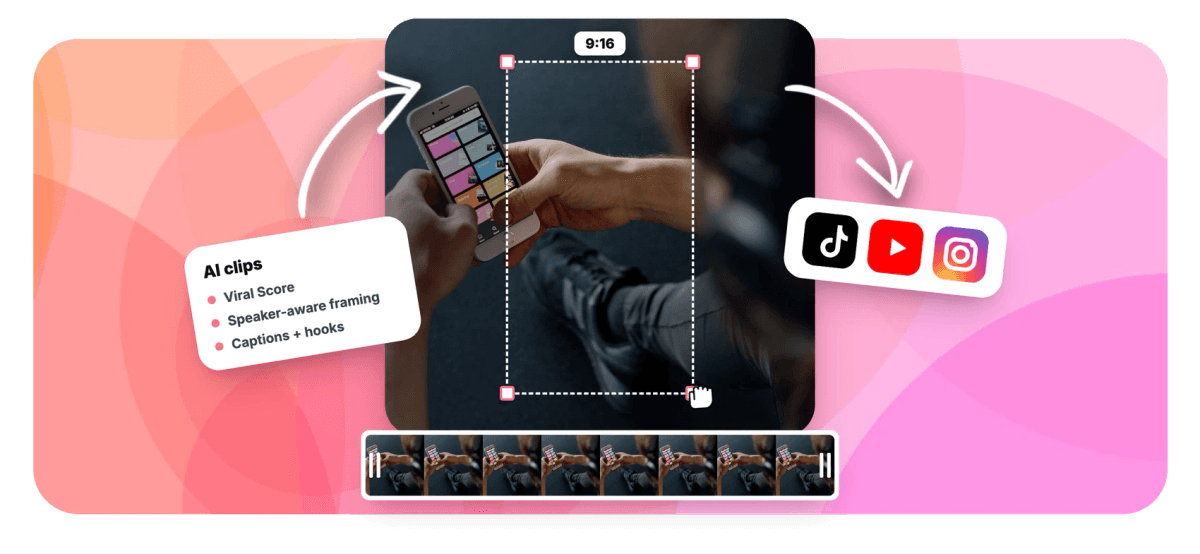
Clip Title Generator: Name and Tag Every Clip Automatically Features
EchoWave's clip title tools are used by creators, podcasters, and social teams worldwide





Titles and hashtags
A platform-ready title for every clip, not one title for the whole video
A clip title generator only earns its keep if the titles match what each clip actually says. EchoWave writes every title from the word-timed transcript of that specific moment, so a clip about pricing and a clip about hiring get different titles, keywords, and hashtags even when they come from the same recording. Each title stays under 60 characters, arrives with a hook line, a description, and 3 to 6 hashtags, and is written in the video's spoken language, never defaulted to English. Cut a long video for YouTube Shorts or TikTok, review the ranked grid, then sharpen any opener with the AI hook generator before export.
-
60 chars
Maximum title length per clip, short enough for every platform's title field
-
3-6
Hashtags generated per clip from its transcript, not a recycled tag list
-
~99 languages
Auto-detected, so titles and hashtags match the source language of the video
-
1-30 clips
Per run, each named and tagged individually, ready for bulk export
What you get
Naming and tagging handled per clip, in bulk
Stop rewriting the same title three times per platform and guessing at hashtags. Every clip arrives labeled from what was actually said.
-
One Title Per Clip
Every clip the AI finds gets its own title of 60 characters or fewer, written from the word-timed transcript of that exact moment, so ten clips from one recording arrive with ten accurate names.
-
Hashtags Tied to the Topic
Each clip ships with 3 to 6 hashtags generated from what is actually said, so a demo clip and a Q&A clip from the same webinar get different tags instead of one broad recycled set.
-
Titles in Your Language
Transcription auto-detects around 99 languages, and titles, descriptions, and hashtags come back in the language the video is spoken in. A Spanish podcast gets Spanish titles without touching a setting.
-
Hook, Description, Keywords
Beyond the title, every clip includes a hook line, a short description, a keyword list, and a transcript excerpt, so you can fill a caption box or the Instagram caption generator workflow without rewatching.
-
Bulk Naming From One Video
Generate 1 to 30 clips per run and each arrives pre-titled and tagged. Bulk select, create many projects, and export them all at once instead of renaming files one at a time.
-
Viral Score Context
Every titled clip carries a 0-100 Viral Score with Hook, Clarity, Emotion, Value, and Trend sub-scores plus plain-English reasons, so you know which named clip deserves the first post.
-
Every Format, Same Title Set
Frame clips at 9:16, 1:1, 4:5, or 16:9 and the generated title and hashtags carry across, so one pass covers Shorts, Reels, TikTok, and a landscape upload.
-
Editable Before Export
Each clip becomes an ordinary EchoWave project. Open it in the full editor to reword the title overlay, swap hashtags, or restyle word-timed captions in any of 60+ presets before exporting.
How it works
How to generate clip titles and hashtags
From a raw recording to a grid of named, tagged clips in four steps.
-
Upload Your Recording
Add a podcast, webinar, interview, or vlog from your device, library, a direct media link, or an existing project. Transcription runs automatically and detects the spoken language across roughly 99 options.
-
Set Genre and Count
Pick a genre preset, a clip length from Short 15-30 seconds to Long 60-90 seconds, the number of clips from 1 to 30, and an aspect ratio. Boost keywords you want the titles to lean on.
-
Review Titles and Tags
Scan the ranked grid. Each clip shows its AI title, hook line, description, 3 to 6 hashtags, keywords, and transcript excerpt. Edit any wording inline, ask Echo for "new title for #3", or open the clip in the full editor.
-
Bulk Export
Select the clips you want, create projects and exports in one pass, and download them already named and tagged. Free exports carry a small watermark at 720p; Creator renders 1080p and Pro 4K.
Who uses it
Built for anyone posting more than one clip
-
Multi-platform creators
Post the same clip to Shorts, Reels, and TikTok with one generated title and tag set, tweaked per platform in seconds.
-
Non-English channels
Get titles and hashtags in the video's spoken language, so a French interview never ships with an awkward English name.
-
Agencies and social teams
Produce clips in bulk with consistent titles and hashtags across client accounts, with no manual research step per clip.
-
Podcasters
Turn each episode into pre-labeled clips with titles, hashtags, and transcript excerpts ready before bulk export.
-
Webinar and course hosts
Cut a recorded session into named promo clips, each tagged with the keywords that segment actually covers.
-
Streamers and gamers
Pull highlights from long VODs with titles written from the moment itself, not the stream's generic session name.
Every clip named before you export
Upload one recording and get back ranked clips, each with a title, hashtags, and captions. Free plan includes 30 analysis minutes a month.
What creators say after trying EchoWave

About the EchoWave team
EchoWave is a browser-based video and audio editor built by Lemon Vault LLC since 2018. The people who build the editor write these guides and test every step in the production app before publishing.
Clip title generator FAQ
How do I use a clip title generator?
Upload a long video or audio file to EchoWave, or point it at an existing project. The AI transcribes it, finds the highlight moments, and returns a ranked grid of clips. Each one arrives with a title under 60 characters, a hook line, a description, 3 to 6 hashtags, and a keyword list, all written from that clip's own transcript. Review the grid, edit any wording inline or in the full editor, then bulk select and export. Nothing needs a second naming pass.
What is the best title length for YouTube Shorts?
Short and specific wins. Long titles get truncated in the Shorts feed and in search results, so the useful ceiling is around 60 characters, with the strongest words at the front. EchoWave caps every generated title at 60 characters and leads with the concrete subject of the clip, pulled from the transcript, so titles fit the field on Shorts, Reels, and TikTok without a rewrite for each platform.
How many hashtags should I use on TikTok?
A handful of relevant tags beats a wall of broad ones. Tags like #fyp signal nothing about the content, while three to six tags tied to the clip's actual topic help the platform categorize it for the right viewers. EchoWave generates 3 to 6 hashtags per clip from its transcript and keywords, so a clip about pricing objections and a clip about onboarding from the same recording get different, accurate tags.
Should a video title be in the same language as the video?
Yes. Viewers who click an English title and hear a different language bounce fast, and mismatched metadata confuses recommendation systems. EchoWave auto-detects the spoken language during transcription, around 99 languages, and writes titles, descriptions, and hashtags in that same language. A Spanish webinar comes back with Spanish titles, no setting required. Note the tool does not translate or dub the video itself; the generated text simply matches the source language.
How do I name multiple video clips quickly?
Let one pass do it. Instead of exporting a folder of clips and renaming files by hand, run the long recording through EchoWave's clip generator. It produces 1 to 30 clips per run, each already carrying its own title, hashtags, and description. Bulk select the ones you want, create projects and exports at once, and every file leaves the pipeline labeled. What used to be an evening of retitling after a recording session becomes one review of a ranked grid.
How do I make clip titles more SEO friendly?
Put the words viewers actually search for in the title, and keep them near the front. Because EchoWave writes titles from the word-timed transcript, the terms spoken in the clip land in the title and in the accompanying keyword list, which you can reuse in descriptions and caption boxes. Keyword boosts let you steer the analysis toward topics you care about. No tool can promise rankings or views, but transcript-based titles beat generic ones for matching real search phrasing.
Can I edit the generated titles and hashtags?
Everything stays editable. Each clip becomes an ordinary EchoWave project, so you can open it in the full editor, reword the AI title overlay, swap or delete hashtags, restyle the word-timed captions in any of 60+ presets, and even adjust the smart camera moves shot by shot, since every camera move is stored as ordinary keyframes. Many creators keep the generated title for one platform and tweak the phrasing for another before exporting each version.
Is the clip title generator free?
You can start free. The free plan includes 30 analysis minutes a month, enough to test a full episode or a couple of shorter recordings, and every clip still gets its title, hashtags, and description. Free exports carry a small watermark and a 720p cap. Creator raises exports to 1080p with 180 analysis minutes a month, Pro gives you 4K and 600 minutes, and Ultra includes 3,000 minutes with workspace-scoped jobs your whole team can see.
Name every clip tag every platform
Titles, hashtags, and descriptions for every clip from one upload, written in your video's own language.
Get Started →























































