
TikTok Clip Generator: AI Clips Built Around the Hook
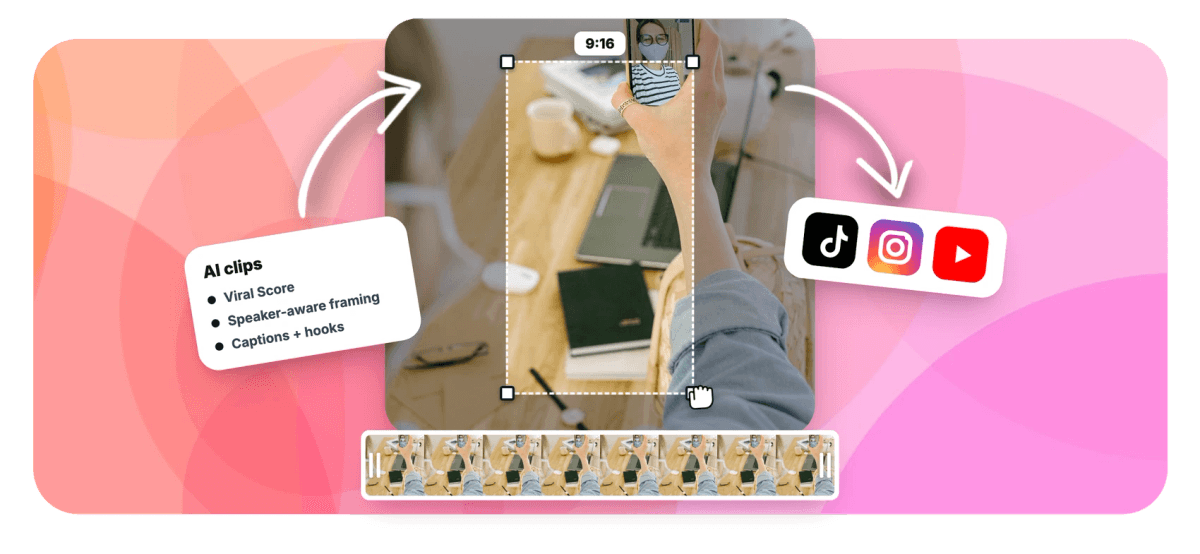
Feed in a podcast, stream VOD or webinar and the AI picks the moments with the strongest opening, frames them 9:16 and captions them bold, ready for TikTok.


TikTok Clip Generator: AI Clips Built Around the Hook Features
EchoWave's AI clip tools are used by TikTok creators, streamers and marketing teams worldwide





TikTok clip generator
One long recording in, a queue of hook-first clips out
A TikTok clip generator only earns its keep if the clips it picks survive the first second, so that is what EchoWave scores hardest. Upload a podcast, stream VOD, webinar or comedy set and the AI reads the word-timed transcript alongside audio energy peaks, reactions and speaker turns, then ranks every candidate moment with a 0-100 Viral Score. Each clip arrives reframed to 9:16 vertical video, with on-screen speaker detection keeping whoever is talking centered, bold word-timed captions from the same presets as our TikTok caption generator, and an AI title with hashtags. Repurposing a channel? Pair it with YouTube to TikTok, or resize a single video for one-off cuts.
-
0-100
Viral Score per clip, with Hook, Clarity, Emotion, Value and Trend sub-scores and plain-English reasons
-
15-30 s
The Short length preset built for TikTok pace, plus 30-60 s, 60-90 s and custom ranges
-
60+
Word-timed caption presets, including Hormozi-style word punch and karaoke, sized for portrait
-
1-30
Clips per run, auto or fixed, with bulk project creation and export in a single pass
What you get
Everything a TikTok clip needs, picked and framed for you
TikTok does not forgive a slow open or a lazy crop. These are the parts the AI handles before you ever touch a timeline.
-
Viral Score With a Hook Sub-Score
Every clip gets a 0-100 Viral Score that breaks out Hook alongside Clarity, Emotion, Value and Trend, with reasons in plain English like strong hook or big reactions. No more guessing which of thirty moments deserves a post.
-
Speaker-Aware 9:16 Auto-Reframe
Smart camera detects faces and who is talking using on-screen speaker detection, lip movement matched to the voice, then cuts between speakers on their turns. The crop follows the conversation instead of center-cropping the frame.
-
Bold Captions for Muted Viewers
Most TikTok viewers watch with the sound off, so every clip ships with word-timed captions in any of 60+ presets, including word punch, karaoke and boxed styles, sized for portrait and generated from the same transcript.
-
Length Presets Tuned to Short-Form
Pick Short 15-30 seconds for TikTok's cadence, Medium 30-60, Long 60-90, or set a custom range. The AI trims each moment to a clean start and end inside the window you choose.
-
Batch Clips From One Upload
Posting daily does not scale when you cut by hand. Request up to 30 clips per run, bulk select the keepers, and create projects and exports for all of them at once.
-
AI Titles, Hooks and Hashtags
Each clip comes with an AI title under 60 characters, a hook line, a description and 3-6 hashtags, all written in the video's own language. Transcription auto-detects around 99 languages.
-
Layouts for Gameplay and Screens
Letterbox over blur and picture in picture handle stream VODs where the action is the screen, not a face. There is also a stream highlights generator angle built on the same engine, plus split, grid and presenter-with-slides layouts.
-
Every Clip Stays Fully Editable
Each clip becomes an ordinary EchoWave project. Camera moves are plain keyframes you can adjust shot by shot, captions restyle in a click, and you can pull a custom clip from any range on the source strip.
How it works
How to generate TikTok clips from a long video
Four steps from a raw recording to a ranked grid of vertical clips.
-
Add Your Recording
Upload a file, pick one from your library, paste a direct media link or start from an existing project. Podcasts, VODs, webinars, lectures and comedy sets all work.
-
Set Length, Genre and Aspect
Choose Short 15-30 seconds and 9:16 for TikTok, pick a genre preset like gaming or comedy, set a clip count, and optionally limit analysis to a time range or search for moments by prompt.
-
Review the Ranked Grid
Scan clips sorted by Viral Score, read the Hook sub-score and the reasons behind each pick, swap caption styles, and add a custom clip from the source strip if the AI missed a moment you love.
-
Export and Post
Bulk select the winners and export them all at once through the normal render pipeline. Free exports carry a small watermark at up to 720p, Creator renders 1080p and Pro renders 4K.
Who uses it
Built for anyone feeding a TikTok account from long footage
-
Podcasters
Pull the punchiest 20-second exchange from a 60-minute episode, with speaker turns cut like a two-camera shoot.
-
Streamers and gamers
Turn a 3-hour VOD into clips built on reaction and audio energy peaks, with gameplay letterboxed over blur.
-
Marketers and brands
Cut native short-form video from webinars and event talks instead of paying an editor per clip.
-
Educators and coaches
Slice a lecture or workshop into bite-size lessons, each with a title overlay and bold captions.
-
Comedians
Find the bits that landed in a full set using audience reaction peaks, then trim to the laugh.
-
Talking-head creators
Turn one advice video into a week of posts, each with an AI-drafted hook line ready the same day.
Your best moments are already recorded
Run one long file through the clip generator and post from a ranked grid instead of scrubbing a timeline for hours.
What creators say after trying EchoWave

About the EchoWave team
EchoWave is a browser-based video and audio editor built by Lemon Vault LLC since 2018. The people who build the editor write these guides and test every step in the production app before publishing.
TikTok clip generator FAQ
How do I use a TikTok clip generator?
Upload a long video or audio file, or pick one from your EchoWave library, a direct media link or an existing project. Choose 9:16, a length preset like Short 15-30 seconds, and a genre such as podcast, gaming or comedy. The AI transcribes the file, scores candidate moments and returns a ranked grid of vertical clips with captions, titles and hashtags. Review the grid, tweak anything in the full editor, then bulk export. The free plan includes 30 analysis minutes a month, so you can test it on a real episode today.
Can AI really find the best clips in a podcast or stream automatically?
Yes, and it goes beyond reading the transcript. A language model reads the word-timed transcript, and EchoWave weighs that against audio and visual signals: energy and reaction peaks, silences, who-is-speaking turns and scene cuts. That is why the loudest laugh in a stream or the sharpest back-and-forth in an interview gets picked, not just a quotable sentence. Every clip carries a 0-100 Viral Score with stated reasons, so you can see why it ranked where it did. It is a ranked prediction, not a guarantee, but it turns picking clips from guesswork into triage.
What clip length works best for TikTok?
Short clips with a fast open tend to hold viewers through the loop, which is why EchoWave's Short preset targets 15-30 seconds. If a moment needs room to breathe, Medium covers 30-60 seconds and Long covers 60-90, or you can define a custom range. The AI trims each clip to a natural start and end inside your chosen window rather than cutting mid-sentence, so a 20-second exchange from a podcast comes out as a complete thought, not a fragment.
How do I make a TikTok clip hook people in the first second?
Start the clip on the strongest line, not the setup. EchoWave's Viral Score includes a dedicated Hook sub-score that rates how a clip opens, with plain-English reasons like strong hook, so you can sort for clips that start hot. Each clip also gets an AI-written hook line you can use as on-screen text or your caption. If you want moments on a specific topic, the prompt search lets you type what to look for and the engine finds matching passages in the transcript.
How do I keep the speaker centered when cropping a video vertical?
EchoWave's Smart camera handles this automatically. It detects faces and identifies who is talking through on-screen speaker detection, lip movement matched to the voice, then keeps that person framed at eye level as it crops to 9:16. The camera moves like a human operator, with a dead zone, capped pan speed and smoothing, and it never pans across a scene cut. You can adjust steadiness, zoom, cut-versus-pan behavior, or lock focus on one speaker. Every camera move is stored as ordinary keyframes, editable shot by shot.
How do I add bold captions to a TikTok clip?
Captions are generated automatically from the same word-timed transcript used to find the clips, so timing is exact down to the word. Choose from more than 60 caption presets, including Hormozi-style word punch, karaoke and boxed looks, all sized for portrait video. Since most short-form viewing happens muted or in noisy places, every clip ships captioned by default. You can swap presets per clip or restyle everything in the editor before export.
Can I generate TikTok titles and hashtags automatically?
Yes. Every clip comes with an AI title under 60 characters, a hook line, a description, 3-6 hashtags, keywords, a transcript excerpt and exact timestamps. Titles are written in the language of the video itself, and transcription auto-detects roughly 99 languages, so a Spanish podcast gets Spanish titles and hashtags. You still post to TikTok yourself, EchoWave does not publish or schedule on your behalf, but the copywriting that usually eats an afternoon is drafted before you open the export.
How many TikTok clips can I make from one recording, and what does it cost?
One run can produce up to 30 clips, set a fixed count or let the AI decide, and you can bulk create projects and exports in one pass. Plans are metered by analysis minutes per month: Free includes 30, Creator 180, Pro 600 and Ultra 3,000. Free exports carry a small watermark and a 720p cap, Creator renders 1080p and Pro renders 4K.
One recording a week of clips
Let the AI find the hooks, frame them vertical and caption them bold while you pick the winners.
Get Started →























































