
YouTube Shorts Caption Generator With Word-Timed Styles
Upload your Short, get captions timed to every spoken word, pick a style that reads on a phone, and export them burned in. No typing, no SRT juggling.


YouTube Shorts Caption Generator With Word-Timed Styles Features
EchoWave's caption tools are used by YouTubers, educators and brand channels worldwide





Captions for Shorts
A Short without captions loses the viewers on mute
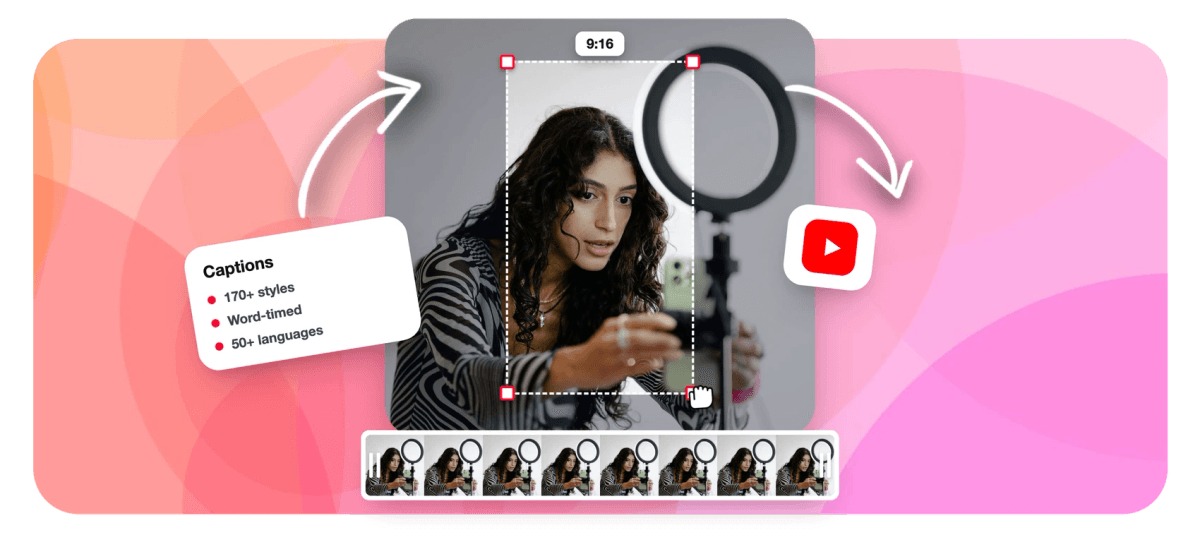
A YouTube Shorts caption generator has a narrow job: put the right words on screen at the right moment, big enough to read on a phone and clear of the Shorts interface. EchoWave transcribes your vertical video with word-level timing, so captions can appear one word at a time instead of as a static subtitle block, then lets you choose from 170+ presets built for portrait. The captions are burned into the picture, so they show for everyone whether or not they tap CC. Cutting Shorts from a long upload? The AI Shorts generator captions them as it finds them. For long-form uploads, the YouTube subtitle generator is the better fit.
-
170+
Caption presets, including karaoke, word punch and boxed styles
-
1-5 words
Words per caption cue, from single-word pops to short phrases
-
50+
Languages for automatic transcription, detected for you
-
80+
Languages you can translate captions into, editable after
What you get
Captions built for the Shorts feed
Timing, style and placement tuned for a phone held vertically.
-
Timed to Every Word
The transcript carries a timestamp for each word, so captions follow your speech exactly. Choose a single word per cue for the punchy Shorts look or up to five for calmer explainer content.
-
170+ Presets for Portrait
Karaoke fills, highlight pills, thick outlines and word-punch styles are ready to apply in one click. Browse the full range on the animated captions page and keep one look across your channel.
-
45 Word Animations
Decide how each word arrives: reveals, karaoke behaviors, staggered cascades or looping motion. Movement draws the eye in a fast feed without turning the captions into noise.
-
Keyword Highlights and Emoji
Smart captions color the important words in an accent shade and can add fitting emoji automatically, which helps a scroller catch the point of a Short in the first second.
-
Fix Words Without Losing Timing
Each caption cue is a row with its own play button. Correct a misheard name, nudge timing in 0.1-second steps or snap an edge to the playhead, and the rest of the track stays in sync.
-
Translate for Other Audiences
With Pro, translate captions into 80+ languages, or show two languages in one caption box with bilingual subtitles, so a Short can travel beyond the language you recorded in.
-
Burned In, Plus SRT on Paid Plans
Export the Short with captions baked into the picture for the feed, and on a paid plan download SRT, VTT or TXT files of the same captions when you also want a separate track for the long-form video.
-
Vertical Canvas, Ready to Upload
Work on a 9:16 canvas from the start, resize a landscape clip to vertical if needed, and export an MP4 ready for the Shorts uploader with captions placed where thumbs and buttons will not cover them.
How it works
How to add captions to YouTube Shorts
Four steps from a silent Short to one that reads on mute.
-
Upload Your Short
Drop in the vertical video file. If it is still landscape, switch the canvas to 9:16 before captioning so placement is right from the start.
-
Generate the Captions
Run auto transcription. The language is detected for you, and every word arrives with its own timing on the caption track.
-
Pick a Style and Fix Words
Apply a preset, set words per cue, turn on keyword highlights, then scan the cue rows and correct any names or terms the transcript misheard.
-
Export and Upload
Export the MP4 with captions burned in and upload it to Shorts. Free exports are 720p with a small watermark; paid plans remove it and export 1080p or higher.
Who uses it
Who captions Shorts with EchoWave
-
Talking-head creators
Single-word pops keep a fast monologue readable for viewers who never turn the sound on.
-
Tutorial channels
Two or three words per cue with keyword highlights make quick how-to steps easy to follow.
-
Podcast channels
Caption each episode Short in the show's house style so clips look like one series in the feed.
-
Multilingual creators
Post the same Short with translated or dual-language captions to reach viewers outside your home language.
-
Brand channels
Lock one caption preset and accent color so every product Short matches the brand guide.
-
Educators
Caption short lesson clips so students can follow along in a library, a commute or a lecture hall.
Make your next Short readable on mute
Word-timed captions in 170+ styles, burned in and ready for the Shorts uploader. Free to start.
How creators use EchoWave in real projects

About the EchoWave team
EchoWave is a browser-based video and audio editor built by Lemon Vault LLC since 2018. The people who build the editor write these guides and test every step in the production app before publishing.
YouTube Shorts captions FAQ
How do I add captions to YouTube Shorts?
Upload the Short to EchoWave, run automatic transcription, and captions appear on the timeline timed to each spoken word. Choose one of the 170+ presets, set how many words show per cue, correct any misheard words in the cue list, and export the MP4 with the captions burned in. Then upload that file to YouTube Shorts as usual. Because the captions are part of the picture, every viewer sees them in the feed without turning on closed captions.
Should I burn captions into a Short or upload a caption file?
For Shorts, burned-in captions are the safer default. They display identically on every phone, they can use bold animated styles that a caption file cannot, and they reach the large share of viewers who scroll with the sound off and never tap CC. A caption file is still useful as a searchable text track, so a paid plan lets you download SRT or VTT from the same transcript. Many channels burn captions into the Short and keep the file for their long-form uploads.
What caption style works best on YouTube Shorts?
Large, high-contrast text with few words on screen at once tends to read best on a small vertical screen. One to three words per cue suits fast speech, while a short phrase works for calmer explanations. Karaoke-style fills and keyword highlights guide the eye to the word being spoken. Whatever you pick, keep it consistent across your channel so viewers recognize your Shorts. EchoWave's presets let you apply a full look in one click and reuse it on the next upload.
Where should captions sit on a YouTube Short?
Keep captions away from the bottom of the frame, where the title, channel name and buttons overlay the video, and away from the right edge, where the like and comment buttons sit. A position around the middle or lower middle of the frame is usually clear. EchoWave's vertical presets start in a readable position, and you can drag captions anywhere on the 9:16 canvas while previewing the Short, so you can check placement before exporting rather than after uploading.
Can I caption Shorts in languages other than English?
Yes. Automatic transcription works in 50+ languages and detects the spoken language for you, with right-to-left scripts and languages like Thai, Chinese and Japanese wrapped correctly. With Pro you can also translate captions into 80+ languages and edit the result, or show the original and the translation together in a single caption box. That makes it practical to publish one Short for viewers in two markets without recording it twice.
How do I fix mistakes in auto-generated captions?
Open the caption cue list, where each line has a play button so you can hear exactly what was said. Edit the text of any cue to fix a misheard word or a product name, nudge a cue's start or end in 0.1-second steps, or snap an edge to the playhead. Corrections keep the word timing for the rest of the track. For a name that appears often, fix it once per cue as you play through; a 60-second Short usually takes a minute or two to review.
How do I make captioned Shorts from a longer video?
If the Short does not exist yet, start with the AI clip tools instead of cutting by hand. Upload the long video and EchoWave finds the strongest moments, frames them vertically with on-screen speaker detection, and captions every clip word by word. You get a ranked set of Shorts with titles and hashtags, plus Echo, the AI editor, for notes like bigger captions on every clip. The video to Shorts converter covers that path in detail.
Is the YouTube Shorts caption generator free?
Yes, it is free to start. Transcription, all caption presets, animations and editing are available on the free plan, and free exports are 720p with a small EchoWave watermark. Paid plans remove the watermark and raise export quality: Creator exports 1080p, Pro exports 4K at up to 60fps, and Ultra goes to 8K. Since YouTube Shorts accepts uploads up to 1080p vertical, Creator covers Shorts fully for most creators.
Captions that read on every Short
Word-timed auto captions in 170+ styles, burned in for the Shorts feed.
Get Started →























































