
Podcast to Shorts Without Scrubbing the Episode
Upload one episode, video or audio, and EchoWave finds the best moments, frames both hosts for vertical video and burns in word-timed captions, all in a single pass.


Podcast to Shorts Without Scrubbing the Episode Features
EchoWave's podcast tools are used by podcasters, producers and show editors worldwide





Episode clipping
Stop rewatching 90 minutes to find 60 good seconds
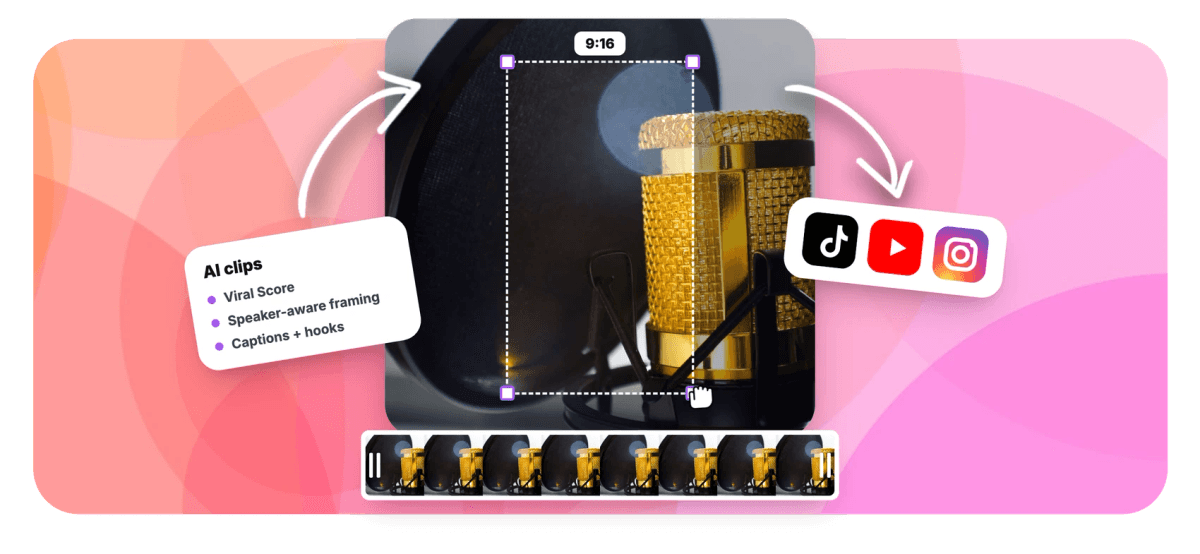
Converting a podcast to shorts by hand means scrubbing a full recording for three usable moments, then fighting a vertical crop that keeps cutting off one host. EchoWave analyzes the whole episode, video or audio, over a word-timed episode transcript plus audio energy, reaction peaks and speaking turns, and hands back a ranked grid of candidates. The podcast preset tunes the highlight rubric for conversation, and on-screen speaker detection (lip movement matched to the voice) keeps both faces framed in 9:16. Every clip opens as a normal project, so you can polish it in the video editor for podcasters, restyle the animated captions, or run a lighter pass with the podcast clip maker.
-
30 min free
Analysis minutes included every month on the free plan, no credit card
-
~99 languages
Transcription auto-detects the episode's language, clip titles match it
-
0-100
Viral Score per clip with Hook, Clarity, Emotion, Value and Trend sub-scores
-
1-30 clips
Set an exact clip count per run or let the engine decide from the episode
What you get
Built for how podcasts actually clip
A highlight engine tuned for conversation, camera layouts for hosts, and captions that survive the mute button.
-
Podcast Genre Preset
Choose the podcast or interview preset and the highlight rubric scores back-and-forth exchanges, strong hooks and payoffs instead of generic peaks, so the grid surfaces moments a listener would actually quote.
-
Split Layout for Two Hosts
The Split layout stacks both hosts in one vertical frame, so nobody gets cropped out mid-laugh. Follow speaker, Grid and Picture in picture cover panels and remote guests, see split screen podcast clips.
-
Viral Score With Reasons
Every candidate carries a 0-100 Viral Score, five sub-scores and a plain-English reason like "strong hook" or "big reactions". You sort a full episode of options in seconds, not a black-box rank you have to trust blind.
-
Word-Timed Captions Included
Captions land word by word in any of 60+ presets, karaoke, boxed or Hormozi-style word punch, sized for portrait. Names and phrasing come from the episode transcript, and you can fix any word in the editor before export.
-
Audio-Only Episodes Work Too
No camera footage? Upload the MP3 and EchoWave finds highlights from the transcript and audio energy, then builds each moment into a captioned vertical clip, the same path as podcast to video.
-
Every Aspect in One Pass
Cut the same moments to 9:16 for YouTube Shorts and TikTok, 1:1 or 4:5 for feeds, and 16:9 for the channel. The smart camera reframes each ratio instead of applying one dumb center crop.
-
Change Every Clip in One Request
Ask Echo, EchoWave's AI editor, for bigger captions on every clip, a new title for #1 or a shorter cut of #4, right on the results page. It applies the change, and undoing it is one more request.
-
Clips You Can Keep Editing
Each clip becomes an ordinary EchoWave project, and every camera move is a normal keyframe. Trim a breath, swap the caption style, adjust a shot, then export, no locked renders you cannot touch.
How it works
How to turn a podcast to shorts
From raw episode to a batch of post-ready vertical clips in four steps.
-
Upload the Episode
Add the video or audio episode from your device, your library, a direct media link or an existing project. Transcription starts immediately and auto-detects the language.
-
Set the Podcast Preset
Pick the podcast genre, choose Short, Medium, Long or a custom length, set a clip count from 1 to 30 or leave it on auto, and select 9:16 for vertical.
-
Review the Ranked Grid
Sort clips by Viral Score, read the reasons, type "Find moments about" a topic to search the transcript, and add a custom clip from any range on the source strip.
-
Export or Keep Editing
Bulk-select the winners and export them all, or open any clip in the full editor to adjust framing and captions first. Free exports are 720p with a small watermark, Pro renders 4K.
Who uses it
Who turns episodes into shorts with EchoWave
-
Co-hosted video podcasts
Two hosts on camera get a stacked split frame automatically, so nobody disappears when the crop goes vertical.
-
Audio-only shows
Narrative and chat podcasts recorded without cameras become captioned vertical clips built from the transcript and audio energy.
-
Podcast producers
Editors running multiple shows batch clips the day an episode drops, with workspace-scoped jobs the whole team can see.
-
Interview podcasters
The camera follows whoever is answering, detected by lip movement matched to the voice, so guest moments stay in frame.
-
Solo commentary hosts
Talking-head episodes get punchy word-timed captions and AI titles under 60 characters, ready for Shorts and TikTok.
-
Irregular publishers
Monthly minutes reset on plan, and the free tier covers 30 minutes a month, so slow weeks cost nothing.
Your next episode has clips in it
Upload it once and get a ranked grid of framed, captioned vertical clips, free to try with 30 analysis minutes a month.
What creators say after trying EchoWave

About the EchoWave team
EchoWave is a browser-based video and audio editor built by Lemon Vault LLC since 2018. The people who build the editor write these guides and test every step in the production app before publishing.
Podcast to shorts FAQ
How do I turn a podcast into shorts?
Upload the episode to EchoWave, video or audio, and pick the podcast genre preset. The AI transcribes the recording, then scores moments using the word-timed transcript plus audio energy, reaction peaks and speaking turns. You get a ranked grid of clips, each with a Viral Score, an AI title, a hook line, hashtags and timestamps. Choose 9:16 framing, pick a caption style, then bulk-select the clips you want and export. Any clip can be opened in the full editor first if you want to trim or restyle it.
Is there a free AI tool to convert podcasts to Shorts?
Yes. EchoWave's free plan includes 30 analysis minutes every month with no credit card required, enough to test the workflow on a real episode segment or a short show. Free exports carry a small watermark and are capped at 720p. Creator raises exports to 1080p with 180 analysis minutes a month, Pro renders 4K with 600 minutes, and Ultra includes 3,000 minutes for teams. Minutes are counted per workspace, so a shared team pool covers every show in it.
How long should a podcast clip be for YouTube Shorts?
YouTube's Shorts creation tools support videos up to 3 minutes long, but most strong podcast clips land well under that. EchoWave's presets give you Short at 15 to 30 seconds, Medium at 30 to 60 and Long at 60 to 90, or set a custom range. Short works for one-liner reactions, Medium suits a complete exchange between hosts, and Long fits a full story with setup and payoff. Auto mode lets the engine pick the natural boundaries of each moment instead of forcing a fixed length.
Can I make shorts from an audio-only podcast?
Yes. Upload the MP3 or any audio file and EchoWave transcribes it, then finds highlights from the transcript combined with audio signals like energy shifts, laughter and silences. Each selected moment becomes a vertical video project with word-timed captions carrying the visual load, plus an AI title overlay and hashtags. Because every clip is a normal EchoWave project, you can add images, colors or text in the editor before exporting, no camera footage required at any point.
How do you clip a two-person podcast for vertical video?
The usual failure is a center crop that amputates one host. EchoWave's smart camera detects faces and identifies who is talking through on-screen speaker detection, lip movement matched to the voice, then either cuts between hosts on their turns or stacks both in the Split layout, a two-up frame built for co-hosted shows. The camera keeps subjects at eye level, moves with a dead zone and capped pan speed, and never pans across a scene cut. Every move is an editable keyframe if you want to adjust a shot.
What size should a podcast clip be for TikTok?
TikTok is a vertical feed, so export at 9:16, which EchoWave sets with one click alongside 1:1, 4:5 and 16:9 options. The reframe is not a static crop: the camera follows the active speaker or holds a Split layout so both hosts stay visible in the tall frame. Word-timed captions are sized for portrait so they read clearly on a phone with the sound off. You can generate the same moments in multiple ratios and export each as its own file.
How many clips can you get from one podcast episode?
You choose. Set an exact number from 1 to 30 per run, or leave the count on auto and let the engine surface every moment that clears its bar, which for a 45 to 90 minute conversational episode is often eight or more solid candidates. Each arrives ranked by Viral Score so the strongest sit at the top. You can also analyze only a time range, boost specific keywords, or type a "Find moments about" prompt to pull clips on one topic.
Do podcast clip makers add captions automatically?
EchoWave does, and they are word-timed rather than line-timed, so each word appears as it is spoken. Choose from more than 60 caption presets including karaoke, boxed and Hormozi-style word punch, all sized for portrait video. Because captions come from the episode transcript, you can correct a misspelled name or a dropped word directly in the editor before export instead of re-rendering blind. The AI title overlay and 3 to 6 suggested hashtags are added per clip in the video's own language.
Record once post all week
Turn one podcast episode into a batch of framed, captioned vertical clips with 30 free analysis minutes a month.
Get Started →























































