
Talking Head Video Clipper With Hook Scores
Upload one long take to camera. The AI scores every moment for hook strength, writes the title overlay, and cuts captioned vertical clips you can edit shot by shot.


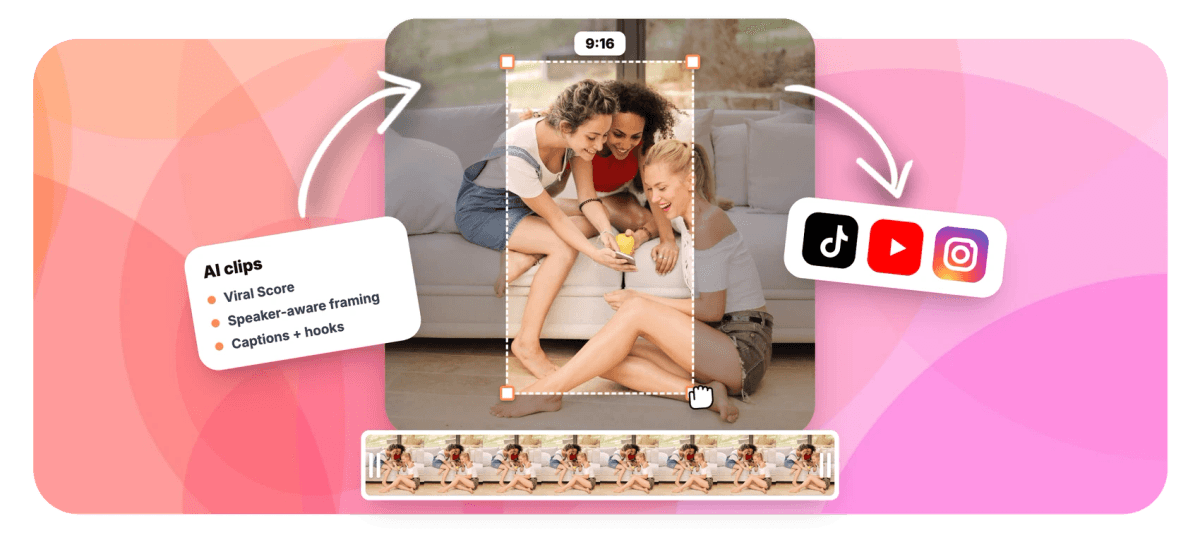
Talking Head Video Clipper With Hook Scores Features
EchoWave's clip generator tools are used by solo creators, coaches, and podcast hosts worldwide





Solo creator clips
The best 20 seconds is a claim, not a timestamp
A talking head video clipper only earns its keep if it can tell a throwaway sentence from the claim that stops a scroll. EchoWave reads the word-timed transcript of your recording, listens for delivery signals like energy peaks and pauses, and scores every candidate moment 0 to 100 with Hook, Clarity, Emotion, Value and Trend sub-scores plus a stated reason. Each clip arrives with an AI title under 60 characters, so the title overlay states your claim up front before a viewer decides to keep watching. Pair it with the AI hook generator for openers, the clip title generator for variants, and animated captions for styling.
-
0-100
Viral Score per clip, built from Hook, Clarity, Emotion, Value and Trend sub-scores with a plain-English reason
-
≤60 chars
AI title per clip, plus a hook line, description and 3-6 hashtags, all written in the language you spoke
-
1-30 clips
Choose exactly how many clips one recording yields, or let auto decide from the material
-
~99 languages
Transcription auto-detects the spoken language, so scoring and titles work far beyond English
What you get
Everything a solo creator needs to clip alone
When there is no editor to review your footage, the tool has to do the second-opinion work: find the moment, explain the pick, and frame it for vertical video.
-
Hook Scores With Reasons
Every candidate clip gets a 0 to 100 Viral Score with Hook, Clarity, Emotion, Value and Trend sub-scores and a stated reason like strong hook. You see why a moment ranked, not just that it did.
-
Title Overlay Written for You
Each clip ships with an AI title of 60 characters or fewer that states your claim up front, plus a hook line, description and 3-6 hashtags, generated in the language you recorded in.
-
Search Your Own Claims
Type a prompt like find moments about pricing objections and the search scans the word-timed transcript for every stretch where you made that claim or told that story, then surfaces the strongest versions.
-
Talking Head Genre Preset
Pick the talking head preset and moment detection tunes for one voice: clean claims, proof, punchlines and delivery peaks, rather than the back-and-forth signals it would weight in an interview or podcast.
-
Framing That Suits One Face
Fill center crop and Follow speaker layouts keep a single webcam subject at eye level with smoothed, operator-style movement, so a static solo take converts to 9:16 without drift or dead space.
-
Captions Sized for Vertical
Word-timed captions apply in any of 60+ presets, including word-punch and karaoke styles built for portrait. Restyle them per platform with the TikTok caption generator after the clips land.
-
Tighten a Clip by Asking
Tell Echo, EchoWave's AI editor, "make #2 shorter" or "new title for #1" and it reworks that clip on the spot. Solo creators rambling past the point get a second editor that never needs a brief.
-
Real Projects, Not Locked Renders
Every clip opens as an ordinary EchoWave project. Camera moves are plain keyframes you can adjust shot by shot, and the text-based video editor lets you trim by deleting words.
How it works
How to clip a talking head video
From raw webcam recording to scored, captioned shorts in four steps, with no timeline scrubbing.
-
Upload Your Recording
Drop in the long take from your files, pick it from your library, paste a direct media link, or start from an existing project. Transcription auto-detects the language across roughly 99 options.
-
Set Preset, Length, and Count
Choose the talking head genre preset, a clip length (Short 15-30 s, Medium 30-60 s, Long 60-90 s, or a custom range), 1 to 30 clips, and 9:16 for vertical video.
-
Review the Ranked Grid
Read each Viral Score, its sub-scores, and the reason it was picked. Search for moments about a claim you remember making, boost keywords, or add a custom clip from any range on the source strip.
-
Export or Keep Editing
Bulk select clips to create projects and exports at once, or open one in the editor first. Free exports carry a small watermark at 720p; Creator renders 1080p and Pro renders 4K.
Who uses it
Made for people who talk to a camera
-
Solo YouTubers
Turn a 40-minute video essay into the three clips most likely to hook a scroller in the first second.
-
Coaches and consultants
Cut a 60-minute webinar recording into five personal-brand shorts, each opening on a different specific claim.
-
Podcast hosts with a video feed
Clip the webcam version of an episode into highlights, with the title overlay already stating the takeaway.
-
Educators and course creators
Pull the clearest explanation from a recorded lecture and post it as a captioned vertical teaser.
-
Comedians and hot-take creators
Use the comedy preset to catch punchlines and reaction peaks a manual scrub through raw footage would miss.
-
Back-catalog miners
Search old long recordings for every telling of one story, then clip the strongest version for a new post.
Your next short is already recorded
Upload the take, read the scores and reasons, and export clips with the hook labeled and the title written.
How creators use EchoWave in real projects

About the EchoWave team
EchoWave is a browser-based video and audio editor built by Lemon Vault LLC since 2018. The people who build the editor write these guides and test every step in the production app before publishing.
Talking head video clipper FAQ
How do I clip a talking head video?
Open EchoWave's clip generator and upload your recording, or pick it from your library or an existing project. Choose the talking head genre preset, a clip length, how many clips you want, and 9:16 for vertical. The AI transcribes the video, scores candidate moments on Hook, Clarity, Emotion, Value and Trend, and returns a ranked grid. Each clip comes back framed, captioned, and topped with an AI title. Open any clip in the full editor to adjust it, then export, or bulk select and export several at once.
Can AI find the best hook in my video automatically?
Yes, and Hook is a dedicated sub-score rather than a bolt-on. A language model reads the word-timed transcript while audio analysis tracks energy, reaction peaks, silences, and scene cuts, so a strong opening line delivered with energy scores higher than the same words mumbled. Each clip carries a plain-English reason, such as strong hook, which matters for solo creators, who are often the worst judges of their own openers. You get a second opinion with the logic stated, then you make the call.
What's the best clip length for a talking head video on Shorts or Reels?
It depends on the moment, which is why EchoWave offers presets instead of one fixed duration. Short (15-30 s) suits a single sharp claim or punchline. Medium (30-60 s) fits a claim followed by proof, the classic personal-brand structure. Long (60-90 s) works for a complete story with a payoff. You can also set a custom range or leave length on Auto, and the AI sizes each clip to where the moment naturally starts and ends rather than cutting at round numbers.
How do I add a title overlay to my clips automatically?
You don't have to do anything: every clip the generator produces includes an AI title of 60 characters or fewer, written from what you actually said and rendered as an overlay sized for portrait. Stating the claim up front is what makes a scroller stay, and designing that card by hand for every clip is the tedious part this removes. Because each clip is an ordinary EchoWave project, you can open it and change the wording, font, color, or position of the title like any other layer.
Is there a free tool to clip talking head videos?
Yes. EchoWave's free plan includes 30 minutes of analysis per month, enough to test the clipper on a real recording or two. Free exports carry a small watermark and are capped at 720p. Paid plans raise both limits: Creator analyzes 180 minutes a month and exports 1080p, Pro analyzes 600 minutes and exports 4K, and Ultra covers 3,000 minutes for teams with workspace-scoped jobs and shared minutes.
How do I know which part of my video will actually get watched?
No tool can guarantee views, and EchoWave does not pretend to verify whether a claim is true. What it does is score likely-strong moments from evidence: the transcript's language, plus delivery signals like energy peaks, pauses, and pacing. The five sub-scores let you weigh trade-offs yourself, for example a clip with a huge Hook score but middling Clarity versus a slower open with high Value. Because every pick includes a stated reason, you learn what the model saw, and over time you get sharper at judging your own footage.
Can AI write titles and hashtags for my clips?
Yes. Alongside the cut itself, each clip gets an AI title under 60 characters, a hook line, a description, 3-6 hashtags, keywords, a transcript excerpt, timestamps, and its duration. Everything is written in the video's own language, so a recording in Spanish gets Spanish titles, not translations. That means each short arrives ready to caption a post, and you can rewrite any of it in the editor if you want a different angle on the same claim.
How do I find a specific claim or story in a long recording?
Use the prompt search. Type what you're after, for example find moments about imposter syndrome, and the AI searches the word-timed transcript of the whole recording for every stretch that matches, then ranks the results. You can also boost specific keywords, restrict analysis to a time range if you know roughly where you said it, or drag a custom clip from any point on the source strip. It turns a back catalog of long webcam recordings into something you can query like notes.
Your best moment already recorded
Upload the long take and get scored, titled, captioned clips back in minutes.
Get Started →























































