
Fotoğrafa Müzik veya Ses Ekle
Hareketsiz bir fotoğrafı ve bir şarkıyı her yerde paylaşabileceğin bir videoya dönüştür. Bir fotoğraf ve ses dosyası yükle ya da telif hakkı olmayan bir parça seç; ardından EchoWave'in çevrimiçi video editörüyle Instagram, TikTok, WhatsApp veya YouTube için MP4 dışa aktar. Başlamak ücretsiz, indirme yok ve telefonunda da çalışıyor.


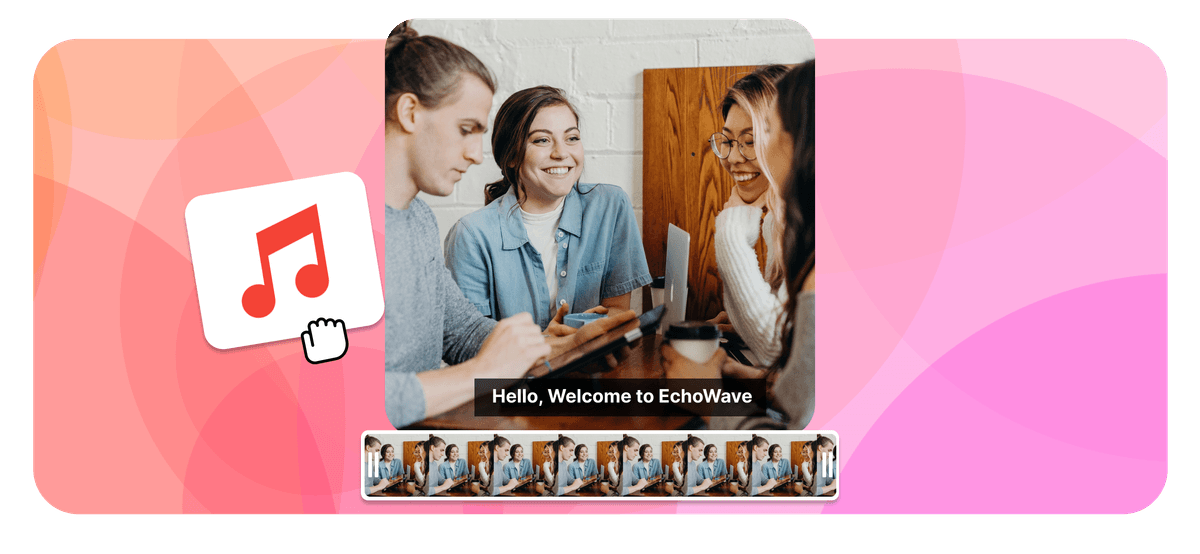
Fotoğrafa Müzik veya Ses Ekle Features


EchoWave, dünya genelinde binlerce işletme tarafından kullanılıyor





Fotoğrafa müzik nasıl eklenir
Üç basit adımla hareketsiz bir fotoğraftan paylaşıma hazır bir videoya ulaşırsın; hepsi tarayıcında.
-
1. Fotoğrafını yükle
Bir JPG, PNG, WebP ya da iPhone HEIC fotoğrafını editöre sürükle bırak. Bir tuval boyutu seç (9:16 dikey, 1:1 kare veya 16:9 geniş ekran) ya da tuvalin görüntüne otomatik uymasını sağla.

-
2. Müzik veya sesini ekle
MP3, WAV veya M4A yükle, telif hakkı olmayan kütüphaneden bir şarkı seç ya da AI seslendirme oluştur. Sesi istediğin bölüme kırp, sesi ayarla ve sesin görünmesini istiyorsan bir müzik görselleştirici ekle.
-
3. Dışa aktar ve paylaş
Dışa Aktar'a tıkla; EchoWave, şarkının tüm süresi boyunca fotoğrafını gösteren bir MP4 video oluşturur. İndir ve Instagram, TikTok, WhatsApp veya YouTube'da paylaş.
İnsanlar EchoWave hakkında ne söylüyor
Photo + audio = video
Why adding sound to a photo makes a video
Image files like JPG and PNG cannot hold sound, because there is no audio track inside a photo. EchoWave does what every professional tool does and merges your picture and your audio into an MP4 video. Your photo stays on screen for the full length of the track, and the result plays anywhere a video plays, from Instagram and TikTok to WhatsApp, YouTube, and your camera roll.
Any photo plus any song becomes an MP4 that plays everywhere
-
10+ image formats
including iPhone HEIC
-
12+ audio formats
MP3, WAV, M4A and more
-
Up to 4K export
-
Files up to 1 GB
The full toolkit
More than a photo audio mixer
EchoWave is a complete online editor, so adding a song to a picture is just the start. Everything below works on the same canvas, with no extra apps.
-
Use your own audio
Upload an MP3, WAV, or M4A. It can be a song, a voice note, or a podcast clip. If you can play it, you can put it on a photo.
-
Royalty-free music library
No track on hand? Browse built-in royalty-free background music and add it to your photo without copyright worries.
-
Music visualizers
Add an animated waveform or spectrum that moves with the beat, so your still photo never looks static.
-
AI voiceover
Type a script and lay a natural AI voice over your picture, with no microphone needed. Great for narrated posts and tributes.
-
Trim, fade, and mix
Cut the audio to the exact section you want, set the volume, and fade in or out for a clean finish.
-
Subtitles and text
Add captions and titles over your image, which is ideal for feeds that autoplay on silent.
-
Any aspect ratio
One click switches the canvas between 9:16, 1:1, and 16:9, framing your photo for the platform you're posting to.
-
HD and 4K export
Export a crisp MP4. Free exports carry a small EchoWave watermark, and paid plans remove it and unlock 4K.
Built for sharing
The right size for every platform
A photo with music only works if the platform accepts the file. Pick a preset and EchoWave frames your picture to fit.
-
9:16 Vertical
- TikTok
- Instagram Reels & Stories
- YouTube Shorts
- WhatsApp Status
-
1:1 Square
- Instagram feed
- X
-
16:9 Widescreen
- YouTube
- presentations
- web
| Platform | Best size | Max length | Good to know |
|---|---|---|---|
| Instagram Reels | 9:16 · 1080×1920 | 3 min | Under 90 seconds tends to reach further |
| Instagram Story | 9:16 · 1080×1920 | 60 s per card | Longer videos split into cards |
| TikTok | 9:16 · 1080×1920 | 10 min | Keep mobile uploads under 287 MB |
| YouTube Shorts | 9:16 · 1080×1920 | 3 min | 9:16 is required for the Shorts shelf |
| WhatsApp Status | 9:16 | 90 s | Keep the file under 16 MB |
| YouTube | 16:9 · 1920×1080 | Up to 12 hours | The standard for full uploads |
Platform limits as published, June 2026.
Ideas
What people make with one photo and one song
-
Share a song with cover art
Put album or single artwork behind a track and post your music to YouTube, Reels, or TikTok.
-
WhatsApp status with music
A photo with background music makes a 90-second status that friends stop to hear.
-
Birthday & anniversary wishes
Put their favourite song on a photo and send a greeting that feels like a gift.
-
Memorial tributes
Pair a treasured photo with a meaningful piece of music for a respectful, shareable remembrance.
-
Podcast & audio clips
Turn a quote from an episode into a photo and waveform clip, also known as an audiogram.
-
Voice notes on photos
Merge a photo and audio of a recorded message to make a picture that speaks.
Any device
Add music to a photo on iPhone, Android, Windows, or Mac
EchoWave runs in the browser, so the steps are the same on every device and there is nothing to install from an app store.
-
iPhone (Safari)
Upload straight from your camera roll, and HEIC photos work without conversion. Add your song, export, and save the MP4 back to Photos. The built-in Photos app cannot export a video with a custom song, but this can.
-
Android (Chrome)
Android has no universal built-in photo-music tool. Open the editor in Chrome, upload your image and MP3, and download the finished video to your gallery.
-
Windows
Skip the project setup in the Photos app. Drag a picture and an MP3 into the browser editor, line them up, and export. There is nothing to install.
-
Mac (Safari or Chrome)
Faster than building an iMovie timeline for one image. Upload, add audio, and export an MP4 in about a minute.
Compare
How EchoWave compares to other photo and music tools
| Feature | EchoWave | Kapwing | Clideo | addmusictophoto.com |
|---|---|---|---|---|
| Works in the browser, no install | Yes | Yes | Yes | Yes |
| Royalty-free music library | Yes | Yes | No | No |
| Music visualizers on photos | Yes | No | No | No |
| AI voiceover (text to speech) | Yes | Yes | No | No |
| Subtitles & text styling | Yes | Yes | No | No |
| Aspect ratio presets (9:16, 1:1, 16:9) | Yes | No | Yes | No |
| iPhone HEIC photos | Yes | No | No | No |
| 4K export available | Yes | No | No | No |
| Image formats accepted | JPG, PNG, HEIC, WebP, GIF + more | JPEG, PNG | JPEG, TIFF, PNG, GIF | JPEG only |
Based on what each tool advertises on its own add audio to image page as of June 2026. A dash means the feature is not mentioned there. EchoWave's 4K export and watermark removal are part of paid plans.
Private by default
Uploads travel over an encrypted connection and live in your project, where only you can access them. They are only used to create your video, and you can delete projects whenever you like. Read more on our security page.
Add music to your photo now
Start free. Upload a picture and give it a soundtrack.

EchoWave ekibi hakkında
EchoWave, Lemon Vault LLC tarafından 2018'den beri geliştirilen tarayıcı tabanlı bir video ve ses düzenleyicisidir. Düzenleyiciyi geliştiren ekip bu rehberleri kendisi yazar ve yayımlamadan önce her adımı gerçek uygulamada test eder.
Sık Sorulan Sorular
Fotoğrafa çevrimiçi müzik ve ses eklemeyle ilgili hızlı yanıtlar.
Fotoğrafa müzik nasıl eklerim?
Fotoğrafını EchoWave editörüne yükle, bir ses dosyası ekle ya da telif hakkı olmayan kütüphaneden bir parça seç, ardından Dışa Aktar'a bas. Editör, fotoğraf ve sesi birleştirerek MP4 videoya dönüştürür. Fotoğrafın sesin tüm süresi boyunca ekranda kalır; indir ve paylaş.
Bir JPEG veya PNG fotoğrafında ses olabilir mi?
Hayır. JPEG ve PNG gibi görüntü formatları yalnızca piksel depolar; dolayısıyla bir fotoğraf dosyasının içinde ses parçası bulunmaz. Bir görüntüyü sesle birleştirmek için, hem görüntüyü hem de ses akışını barındıran bir video dosyası (genellikle MP4) oluşturman gerekir. Bu araç tam olarak bunu yapar.
Fotoğrafa ses eklemek ücretsiz mi?
Evet. EchoWave'in ücretsiz planı, fotoğrafa müzik veya ses eklemeye ve ödeme yapmadan video dışa aktarmaya olanak tanır. Ücretsiz dışa aktarmalarda küçük bir EchoWave filigramı bulunur; ücretli planlarda filigran kaldırılır ve 4K dışa aktarma açılır.
Videomda filigran olacak mı?
Ücretsiz planda evet, dışa aktarılan videolarda küçük bir EchoWave rozeti görünür. Filigramı kaldırmak istersen ücretli plana geçmek yeterli; ayrıca 4K dahil daha yüksek çözünürlük seçenekleri de açılır.
Hangi görüntü ve ses formatlarını yükleyebilirim?
Görüntüler: JPG, PNG, WebP, GIF, BMP, TIFF, SVG, AVIF ve iPhone HEIC/HEIF. Ses: MP3, WAV, M4A, AAC, OGG, Opus, FLAC, AIFF ve WMA. 1 GB'a kadar dosyalar desteklenir; tamamlanan video MP4 olarak dışa aktarılır.
Tamamlanan video hangi formatta olur?
MP4; en yaygın desteklenen video formatı. iPhone, Android, Windows ve Mac'te yerel olarak çalışır; Instagram, TikTok, YouTube, WhatsApp ve Facebook'a doğrudan yüklenebilir.
iPhone'da fotoğrafa müzik nasıl eklerim?
Safari'de EchoWave editörünü aç, kamera rulondan bir fotoğraf yükle (HEIC dönüştürme gerekmez), şarkını ekle ve dışa aktar. Apple'ın Fotoğraflar uygulaması yalnızca Apple Music parçalarıyla Anılar oluşturabilir ve bunlar dışa aktarılamaz; tarayıcı aracı ise istediğin her yerde kaydedip paylaşabileceğin gerçek bir MP4 üretir.
Android'de fotoğrafa müzik nasıl eklerim?
Android'de her cihazda çalışan yerleşik bir fotoğrafa müzik ekleme aracı yok. Chrome'da editörü aç, görüntünü ve MP3'ünü yükle, MP4'ü galerine indir. Kurulacak uygulama yok.
Instagram için müzikli fotoğraf nasıl yaparım?
Reels ve Hikayeler için 9:16 önayarını, gönderi akışı için 1:1 seç, parçanı ekle ve dışa aktar. En iyi erişim için Reels'ı 90 saniyenin altında tut; 3 dakikaya kadar da izin veriliyor.
WhatsApp durum videosu ne kadar uzun olabilir?
En fazla 90 saniye; dosya boyutu 16 MB'ın altında kalmalıdır. 9:16 dikey önayarını kullan, şarkını istediğin bölüme kırp ve dışa aktar. Sonuç doğrudan durumuna yüklenebilir.
Kendi MP3'ümü veya ses kaydımı kullanabilir miyim?
Evet. Sahip olduğun herhangi bir sesi yükleyebilirsin; bir şarkı, sesli not veya podcast klibi gibi. Ya da editör içinde metinden AI seslendirme oluşturabilirsin. Kırpabilir, sesi ayarlayabilir, solma efekti ekleyebilirsin.
Fotoğraf tüm şarkı boyunca ekranda kalır mı?
Evet. Varsayılan olarak video, sesin süresi kadar sürer ve fotoğrafın tüm süre boyunca görünür kalır. Ayrıca sesi önce kırpabilirsin; böylece video tam istediğin uzunlukta olur.
Fotoğraf müzikle hareket edebilir mi?
Evet. Bir müzik görselleştirici ekle; animasyonlu ses dalgası, çubuklar veya spektrum fotoğrafının üzerinde ritme göre tepki verir. Hareketsiz bir görüntüyü canlı hissettirmenin en kolay yolu budur.
Dosyalarım gizli mi?
Yüklemeler şifreli bir bağlantı üzerinden aktarılır ve yalnızca senin erişebildiğin projenin içinde saklanır. Dosyalar yalnızca videonuzu oluşturmak için kullanılır; istediğin zaman projeleri silebilirsin. Ayrıntılar için güvenlik sayfamıza göz at.
Fotoğrafına müzik eklemeye hazır mısın? Ücretsiz plan mevcut
Kredi kartı gerekmez. Ücretsiz dışa aktarmalarda küçük bir Echowave.io filigramı bulunur. Kaldırmak ve 4K'yı açmak için istediğin zaman yükselt.
Fotoğrafa müzik ekle →















