歌词视频制作工具
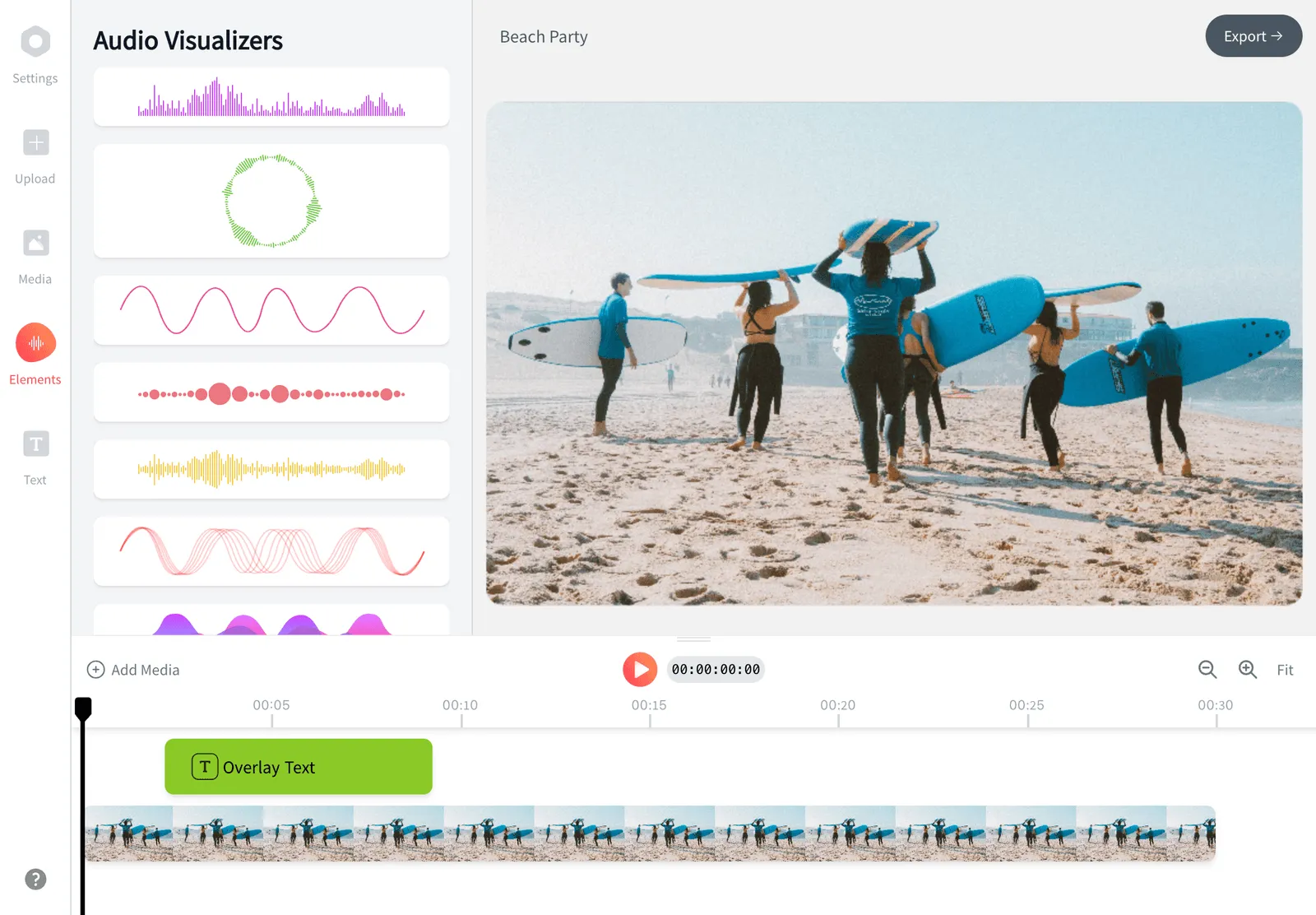
在浏览器中把一首歌做成完整的歌词视频。上传歌曲,这款 AI 歌词视频制作工具会自动为视频添加歌词,并让文字与节拍同步,你再设置字体、动画,以及背景或波形。无需剪辑基础,免费开始。


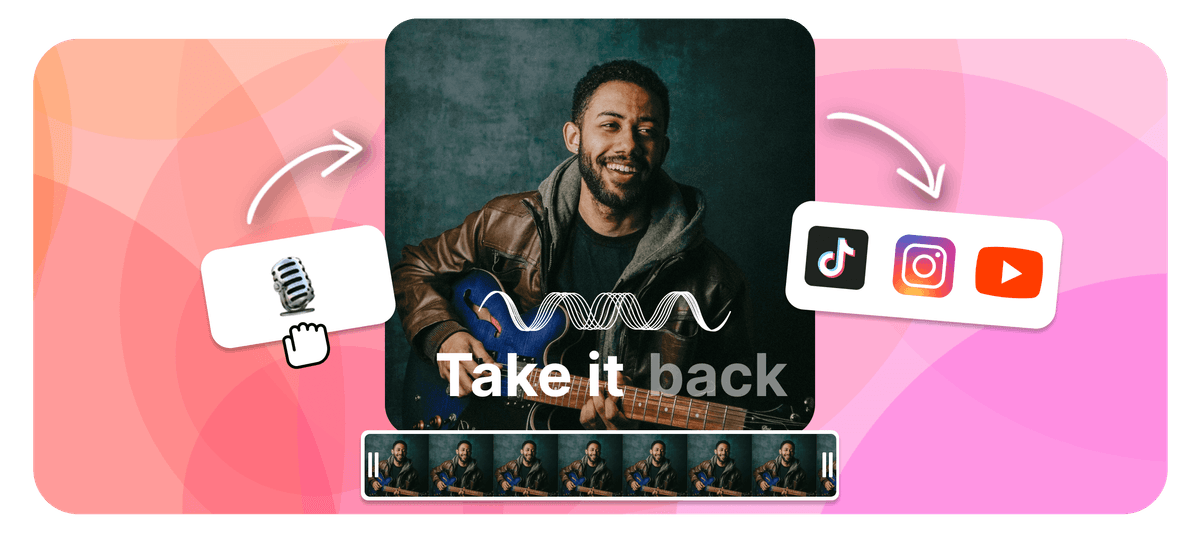
EchoWave is a free lyric video maker that runs online in your browser. To make a lyric video, upload your song, then add the words by typing them in or letting the AI lyric video maker transcribe and auto-sync them to the beat. Style the fonts and animations, add a background image, video, or waveform, set the aspect ratio, then export an MP4 right in your browser. As a lyrical video maker it works the same for any track, and it is free to start.
EchoWave 为创作者和播客主打造,在浏览器中即可剪辑视频与音频


如何进行歌词视频制作
只需四步,就能在浏览器中把一首原始歌曲做成完整的歌词视频。
-
1. 上传歌曲
拖入 MP3、WAV、M4A 或 AAC 文件。EchoWave 会读取音频并为添加歌词做好准备,无需下载任何软件。

-
2. 添加歌词(AI 或手动)
让 AI 自动转写歌曲并把歌词与音频对齐,也可以自己输入。无论哪种方式,你都能微调每一行的时间。
-
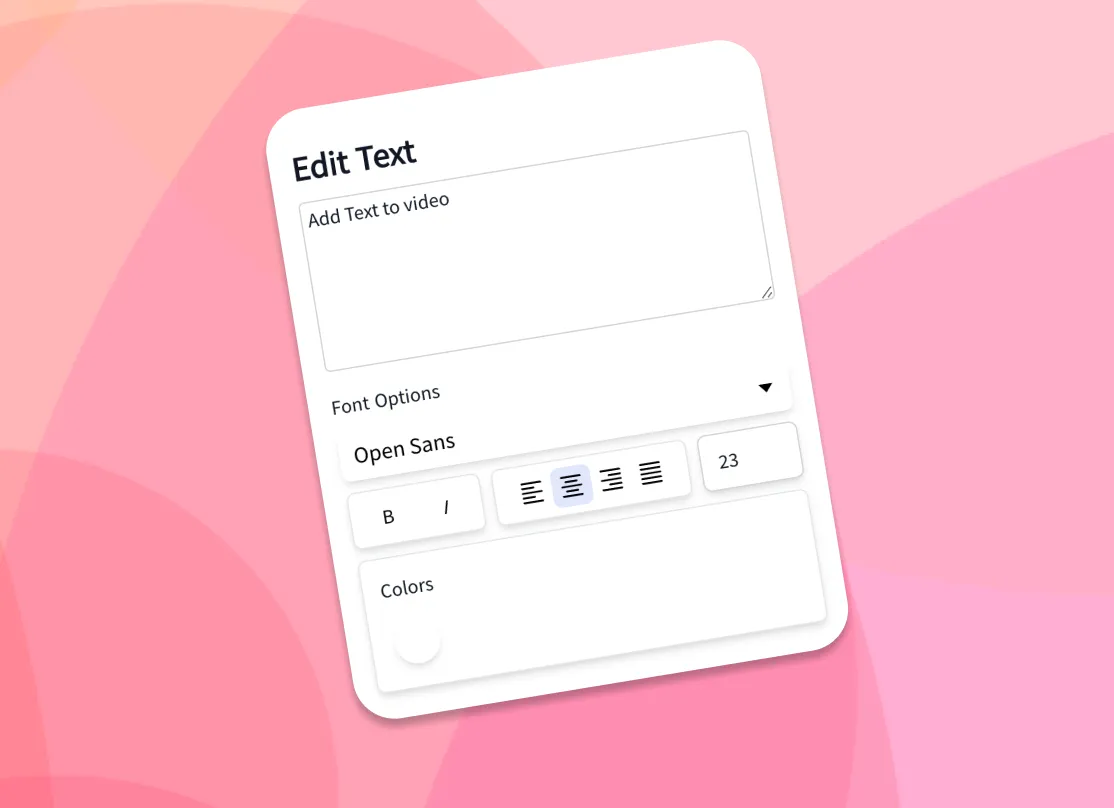
3. 设置文字和背景样式
选择字体、颜色和动画效果,再添加你自己的背景图片或视频,或者音乐可视化效果和波形。
-
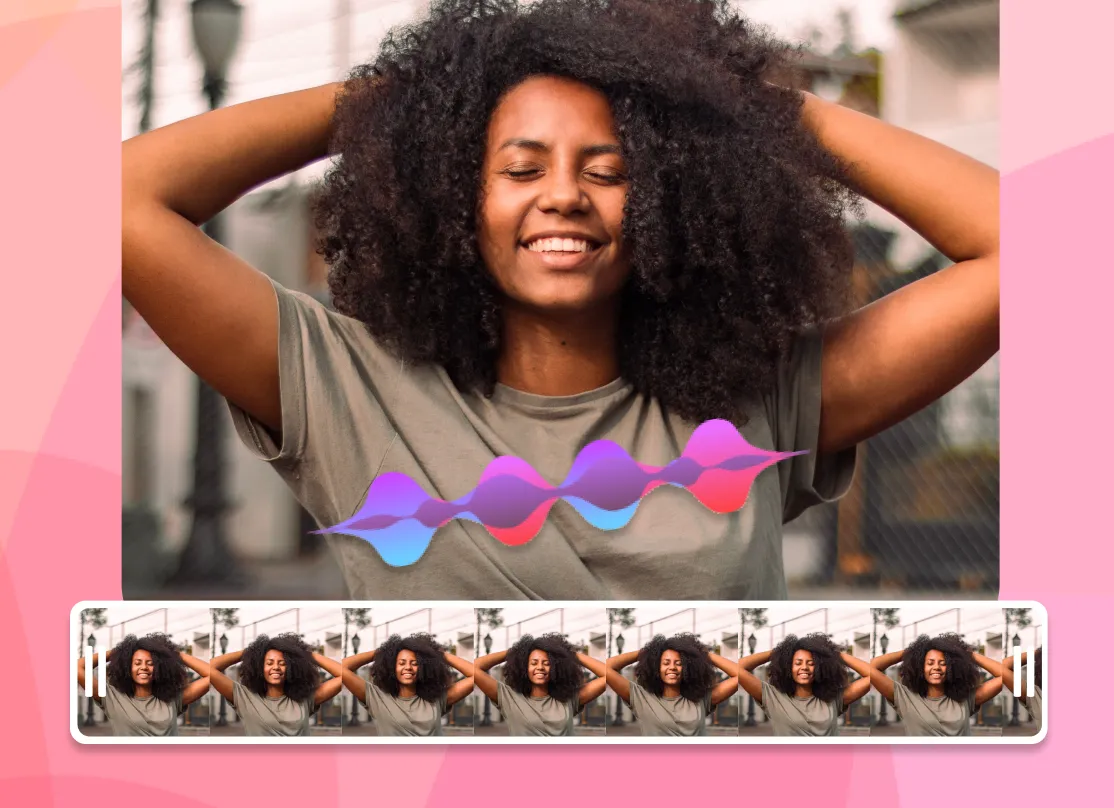
4. 导出 MP4
选择适合发布平台的画面比例,渲染并把歌词视频下载为 MP4,随时可以分享。
创作者如何在真实项目中使用 EchoWave
AI lyric video maker: auto lyrics generator and beat sync
The slowest part of making a lyric video by hand is typing the words and dragging each line so it lands when it is sung. As an auto lyrics generator, EchoWave's AI handles both. Drop in a song and the AI transcription listens to the vocals, writes out the lyrics, and time-stamps each line so the words appear in time with the audio. This is how you add lyrics to video automatically: the AI does the transcription and the sync, with no manual typing required. If you already have the lyrics, paste them in and the AI still aligns them to the track for you.
That auto-sync is what separates a real lyric video generator from a plain caption tool. You get a full first pass in seconds, then open the timeline to nudge any line that needs adjusting: shift a line a few frames, split a long line in two, or stretch a held note so the word stays on screen as long as the singer holds it. Auto transcription works best on clear lead vocals; dense mixes, heavy effects, or fast rap can need a few manual edits, which is why the line-by-line controls are always there.
Animate the lyrics so they move with the song
Static captions sit flat on the screen. Animated lyrics carry the energy of the track, and that is what people actually watch and share. EchoWave gives you a library of fonts, colors, outlines, and kinetic text effects, so words can fade, slide, pop, scale, or type on in time with the music. Pick a ready-made style to get a polished look in one click, or build your own and reuse it across every line for a consistent look from start to finish.
Because the text is tied to the synced timing, the animations land on the beat automatically. A few practical tips from making a lot of these: keep one or two lines on screen at a time rather than a full verse, use a font size large enough to read on a phone, and add a subtle shadow or outline so the words stay legible over a busy background. High contrast between the text and the backdrop is the single biggest factor in whether a lyric video reads well at a glance.
Backgrounds, waveforms, and visualizers
A lyric video is more than text, so EchoWave lets you set the backdrop however you like. Upload your own image or video background, or drop in a music visualizer or animated waveform that reacts to the track. Use album art, a brand color, a looping clip, or a gradient to match the mood of the song. You can layer more than one element too: a video background behind a waveform behind the lyrics. To add song lyrics to a photo online, set a still image as the background and let the words animate over it for a simple photo lyrical video.
For a clean, low-effort look, a single dark background with bright animated text reads well on every platform and keeps file sizes down. For a richer scene, a slow-moving video loop under a reactive waveform gives the frame motion even during instrumental sections. Everything renders into one MP4 with the audio baked in, so what you preview is exactly what you download.
免费开始
Supported formats and export specs
EchoWave accepts the common audio formats for your song, including MP3, WAV, M4A, and AAC, plus image backgrounds (JPG, PNG, WebP) and video backgrounds (MP4, MOV, WebM). The browser cannot always read every exotic codec the way a desktop app can, so if a file does not preview cleanly, re-saving it as a standard MP3 or MP4 usually fixes it.
Exports are H.264 MP4 with the audio muxed in, which plays everywhere and uploads directly to every social platform. Pick your aspect ratio before exporting so the video fills the frame instead of sitting in letterbox bars. Render time depends on the length of the song and the resolution; a typical three to four minute track exports in a couple of minutes. For most songs, 1080p is the right balance of quality and file size.
Sizes for TikTok, YouTube, Instagram, and Reels
Every platform wants a different shape, so set the canvas size up front and your lyric video fills the frame on upload:
- TikTok, Instagram Reels, and Stories: 9:16 vertical, 1080 by 1920.
- YouTube: 16:9 widescreen, 1920 by 1080, or 9:16 for Shorts.
- Instagram feed: 1:1 square (1080 by 1080) or 4:5 portrait (1080 by 1350).
- Facebook and X: 16:9 or 1:1 both work well in-feed.
The workflow is the same for all of them: upload the song, let the AI sync the words, style the text and background, choose the preset, and export. If you are posting the same song to several places, export the vertical 9:16 cut for short-form first, then duplicate the project and switch to 16:9 for the full YouTube version without redoing the timing.
Who uses a lyric video maker, and when
Independent musicians use a lyric video maker as the cheapest way to get a new single onto YouTube while the official music video is still in the works, since a lyric video can go live the same day a track drops. Labels and managers use them to push pre-saves and announce release dates. Creators and fans make them for favorite songs, covers, and karaoke-style clips. Podcasters and brands use the same workflow to turn an audio quote or jingle into a captioned clip for social.
A lyric video earns its place when the words matter and the budget or timeline does not allow a full shoot. It keeps a song discoverable on search and feeds, gives listeners something to watch, and is quick enough to make that you can ship one for every release. EchoWave runs in your browser, and you only pay if you want extras like removing the watermark or exporting at a higher resolution.

关于 EchoWave 团队
EchoWave 是一款浏览器端视频与音频编辑器,由 Lemon Vault LLC 自 2018 年持续开发。编辑器的开发团队亲自撰写这些指南,并在发布前于真实应用中测试每一个步骤。
常见问题
如何免费进行歌词视频制作?
EchoWave 是免费开始的歌词视频制作工具。上传歌曲,用 AI 自动同步或手动输入的方式添加歌词,设置字体和背景样式,然后导出并下载 MP4。免费开始,付费的主要附加项是去除水印和更高分辨率的输出。
如何自动为视频添加歌词?
EchoWave 的 AI 会转写歌曲,并把每一行自动与音频对齐,让歌词在演唱时出现。之后你可以在时间轴上微调任意一行的时间。
有免费的 AI 歌词视频制作工具吗?
有。EchoWave 的 AI 歌词同步、字体、动画和背景都可以免费使用,并且在浏览器中运行,无需下载任何软件。
可以添加我自己的背景图片或视频吗?
可以。上传任意图片(JPG、PNG、WebP)或视频(MP4、MOV、WebM)作为背景,也可以使用会随歌曲变化的动态波形或音乐可视化效果。
如何让歌词与音乐同步?
AI 在转写歌曲时会自动同步每一行。需要调整时,打开时间轴,平移、拆分或拉伸任意一行,让它恰好落在人声上。
可以自定义字体、颜色和动画吗?
可以。有多种字体、颜色、描边和动态文字效果,还有一键应用的现成样式,可以在每一行中重复使用。
EchoWave 支持哪些音频和视频格式?
支持 MP3、WAV、M4A 和 AAC 音频,以及用作背景的 JPG、PNG、WebP 图片和 MP4、MOV、WebM 视频。导出为包含音频的 H.264 MP4。
歌词视频在 TikTok、YouTube 和 Instagram 上应该用什么尺寸?
TikTok、Reels 和 Shorts 用 9:16(1080 x 1920);YouTube 用 16:9(1920 x 1080);Instagram 信息流用 1:1 或 4:5。EchoWave 为每种尺寸都提供了预设,导出前选一个即可。
歌词视频制作需要多长时间?
使用 AI 自动同步,一首三到四分钟的歌曲,几分钟就能做出初稿。设置样式和微调时间还需要多一点时间,具体取决于你想做得多精致。
可以制作适用于 YouTube 的歌词视频吗?
可以。标准的 YouTube 上传把画布设为 16:9,Shorts 则设为 9:16,然后导出 MP4 并上传。在完整的视频还在制作时,歌词视频是让新单曲尽快登上 YouTube 的快捷方式。
需要下载或安装任何软件吗?
不需要。这个歌词视频制作工具可在电脑和手机的浏览器中使用,无需安装任何东西。