
The 9 Best FlexClip Alternatives in 2026
FlexClip is cheap and template-rich, but every free export carries a forced branded intro on top of the watermark, and renders slow down on longer videos. EchoWave is our top pick: a browser video editor with no forced branding on its quick tools and 60-minute videos free. Free and cheaper picks are ranked below, including where FlexClip's templates and price still win.



The 9 Best FlexClip Alternatives in 2026 Features
Trusted by thousands of creators worldwide





Why people look for a FlexClip alternative
FlexClip is genuinely one of the cheaper templated editors, and its AI suite has grown fast through 2025 and 2026: text, image, and URL-to-video generation now pipes through third-party models like Hailuo, Kling, and Veo 3, on top of 6,000+ templates and a 4M+ stock library. The friction shows up once you actually export. The free plan forces a non-removable 3 to 4 second FlexClip-branded intro onto every video, on top of the watermark, and caps clips at 10 minutes. Even on paid Plus, stock usage is capped at 5 assets per project, and reviewers report exports slowing down noticeably on larger, higher-resolution projects.
Billing is the other recurring complaint: users describe being charged on renewal without advance notice and refunds refused per stated policy, and the single-track timeline feels thin once a project needs real layering, pushing some users toward Premiere, CapCut, or VEED instead.
We tested every alternative in the browser and checked pricing pages in August 2026.
TL;DR: EchoWave is the best overall alternative for a real multi-track timeline with no forced branding; Clipchamp if you want the most generous watermark-free free export; CapCut if trending templates matter more than a timeline.
The best FlexClip alternatives in 2026, ranked
Every pick tested in the browser. Prices checked August 2026.
- 1
EchoWave
Our pickBest overall for a real multi-track timeline with no forced branding on exports
FlexClip's free plan stacks two things onto every export: a watermark and a forced, non-removable 3 to 4 second branded intro, on top of a 10-minute length cap. EchoWave's free plan has neither: quick tools like trim, crop, and compress export clean with no watermark and no forced intro, and the full editor handles videos up to 60 minutes. Paid plans start at $9/mo billed annually, close to FlexClip's $11.99/mo Plus price, but add a proper multi-track timeline via the video editor, plus audio tools like the music visualizer and auto captions through the caption generator that FlexClip's single-track editor does not match.
The honest caveat: FlexClip's template count, 6,000+, and its Plus price of $11.99/mo billed annually genuinely undercut most editors on this list. If templates and price are all you care about, FlexClip stays a fair budget pick.
- Pricing:
- Free plan; paid from $9/mo billed annually
- Free plan:
- Free forever: full editor, 720p exports with a small badge; quick tools export with no watermark
- Best for:
- Creators who want a real multi-track timeline plus audio tools, without forced branding on exports

Pros
- No forced branded intro on any export, free or paid
- Free plan handles videos up to 60 minutes, not capped at 10
- Real multi-track timeline, not FlexClip's single track
- Dedicated music visualizer and audio waveform tools FlexClip does not have
- Auto subtitles in 50+ languages with 170+ presets and karaoke word highlighting
- Starts in the browser with no account or install
Cons
- Fewer ready-made templates than FlexClip's 6,000+
- Free full-editor exports carry a small watermark badge at 720p
- No public stock-template gallery to browse before you start
- 2
VEED
veed.ioA broader AI suite than FlexClip's, priced per seat instead of flat
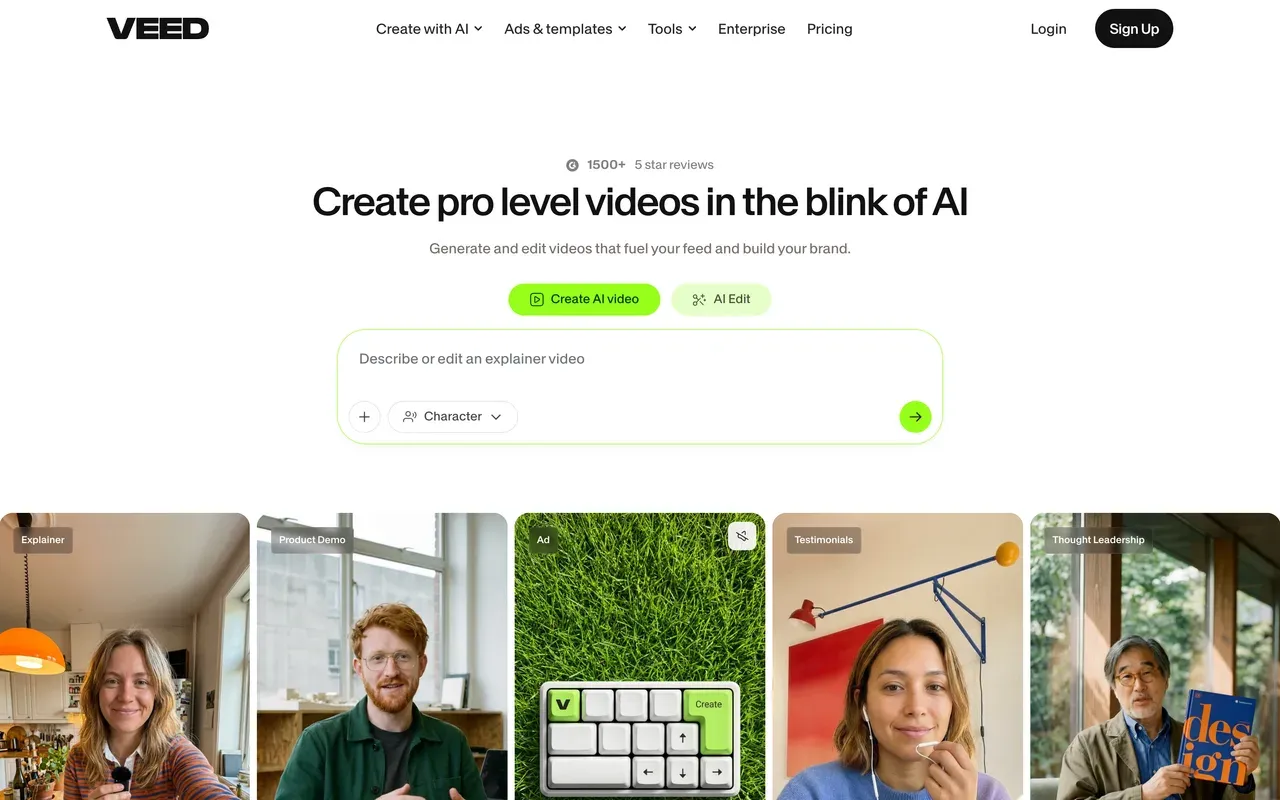
VEED and FlexClip both bolt a wide AI suite onto a video editor, but VEED goes further: AI avatars, voice cloning, and a Gen-AI Studio piping into 25+ text-to-video models including its own Fabric 1.0. The free plan caps out at 720p with a 10-minute export limit and 2GB storage, similar to FlexClip's own 10-minute free cap; Creator starts at $10/mo billed annually, cheaper than FlexClip's Plus at $11.99/mo.
The catch is the pricing model: every VEED tier is priced per user where FlexClip is a flat per-account fee, and every AI feature draws from a yearly credit allowance. Trustpilot sits at 4.1, with billing and auto-renewal complaints common in the reviews, a similar theme to FlexClip's own renewal complaints.
- Pricing:
- From $10/mo billed annually (Creator, per user); $20/mo monthly
- Free plan:
- 720p exports capped at 10 minutes, 2GB storage, limited AI credits, watermarked
- Best for:
- Teams wanting one subscription covering editing plus generative AI
Pros
- Broadest all-in-one AI suite: avatars, voice cloning, text-to-speech, screen recorder
- Gen-AI Studio aggregates 25+ text-to-video models including Fabric 1.0
- Polished auto-captions and translation
- Team workspaces and brand kits
Cons
- Per-user pricing on every paid tier, unlike FlexClip's flat fee
- AI features metered by yearly credit allowances
- Billing and auto-renewal complaints common on Trustpilot
- 3
InVideo
invideo.ioPrompt-to-video generation instead of FlexClip's template-first approach
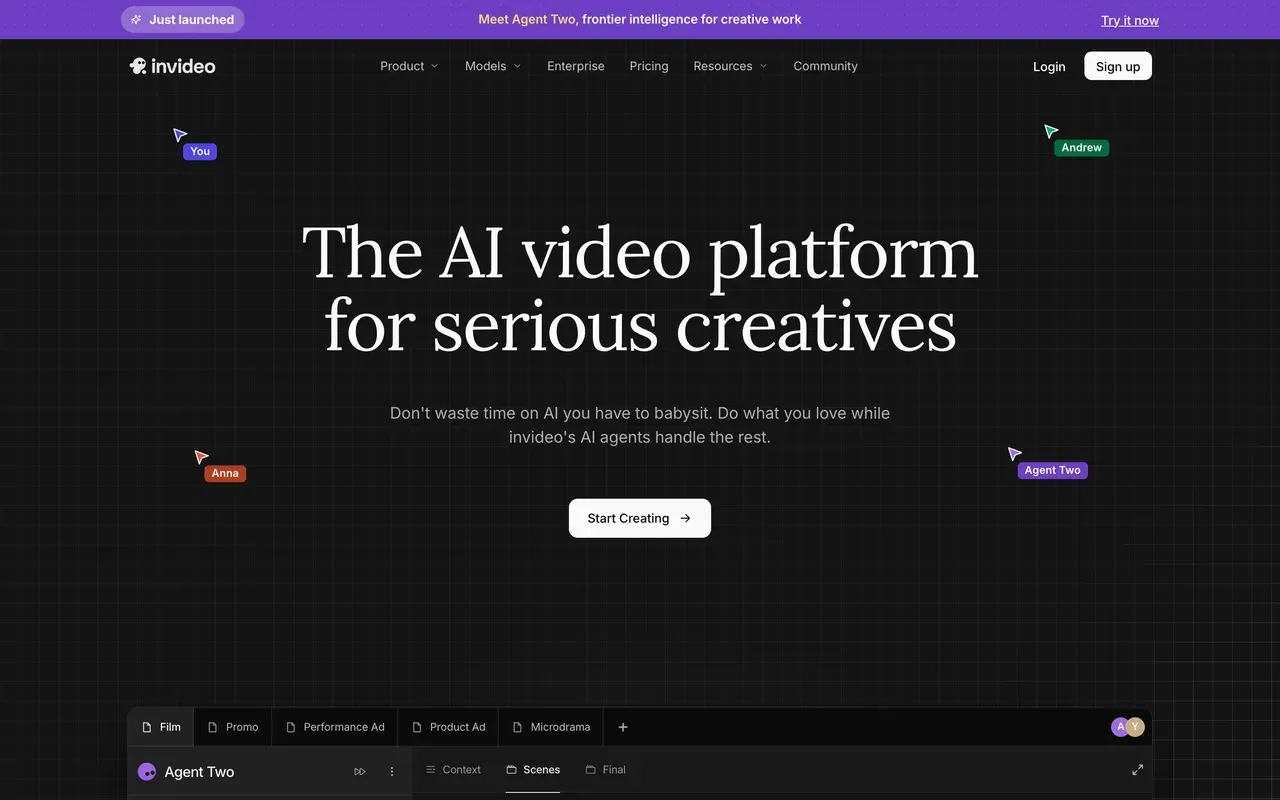
FlexClip starts you from a template or your own clips; InVideo's Agent Two starts from a text prompt and generates footage directly, pulling from multiple third-party AI video models including Veo 3.1. Plus pricing is reported around $20 to $25/mo, with the pricing cards login-gated, and credits metered by plan, 75 on Plus up to 4,250 on Elite.
The credit system is stricter than FlexClip's: credits burn on failed generations with no rollover, and reviewers report credit costs changing without notice plus refund refusals. Trustpilot splits the product in two, 3.4 for the current AI product and 2.1 for the legacy Studio editor, both lower than FlexClip's blended 4.4 to 4.7 range on Trustpilot.
- Pricing:
- Reported around $20 to $25/mo (Plus); pricing cards login-gated
- Free plan:
- Limited free plan; AI generations metered by credits, watermarked
- Best for:
- Marketers generating videos from prompts rather than editing footage
Pros
- Agent Two generates video directly from a text prompt
- Pipes through multiple third-party AI video models including Veo 3.1
- Large template library alongside the AI generator
Cons
- Credits burn on failed generations with no rollover
- Credit costs can change without notice, and refund refusals are reported
- Trustpilot splits sharply: 3.4 for the AI product, 2.1 for the legacy Studio editor
- 4
Kapwing
kapwing.comBest-in-class subtitle workflow, but a 3-day free-project expiry
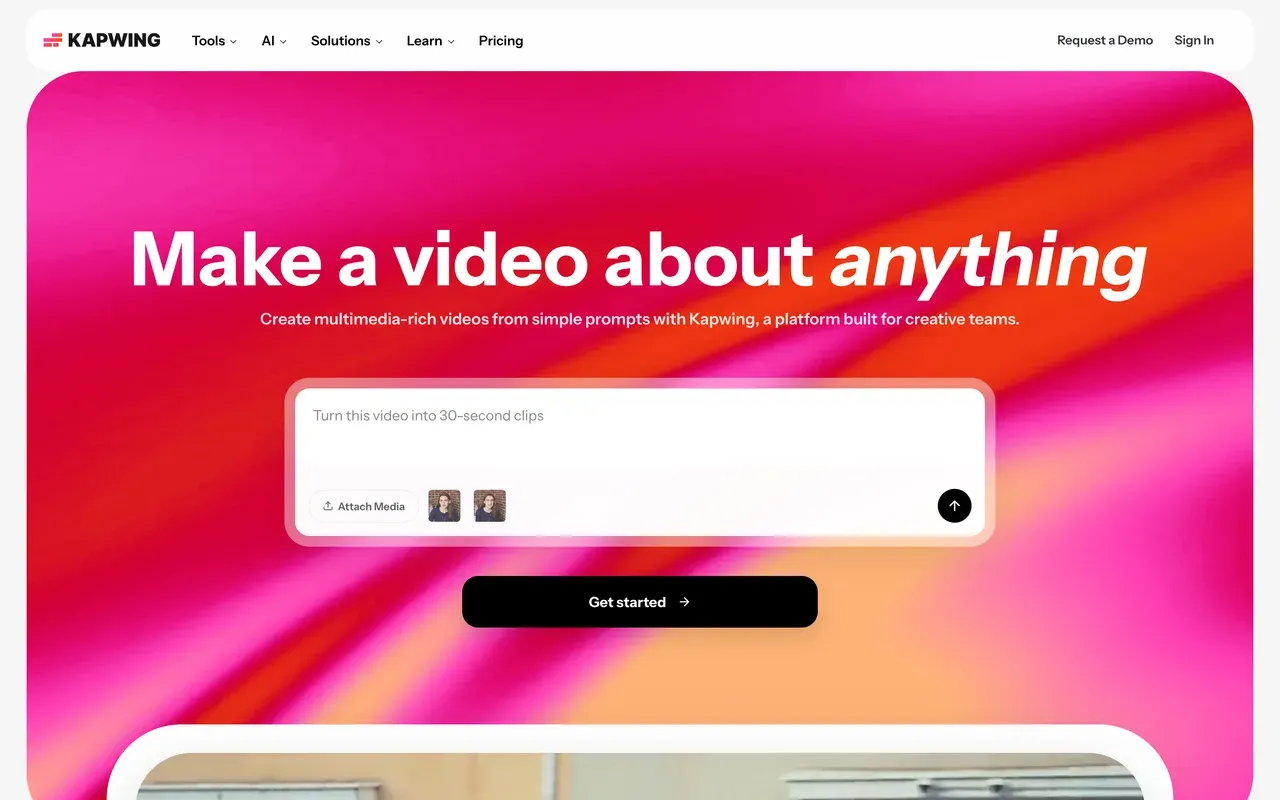
Kapwing's free plan is strict in a different way than FlexClip's: 1 minute of 720p export with a watermark, and projects are deleted after just 3 days if you do not upgrade, versus FlexClip's 10-minute cap that at least does not delete your project. Pro runs $16/mo billed annually per user, more than FlexClip's flat $11.99/mo Plus once more than one person needs access.
Kapwing pulls ahead on subtitle and repurposing workflow specifically, with real team collaboration, workspaces, comments, brand kits, that suits agencies more than FlexClip's solo-creator template focus. Watch the billing terms though: Kapwing's policy is strict no-refund, and reviewers on both tools report export failures and lag on longer projects.
- Pricing:
- From $16/mo billed annually (Pro, per user); $24/mo monthly
- Free plan:
- 1-minute 720p watermarked exports; projects deleted after 3 days
- Best for:
- Small teams repurposing social content together
Pros
- Best-in-class subtitle and repurposing workflow
- Real team collaboration: workspaces, comments, brand kits
- Large template and tool surface
Cons
- Free tier is a 3-day demo, not a usable free plan
- Recurring export-failure and lag complaints
- Strict no-refund billing policy
- 5
Clipchamp
clipchamp.comThe most generous watermark-free free export in this comparison
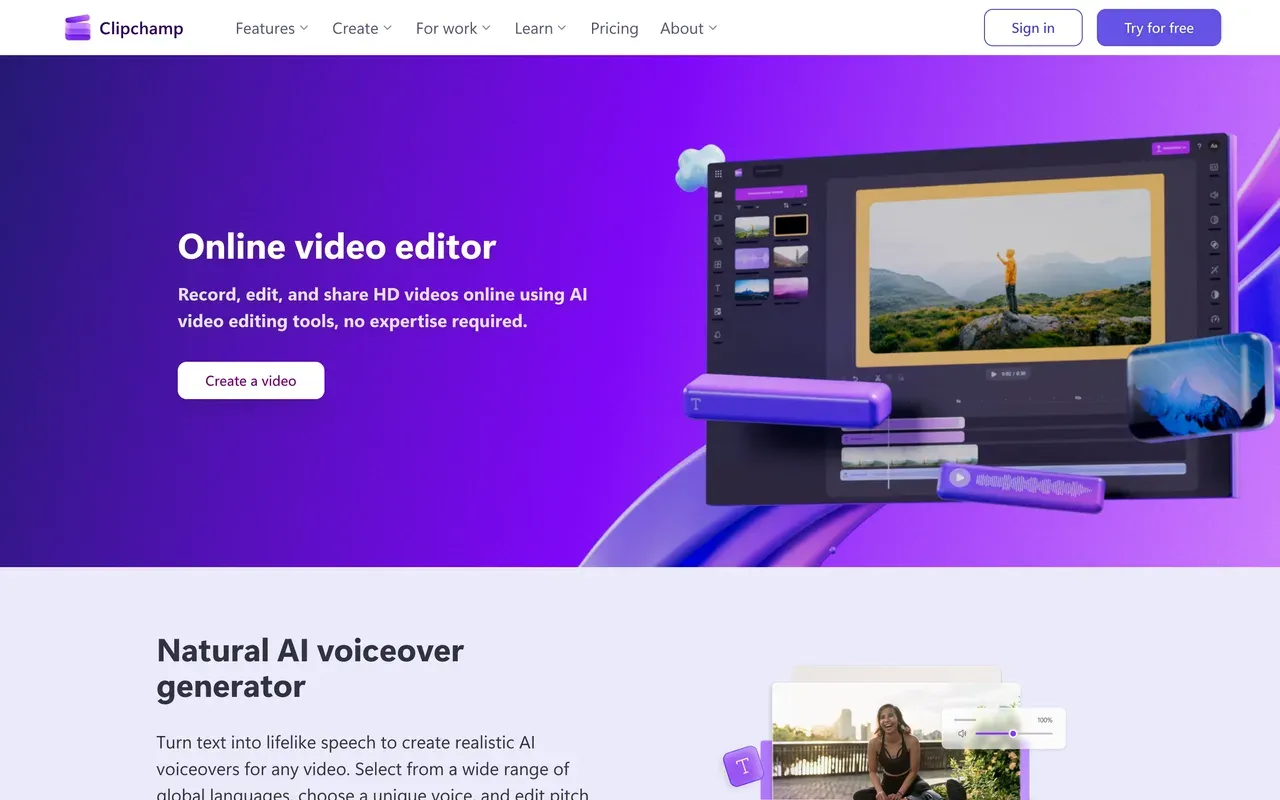
Clipchamp beats FlexClip on the one number that matters most for casual use: its free plan exports at 1080p with no watermark and no forced intro, while FlexClip's free tier stacks a watermark, a forced branded intro, and a 10-minute cap. Premium runs $11.99/mo, effectively about $9.99/mo if you already pay for Microsoft 365 Personal, close to FlexClip's own Plus price.
The trade-off is depth: Clipchamp's toolset is shallower than FlexClip's once you want AI text-to-video generation or a large stock library, longer edits can lag in the browser, and Microsoft keeps folding it deeper into the M365 and Copilot account funnel.
- Pricing:
- From $11.99/mo (effectively about $9.99/mo bundled with Microsoft 365 Personal)
- Free plan:
- Free forever: watermark-free 1080p exports
- Best for:
- Windows users who want clean, watermark-free exports for simple edits
Pros
- Watermark-free 1080p exports on the free plan, no forced intro
- Simple, familiar interface with a short learning curve
- Bundled into Microsoft 365 Personal for many users already paying for it
Cons
- Shallower feature set than FlexClip's AI suite and stock library
- Browser lag reported on longer projects
- Increasingly funneled into a Microsoft account and Copilot upsells
- 6
Animoto
animoto.comDeep stock licensing in a block editor, not a timeline
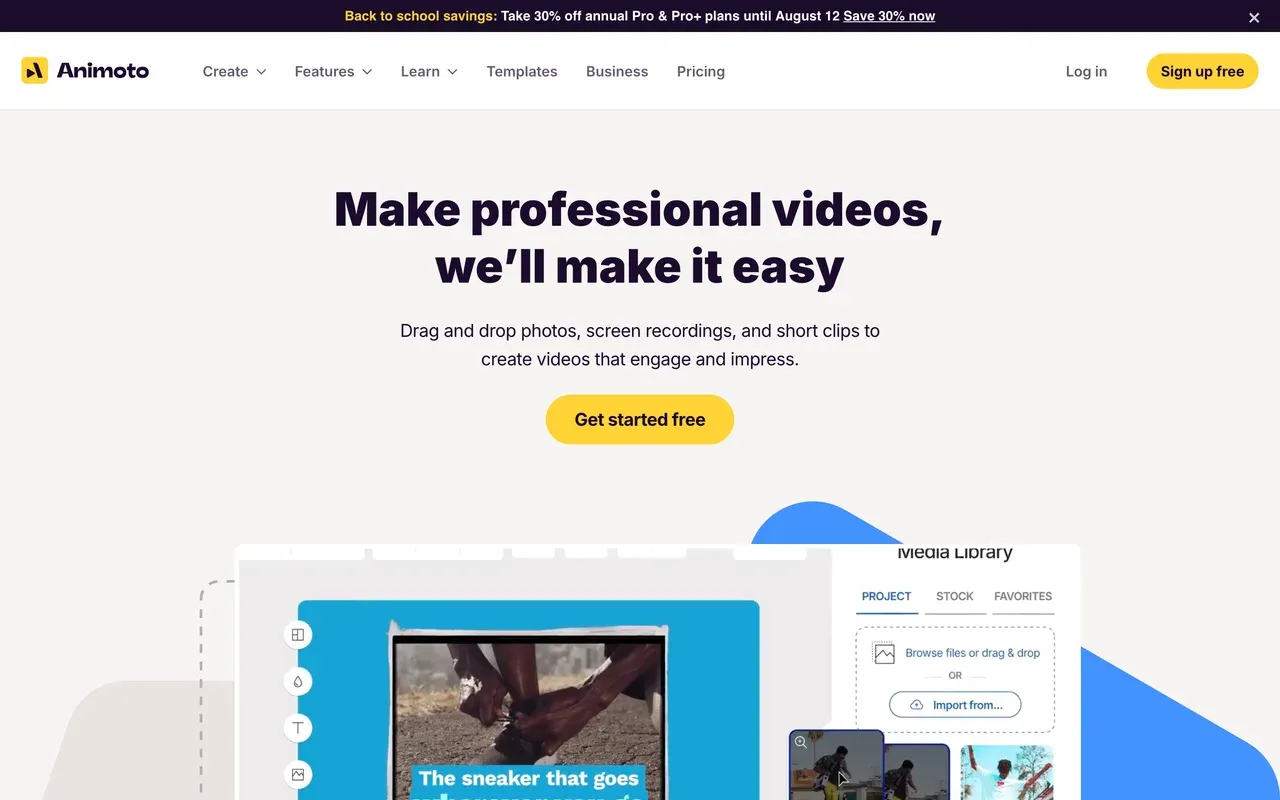
Animoto skips FlexClip's template-and-timeline approach entirely for a block-based, drag-and-drop editor backed by deep Getty Images licensing, up to 100M+ premium assets on Professional Plus, and a licensed music library scaling to 3,000+ tracks. Basic starts at $16/mo, more than FlexClip's Plus at $11.99/mo billed annually, and no annual pricing is published anywhere we checked.
There is no keyframe animation or timeline control at any tier, a bigger limitation than FlexClip's single-track timeline. Trustpilot sits at 3.7 from about 1,000 reviews, with recurring auto-renewal complaints and refunds issued as account credit rather than money, echoing FlexClip's own renewal-transparency complaints.
- Pricing:
- From $16/mo (Basic); no annual pricing published
- Free plan:
- 720p exports, watermarked, limited Getty stock access
- Best for:
- Real estate agents and small businesses wanting fast, licensed-stock slideshow marketing videos
Pros
- Deep Getty Images licensing bundled into paid tiers
- Licensed music library scaling up to 3,000+ tracks
- Fastest path from photos to a finished video, no learning curve
- Patented Cinematic AI auto-editing engine
Cons
- No keyframe animation or timeline, block-based only
- Auto-renewal complaints even after cancellation attempts
- Refunds often issued as account credit, not money back
- 7
Biteable
biteable.comPolished HR templates, but no free plan at all
Biteable skips a free plan entirely, where FlexClip at least lets you export a branded, watermarked 10-minute video for nothing. Biteable's trial will not even let you download your video, and Pro costs $15/mo billed annually per user, more than FlexClip's flat $11.99/mo Plus, and priced per seat on top of that.
Trustpilot has collapsed to 2.3, driven by reports of prices doubling twice within a year and silent auto-renewals with no refunds, a rougher billing reputation than FlexClip's own renewal complaints. The templates themselves are polished for HR and internal-comms explainers with AI avatar presenters, which is the one place Biteable still earns a recommendation over FlexClip's more general template library.
- Pricing:
- $15/mo billed annually, per user (Pro); no free plan
- Free plan:
- No free plan; watermarked trial does not allow downloads
- Best for:
- HR and internal-comms teams making template explainers

Pros
- Polished business and HR explainer templates
- AI avatar presenter videos included
- Simple enough for non-editors
Cons
- No free plan, and the trial will not let you download your video
- Trustpilot collapsed to 2.3 amid price-hike and refund complaints
- Silent auto-renewals reported with no refunds
- 8
Renderforest
renderforest.comOne subscription for video, logos, and websites, cheaper to start than FlexClip
Renderforest undercuts FlexClip's entry price: Lite starts at $9.99/mo billed annually for 720p with no watermark, against FlexClip's Plus at $11.99/mo for 1080p with the watermark and forced intro removed. Renderforest's Pro tier at $19.99/mo billed annually reaches 1080p and adds commercial usage rights, and the same subscription also covers AI images, logos, and a website builder, well beyond FlexClip's video-only focus.
The free plan is restrictive, 360p with about 500MB storage, tighter than FlexClip's 720p free cap, and reviewers flag auto-renewal billing complaints plus a separate credits system layered on top of the subscription for premium templates and assets, adding the same kind of pricing complexity FlexClip's own AI-credit system has.
- Pricing:
- From $9.99/mo billed annually (Lite); $14.99/mo monthly
- Free plan:
- 360p exports, about 500MB storage, watermarked
- Best for:
- Small businesses and agencies wanting one subscription across video, logo, website, and mockups

Pros
- Cheaper entry price than FlexClip, with no watermark from $9.99/mo
- One subscription spans video, images, logos, and a website builder
- 1,200+ ready-made video templates
- G2 rates it 4.7 from 446 reviews
Cons
- Free plan capped at 360p, tighter than FlexClip's 720p free tier
- Auto-renewal billing complaints, with refunds reported as hard to get
- Separate credits system layered on top of the subscription for premium assets
- 9
CapCut
capcut.comUnmatched trending templates, now with a free-plan watermark too
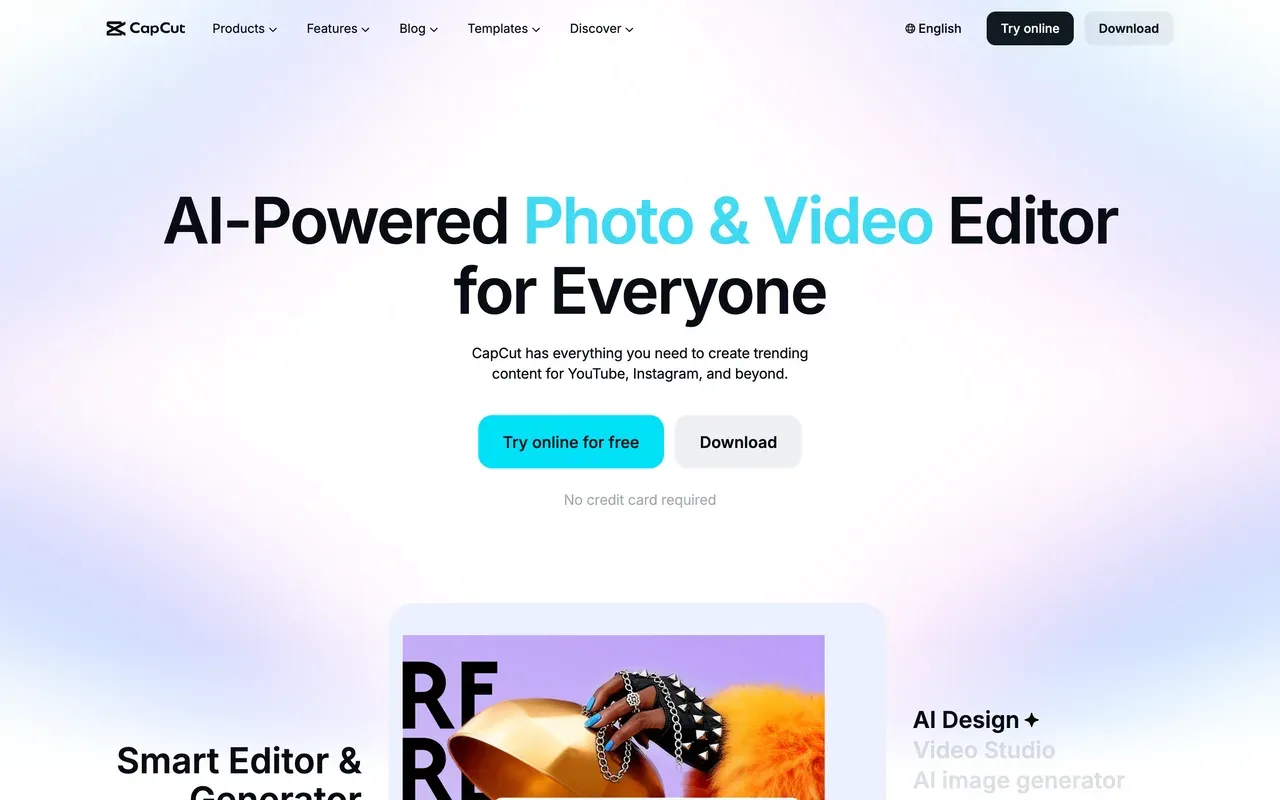
CapCut and FlexClip both lean on templates, but CapCut's are trend-driven and TikTok-native rather than business and marketing-focused, backed by a genuinely strong desktop app with keyframes and effect depth. The TikTok USDS joint venture that closed in January 2026 secured its US availability going forward.
Pricing has moved in the wrong direction recently: free exports now carry a watermark after a 2025-26 restructure that also roughly doubled prices, with features like auto-captions moved behind Pro, reported around $19.99/mo with pricing shown in-app and varying by region and device. That makes FlexClip's flat, published $11.99/mo Plus price look more predictable by comparison, even with its own forced intro on free exports.
- Pricing:
- Reported from $9.99/mo (Standard); Pro reported around $19.99/mo, pricing shown in-app and region and device-dependent
- Free plan:
- Watermarked exports; some previously free features (auto captions, some effects) now require Pro
- Best for:
- Trend-chasing shorts creators in the TikTok ecosystem
Pros
- Unmatched trending-template ecosystem
- Strong desktop app with keyframes and effect depth
- Tight TikTok integration, now backed by the TikTok USDS joint venture
Cons
- Free exports now carry a watermark after the 2025-26 restructure
- Prices roughly doubled in that same restructure
- Pricing is region and device-dependent and not officially published
FlexClip vs EchoWave at a glance
| Feature | EchoWave | FlexClip |
|---|---|---|
| Usable free plan | Yes, free forever: full editor, videos up to 60 minutes, 720p exports | Yes, but capped at 10 minutes with a forced branded intro on every export |
| Watermark-free free exports | Quick tools export clean; the full editor adds a small badge on free | No, free exports carry a watermark plus a forced 3-4 second branded intro |
| Starting paid price | $9/mo billed annually (Basic) | $11.99/mo billed annually (Plus) |
| Max export resolution | 1080p on Basic, 4K on Pro, 8K on Business | 1080p on Plus and Business; no 4K identified at any tier |
| Editing timeline | Multi-track timeline with 90+ tools | Single-track timeline |
| Stock assets per project (paid) | No per-project stock-asset cap | Capped even on paid Plus: 5 stock assets per project |
| AI video generation | Not offered; EchoWave is a hands-on editor, not a text-to-video generator | Yes, text, image, and URL-to-video generation via Hailuo, Kling, and Veo 3 |
| Audio and visualizer tools | Yes, dedicated music visualizer and audio waveform generator with a scrub-accurate baked spectrum | Not part of FlexClip's feature set; its tools are template and AI-generation focused |
| Platforms | Browser (works on phones too), plus desktop apps for Mac, Windows, Linux | Web |
Best free FlexClip alternative
FlexClip's free plan forces a non-removable branded intro onto every export on top of the watermark, and caps clips at 10 minutes. EchoWave skips both: quick tools like trim and compress export with no watermark and no forced intro, and the full editor handles videos up to 60 minutes free. Clipchamp is also genuinely free and clean, 1080p with zero watermark, though its toolset is thinner than FlexClip's once you want AI generation or a big stock library.
FlexClip alternative without a watermark
FlexClip's watermark comes bundled with a forced branded intro on every free export, and even paid Plus at $11.99/mo billed annually only removes both at 1080p. Clipchamp removes the watermark entirely on its free plan, no forced intro, at 1080p. EchoWave removes the watermark from full-editor exports at $9/mo billed annually, cheaper than FlexClip's Plus, with 4K available on Pro at $17/mo where FlexClip has no 4K tier at all.
Apps like FlexClip for AI video generation
FlexClip's AI suite pipes text, image, and URL prompts through Hailuo, Kling, and Veo 3, bundled with its templates. InVideo goes further into pure prompt-to-video generation with its Agent Two system, though credits burn on failed generations with no rollover. VEED sits in between, with AI avatars and voice cloning alongside standard editing, priced per seat. EchoWave takes a different approach entirely: no text-to-video generation, but built-in AI voiceover and voice cloning for narration inside a real timeline editor.
Best FlexClip alternative for small business templates
Be fair to FlexClip here: 6,000+ templates and a flat $11.99/mo billed annually Plus price genuinely undercut most rivals for small-business marketing videos. Renderforest comes close on price, $9.99/mo billed annually, with 1,200+ templates plus logo and website tools bundled in. EchoWave has fewer ready-made templates but lets you turn your own finished projects into reusable templates for repeat use, which suits a business making the same style of video repeatedly.
How to switch from FlexClip to EchoWave
Your first export takes a few minutes, no account required.
-
1. Upload your clips or images
Bring your footage into the video editor. No signup and nothing to install.

-
2. Build your timeline and add captions
Layer clips on a multi-track timeline, no single-track limit, then auto-caption with the caption generator.
-
3. Export with no forced branding
Render at 720p free or upgrade for 1080p and 4K. Nothing gets stamped onto your video that you did not add.

What people are saying about EchoWave

About the EchoWave team
EchoWave is a browser-based video and audio editor built by Lemon Vault LLC since 2018. The people who build the editor write these guides and test every step in the production app before publishing.
FlexClip alternative FAQ
What is the best free FlexClip alternative?
EchoWave's free plan is the cleanest: a full editor with videos up to 60 minutes, and quick tools like trim and compress that export with no watermark and no forced branding. FlexClip's own free plan caps clips at 10 minutes and stacks a forced, non-removable branded intro on top of the watermark. Clipchamp is also a strong free pick, 1080p with zero watermark, though its toolset is thinner than FlexClip's.
What is cheaper than FlexClip?
Renderforest starts lower at $9.99/mo billed annually for watermark-free 720p, against FlexClip's Plus at $11.99/mo for 1080p. EchoWave's Basic plan costs $9/mo billed annually and removes the watermark at 1080p with no per-project stock-asset cap, and purchasing-power pricing makes it cheaper in many countries. FlexClip's price is genuinely competitive though, especially given its template count and AI credits included.
Does FlexClip have a watermark?
Yes, on the free plan, and it comes with a second catch: every free export also carries a forced, non-removable 3 to 4 second FlexClip-branded intro, on top of a 10-minute length cap. Plus, at $11.99/mo billed annually, removes both and unlocks 1080p. EchoWave's quick tools export with no watermark and no forced intro on the free plan, and any paid plan from $9/mo billed annually removes the badge from full-editor exports too.
FlexClip vs EchoWave: which should I switch to?
FlexClip wins on templates and AI generation: 6,000+ templates and a broad AI suite piping through Hailuo, Kling, and Veo 3 for text, image, and URL-to-video are things EchoWave does not attempt. EchoWave wins on the editing itself: a real multi-track timeline instead of FlexClip's single track, no forced branding on any export, videos up to 60 minutes free instead of a 10-minute cap, and audio tools like a music visualizer FlexClip does not offer.
FlexClip vs CapCut, which should I use?
Different strengths. CapCut has the stronger trending-template ecosystem and a genuinely capable desktop app, but free exports now carry a watermark after a 2025-26 restructure that also roughly doubled its prices. FlexClip's Plus price, $11.99/mo billed annually, is published and flat, while CapCut's paid pricing is region and device-dependent and not officially published. If TikTok trends are the goal, CapCut; if predictable flat pricing matters more, FlexClip.
FlexClip vs Clipchamp: which has the better free plan?
Clipchamp, clearly. Its free plan exports at 1080p with zero watermark and no forced intro, while FlexClip's free tier caps clips at 10 minutes and stacks a forced, non-removable branded intro on top of its own watermark. FlexClip pulls ahead once you pay, though: its AI suite and 6,000+ templates go further than Clipchamp's simpler toolset. For a clean free export, Clipchamp; for templates and AI generation, FlexClip's paid Plus plan.
FlexClip vs InVideo: what is the difference?
FlexClip leans on templates and your own footage with AI tools layered in; InVideo's Agent Two leans entirely on prompt-to-video generation, pulling from multiple third-party AI models including Veo 3.1. InVideo's credits burn even on failed generations with no rollover, a stricter meter than FlexClip's monthly AI-credit allowance. FlexClip's Trustpilot score, between 4.4 and 4.7, also beats InVideo's split 3.4 and 2.1 scores.
Is there a FlexClip watermark remover?
Not one we would recommend chasing. The built-in fix is FlexClip's own Plus plan at $11.99/mo billed annually, which removes both the watermark and the forced branded intro at 1080p. EchoWave's quick tools, trim, crop, compress, and convert, export with no watermark on the free plan with no subscription needed, and Clipchamp's free plan exports at 1080p with no watermark either. Third-party watermark remover tools are best avoided; they usually violate the original platform's terms of service.
What is FlexClip used for?
FlexClip is a template-first browser video editor built for small businesses and beginners: 6,000+ templates, a broad AI suite covering text, image, and URL-to-video generation, and a 4M+ stock library, all in one place. Its free plan caps clips at 10 minutes with a forced branded intro and watermark, and paid Plus at $11.99/mo billed annually removes both and unlocks 1080p. Reviewers note the single-track timeline limits real layering and exports slow down on larger, higher-resolution projects.
The honest verdict
Edit your first video with no forced branding No account required
Upload footage, edit, and export. It takes a few minutes.
Get Started →
How we checked
Sources we relied on for the claims above, as checked August 2026. Note: flexclip.com/pricing.html is JS-rendered and did not return readable markup to automated fetch, so FlexClip's prices come from its own /learn pricing explainer page plus third-party corroboration.
- FlexClip pricing guide (flexclip.com) (flexclip.com)
- FlexClip reviews on Capterra (capterra.com) (Capterra)
- FlexClip on Trustpilot (trustpilot.com) (Trustpilot)
- VEED pricing (veed.io) (veed.io)
- InVideo (invideo.io) (invideo.io)
- Kapwing pricing (kapwing.com) (kapwing.com)
- Clipchamp pricing (clipchamp.com) (clipchamp.com)
- Animoto pricing on Capterra (capterra.com) (Capterra)
- Biteable pricing (biteable.com) (biteable.com)
- Renderforest subscription guide (help.renderforest.com) (help.renderforest.com)
- CapCut (capcut.com) (capcut.com)
Every competitor claim on this page was re-verified against the sources above on August 3, 2026.
Pricing and limits change often. If anything here is out of date, email hello@echowave.io with a link and we'll correct it. Our editorial policy explains how we test and update comparisons.
Trademark and comparison notice. FlexClip and all related names, logos, product names and trademarks are the property of their respective owners. EchoWave is an independent product and is not affiliated with, associated with, authorised by, endorsed by, sponsored by, or in any way officially connected to FlexClip or its owners. Any third-party names, logos and trademarks are used here only to identify and compare the products honestly (nominative fair use) and do not imply any endorsement, partnership or affiliation.
This comparison reflects EchoWave's own opinion and our understanding of publicly available information believed accurate at the time of writing. Third-party features, pricing and availability change frequently and can vary by region, so figures may be out of date; please confirm the current details on FlexClip's official website before making a decision. EchoWave makes no representation or warranty as to the accuracy or completeness of any third-party information shown here. If you believe anything on this page is inaccurate or out of date, please contact us and we will review it promptly.























































