
The 10 Best Renderforest Alternatives in 2026
Renderforest bundles video templates, a logo maker, and a website builder into one subscription, backed by a strong 4.7 G2 score, but a separate credits system and a 360p free tier frustrate budget shoppers. Our top pick is EchoWave, a real editing timeline with an audio-reactive visualizer and no credits layered on top, though Renderforest's own template catalog stays broader for pure template shoppers. Free and cheaper options, including one that costs nothing at any tier, are ranked below.


The 10 Best Renderforest Alternatives in 2026 Features
Trusted by thousands of creators worldwide





Why people look for a Renderforest alternative
Renderforest built its name on template-driven video with a fast route from idea to rendered clip, and in 2026 it repositioned itself as a broader "AI creative platform" spanning video, images, logos, websites, and mockups under one subscription. The friction shows up around the edges of that breadth. The free plan renders at 360p with about 500MB of storage, and the length cap is genuinely unclear, sources put it somewhere between 1 and 3 minutes. Removing the watermark on Lite costs $9.99/mo billed annually, and even then, the official help center and third-party guides disagree about whether a duration limit still applies. A separate credits system, from $10 per 100 credits, sits on top of any subscription for premium templates and assets, a second bill to track. Trustpilot reviewers describe auto-renewal charges that are hard to refund, and long-time users note that Renderforest dropped its one-click slideshow auto-generate feature, so building a project now means hand-picking every scene.
None of that erases a genuinely well-liked product: Renderforest holds a 4.7 score on G2 across 446 reviews. We tested each alternative below in the browser and re-checked every pricing page in August 2026.
TL;DR: EchoWave is the best overall alternative, a real editing timeline with a scrub-accurate audio visualizer and no credits system to track; Vizzy if you want a completely free visualizer with nothing to ever pay for; Animoto if deep licensed stock photography, footage, and music matter more to you than templates.
The best Renderforest alternatives in 2026, ranked
Every pick tested in the browser. Prices checked August 2026.
- 1
EchoWave
Our pickBest overall: a real editing timeline with a scrub-accurate visualizer and no credits system
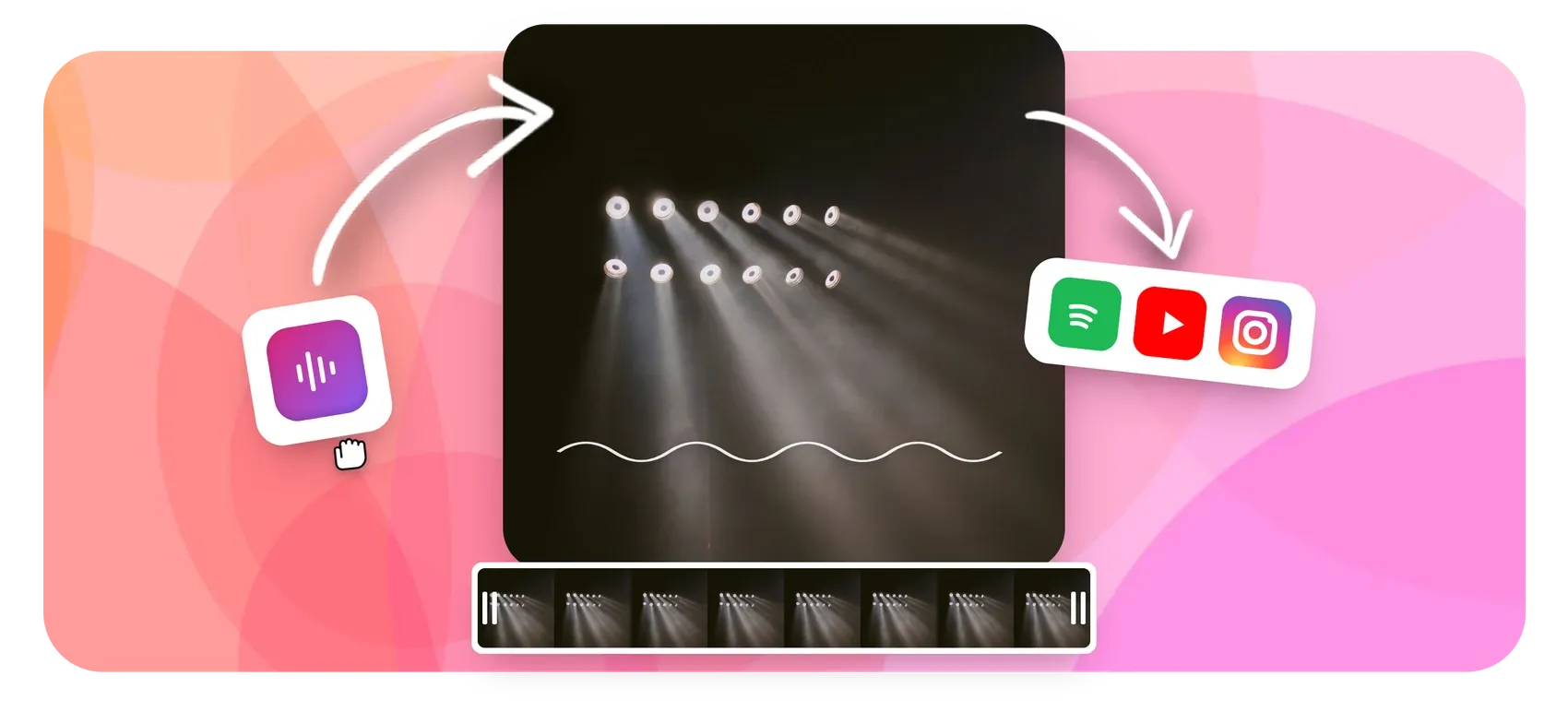
Renderforest sequences template scenes in the cloud; EchoWave gives you an actual multi-track timeline instead, with a music visualizer and audio waveform video generator that render scrub-accurate previews rather than template placeholders. Layer captions, a progress bar, or your own footage on the same timeline, then export with no separate credits system to track, EchoWave's plans are flat: Basic, Pro, and Business unlock resolution and speed, not a credit balance. The free plan takes video up to 60 minutes at 720p with a small badge, and the video compressor and other quick tools export with no watermark at all.
The honest caveat: Renderforest's 1,200+ template catalog, plus its bundled logo maker and website builder, stays broader for shoppers who want a pre-built scene to fill in rather than build from scratch.
- Pricing:
- Free plan; paid from $9/mo billed annually
- Free plan:
- Free forever: full editor, 720p exports with a small badge; quick tools export with no watermark
- Best for:
- Businesses and creators who want a real editing timeline with audio-reactive visuals, not a subscription-plus-credits template renderer
Pros
- Multi-track timeline editor, not a template-slot builder
- Music visualizer and waveform tools with baked, scrub-accurate previews
- Flat monthly and annual plans, no separate credits system layered on top
- Free plan covers video up to 60 minutes, no forced short clips
- Auto-transcribed subtitles in 50+ languages with karaoke-style animation
- 4K at 50/60fps on Pro, 8K and 120fps with unlimited renders on Business
Cons
- Free exports are 720p with a small watermark badge
- No public template gallery to browse; your own projects become templates instead
- No logo maker, website builder, or mockup generator bundled in, unlike Renderforest
- 2
InVideo
invideo.ioDeeper prompt-to-video AI generation than Renderforest, with its own credit-burn problems
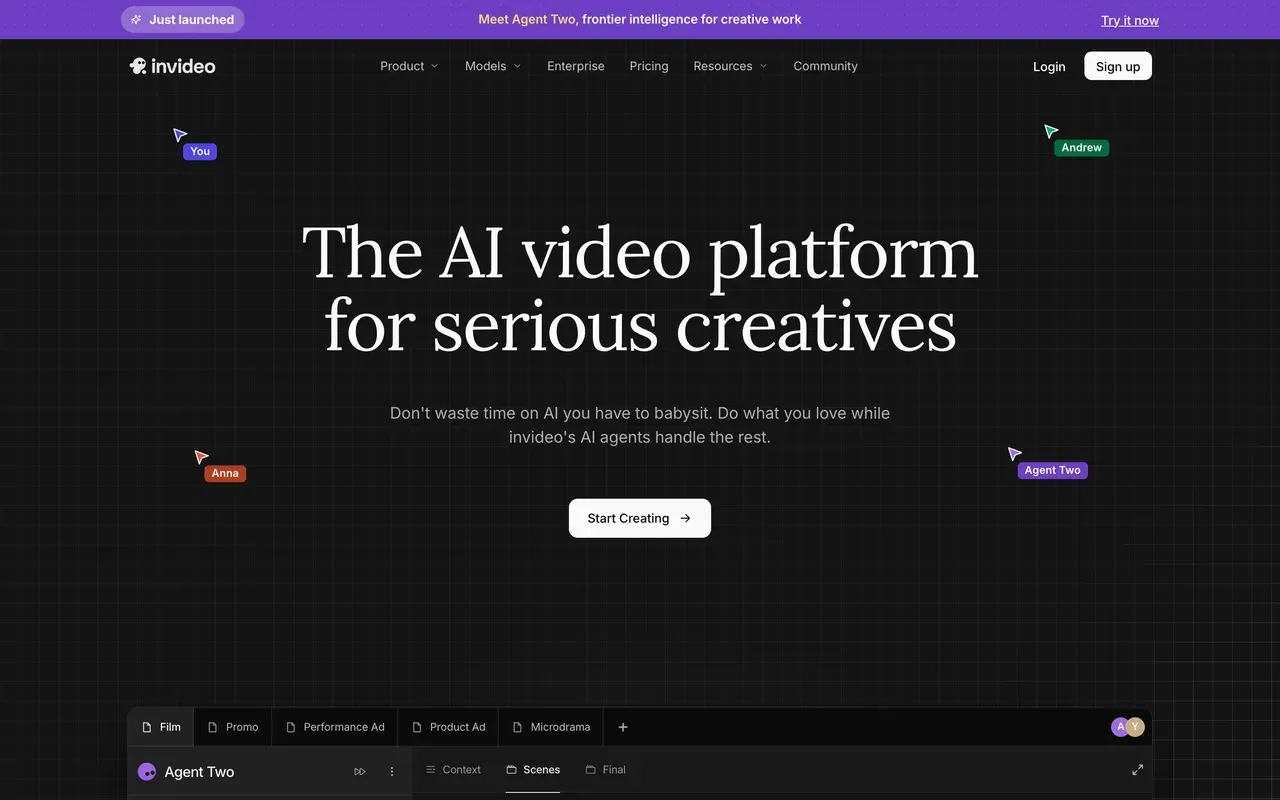
Renderforest bolts a handful of third-party AI video models onto a template library; InVideo goes further, with its Agent Two generating video directly from a text prompt using models like Sora 2 and Veo 3.1, backed by a large template catalog of its own. Both tools use credits rather than flat usage, Renderforest sells separate credit packs on top of a subscription, while InVideo's credits are baked into tiered plans, but InVideo reviewers report credits burning even on failed generations with no rollover, and its own credit costs can change without notice. Trustpilot splits sharply too: 3.4 for the current AI product versus 2.1 for the legacy Studio product.
- Pricing:
- Plus around $20-25/mo (pricing pages are login-gated; no annual rate found)
- Free plan:
- Free tier exists but AI generations are metered by credits; watermarked
- Best for:
- Marketers who want to generate video from a text prompt rather than edit footage
Pros
- Genuine text-prompt-to-video generation via Agent Two
- Multi-model access: Sora 2, Veo 3.1 in one place
- Large template library
Cons
- Credits burn on failed generations, with no rollover
- Credit costs can change without notice, and refunds are reportedly refused
- Trustpilot splits 3.4 (AI product) vs 2.1 (legacy Studio)
- Pricing pages are login-gated, hard to comparison-shop
- 3
Animoto
animoto.comLicensed Getty stock and music bundled in, but no timeline at all next to Renderforest's scenes
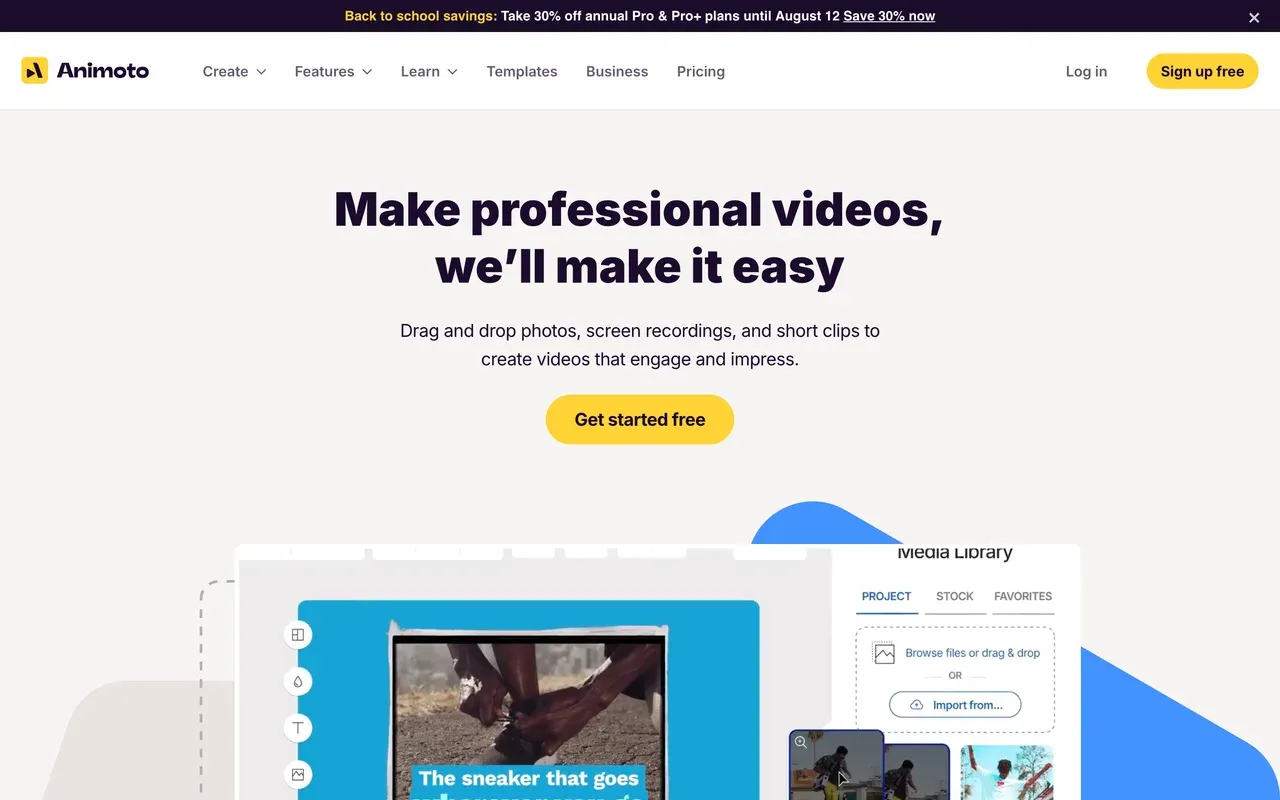
Renderforest at least sequences full scenes across 1,200+ templates; Animoto skips a timeline entirely, snapping photos and clips into a fixed block sequence with its patented Cinematic AI engine handling the pacing. What it buys you instead is real asset depth: Getty stock scales from limited on the free plan to 100M+ premium assets on Professional Plus, and the licensed music library grows from 50 to 3,000+ tracks by tier. The catch: no keyframes, no timeline, and Trustpilot reviewers describe auto-renewal charges that continue despite multi-month cancellation attempts, with refunds often issued as account credit rather than cash.
- Pricing:
- From $16/mo (Basic; no annual billing published)
- Free plan:
- 720p export with a watermark, capped to 30 color swatches, 3 fonts, 50 music tracks, limited Getty access
- Best for:
- Real estate agents and small businesses who want fast, licensed-stock slideshow videos with zero learning curve
Pros
- Deep Getty Images licensing up to 100M+ assets on the top tier
- Music library scales to 3,000+ licensed tracks
- Block-based editor is genuinely fast for non-editors
- Reseller/white-label license on Professional Plus
Cons
- No timeline or keyframe animation, block-based only
- Templates and tools feel dated per reviewer reports
- Auto-renewal and refund-as-credit complaints on Trustpilot (3.7)
- No annual billing published on any tier
- 4
FlexClip
flexclip.comSingle-track template editor with a bolted-on AI suite, close to Renderforest's entry price
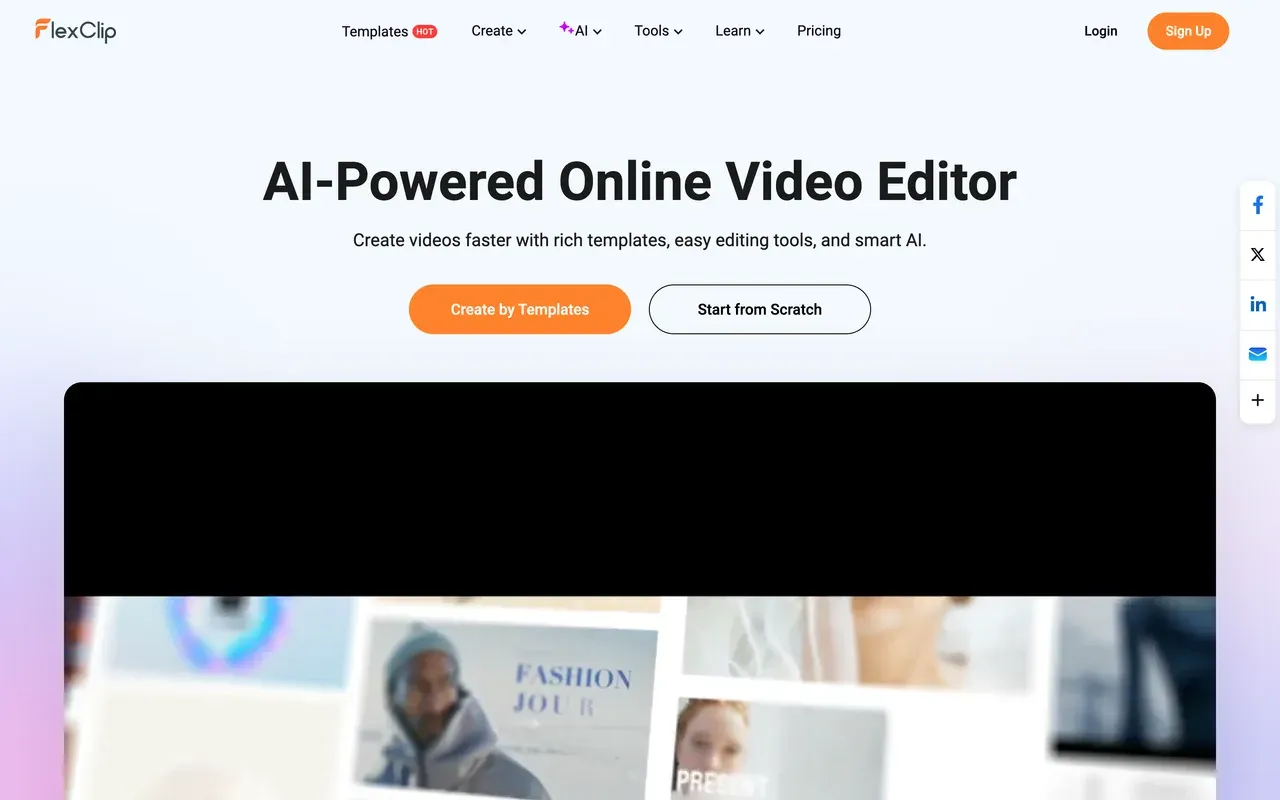
Renderforest sequences full templates; FlexClip works more like a single-track timeline layered under 6,000+ templates, plus a fast-growing AI suite: text-to-video, script writing, auto-subtitles, and 2026's AI Long-to-Shorts for repurposing long videos into clips. Entry pricing sits close to Renderforest's own Lite plan, Plus runs $11.99/mo billed annually versus Renderforest's $9.99, but FlexClip's free plan stacks a non-removable branded intro on top of its watermark, and reviewers report accounts charged on renewal without advance notice, with refunds refused per stated policy.
- Pricing:
- From $11.99/mo billed annually (Plus; $19.99 monthly)
- Free plan:
- 720p export, 10-minute video cap, 1 stock clip per project, forced branded intro plus watermark
- Best for:
- Small businesses and beginners who want templated videos plus a broad, bundled AI toolkit
Pros
- 6,000+ templates across business, marketing, weddings, and slideshow use cases
- Broad in-house AI suite: text-to-video, script writer, auto-subtitles, translator
- 2026 AI Long-to-Shorts repurposes long videos into clips automatically
- Large bundled stock library: 4M+ clips/photos, 74,000+ music tracks
Cons
- Free plan forces a branded intro on every export, on top of the watermark
- Single-track timeline, thinner template depth than dedicated competitors per reviewers
- Billing/renewal complaints: charged on renewal without notice, refunds refused
- Exports slow down on larger, higher-resolution projects
- 5
Biteable
biteable.comPolished HR and explainer templates, but no real free tier and a rough price-hike history
Where Renderforest at least gives you a usable, if watermarked and 360p, free plan, Biteable's trial does not let you download anything, so you cannot judge the finished export before paying. What you get for $15/mo billed annually per user is clean business and HR explainer templates and AI avatar presenters that are genuinely simple for non-editors. Its Trustpilot score has collapsed to 2.3, "Poor", driven by reviewers describing prices that doubled twice within a year and silent auto-renewals with no refunds, a rougher version of the billing complaints that also dog Renderforest.
- Pricing:
- $15/mo billed annually, per user (Pro)
- Free plan:
- No free plan; trial does not allow downloading your finished video
- Best for:
- HR and internal-comms teams who want polished template explainers and don't mind per-seat pricing

Pros
- Polished business and HR explainer templates
- AI avatar presenter videos with no on-camera talent needed
- Simple, fast workflow for non-editors
Cons
- No free plan, and the trial won't let you download a video to test it
- Trustpilot down to 2.3, "Poor", over prices reported to double twice in a year
- Silent auto-renewals with no refunds per reviewers
- Per-user pricing on every paid seat
- 6
Lumen5
lumen5.comBlog-to-video AI drafting, but no 4K at any tier and a steep price to reach 1080p
Lumen5 leads with something Renderforest doesn't do at all: paste a blog URL or script and it drafts a video, matching stock clips to each sentence automatically. The cost of polish climbs fast though. Removing the watermark is $19/mo billed annually but keeps you at 720p; reaching 1080p needs Starter at $59/mo annually, and there's no 4K published at any tier, a real gap next to Renderforest's Business plan. Reviewers on G2, Capterra, and Reddit report long render times and audio-sync issues, and the AI's stock-matching is often generic enough to need manual correction.
- Pricing:
- From $19/mo billed annually (Basic; $29 monthly)
- Free plan:
- Up to 5 videos/month, 2-minute max length, 720p, no premium stock, watermarked
- Best for:
- Marketers who want a first-draft video generated automatically from a blog post or script

Pros
- One-click blog-URL or text-to-video drafting
- Auto-matches stock photos and clips to your script
- Brand kits and custom fonts from Starter up
- Screen-recording-to-video added Dec 2025
Cons
- No 4K export at any published tier
- 1080p requires Starter at $59/mo billed annually
- AI stock-matching often needs manual correction
- Long render times and audio-sync issues reported across review sites
- 7
Pictory
pictory.aiScript-to-video with auto stock matching, metered by minutes and credits, no ongoing free plan
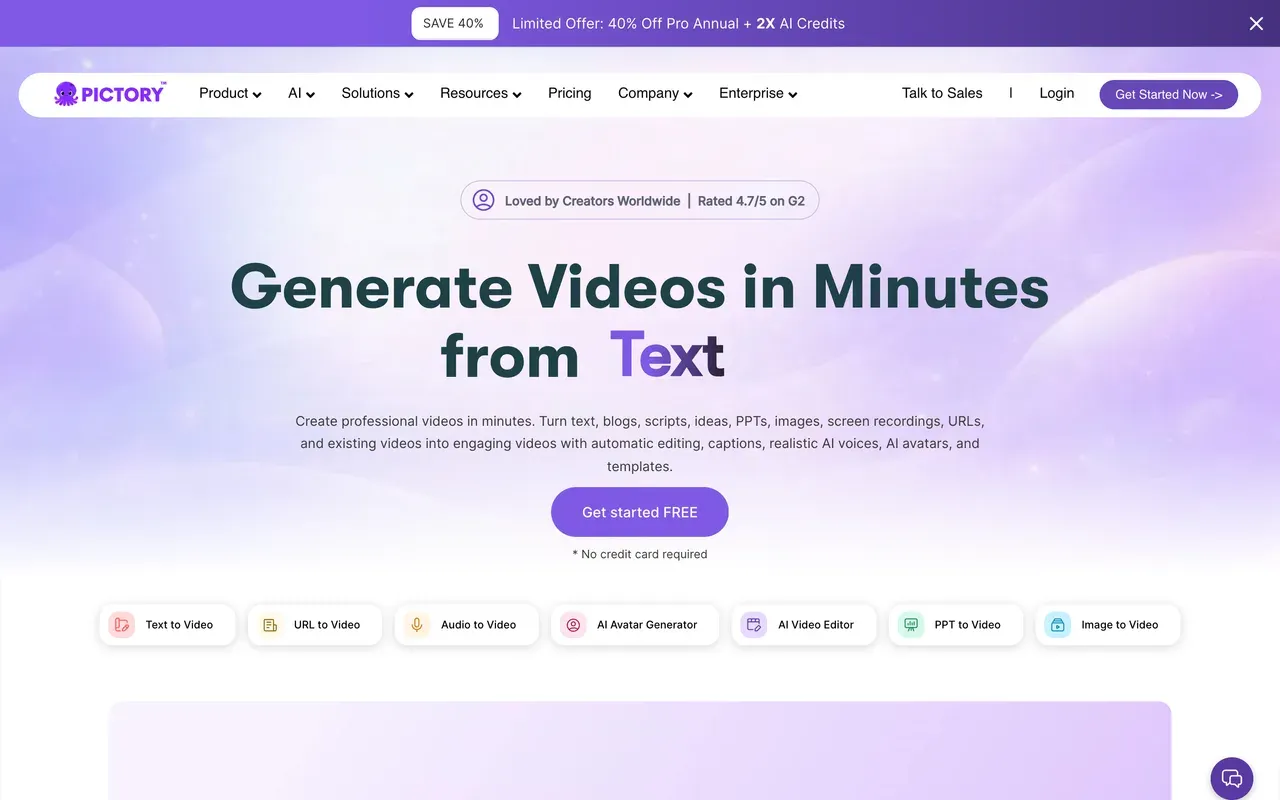
Pictory's trick is turning a script or blog post into a stock-footage video automatically, plus auto-summarizing long source videos into short clips, useful if your workflow starts from text rather than footage. Unlike Renderforest's always-available, if limited, free tier, Pictory only offers a 14-day trial capped at 3 projects, watermarked. Once you're on Starter at $25/mo billed annually or Professional at $49, video minutes and AI credits are both metered monthly, echoing the same credits-on-top-of-a-subscription complaint Renderforest users raise, and reviewers say the stock-matching is context-blind enough to need manual fixing.
- Pricing:
- From $25/mo billed annually (Starter)
- Free plan:
- No ongoing free plan; 14-day watermarked trial capped at 3 projects
- Best for:
- Marketers converting scripts or blog posts into stock-footage videos automatically
Pros
- Script or blog-URL to stock-footage video automatically
- Auto-summarizes long videos into short clips
- Team features on higher tiers
- G2 rating of 4.6
Cons
- No ongoing free plan, only a 14-day trial capped at 3 projects
- Video minutes and AI credits both metered monthly
- Stock-footage matching is context-blind and often needs manual fixes
- 8
Specterr
specterr.comDeeper visualizer-only customization than Renderforest's templates, but strict video quotas
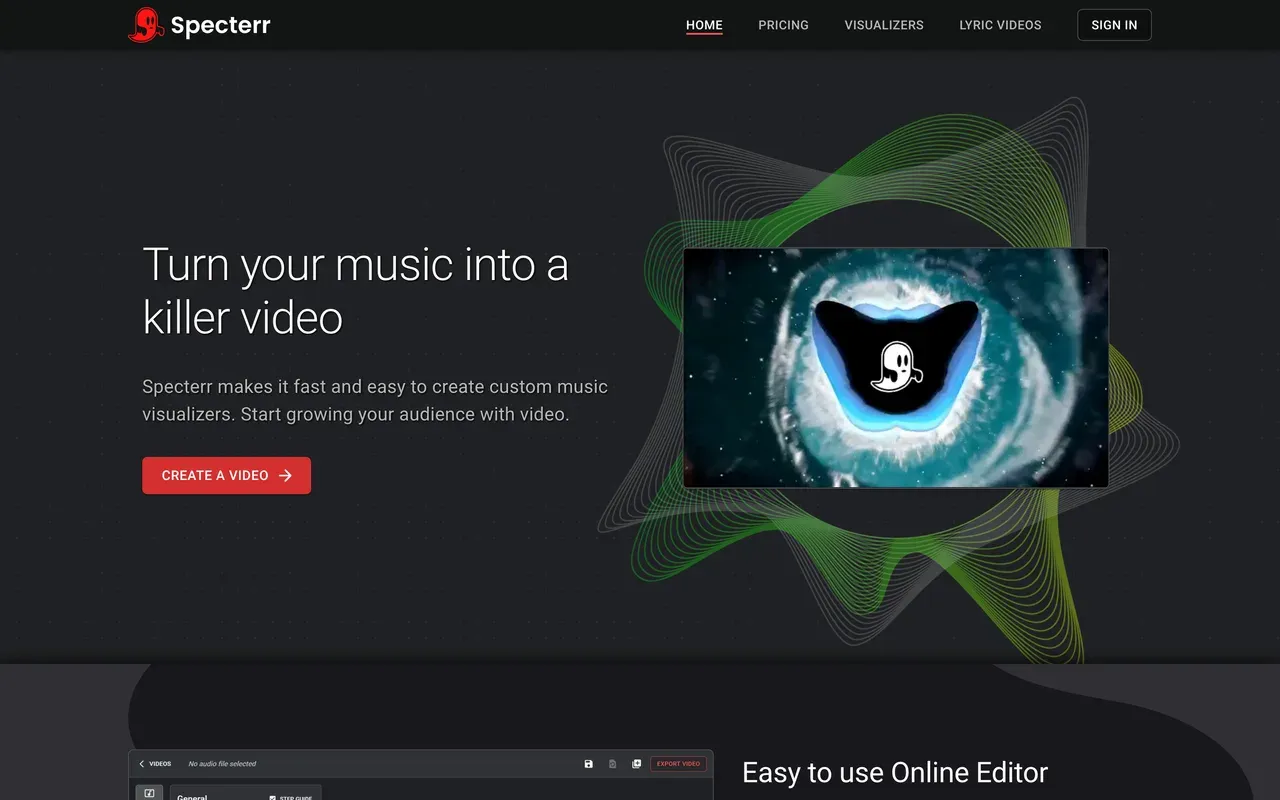
If a music visualizer or lyric video is the entire job, Specterr's dedicated controls go deeper than anything in Renderforest's general template catalog. The trade-off is quota math: free exports are 720p, watermarked, and deleted after 10 days, and Pro at $16.50/mo billed annually still caps you at 5 videos a month with only 1 parallel export, so a busy release schedule means paying per video ($14.99 to $29.99 each) or hitting the ceiling. It is also visualizer-only, with no general template library, logo tools, or website builder the way Renderforest bundles them.
- Pricing:
- $16.50/mo billed annually (Pro; $29 monthly), or $14.99-$29.99 per video
- Free plan:
- 720p watermarked exports that expire after 10 days
- Best for:
- Musicians who only need visualizer or lyric videos and want deep per-element control
Pros
- Purpose-built music visualizer and lyric-video templates
- Deep visual customization for a dedicated visualizer tool
- Per-video purchase option with no subscription
Cons
- Video-count quotas persist even on paid plans (Pro: 5/month)
- Free exports expire after 10 days
- Only 1 parallel export per account, queues at busy hours
- Visualizer only, not a general editor or template platform
- 9
VEED
veed.ioBroader AI suite than Renderforest, but per-user pricing on every plan
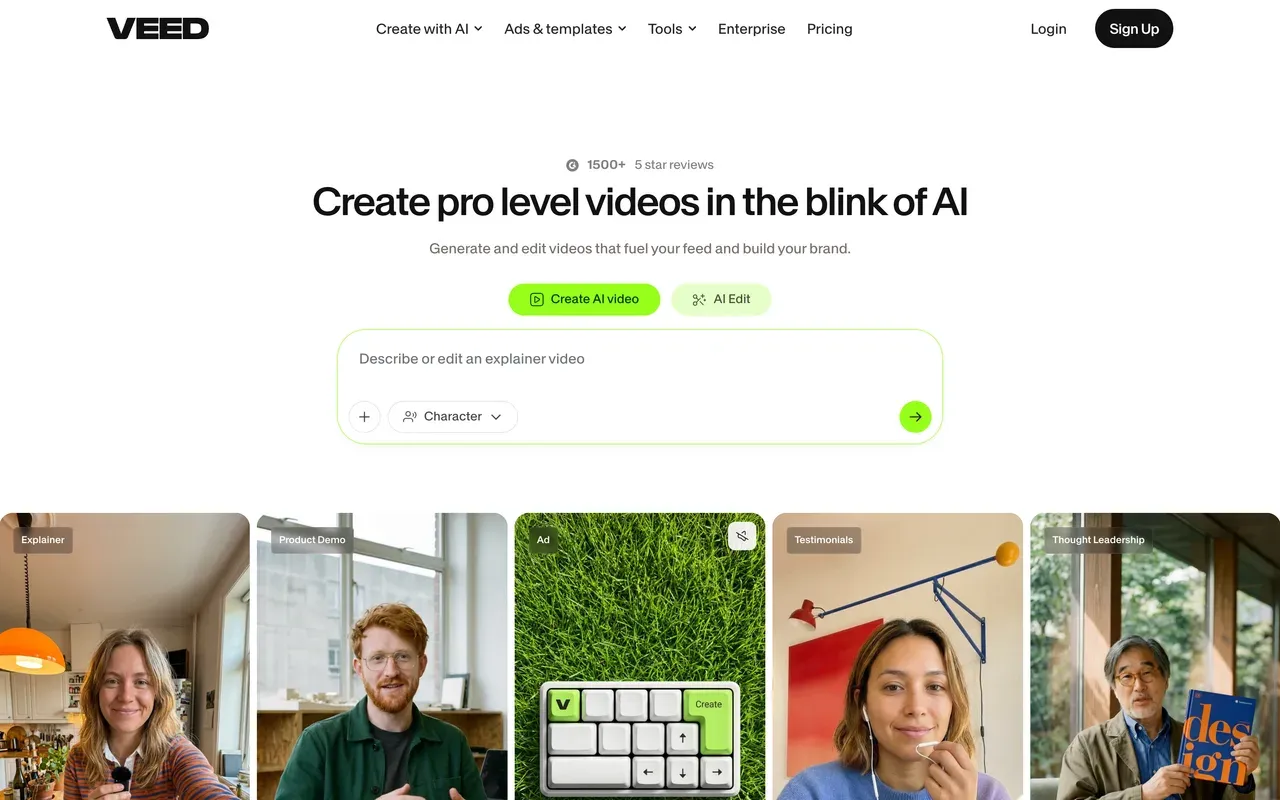
VEED's Gen-AI Studio aggregates 25+ text-to-video models plus its own Fabric 1.0, alongside AI avatars, voice cloning, and a recorder, a wider AI spread than Renderforest's handful of piped-in third-party models. The structure differs too: every VEED tier, Creator at $10/mo billed annually up to Studio at $35, is priced per user, whereas Renderforest's Lite and Pro plans are flat and only Business adds per-seat pricing. VEED's AI features are metered by yearly credit allowances, similar in shape to Renderforest's separate credits system, and billing and auto-renewal complaints dominate its Trustpilot page despite a decent 4.1 score.
- Pricing:
- From $10/mo billed annually (Creator; $20 monthly), per user
- Free plan:
- 720p export, 10-minute max, 2GB storage, limited AI credits, watermark
- Best for:
- Teams that want one subscription covering editing plus a wide range of generative AI
Pros
- Gen-AI Studio aggregates 25+ text-to-video models plus Fabric 1.0
- AI avatars, voice cloning, and a recorder built in
- Polished captions and translation
- Team workspaces and brand kits
Cons
- Per-user pricing on every tier, Creator through Studio
- AI features metered by yearly credit allowances
- Billing and auto-renewal complaints dominate Trustpilot despite a 4.1 score
- 10
Vizzy
vizzy.ioCompletely free 4K visualizer, the opposite of Renderforest's subscription-plus-credits model
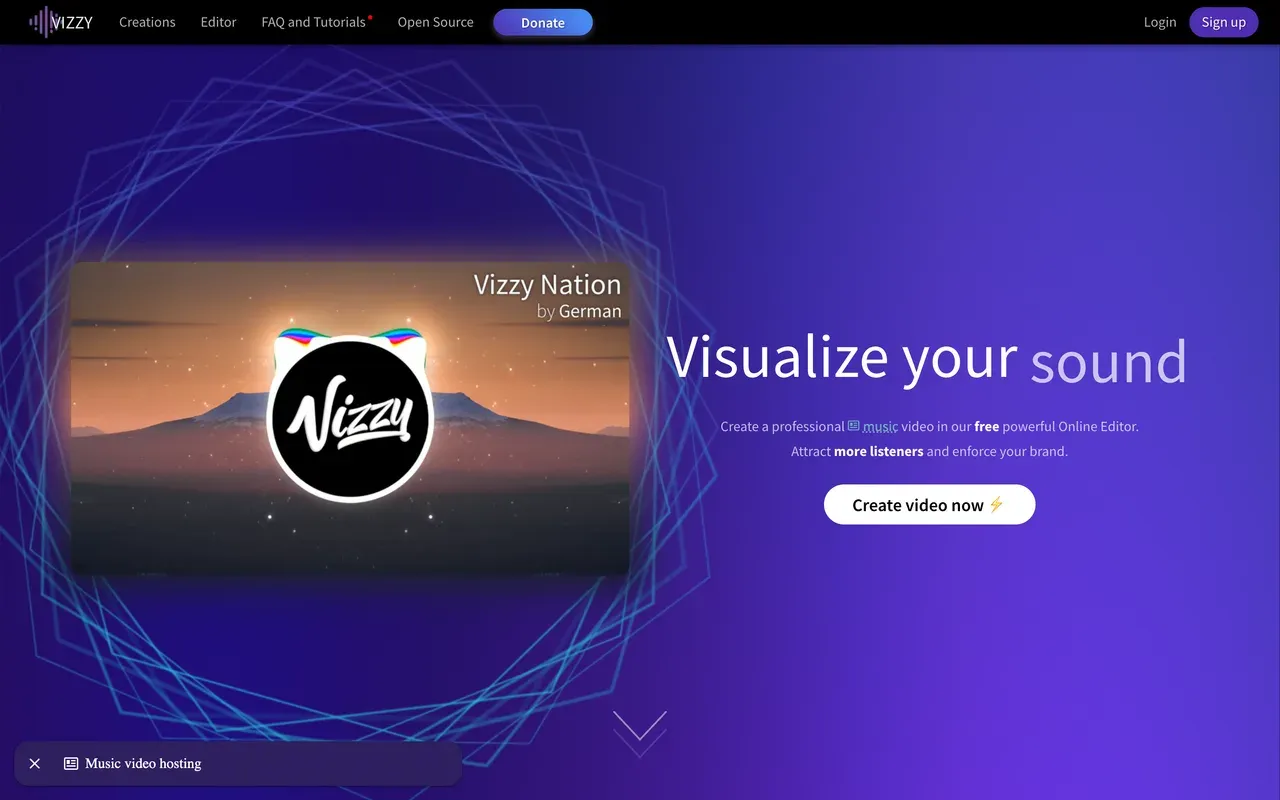
Vizzy is the one tool here with no pricing page to parse: it is donation-funded, exports up to 4K at 60fps with no watermark, and has no paid plan at all, several blogs claiming a $14/mo tier are simply wrong. Compared with Renderforest's layered subscription-plus-credits system, Vizzy asks for nothing. The trade-offs are structural rather than financial: rendering happens on your own computer, so export speed depends on your hardware and the browser tab has to stay open, and it does one job, audio-reactive visualizer scenes, with no template library, logo tools, or website builder alongside it.
- Pricing:
- Free; no paid plans exist
- Free plan:
- Everything free: up to 4K 60fps, no watermark, unlimited use
- Best for:
- Musicians and hobbyists who want a free visualizer and don't mind rendering on their own machine
Pros
- Completely free, donation-funded, no watermark
- Exports up to 4K at 60fps
- No account required
- Active niche community
Cons
- Renders on your own machine; slow on weaker hardware
- Visualizer only, no general editing, templates, or logo tools
- Donation-funded model carries long-term sustainability risk
Renderforest vs EchoWave at a glance
| Feature | EchoWave | Renderforest |
|---|---|---|
| Free tier reality | Free forever: full editor, audio and video up to 60 minutes, 720p exports | 360p exports, about 500MB storage, limited templates (length cap reported as roughly 1 to 3 minutes depending on source) |
| Watermark on free exports | Small badge in the editor; quick tools export with no watermark | Watermark on all free exports |
| Starting price | $9/mo billed annually (Basic; $19 monthly) | $9.99/mo billed annually (Lite; $14.99 monthly) |
| Per-seat pricing | No per-seat trap on Basic or Pro | Business tier is priced per seat; Lite and Pro are flat |
| Credits on top of subscription | None: plans are flat, no separate credit balance | Separate credit packs from $10 per 100 credits for premium templates and assets |
| Max export resolution | 8K at 120fps on Business; 4K at 50/60fps on Pro | 4K/UHD on Business; 1080p on Pro; 720p on Lite |
| Template library | Your own projects become reusable templates; no public gallery | 1,200+ ready-made templates for intros, social clips, and explainers |
| AI video generation | No AI avatars or text-to-video generation; AI covers voice, subtitles, and background tools | AI ad-generator plus prompts piped through third-party models (Veo 3.1, Kling 3.0 Omni, Seedance 2.0, Pixverse V6) |
| Platforms | Browser-based; desktop apps for Mac, Windows, and Linux | Web and mobile apps |
| Account required to start | No account needed to start editing | Account and sign-up required |
| Privacy and AI training | Files processed for your session, not used to train AI models | No public AI-training policy found in our check |
Best free Renderforest alternative
Vizzy is the most genuinely free pick here: no watermark, up to 4K at 60fps, and no paid plan to ever upgrade into. The trade-off is that it renders on your own computer and only makes visualizer scenes. For a full editor, EchoWave's free plan takes video up to 60 minutes at 720p with a small watermark badge, and its quick tools, trim, crop, compress, convert, export with no watermark at all. Renderforest's own free plan is the most restrictive of the three: 360p, about 500MB of storage, and a length cap that sources put between 1 and 3 minutes.
Renderforest alternative without a watermark
Three ways to lose the badge. Vizzy never adds one, at any price. EchoWave's quick tools export clean for free, and removing the editor's small badge costs $9/mo billed annually, which also unlocks 1080p. Renderforest itself removes its watermark on Lite at $9.99/mo billed annually ($14.99 monthly), close to EchoWave's price but capped at 720p rather than 1080p. Animoto removes its watermark at $16/mo, with no annual billing published anywhere we checked.
Is Renderforest worth it?
For template-first, multi-purpose creators, yes: a G2 score of 4.7 across 446 reviews is genuinely strong, and 1,200+ templates spanning video, logos, and websites in one subscription is hard to match. The friction shows up in the pricing shape: a separate credits system, from $10 per 100 credits, sits on top of the subscription for premium assets, the free plan is restrictive at 360p, and Trustpilot reviewers describe auto-renewal charges that are hard to refund. If you want a straight video editor with built-in subtitles and no credits layer, EchoWave or FlexClip are simpler to budget around.
Apps like Renderforest for AI video generation
Renderforest pipes prompts through third-party models like Veo 3.1, Kling 3.0 Omni, and Pixverse V6 inside its template platform. InVideo goes further on pure prompt-to-video, with Agent Two generating from a script using Sora 2 or Veo 3.1, though reviewers report credits burning on failed generations with no rollover. Neither replaces a hands-on editor: for track-based control with a real timeline and no credit balance to watch, EchoWave works from the browser with flat monthly plans instead of metered generations.
How to switch from Renderforest to EchoWave
One project, from upload to export, with no credits to track.
-
1. Upload your footage or audio
Bring your clips, photos, or a track into the online video editor in any browser. No account needed, and files are processed for your session, not used to train AI models.

-
2. Build your scene on a real timeline
Layer clips, add the music visualizer if audio is part of the piece, and add subtitles or a progress bar. Everything sits on one multi-track timeline instead of template slots.
-
3. Export without a credit balance
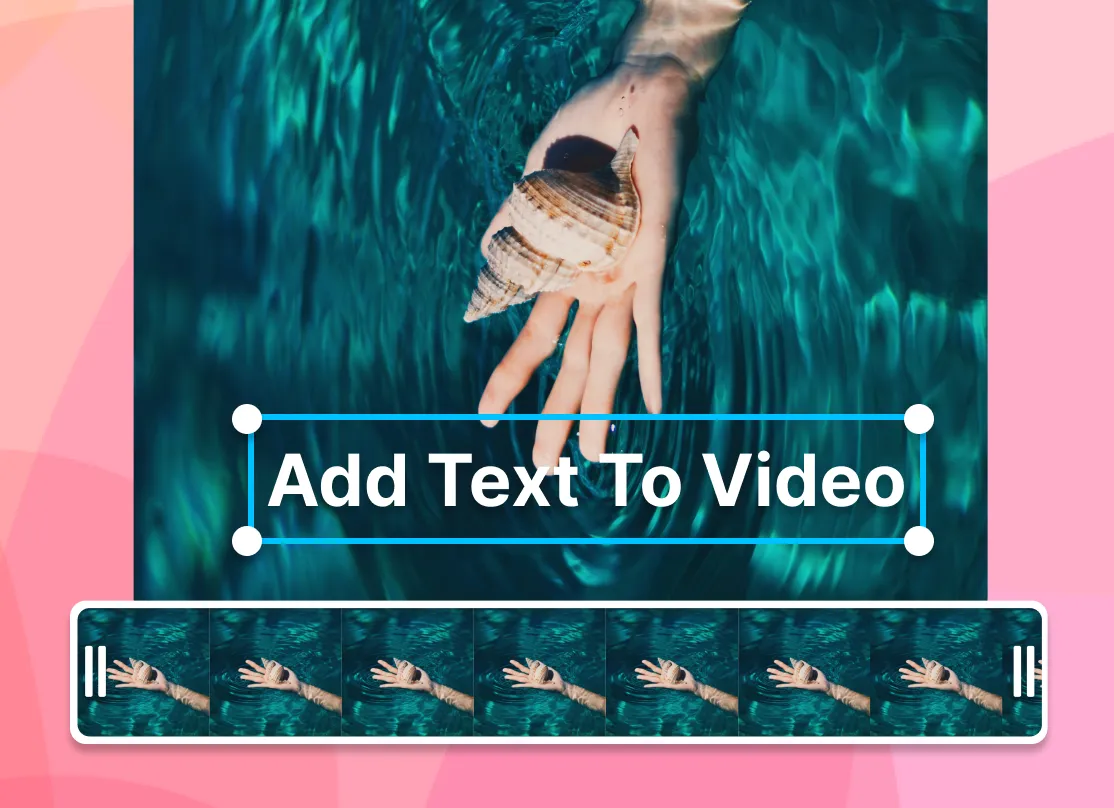
Render in the cloud and download: 720p free, 1080p from $9/mo billed annually, 4K at 50/60fps on Pro. There's no separate credit pack to buy for premium elements.
What people are saying about EchoWave

About the EchoWave team
EchoWave is a browser-based video and audio editor built by Lemon Vault LLC since 2018. The people who build the editor write these guides and test every step in the production app before publishing.
Renderforest alternative FAQ
What is the best free Renderforest alternative?
For a pure visualizer, Vizzy: totally free, donation-funded, no watermark, and it exports up to 4K at 60fps, though rendering happens on your own machine and it only makes visualizer scenes. For a full editor, EchoWave's free plan takes video up to 60 minutes at 720p with a small watermark badge, and quick tools like trim, crop, compress, and convert export with no watermark. Renderforest's own free plan is the most limited of the three: 360p, about 500MB of storage, and a length cap sources put at 1 to 3 minutes.
What is cheaper than Renderforest?
Renderforest's Lite plan is $9.99/mo billed annually ($14.99 monthly) and removes the watermark at 720p; reaching 1080p needs Pro at $19.99/mo annually. On this page, EchoWave Basic runs $9/mo billed annually for 1080p, and FlexClip Plus is $11.99/mo annually for a comparable template-based editor. Vizzy is free outright if a visualizer covers the whole job. Renderforest also layers a separate credits system, from $10 per 100 credits, on top of any plan for premium templates, an extra cost the alternatives above don't carry.
Does Renderforest have a watermark?
Yes, on the free plan, which also caps resolution at 360p with about 500MB of storage. Removing it requires Lite at $9.99/mo billed annually, which raises you to 720p; 1080p needs Pro at $19.99/mo annually, and 4K is reserved for the per-seat Business tier. On EchoWave, quick tools like trim and compress export watermark-free on the free plan, and the editor's small badge comes off at $9/mo billed annually. Vizzy never adds a watermark at any price.
Renderforest vs EchoWave: which should I pick?
Pick Renderforest if you want one subscription spanning video templates, logo design, a website builder, and mockups, its 1,200+ template catalog and G2 score of 4.7 are genuinely strong for template-first shoppers. Pick EchoWave if you want a real multi-track editing timeline with an audio-reactive visualizer, subtitles, and voiceover tools in one place, without a separate credits system layered on top of your subscription. EchoWave's free plan also takes videos up to 60 minutes; Renderforest's free plan caps out around 1 to 3 minutes at 360p.
How do I use Renderforest for free?
Renderforest's free plan is ongoing, not a trial, but exports at 360p with a watermark, roughly 500MB of storage, and a length cap sources put between 1 and 3 minutes. That's usable for a quick test but tight for real output. If you want a genuinely free tool with a higher ceiling, Vizzy exports up to 4K with no watermark at all, visualizer only, and EchoWave's free plan renders at 720p for videos up to 60 minutes, with quick tools exporting watermark-free.
What is the best Renderforest alternative for AI video generation?
InVideo goes furthest on pure text-prompt generation, its Agent Two produces video from a script using models like Sora 2 and Veo 3.1, though reviewers report credits burning on failed generations with no rollover and Trustpilot scores split sharply, 3.4 for the AI product, 2.1 for the legacy Studio. Renderforest takes a similar approach, piping prompts through Veo 3.1, Kling 3.0 Omni, and Pixverse V6 inside its template platform. Neither is a hands-on editor; EchoWave fills that gap with a manual timeline instead of a prompt box.
How many templates does Renderforest have?
Renderforest lists 1,200+ ready-made templates for intros, social clips, and animated explainers, spanning its video, logo, and website tools under one subscription. That's a genuinely broad catalog for shoppers who want a pre-built scene to fill in rather than build from scratch. EchoWave takes the opposite approach: there's no public template gallery to browse, instead your own finished projects become reusable templates with placeholders, plus bulk CSV generation and a REST API for producing many videos from one design.
Why do people cancel Renderforest?
The recurring Trustpilot theme is billing, not product quality: reviewers describe auto-renewal charges landing before they expected and refunds being difficult to secure. A smaller group of long-time users also cite the 2025 removal of one-click slideshow auto-generation, which now requires hand-picking every scene, adding real project time. The product itself still rates well, G2 4.7 across 446 reviews, so most switches are about billing predictability and workflow speed rather than output quality.
Is Renderforest worth it?
For businesses that want one subscription across video templates, logos, mockups, and a website builder, yes, the 4.7 G2 score reflects real satisfaction with that breadth. It's a harder yes for anyone who just wants to edit video without tracking a separate credits balance on top of the subscription, or who needs more than 360p on the free plan. EchoWave, FlexClip, and Vizzy on this list all skip the credits layer entirely.
The honest verdict
Build your next video without a credits system EchoWave has a free plan
Full editor, videos up to 60 minutes, no account needed to start.
Get Started →
How we checked
Prices and limits on this page come from the tools' own published pages, as checked August 2026:
- Renderforest subscription (renderforest.com) - Renderforest
- Renderforest subscription guide (help.renderforest.com) - Renderforest help center
- InVideo (invideo.io) - InVideo
- Animoto pricing (animoto.com) - Animoto
- Animoto pricing (capterra.com) - Capterra
- FlexClip pricing (flexclip.com) - FlexClip
- Biteable pricing (biteable.com) - Biteable
- Lumen5 pricing (lumen5.com) - Lumen5
- Pictory pricing (pictory.ai) - Pictory
- Specterr pricing (specterr.com) - Specterr
- VEED pricing (veed.io) - VEED
- Vizzy (vizzy.io) - Vizzy (live site confirms free, no paid plans)
Every competitor claim on this page was re-verified against the sources above on August 3, 2026.
Pricing and limits change often. If anything here is out of date, email hello@echowave.io with a link and we'll correct it. Our editorial policy explains how we test and update comparisons.
Trademark and comparison notice. Renderforest and all related names, logos, product names and trademarks are the property of their respective owners. EchoWave is an independent product and is not affiliated with, associated with, authorised by, endorsed by, sponsored by, or in any way officially connected to Renderforest or its owners. Any third-party names, logos and trademarks are used here only to identify and compare the products honestly (nominative fair use) and do not imply any endorsement, partnership or affiliation.
This comparison reflects EchoWave's own opinion and our understanding of publicly available information believed accurate at the time of writing. Third-party features, pricing and availability change frequently and can vary by region, so figures may be out of date; please confirm the current details on Renderforest's official website before making a decision. EchoWave makes no representation or warranty as to the accuracy or completeness of any third-party information shown here. If you believe anything on this page is inaccurate or out of date, please contact us and we will review it promptly.























































