
The 9 Best Captions App Alternatives in 2026
Captions (now owned by Mirage) is a mobile-first app whose cheapest visible plan jumped to $24.99/mo, with prices that officially reflect iOS only. Our top pick for desktop and web users is EchoWave: karaoke captions with word-level animations in any browser, plus an AI clip generator that pulls 1-30 ranked clips from a long recording and scores each 0-100 on Hook, Clarity, Emotion, Value and Trend. No credit meter, 30 free analysis minutes a month, paid from $9/mo billed annually. Free options and specialist tools are ranked below.



The 9 Best Captions App Alternatives in 2026 Features
Trusted by thousands of creators worldwide





Why people look for a Captions alternative
Captions built its name on stylish mobile captioning, but the economics shifted. The cheapest plan on its current pricing page is Max at $24.99/mo with 500 credits; the roughly $9.99 Pro tier that older guides still cite no longer appears there. The pricing page also carries a telling disclaimer: features and prices reflect iOS plans only, so web and Android buyers cannot be sure what they will pay. The free plan offers basic tools with no AI features, and third-party reviews consistently report watermarked exports on it.
Then there are the credits. Trustpilot reviewers describe credits depleting quickly and being charged even when the AI glitches, with delayed or partial make-goods. Reviewers also report audio drifting out of sync after export and slow processing, plus feature churn as the app evolves under Mirage, the AI research company Captions became in September 2025. The product is genuinely capable, its Trustpilot score sits at 4.0 across roughly 309 reviews, but desktop-first creators in particular end up paying iPhone-app prices for a secondary web experience.
How we picked: we tested each alternative in the browser or its native app and re-checked every pricing page in August 2026. Prices are USD, as checked August 2026.
TL;DR: EchoWave is the best overall Captions alternative for desktop and web: karaoke captions plus an AI clip generator that turns one long recording into 1-30 clips ranked by Viral Score, no credit meter, from $9/mo. Submagic if you want trend-styled captions with one-click auto-editing. Descript if your talking-head workflow needs transcript editing and filler-word removal.
The best Captions app alternatives in 2026, ranked
Every pick tested in the browser. Prices checked August 2026.
- 1
EchoWave
Our pickBest overall for desktop and web: AI clip generation and karaoke captions, no credit meter
EchoWave covers the part of Captions most people actually use, animated word-by-word captions in any browser on any machine, and now clips long recordings too. Feed the clip generator a podcast, webinar or stream VOD and it returns 1 to 30 clips ranked by a Viral Score (0-100) with Hook, Clarity, Emotion, Value and Trend sub-scores and plain-English reasons like "strong hook" or "big reactions". Smart camera reframes each clip across 7 layouts, from follow speaker to split and presenter plus slides, using on-screen speaker detection (lip movement matched to the voice), and a "find moments about" prompt searches the transcript for topics you name. The caption generator auto-transcribes 50+ languages and styles them with 170+ presets including karaoke and word-level animations, translates to 80+ languages, handles bilingual captions and imports or exports SRT/VTT. There is no monthly minute cap on free fast subtitles, clip analysis includes 30 free source minutes a month, and nothing is metered by credits, so a glitchy render never costs you an allowance.
It sits inside a full multi-track editor rather than a captions-only app: trim and layer clips, add a text-to-speech voiceover with voice cloning, remove or blur backgrounds, and record screen or camera takes. Paid starts at $9/mo billed annually, well under half of Max's $24.99. The honest caveats: Captions' Mirage-powered AI avatars, lip-synced dubbing in 100+ languages and eye-contact correction have no EchoWave equivalent, there is no built-in scheduler or AI B-roll, and its phone capture-to-publish flow is smoother on iOS than any browser tool.
- Pricing:
- Free plan; paid from $9/mo billed annually
- Free plan:
- Free forever: 30 clip-analysis minutes a month, full editor, videos up to 60 minutes, 720p exports with a small watermark; quick tools export with no watermark
- Best for:
- Desktop and web creators who want AI clip generation plus captioning for talking-head and social video

Pros
- AI clip generator: 1-30 ranked clips per run, Viral Score 0-100 with Hook, Clarity, Emotion, Value and Trend sub-scores plus reasons
- Smart camera reframes across 7 layouts with on-screen speaker detection (lip movement matched to the voice)
- 170+ caption presets with karaoke and word-level animations, no credit system anywhere
- Translation to 80+ languages, bilingual captions, SRT/VTT import and export
- Full multi-track editor around the captions, plus TTS and voice cloning
- Paid from $9/mo billed annually versus Max at $24.99/mo
Cons
- No AI avatars, lip-synced dubbing or eye-contact correction, and no built-in scheduler
- Clip analysis covers 30 source minutes a month on the free plan; free exports carry a small watermark and a 720p cap, 1080p starts at $9/mo
- Mobile-first capture workflow is weaker than a native phone app
- 2
Submagic
submagic.coThe nearest like-for-like rival: trendy captions plus one-click auto-editing
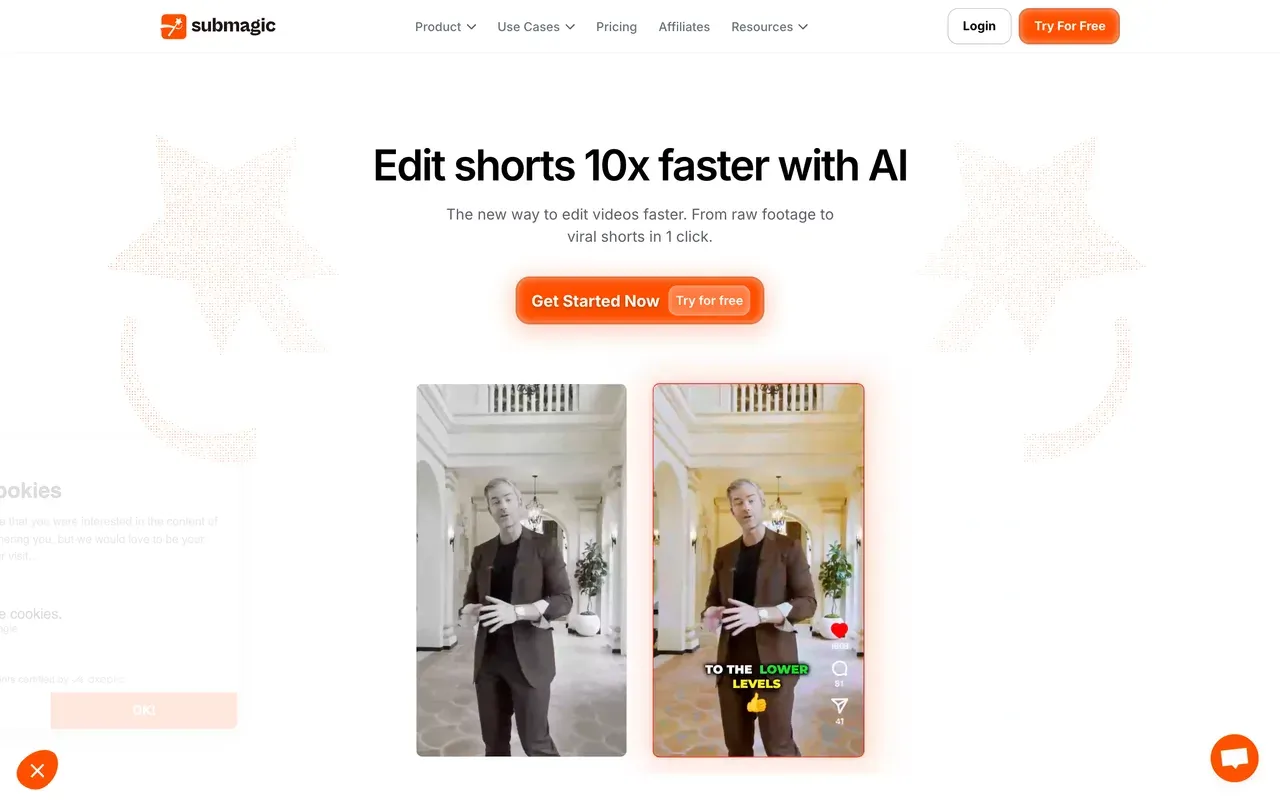
Submagic competes with Captions head-on and wins on price: captions in 123 languages with a claimed ~99% accuracy, trend-styled templates, and one-click auto-editing that removes silences and adds zooms, transitions and sound effects. Starter is $12 per member per month billed annually, less than half of Captions Max, and it runs in the browser rather than treating web as an afterthought.
Its meters work differently from Captions' credits but bite in their own way: plans cap both video count and per-video length (Starter: 15 videos a month, 2 minutes each), long-video clipping is a separate $19/mo Magic Clips add-on, and Trustpilot reviews warn about surprise annual renewals with a strict no-refund stance.
- Pricing:
- From $12/member/mo billed annually (Starter); $19 monthly
- Free plan:
- Free: 3 videos/mo, 90-second and 200MB caps per video, watermark
- Best for:
- Short-form creators who want stylized captions and automated cuts fast
Pros
- Caption templates and quality that rival Captions, in 123 languages
- One-click silence removal, zooms, transitions and SFX
- Browser-first, with an API and scheduler
- Half the price of Captions Max on annual billing
Cons
- Video-count and per-video length caps on every plan
- Magic Clips long-video clipping costs an extra $19/mo
- Surprise annual renewal complaints on Trustpilot
- AI Avatar Studio exists but the wider editor is thin
- 3
VEED
veed.ioThe browser suite that keeps Captions' AI ambitions, avatars included
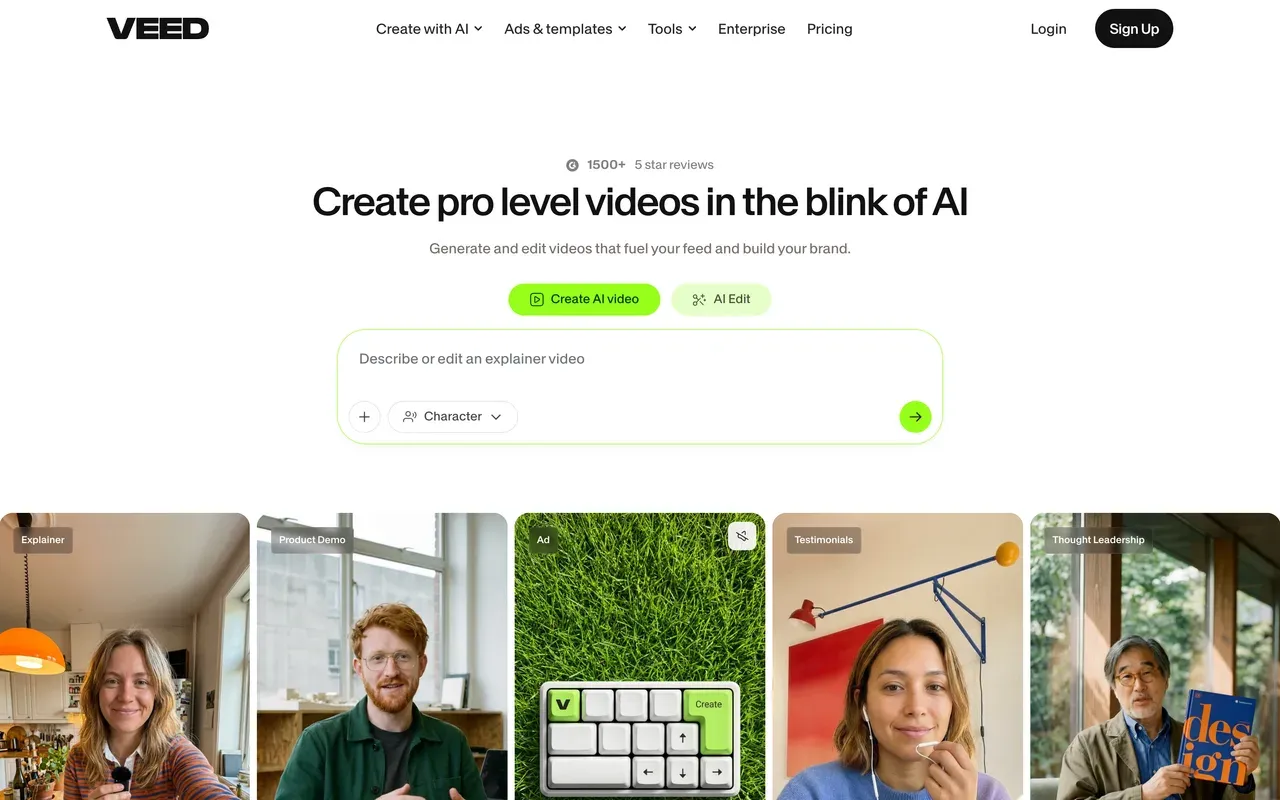
VEED is the pick if you like Captions' AI direction but want it on the web: auto subtitles with translation into 50+ languages on Pro, AI avatars, text-to-speech and voice cloning, a screen recorder and a Gen-AI studio aggregating 25+ video models. Creator starts at $10 per user per month billed annually, a fraction of Captions Max.
It shares the credit problem rather than solving it: all AI is metered by yearly credit allowances users describe as too small, the free plan is demo-grade (720p, 10-minute cap, watermark), and Trustpilot complaints center on auto-renewals and refused refunds. Monthly billing is roughly double the annual rate.
- Pricing:
- From $10/user/mo billed annually (Creator, $116/yr); $20 monthly
- Free plan:
- Free: 720p, 10-minute export cap, watermark, 2GB storage, limited AI credits
- Best for:
- Web-first teams that want subtitles plus a broad AI toolkit
Pros
- AI avatars and TTS on the web, closest to Captions' feature set here
- Subtitle translation into 50+ languages on Pro
- Full browser editor and recorder around the captions
- Cheap annual entry at $10/user/mo
Cons
- Everything AI is credit-metered, the same frustration Captions users cite
- Heavy billing complaints on Trustpilot
- Per-user pricing; monthly rate is about double annual
- Free plan unusable for real publishing
- 4
CapCut
capcut.comThe other mobile-first giant, better editor, captions now paywalled
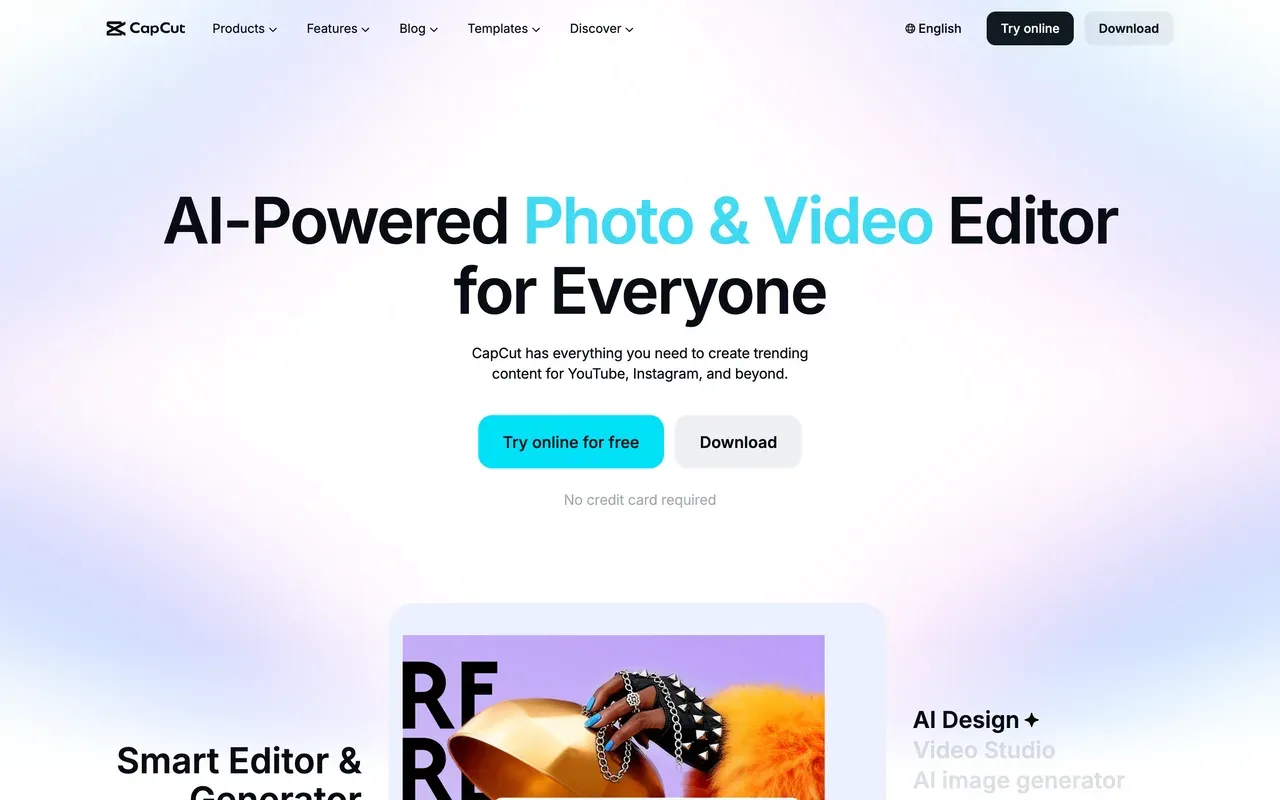
If you want to stay mobile-first but need a real editor around your captions, CapCut is the obvious candidate: free multi-track timeline, keyframes and chroma key, 870K+ templates and tight TikTok integration, with apps across iOS, Android, Windows, Mac and web.
The caption story is the catch for this audience: through 2025 CapCut moved auto captions behind the Pro paywall and added a watermark to free exports. Pricing is also opaque, CapCut's help pages say cost varies by region, device and promotion, with no public price list; US trackers report Pro around $19.99/mo or $15/mo annual. You escape Captions' iOS-only pricing but land in unpublished pricing instead.
- Pricing:
- Pro reported around $19.99/mo or ~$15/mo annual (no public price list)
- Free plan:
- Free: core editing (multi-track, keyframes, chroma key); watermarked exports, auto captions paywalled
- Best for:
- Mobile creators who want a deeper editor and live inside TikTok trends
Pros
- Free editing depth no captions app matches
- Massive trend-template ecosystem
- Apps on every platform with cloud sync
- Large AI toolkit on Pro
Cons
- Auto captions, the whole point here, now require Pro
- Watermark on free exports
- No transparent pricing; varies by region and device
- 5
Descript
descript.comFor talking-head creators who want the workflow, not just the look
Captions polishes talking-head video with AI; Descript restructures how you edit it. Cut by deleting words in the transcript, strip filler words automatically, clean audio with Studio Sound and clone your voice with overdub, backed by transcription accuracy that leads the category in 25 languages. Hobbyist starts at $16/mo billed annually.
Its weak points are familiar from Captions: dual metering (media hours plus AI credits) makes bills unpredictable, users report a month's credits lasting about a day, and the rebuilt editor draws stability complaints on longer projects. Caption styling is functional rather than trend-driven; for flashy karaoke looks you would still reach elsewhere.
- Pricing:
- From $16/mo billed annually (Hobbyist); $24 monthly
- Free plan:
- Free: 60 transcription minutes/mo, 720p export, watermark, 5GB storage
- Best for:
- Podcasters and talking-head creators editing by transcript

Pros
- Transcript-based editing with automatic filler-word removal
- Studio Sound cleanup and overdub voice cloning
- Best-in-class transcription in 25 languages
- Screen and remote recording included
Cons
- Media-hour plus AI-credit dual metering
- Stability complaints on long projects since the rebuild
- Caption styling is plainer than Captions or Submagic templates
- 6
OpusClip
opus.proCaptions plus clip-mining, if long-form is your source material
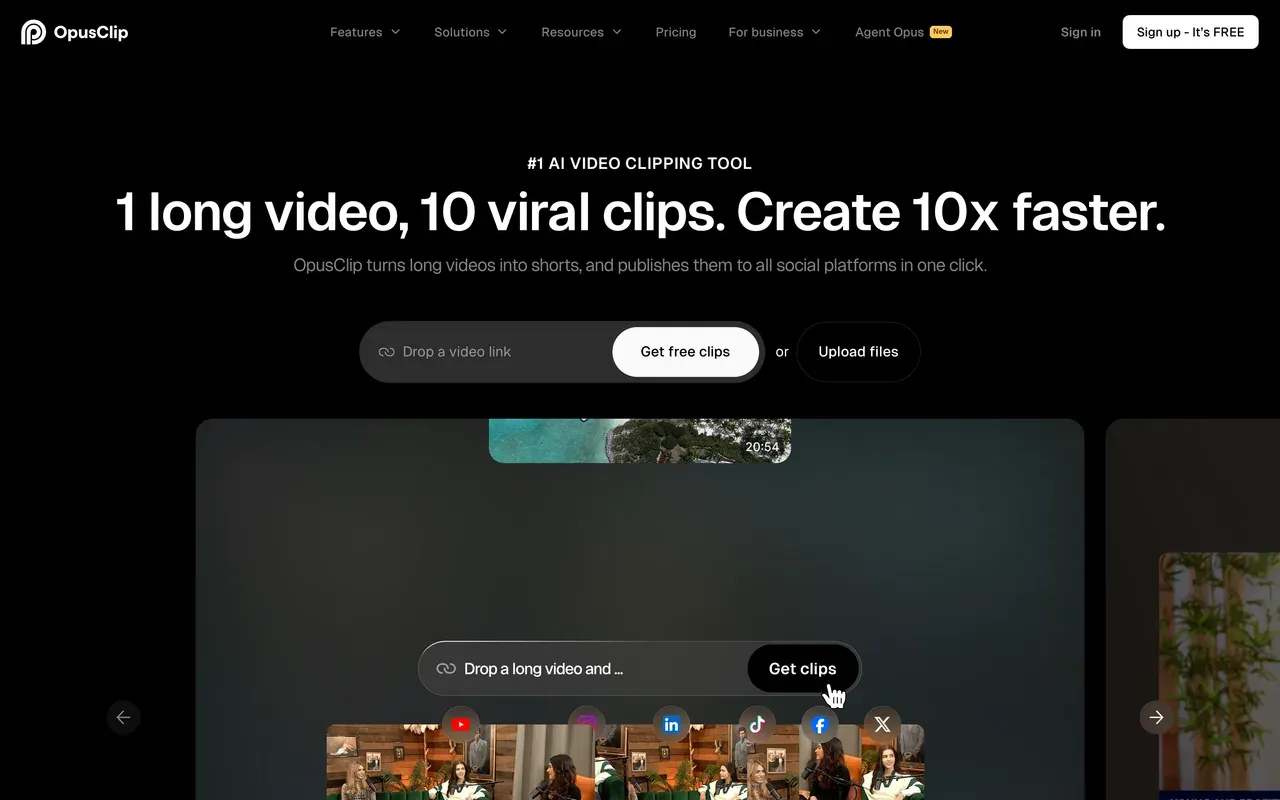
OpusClip pairs animated caption templates (~97% claimed accuracy) with the most mature AI clipping on the market: ClipAnything finds moments in any genre, reframes them per platform and scores each clip for virality, with a scheduler and API on top. For creators who caption clips cut from podcasts or streams, it merges two jobs into one tool from $15/mo.
Its credit system is stricter than Captions': credits expire after 60 days on monthly plans, media and exports disappear about 3 days after a subscription ends, and independent testing discarded roughly 40% of generated clips. The free tier watermarks captions and deletes media after 3 days.
- Pricing:
- From $15/mo (Starter, monthly only); Pro $29/mo or $14.50/mo annual
- Free plan:
- Free: 60 credits/mo, watermarked captions, 1080p, media expires after 3 days
- Best for:
- Creators clipping and captioning long-form content at volume
Pros
- Clipping, captions, reframing and scheduling in one pass
- Animated caption templates with high claimed accuracy
- Virality scoring helps triage clips
- API for automation
Cons
- Credits expire after 60 days on monthly plans
- Projects inaccessible about 3 days after cancelling
- Around 40% of clips were discarded in independent testing
- 7
Vizard
vizard.aiThe most upload minutes per dollar, with captions in 100+ languages
Vizard undercuts everyone on volume: 600 upload minutes a month from $14.50/mo billed annually, with AI clipping rated 4.7 on G2, caption translation in 100+ languages, text-based editing and a scheduler for up to 20 social accounts. For caption-heavy teams processing hours of talk content, the per-dollar math beats Captions comfortably.
Watch the fine print: editing sessions burn credits beyond the upload cost (one tested video consumed 17 of the free plan's 60 credits across two sessions), monthly-plan credits expire after 2 months, and the editor is shallow once clips need real polishing. The free tier is 720p, watermarked, with 3-day storage.
- Pricing:
- From $14.50/mo billed annually (Creator, 600 min/mo); $29 monthly
- Free plan:
- Free: 60 credits/mo, 720p, watermark, 10-min export cap, 3-day storage
- Best for:
- Budget-conscious teams captioning many hours of talk content

Pros
- 600 upload minutes a month at the category's lowest per-minute price
- Caption translation in 100+ languages
- G2 4.7 with praise for moment detection and caption accuracy
- Free team seats on the Business plan
Cons
- Editing burns extra credits on top of uploads
- Monthly-plan credits expire after 2 months
- Shallow editing controls; no keyframes or layered timelines
- Slow renders on long videos at peak times
- 8
Zubtitle
zubtitle.comThe simplest captions-plus-headline tool for a few clips a month
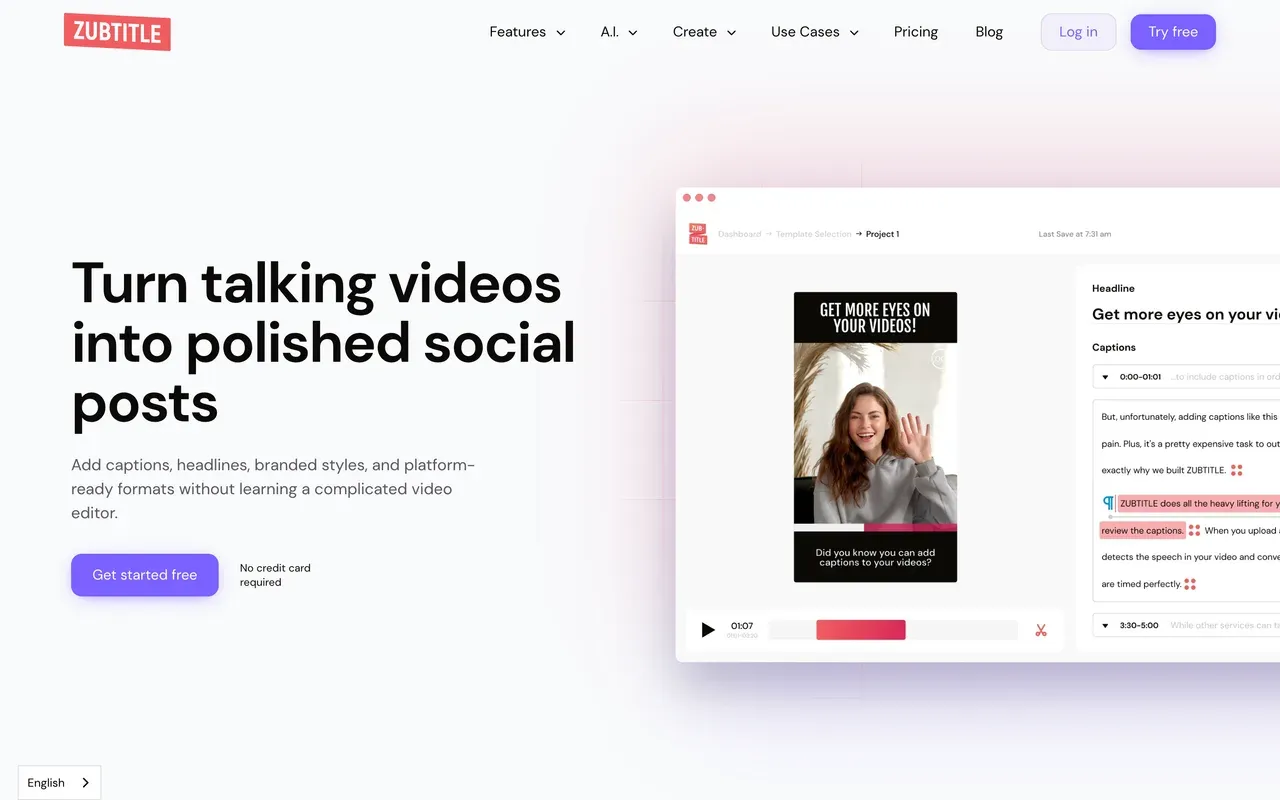
Zubtitle strips the job to its essentials: automatic captions with style templates, its signature headline text and progress-bar layout, one-click platform resizing and SRT downloads on every plan. For coaches and marketers posting a handful of talking-head clips a month, it is quicker to learn than Captions and runs in any browser.
The caps define it: uploads max out at 20 minutes on every plan including the $49 Agency tier, monthly video counts are hard-limited (2 free, 10 on Guru, 30 on Agency), and there is no timeline editing at all, just trim, resize and caption.
- Pricing:
- From $15.83/mo billed annually (Guru, $190/yr); $19 monthly
- Free plan:
- Free: 2 videos/mo, 720p, watermark, uploads up to 20 minutes
- Best for:
- Coaches and marketers posting a few short clips per month
Pros
- Zero learning curve: captions, headline and progress bar in minutes
- One-click resizing for each platform
- SRT downloads on all plans, 4K on paid tiers
- Predictable flat pricing, no credits
Cons
- 20-minute upload cap on every plan
- Hard monthly video counts with no unlimited option
- No real editing beyond captions, trimming and resizing
- 9
Kapwing
kapwing.comBrowser captions inside a collaborative team workspace
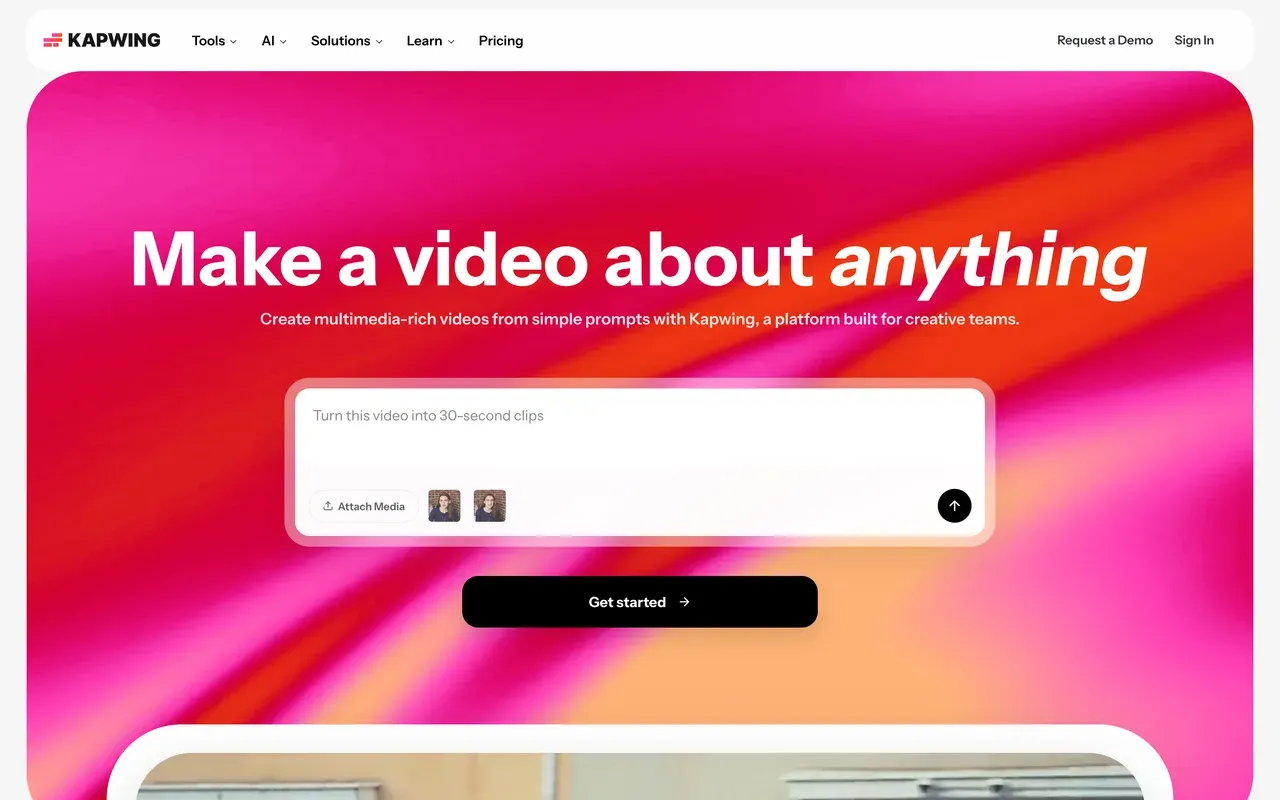
Kapwing brings Captions-style subtitling into a team setting: accurate auto subtitles and translation with a clean browser workflow, shared workspaces, in-browser review and its Kai AI assistant that edits projects from prompts. For a social team captioning clips together, it is a more natural fit than a phone-first app.
The cost structure needs reading twice: plans are per member ($16/mo billed annually for Pro, $24 monthly), subtitles draw from monthly credit allowances (1,000 minutes on Pro), and the free plan is a demo, 1-minute watermarked 720p exports with projects deleted after 3 days. Export reliability is its most consistent complaint.
- Pricing:
- From $16/member/mo billed annually (Pro, $192/yr); $24 monthly
- Free plan:
- Free: 1-minute max exports, 720p, watermark, 10 min auto subtitles/mo, projects stored 3 days
- Best for:
- Marketing teams captioning social clips collaboratively
Pros
- Strong auto subtitles and translation in the browser
- Team workspaces with in-browser review and commenting
- Kai AI assistant edits projects from prompts
- Solid repurposing toolkit around the captions
Cons
- Per-member pricing adds up fast
- Subtitle minutes metered by monthly credits even on paid plans
- Free tier caps exports at 1 watermarked minute and deletes projects after 3 days
- Recurring export-failure complaints
Captions vs EchoWave at a glance
| Feature | EchoWave | Captions |
|---|---|---|
| Free tier reality | Free forever: full editor, videos up to 60 minutes | Basic tools only, no AI features; reviews report watermarked exports and capped projects |
| Watermark on free exports | None on quick tools; small badge in the full editor | Watermarked on the free plan per third-party reviews |
| Starting paid price | $9/mo billed annually (Basic, $19 monthly) | $24.99/mo (Max); the old ~$9.99 Pro tier no longer appears on the pricing page |
| Pricing transparency | Same published plans everywhere, with purchasing-power discounts by country | Pricing page states features and prices reflect iOS plans only; annual prices not published |
| Credit metering | No credit system for editing or captions | 500 credits/mo on Max; users report credits consumed even when AI glitches |
| Auto-clipping (AI finds the moments) | Yes: point it at one long recording and it returns 1-30 clips ranked by Viral Score (0-100) with Hook, Clarity, Emotion, Value and Trend sub-scores and plain-English reasons; a prompt search finds moments about any topic | Not this: AI Edit restyles a single clip you already shot, it does not find highlights inside long recordings |
| Auto-reframe to vertical | Yes: 7 layouts including follow speaker, split, grid and presenter plus slides, driven by on-screen speaker detection (lip movement matched to the voice); every camera move is an editable keyframe | Not published as a distinct feature |
| Caption styles | 170+ presets with karaoke and word-level animations | 100+ caption styles |
| Languages | Auto-transcribe 50+ languages, translate captions to 80+ | Translation and lip-synced dubbing in 100+ languages |
| AI avatars and eye contact | Not offered | AI avatars, digital twins and eye-contact correction via Mirage models |
| Platforms | Any browser, plus Mac, Windows and Linux desktop apps | iOS, Android and desktop apps with a web editor; mobile-first |
| Account required to start | No, start editing without signing up | App sign-in required |
| Privacy and AI training | Files processed for your session, not used to train AI models | Training-data exclusion is listed as an Enterprise feature |
Free captions app without a watermark
Genuinely free and unwatermarked captioning is rare. EchoWave comes closest: fast subtitles have no monthly minute cap on the free plan, and its quick tools export with no watermark; full-editor exports carry a small badge until $9/mo. Zubtitle gives 2 free watermarked videos a month, and Submagic 3, so both free tiers are trials in practice. Captions' own free plan includes no AI captioning at all, which makes free comparisons moot.
Captions app Pro vs Max: what happened to the $9.99 plan?
People searching 'Captions Pro vs Max' usually just discovered the price change. The current pricing page starts at Max, $24.99/mo with 500 credits; the legacy ~$9.99 Pro tier that guides still mention does not appear there, so treat it as gone unless it shows in your app. If you only wanted Pro-level captioning money-wise, EchoWave at $9/mo annual or Submagic at $12/mo annual now occupy that price point.
Captions app alternative for desktop and PC
Captions runs desktop apps and a web editor, but its pricing page says plans reflect iOS, and reviewers treat the phone app as the real product. Browser-first tools flip that: EchoWave runs the full caption generator in any browser on Windows, Mac, Linux or a Chromebook, with desktop apps if you want them. Kapwing and VEED are also web-native, with per-member pricing and credit meters to factor in.
How to switch from Captions to EchoWave
Three steps in the browser, no app install and no account to start.
-
1. Upload your video
Open the online video editor in any browser, phone footage included, and drop in your file. Videos up to 60 minutes fit on the free plan.

-
2. Generate and style captions
Run auto subtitles, pick from 170+ presets including karaoke word-by-word styles, tweak the transcript, and translate to 80+ languages if needed.
-
3. Export without burning credits
Download in 720p free or 1080p from $9/mo. Nothing is credit-metered, and a re-export after a tweak costs nothing. Add a voiceover first if the clip needs narration.

Why people switch to EchoWave

About the EchoWave team
EchoWave is a browser-based video and audio editor built by Lemon Vault LLC since 2018. The people who build the editor write these guides and test every step in the production app before publishing.
Captions alternative FAQ
What is the best free Captions app alternative?
EchoWave. Its free plan includes the full editor with auto subtitles in 50+ languages, 170+ caption presets with karaoke animations, and no monthly minute cap on free fast subtitles; exports are 720p with a small badge, and quick tools export watermark-free. Captions' free plan includes only basic tools with no AI captioning, and third-party reviews report watermarked exports. Submagic and Zubtitle offer 3 and 2 free watermarked videos a month respectively, which works for occasional testing.
What is cheaper than the Captions app?
Almost everything on this list. Captions' cheapest visible plan is Max at $24.99/mo. EchoWave Basic is $9/mo billed annually, Submagic Starter $12/member/mo annually, Vizard Creator $14.50/mo annually with 600 upload minutes, Zubtitle Guru $15.83/mo annually, Descript Hobbyist and Kapwing Pro $16/mo annually. Only the Scale tiers above Max cost more. Prices as checked August 2026.
Does the Captions app have a watermark?
On the free plan, third-party reviews consistently report watermarked exports, and the free tier includes no AI features, so evaluating the real product means paying $24.99/mo for Max. For watermark-free output without a subscription, EchoWave's quick tools export free with no watermark, and its full-editor badge disappears at $9/mo billed annually.
Captions vs EchoWave: which should I pick?
Pick Captions if you film on your phone and want its Mirage-powered extras: AI avatars, digital twins, lip-synced dubbing in 100+ languages and eye-contact correction, none of which EchoWave offers. Pick EchoWave if you work on a computer: karaoke captions with 170+ presets in any browser, no credit metering, a full multi-track editor around them, and paid plans from $9/mo billed annually instead of $24.99.
Captions app vs Submagic: which is better for captions?
They are the two style leaders. Submagic covers 123 languages with trend templates and adds one-click auto-editing (silence cuts, zooms, SFX) at $12/member/mo billed annually; its plans cap video count and length, and clipping costs a $19/mo add-on. Captions counters with AI avatars, dubbing and eye-contact correction at $24.99/mo with 500 credits. For pure caption work on a budget, Submagic wins; for AI-generated presenter video, Captions does.
Captions app vs CapCut: which one for mobile editing?
CapCut is the stronger editor: free multi-track timeline, keyframes, chroma key and a giant template ecosystem across mobile, desktop and web. But its auto captions moved behind the Pro paywall through 2025 and free exports gained a watermark, while pricing is unpublished and varies by region; trackers report Pro around $19.99/mo. Captions remains more polished for one-tap captioned talking-head clips on iOS. If captions are the whole job, a browser tool like EchoWave avoids both paywalls.
Opus Clip vs Captions app: which for short-form clips?
Different jobs. OpusClip starts from long-form: it finds the best moments, reframes, captions and schedules them, from $15/mo, with credits that expire in 60 days and projects that vanish about 3 days after cancelling. Captions starts from footage you shot for the clip: AI editing styles, avatars and dubbing at $24.99/mo. EchoWave now sits between them: its clip generator pulls 1-30 ranked clips from a podcast or stream, each with a Viral Score and reasons, on 30 free source minutes a month with no credit expiry. It has no scheduler, and every clip opens in the full editor for manual changes.
Can EchoWave generate short clips from a long video automatically?
Yes. Upload a podcast, webinar, lecture or stream VOD and the clip generator returns 1 to 30 clips, each with a Viral Score from 0 to 100, sub-scores for Hook, Clarity, Emotion, Value and Trend, and plain-English reasons like "strong hook". Smart camera reframes to 9:16, 1:1, 4:5 or 16:9 across 7 layouts using on-screen speaker detection (lip movement matched to the voice), a prompt search finds moments about any topic you type, and word-timed captions come in 60+ styles. The free plan analyses 30 source minutes a month; free exports carry a small watermark and a 720p cap. Manual clipping in the editor stays unmetered.
Is Captions the same company as Mirage?
Yes. The company behind Captions rebranded to Mirage on September 4, 2025, positioning itself as an AI video research lab building generative video models, after raising $75M led by General Catalyst. The app itself is still called Captions at captions.ai, and Mirage Studio, the brand-focused product, was merged into the Captions app. In practice: same app, new parent identity, heavier emphasis on generative AI features.
Why do people leave the Captions app?
Four themes recur in reviews: credit anxiety (credits deplete fast, and Trustpilot reviewers report being charged credits when the AI glitches), the entry price effectively jumping from ~$9.99 to $24.99 as the Pro tier vanished from the pricing page, export bugs like audio drifting out of sync, and the desktop or web experience trailing the iOS app, with published prices officially reflecting iOS only. The app still rates 4.0 on Trustpilot across roughly 309 reviews.
The honest verdict
Karaoke captions in your browser, no credits attached Free plan, no signup required
Auto-transcribe, style and export captioned video in minutes. No credit card required.
Get Started →
How we checked
Sources we relied on for the claims above:
- Captions pricing (captions.ai) (Captions)
- Captions is now Mirage (captions.ai) (Captions/Mirage announcement)
- Captions reviews on Trustpilot (trustpilot.com) (Trustpilot)
- Submagic pricing (submagic.co) (Submagic)
- VEED pricing (veed.io) (VEED)
- How much does CapCut Pro cost? (capcut.com) (CapCut Help Center)
- Descript pricing (descript.com) (Descript)
- OpusClip pricing (opus.pro) (OpusClip)
- Vizard pricing (vizard.ai) (Vizard)
- Zubtitle pricing (zubtitle.com) (Zubtitle)
- Kapwing pricing (kapwing.com) (Kapwing)
Every competitor claim on this page was re-verified against the sources above on August 3, 2026.
Pricing and limits change often. If anything here is out of date, email hello@echowave.io with a link and we'll correct it. Our editorial policy explains how we test and update comparisons.
Trademark and comparison notice. Captions and all related names, logos, product names and trademarks are the property of their respective owners. EchoWave is an independent product and is not affiliated with, associated with, authorised by, endorsed by, sponsored by, or in any way officially connected to Captions or its owners. Any third-party names, logos and trademarks are used here only to identify and compare the products honestly (nominative fair use) and do not imply any endorsement, partnership or affiliation.
This comparison reflects EchoWave's own opinion and our understanding of publicly available information believed accurate at the time of writing. Third-party features, pricing and availability change frequently and can vary by region, so figures may be out of date; please confirm the current details on Captions's official website before making a decision. EchoWave makes no representation or warranty as to the accuracy or completeness of any third-party information shown here. If you believe anything on this page is inaccurate or out of date, please contact us and we will review it promptly.























































