
The 9 Best Opus Clip Alternatives in 2026
Opus Clip picks moments well, but its credits expire after 60 days and free-plan media is deleted after 3 days. EchoWave's AI clip generator finds highlights too: it scores each clip 0-100 across Hook, Clarity, Emotion, Value, and Trend, reframes with 7 speaker-aware camera layouts, and styles word-timed captions in 60+ presets. 30 source minutes are free every month, and nothing expires.



The 9 Best Opus Clip Alternatives in 2026 Features
Trusted by thousands of creators worldwide





Why people look for an Opus Clip alternative
The complaints about OpusClip are almost all about the meter, not the AI. Credits map to source minutes, monthly-plan credits expire after 60 days, and leftovers keep their original expiry even after you cancel. Free-plan media and exports are deleted after 3 days, and Trustpilot reviewers (4.0 stars across roughly 460 reviews, with a 22% one-star share) report losing projects after a lapse and struggling to find the refund path. Starter at $15/mo has no annual discount, processing failures still consume credits, and independent testing found roughly 40% of generated clips get discarded as unusable.
We tested each alternative in the browser and checked every pricing page in August 2026. One update to note up front: EchoWave, our top pick, now auto-picks moments itself. Its AI clip generator returns 1 to 30 ranked clips per run, scores each one 0-100 across Hook, Clarity, Emotion, Value, and Trend with plain-English reasons, and reframes to vertical with 7 camera layouts driven by on-screen speaker detection (lip movement matched to the voice). The difference from Opus remains the meter: 30 source minutes of analysis are free every month, minutes never expire, and editing, captions, and exports stay unmetered on flat plans.
TL;DR: EchoWave is the best overall alternative now that it auto-clips too, with no credit meter; Vizard if you want automatic clipping with the most minutes per dollar; Submagic for caption-styled short-form with auto-editing.
The best Opus Clip alternatives in 2026, ranked
Every pick tested in the browser. Prices checked August 2026.
- 1
EchoWave
Our pickBest overall: AI auto-clipping plus hands-on editing, with no credit meter
EchoWave now does Opus's core job. Drop in a long recording and the AI clip generator finds highlight moments from the word-timed transcript plus audio energy, reaction peaks, and speaker turns, then returns 1 to 30 ranked clips per run. Each clip carries a Viral Score from 0 to 100 with five sub-scores (Hook, Clarity, Emotion, Value, Trend) and plain-English reasons like "strong hook" or "big reactions", plus an AI title, hook line, and hashtags. Smart camera reframes to vertical using on-screen speaker detection (lip movement matched to the voice) and cuts between speakers across 7 layouts, from split and grid to presenter plus slides; every camera move is ordinary keyframes you can adjust shot by shot. Captions come word-timed in 60+ styles sized for portrait, and a "Find moments about ..." prompt searches the transcript when you need a specific topic. Every clip opens as a normal project in the full editor: trim on the timeline, cut by deleting transcript words, or restyle captions in the caption generator. Analysis runs on-device in the browser or in the cloud, 30 source minutes are free every month, and editing, captions, and exports stay on flat unmetered plans from $9/mo billed annually.
The honest caveats: no social scheduler or auto-posting, no AI B-roll, and no dubbing. You still distribute the clips yourself, free analysis is capped at 30 source minutes a month, and free exports carry a small watermark at 720p.
- Pricing:
- Free plan; paid from $9/mo billed annually
- Free plan:
- Free forever: 30 AI clip-analysis minutes a month, full editor, 720p exports with a small badge; quick tools export with no watermark
- Best for:
- Creators who want AI auto-clipping plus hands-on editing, without a credit meter

Pros
- Viral Score 0-100 per clip with Hook, Clarity, Emotion, Value, and Trend sub-scores and reasons
- 7 camera layouts with on-screen speaker detection (lip movement matched to the voice); every move is editable keyframes
- No credit system for editing, captions, or exports; free analysis minutes reset monthly and never expire
- Text-based editing: delete transcript words to cut, plus filler and silence removal
- Word-timed captions in 60+ styles, including word-punch, karaoke, and boxed presets
- Templates, bulk CSV rendering, a REST API, MCP, and Zapier for batch clip workflows
Cons
- No built-in social scheduler or auto-posting
- No AI B-roll or dubbing
- Free plan analyses 30 source minutes a month; free exports carry a small watermark at 720p
- 2
Vizard
vizard.aiThe best minutes-per-dollar automatic clipper
Vizard does Opus's core job, AI clipping with captions, at friendlier math: 600 upload minutes a month from $14.50/mo billed annually, versus Opus Pro's 300 credits at $29 on monthly billing. G2 reviewers (4.7 from about 340 reviews) rate its moment detection and caption accuracy highly, and it adds AI B-roll from stock libraries, caption translation in 100+ languages, a scheduler, and free team seats on the Business plan.
The catches echo Opus in miniature. Editing sessions burn extra credits beyond the upload (one tested video consumed 17 of the free plan's 60 credits across two sessions), and credits still expire: 2 months on monthly plans, 13 months on yearly. The free tier is 720p, watermarked, with 3-day storage, and reviewers note slow renders on long uploads.
- Pricing:
- From $14.50/mo billed annually (Creator; $29 monthly)
- Free plan:
- 60 credits/month, 720p, watermark, 10-minute export cap, 3-day storage
- Best for:
- Budget-conscious podcasters clipping many hours of talk content automatically

Pros
- 600 upload minutes a month from $14.50/mo billed annually
- Strong reviews for clip selection and caption accuracy (G2 4.7)
- Caption translation in 100+ languages plus AI B-roll
- Free team seats on the Business plan
Cons
- Editing sessions consume extra credits beyond upload minutes
- Credits expire after 2 months on monthly plans
- Shallow fine-grained editing once clips need real polish
- 3
quso.ai (formerly vidyo.ai)
quso.aiClipper plus scheduler and analytics in one subscription
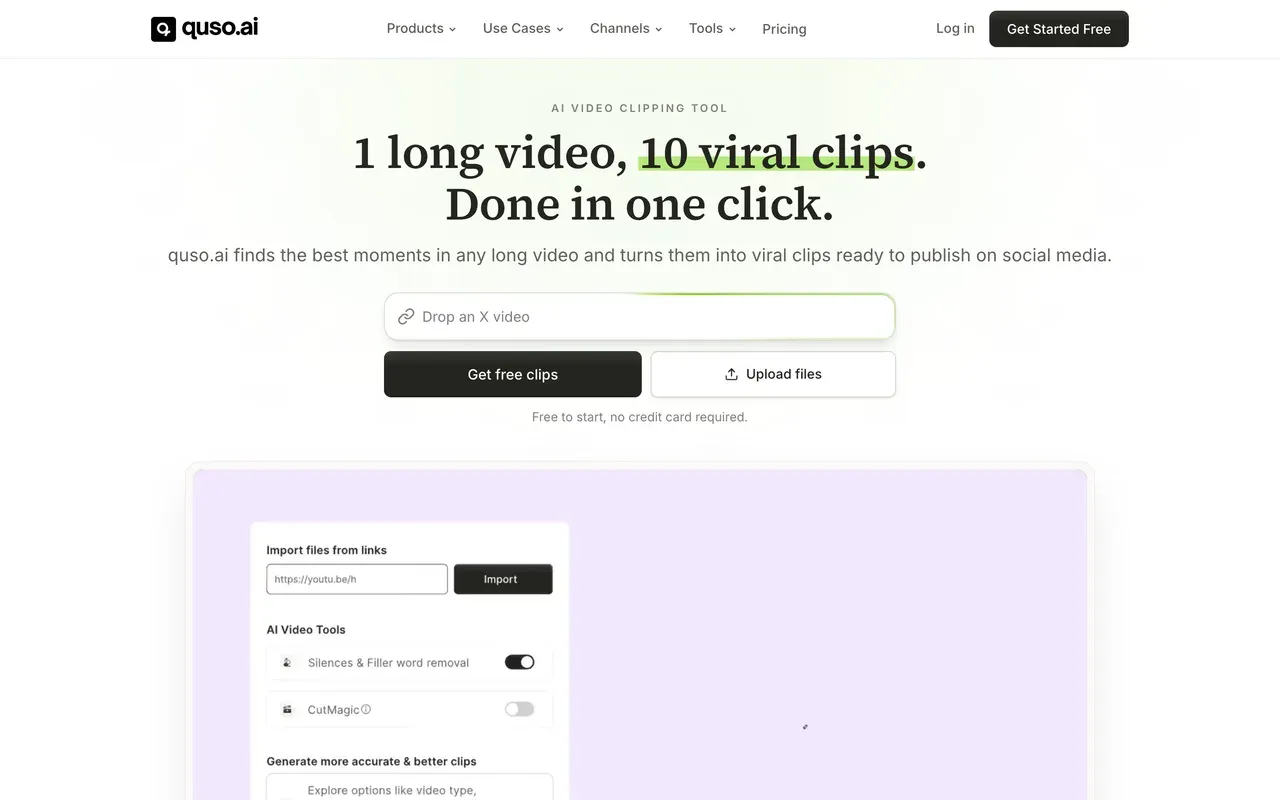
vidyo.ai rebranded to quso.ai around the turn of 2025 (same product, team, and logins) and grew into a social suite: AI clipping plus native scheduling to six platforms, analytics, brand-kit templates, and AI-written captions and hashtags. Subtitles cover 100+ languages with filler-word removal.
One pricing wrinkle matters more than the sticker: annual billing doubles your credit allowance on top of the discount. Lite is $19/mo billed annually with 200 credits a month, but $29 month-to-month gets only 100, so monthly buyers are doubly penalized. Reviewers rank its clip precision behind Opus and Vizard and report bugs that force redone edits, but as one subscription replacing a clipper plus a scheduler, the value story is real.
- Pricing:
- From $19/mo billed annually (Lite; $29 monthly with half the credits)
- Free plan:
- 75 credits/month, 720p, watermark, 7-day data retention
- Best for:
- Solo creators who want clipping, scheduling, and analytics in one bill
Pros
- Clipping plus scheduling to six platforms and analytics
- Subtitles in 100+ languages with filler-word removal
- Annual billing doubles monthly credit allowances
- Brand kit templates and AI-written social captions
Cons
- Monthly billing gets half the credits of annual at the same tier
- Clip precision rated behind OpusClip and Vizard
- Recurring reports of bugs forcing redone edits
- 4
Submagic
submagic.coCaptions and auto-editing for clips you already have
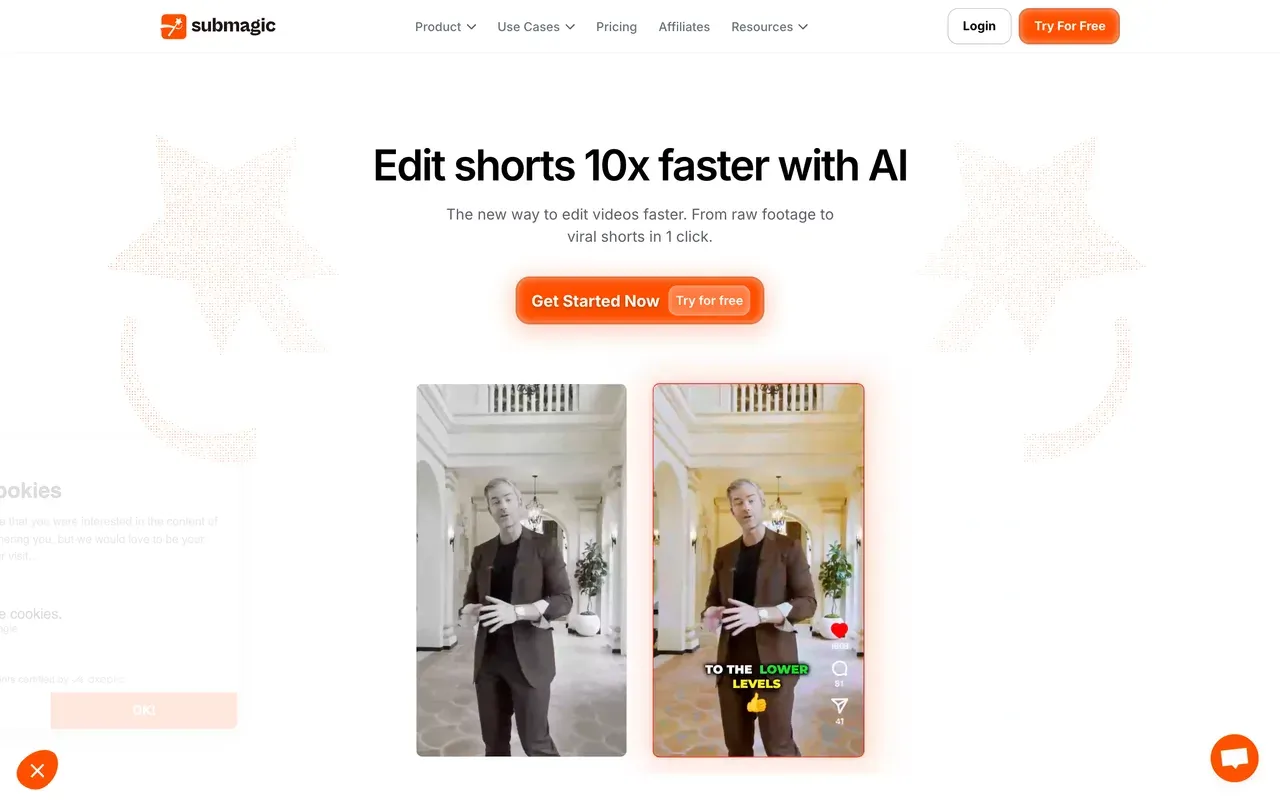
Submagic approaches shorts from the caption side rather than the clipping side: stylized captions in 123 languages with a claimed ~99% accuracy, plus one-click auto-editing that layers in zooms, transitions, sound effects, and silence cuts. Support speed draws consistent praise on Trustpilot (4.0 across roughly 800 reviews).
Know the structure before switching from Opus: plans cap video count and per-video length rather than minutes (Starter at $12/mo billed annually covers 15 videos of up to 2 minutes each), and Opus-style long-video clipping is a separate Magic Clips add-on at $19/mo, not included in base plans. The recurring billing gripe is surprise annual renewals with a strict no-refund stance. Best when your source material is already short.
- Pricing:
- From $12/mo billed annually (Starter; $19 monthly); Magic Clips add-on $19/mo
- Free plan:
- 3 videos/month, 90-second and 200MB caps, watermark
- Best for:
- Short-form creators styling sub-5-minute clips with trendy captions
Pros
- Standout caption templates in 123 languages
- One-click auto-editing: zooms, transitions, sound effects, silence removal
- Fast support, consistently praised in reviews
- Scheduler and public API included
Cons
- Caps both video count and per-video length on every plan
- Long-video clipping costs an extra $19/mo as an add-on
- Surprise annual renewals reported on Trustpilot
- 5
Captions
captions.aiMobile-first AI editing with avatars and dubbing
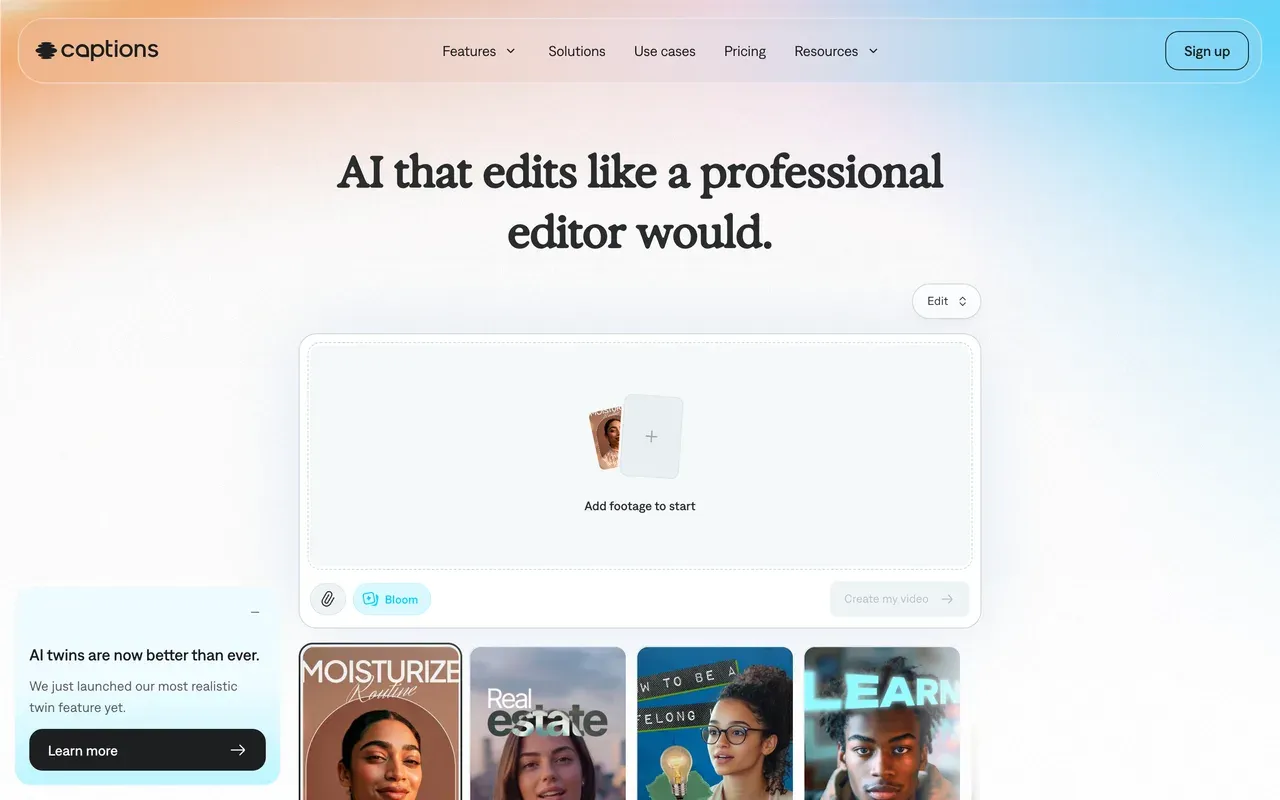
Captions (its parent company rebranded to Mirage in September 2025) is the mobile-first pick: AI Edit restyles raw talking-head footage automatically with zooms, B-roll, and captions, and its digital twins, lip-synced dubbing in 100+ languages, and eye-contact correction have no equal on this page.
The economics are steeper than Opus. The cheapest visible plan is Max at $24.99/mo with 500 credits (the old $9.99 tier no longer appears on the pricing page), published prices are flagged as reflecting iOS plans only, and Trustpilot reviewers report credits burning on glitched generations. The free tier offers basic tools with watermarked exports and no AI. Strong for polished talking-head shorts; rough math for high-volume podcast clipping.
- Pricing:
- From $24.99/mo (Max; prices reflect iOS plans, annual rates not published)
- Free plan:
- Basic tools only, watermarked exports, no AI features
- Best for:
- Mobile-first talking-head creators who want AI-styled edits, avatars, and dubbing
Pros
- AI Edit auto-styles raw footage with zooms, B-roll, and captions
- AI avatars, digital twins, and lip-synced dubbing in 100+ languages
- Eye-contact correction and filler-word removal
- 100+ caption styles in a capture-to-publish mobile workflow
Cons
- Entry price effectively jumped to $24.99/mo when the $9.99 tier vanished
- Credits reportedly consumed even when AI output glitches
- Pricing and features vary between iOS, Android, and web
- 6
Descript
descript.comClip mining by transcript search instead of AI guessing
Descript replaces automatic moment-picking with the best manual clip workflow anywhere: search the transcript, highlight the good part, and the clip exists. Underlord, its AI co-editor, can rough-cut, caption, and polish from a prompt, and the podcast toolkit (multitrack, Studio Sound, filler-word removal) is excellent for the source episodes themselves.
It did not escape metering, though. Late-2025 pricing bills media hours and AI credits as two separate currencies, and users complain a month's credits can vanish in a day. Hobbyist starts at $16/mo billed annually with 10 media hours a month, and stability complaints on long projects have followed the editor rebuild. Choose it when you clip deliberately from shows you also edit end to end.
- Pricing:
- From $16/mo billed annually (Hobbyist; $24 monthly)
- Free plan:
- 60 transcription minutes/month, 100 one-time AI credits, 720p export
- Best for:
- Podcasters who mine clips from episodes they already edit by transcript

Pros
- Transcript search makes manual clip-finding fast
- Underlord AI co-editor handles multi-step edits from one prompt
- Excellent episode production: multitrack, Studio Sound, filler removal
- Industry-leading transcription in 25 languages
Cons
- Dual meter: media hours plus AI credits, with fast credit burn reported
- Stability complaints on longer projects since the rebuild
- No automatic virality-style clip ranking
- 7
Riverside
riverside.comFix the recording, then clip it in the same tool
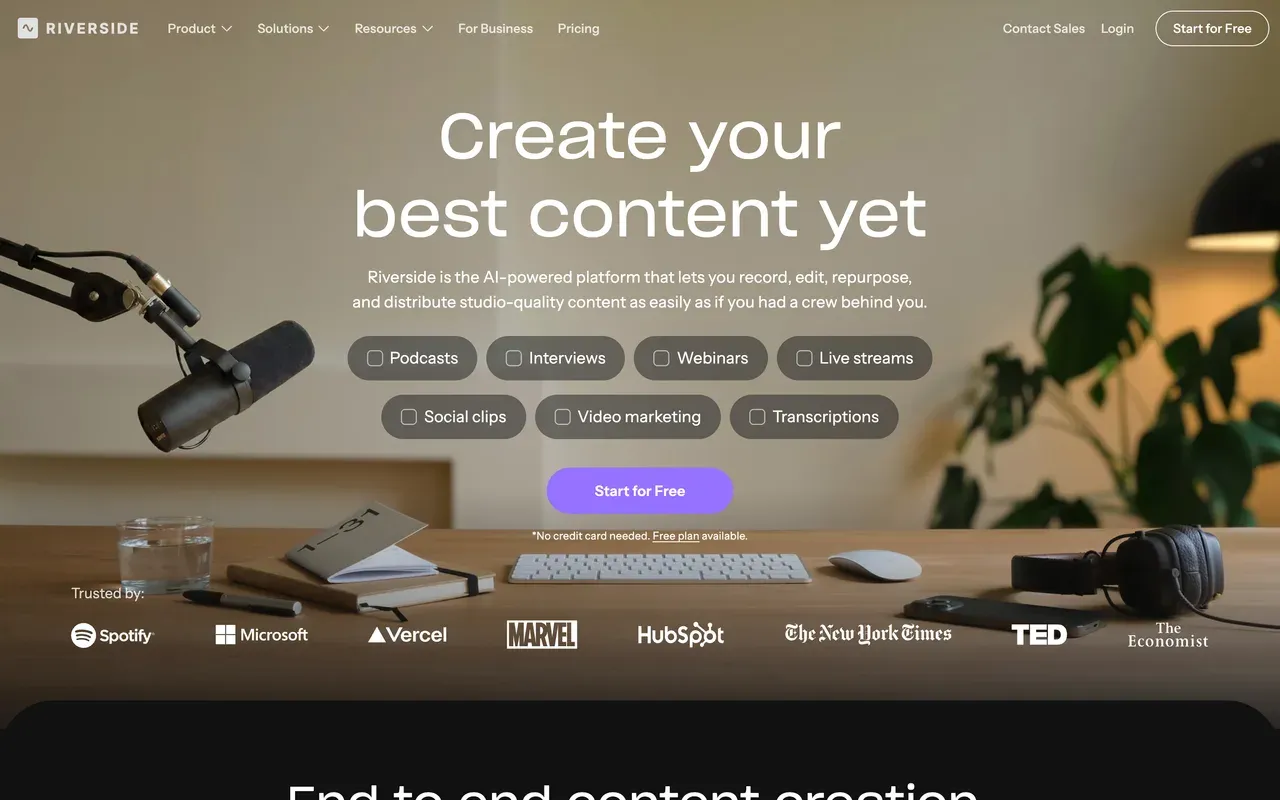
If your clips start life as remote interviews, Riverside (now riverside.com, formerly riverside.fm) solves the upstream problem Opus never touches: local multi-track recording up to 4K that survives bad internet. Magic Clips then generates shorts from the recording, with AI captions and translation in 30+ languages, and 2026 additions include social scheduling and newsletters. G2 rates it 4.8 from roughly 1,600 reviews.
It meters hours rather than credits: the free tier caps multi-track recording at 2 hours total with a watermark, and Pro at $24/mo billed annually includes 15 hours of separate-track downloads a month. Guests outside Chrome or Edge hit friction. Overkill if you only clip; right if capture quality is half your problem.
- Pricing:
- From $24/mo billed annually (Pro; $29 monthly)
- Free plan:
- 2 hours of multi-track recording total, 720p, watermarked exports
- Best for:
- Interview shows that need studio-grade capture plus clips from one subscription
Pros
- Local multi-track recording up to 4K with progressive upload
- Magic Clips generates shorts from your recordings
- AI captions and translation in 30+ languages
- Livestreaming, webinars, and publishing in one subscription
Cons
- Monthly hour caps on separate-track downloads
- Guests effectively limited to Chrome and Edge
- Expensive if clipping is your only need
- 8
Munch Studio (formerly GetMunch)
munchstudio.comNo longer a clipper: the self-serve product shut down December 31, 2025
Lead with the news most roundups miss: the self-serve GetMunch AI clipper stopped working on December 31, 2025. getmunch.com now redirects to munchstudio.com, and Munch Studio is a different product, an AI done-for-you system that trains on your brand materials and generates social content (scripts, videos, posters) for approval and posting. There is no free plan, only a 7-day trial, and pricing is billed annually: Essential at $38/mo ($456/yr) and Premium at $60/mo ($720/yr).
If you came here comparing clippers, Munch is no longer one; former GetMunch users need a replacement like Vizard or quso.ai. The legacy Trustpilot page sits at 2.1 with cancellation and billing complaints, so read the annual terms carefully before committing to the new product.
- Pricing:
- From $38/mo billed annually ($456/yr); no monthly billing shown
- Free plan:
- No free plan; 7-day trial
- Best for:
- Small businesses that want hands-off AI-generated social content, not a clipping tool

Pros
- Fully automated content strategy trained on your brand
- Generates captions, videos, and posters, then schedules them
- Per-client workspaces for agencies
- Cross-platform performance analytics
Cons
- The AI clipper you are probably searching for was discontinued at the end of 2025
- Annual-only billing with just a 7-day trial
- Legacy Trustpilot at 2.1 with cancellation complaints
- 9
VEED
veed.ioThe generalist escape hatch from per-minute clipping math
VEED is where you land if you decide clipping should be a thing you do inside a full editor rather than a metered pipeline: a broad browser suite with strong auto subtitles and translation, a recorder, brand kits, and an AI toolkit up to avatars and a Gen-AI Studio of text-to-video models.
It swaps Opus's meter for its own, though: every AI feature draws on a yearly credit allowance, plans are per user from $10/mo billed annually (roughly double month to month), and the free tier is a 720p, 10-minute, watermarked demo. Billing complaints dominate its Trustpilot page (4.1 stars, with a 15% one-star share). Worth it if you also need a real team editor; not the cheap way out of credit anxiety.
- Pricing:
- From $10/mo per user billed annually (Creator; $20 monthly)
- Free plan:
- 720p, 10-minute export cap, watermark, limited AI credits
- Best for:
- Teams that want clipping to happen inside a full browser editing suite

Pros
- Full browser editor with strong subtitles and translation
- Recorder, brand kits, and team workspaces
- Gen-AI Studio with 25+ text-to-video models
- AI avatars for no-camera content
Cons
- Per-user pricing and yearly AI credit allowances
- Free tier is demo-grade
- Auto-renewal and refund complaints lead its Trustpilot reviews
Opus Clip vs EchoWave at a glance
| Feature | EchoWave | Opus Clip |
|---|---|---|
| Credit meter | No credits for editing, captions, or exports | 1 credit per source minute; monthly-plan credits expire after 60 days |
| What a lapse costs you | No credit balance to lose | Free-plan media and exports deleted after 3 days; leftover credits keep their original expiry after cancelling |
| Free plan | Free forever: full editor, videos up to 60 minutes, 720p exports | 60 credits/month, up to 1080p, watermark, media expires after 3 days |
| Watermark on free exports | Quick tools export with no watermark; small badge in the free full editor | Yes, watermarked on the free plan |
| Starting paid price | $9/mo billed annually ($19 monthly) | $15/mo (Starter), monthly billing only, no annual discount |
| Captions | 170+ presets, karaoke word-level animations, auto-transcribe 50+ languages | Animated caption templates with ~97% claimed accuracy |
| Auto-clipping (AI finds the moments) | Yes: finds moments from the word-timed transcript plus audio energy, reaction peaks, and speaker turns; 1-30 clips per run, with prompt search over the transcript | Yes, ClipAnything picks moments by speech, visuals, and emotion cues |
| Virality score | Yes: Viral Score 0-100 with Hook, Clarity, Emotion, Value, and Trend sub-scores and plain-English reasons per clip | Yes, a virality score per clip |
| Auto-reframe to vertical | Yes: 7 camera layouts, incl. split, grid, and presenter + slides, driven by on-screen speaker detection (lip movement matched to the voice); every move is editable keyframes | Yes, ReframeAnything with subject tracking |
| Publishing and scheduling | No scheduler; REST API, MCP, Zapier, and bulk CSV rendering for automation | Yes, multi-platform scheduler and API |
| Audio-show tools | Yes, podcast-to-video, audiograms, waveform videos | Not a focus; built to clip long video into shorts |
| Max export resolution | 1080p on Basic, 4K on Pro, 8K on Business | Up to 1080p on the free plan; paid caps not stated on the pricing page |
Best free Opus Clip alternative without a watermark
Every AI clipper's free tier watermarks: Vizard at 720p with 3-day storage, quso.ai with 7-day retention, Submagic with a 90-second cap. EchoWave's free plan now covers both routes, 30 minutes of AI auto-clipping a month plus unlimited manual cutting, though full-editor exports still carry a small badge; only its quick trim tool exports clean. Free plus automatic plus fully unwatermarked still is not on offer from anyone on this page.
Cheaper alternatives to Opus Clip
Run the numbers per upload minute. Opus Pro is $29/mo for 300 credits on monthly billing, or $14.50/mo billed annually with 3,600 credits granted upfront. Vizard gives 600 minutes a month from $14.50/mo billed annually, double Opus's allowance at the same annual price. quso.ai's Lite is $19/mo billed annually with 200 credits (only 100 on monthly). Submagic starts at $12/mo billed annually but counts videos, not minutes, and clipping long videos costs an add-on. EchoWave is $9/mo billed annually with no meter on editing at all, plus 30 free AI clip-analysis minutes a month that never expire.
Opus Clip alternative without the credit system
Only one tool on this page has no usage meter of any kind on editing and captions: EchoWave, whose AI auto-clipping draws on a monthly minutes allowance (30 free) that simply resets each month and never expires. Everything else meters something more punishing: Vizard and quso.ai count upload minutes, Submagic counts videos and lengths, Descript bills media hours and AI credits separately, Riverside caps separate-track download hours. If the thing you are escaping is the meter itself rather than Opus specifically, that narrows the field quickly.
Is there an open source Opus Clip alternative?
None of the tools on this page are open source, and we have not tested an open-source clipper we would honestly recommend. If the search behind the search is avoiding a subscription rather than reading source code, the practical routes are EchoWave's free plan (free forever, 60-minute source videos, plus 30 free AI auto-clip minutes a month) and Vizard's 60 free monthly credits for automatic picking, watermark included. Treat any APK or GitHub mirror promising a free Opus unlock as a security risk, not a bargain.
How to switch from Opus Clip to EchoWave
Three steps, and no credit balance to watch while you work.
-
1. Upload the long recording
Bring the full episode or stream into the online video editor. Nothing is deducted per minute, because there are no credits.

-
2. Clip and caption
Cut highlights on the timeline, or delete sentences in the transcript to ripple-cut the video, then style karaoke captions with the caption generator.
-
3. Export clean clips
Download at 720p free, or watermark-free from $9/mo billed annually. For episode-to-clip batch runs, see podcast-to-video plus templates and CSV rendering.

Why people switch to EchoWave

About the EchoWave team
EchoWave is a browser-based video and audio editor built by Lemon Vault LLC since 2018. The people who build the editor write these guides and test every step in the production app before publishing.
Opus Clip alternative FAQ
What is the best free Opus Clip alternative?
EchoWave: the free plan is free forever, takes source videos up to 60 minutes, and includes 30 minutes of AI auto-clipping a month (Viral Score, auto-reframe, captions) plus unlimited manual cutting with 170+ caption presets. Full-editor exports carry a small badge; quick tools export with no watermark. For pure metered auto-clipping volume, Vizard's free tier is the strongest of the bunch at 60 upload minutes a month, though exports are 720p, watermarked, and stored only 3 days. Opus's own free plan gives 60 credits but deletes media and exports after 3 days.
What is cheaper than Opus Clip?
On annual billing, Vizard undercuts it meaningfully: $14.50/mo for 600 upload minutes a month, versus Opus Pro at the same $14.50 annual rate for 300 credits (3,600 granted upfront per year). quso.ai's Lite is $19/mo billed annually with 200 credits. Submagic starts at $12/mo billed annually but caps videos at 2 minutes each on Starter. EchoWave is $9/mo billed annually with no per-minute meter on editing, plus 30 free AI auto-clip minutes a month. Note Opus's $15 Starter has no annual discount at all.
How do I remove the Opus Clip watermark?
The supported route is paying: Starter at $15/mo removes it. Watermark-remover tools that blur or crop the mark degrade your footage and look worse than the badge. The cheaper honest fix is producing the clip in a tool that exports clean: EchoWave's quick tools are watermark-free on the free plan, its full editor exports clean from $9/mo billed annually, and Vizard removes its watermark on Creator at $14.50/mo billed annually.
Opus Clip vs EchoWave: which should I use?
Use Opus if scheduling and posting straight from the tool matters and you will spend the credits before their 60-day expiry. Use EchoWave if you want AI clipping without the meter: it finds the moments, scores each clip 0-100 across Hook, Clarity, Emotion, Value, and Trend with reasons, reframes with 7 speaker-aware camera layouts, and styles word-timed captions in 60+ presets, on a free tier of 30 source minutes a month that never expires. Editing, captions, and exports past that stay unmetered from $9/mo billed annually. The remaining gap is distribution: Opus schedules posts, EchoWave hands you finished files.
Does EchoWave auto-clip long videos like Opus Clip?
Yes. Upload a podcast, webinar, stream VOD, or lecture and EchoWave's AI clip generator returns 1 to 30 ranked clips, each with a Viral Score from 0 to 100, an AI title, hook line, and hashtags. Steer it with genre presets, clip length ranges, and a "Find moments about ..." prompt that searches the transcript. Auto-reframe offers 7 camera layouts driven by on-screen speaker detection (lip movement matched to the voice), and captions come in 60+ styles. Analysis runs on-device in the browser or in the cloud. What it does not do: schedule posts, generate AI B-roll, dub audio, or download from YouTube links.
Opus Clip vs Vizard: which clips better?
Opus has the more mature clipping stack: ClipAnything works across genres using speech, visual, and emotion cues, adds virality scores, and Agent Opus can assemble shorts end to end. Vizard counters with economics and reviews: 600 upload minutes a month from $14.50/mo billed annually, a 4.7 G2 rating across roughly 340 reviews praising moment detection and caption accuracy, plus translation in 100+ languages. High-volume shows on a budget lean Vizard; teams wanting the most advanced automation lean Opus.
Opus Clip vs Submagic: which one do I need?
They solve different halves. Opus finds clips inside long recordings; Submagic makes short clips look good, with caption styles in 123 languages and one-click auto-editing (zooms, transitions, sound effects). Submagic's plans count videos and cap length (15 videos of up to 2 minutes on Starter), and its long-video clipping is a paid add-on at $19/mo. If your inputs are already short, Submagic is cheaper and sharper. If clip discovery from hour-long sources is the job, Opus or Vizard fit better.
What happened to Munch?
The self-serve GetMunch AI clipper was sunset on December 31, 2025. getmunch.com now redirects to munchstudio.com, where the company relaunched as Munch Studio, a done-for-you AI social content service priced at $38 to $60 a month billed annually, with a 7-day trial and no free plan. It no longer offers upload-and-clip editing, so former Munch users comparing clippers should look at Vizard, quso.ai, or Opus itself, or at an unmetered editor like EchoWave for manual clipping.
Do Opus Clip credits expire?
Yes. On monthly plans, credits expire 60 days after they are granted; on annual plans, the upfront credit grant is valid for 12 months. Unused credits do not bank indefinitely, and if you cancel, remaining credits keep their original expiry dates rather than being refunded. Users also report that failed processing runs still consume credits. This use-it-or-lose-it structure is the single most cited reason people move to per-minute rivals like Vizard or unmetered editors like EchoWave.
Which Opus Clip alternative is best for Hindi and other Indian languages?
Check the published language lists rather than assuming. quso.ai advertises subtitles in 100+ languages, Vizard translates captions into 100+ languages, and Submagic covers 123 caption languages. EchoWave auto-transcribes 50+ languages and translates captions into 80+, with bilingual caption support. None of these tools publishes identical coverage, so before committing, run a two-minute test clip in your language on each free tier and judge the transcription quality yourself; accuracy varies more than the marketing does.
Why did my Opus Clip projects disappear?
Storage is time-limited. On the free plan, media and exports expire after 3 days, and Trustpilot reviewers report projects becoming inaccessible around 3 days after a subscription ends, which reads like deletion if you return a week later. Paid Starter extends storage to roughly a month. The safe habit with any metered clipper is downloading exports immediately. EchoWave sidesteps the specific cancel-and-lose-credits problem because there is no credit balance to forfeit.
The honest verdict
Clip without counting credits Free forever plan
Cut, caption, and export in your browser with no meter running.
Get Started →
How we checked
Sources we relied on for the claims above, as checked August 2026:
- OpusClip pricing (opus.pro) (opus.pro)
- OpusClip pricing breakdown (eesel.ai) (eesel)
- OpusClip reviews on Trustpilot (trustpilot.com) (Trustpilot)
- Opus Clip tested: where AI wins (bigvu.tv) (BIGVU)
- Vizard pricing (vizard.ai) (vizard.ai)
- Vizard subscription help (help.vizard.ai) (Vizard Help)
- quso.ai pricing (quso.ai)
- Submagic pricing (submagic.co) (submagic.co)
- Captions pricing (captions.ai) (captions.ai)
- Descript pricing (descript.com) (descript.com)
- Riverside pricing (riverside.com) (riverside.com)
- Munch transition notice (intercom.help) (Munch Help Center)
- Munch Studio pricing (munchstudio.com) (munchstudio.com)
- VEED pricing (veed.io) (veed.io)
Every competitor claim on this page was re-verified against the sources above on August 3, 2026.
Pricing and limits change often. If anything here is out of date, email hello@echowave.io with a link and we'll correct it. Our editorial policy explains how we test and update comparisons.
Trademark and comparison notice. Opus Clip and all related names, logos, product names and trademarks are the property of their respective owners. EchoWave is an independent product and is not affiliated with, associated with, authorised by, endorsed by, sponsored by, or in any way officially connected to Opus Clip or its owners. Any third-party names, logos and trademarks are used here only to identify and compare the products honestly (nominative fair use) and do not imply any endorsement, partnership or affiliation.
This comparison reflects EchoWave's own opinion and our understanding of publicly available information believed accurate at the time of writing. Third-party features, pricing and availability change frequently and can vary by region, so figures may be out of date; please confirm the current details on Opus Clip's official website before making a decision. EchoWave makes no representation or warranty as to the accuracy or completeness of any third-party information shown here. If you believe anything on this page is inaccurate or out of date, please contact us and we will review it promptly.























































