
MP4 to WebM Converter
Turn an MP4 into a smaller, web-ready WebM. Free, in your browser, with no signup, no file limits, and no watermark.


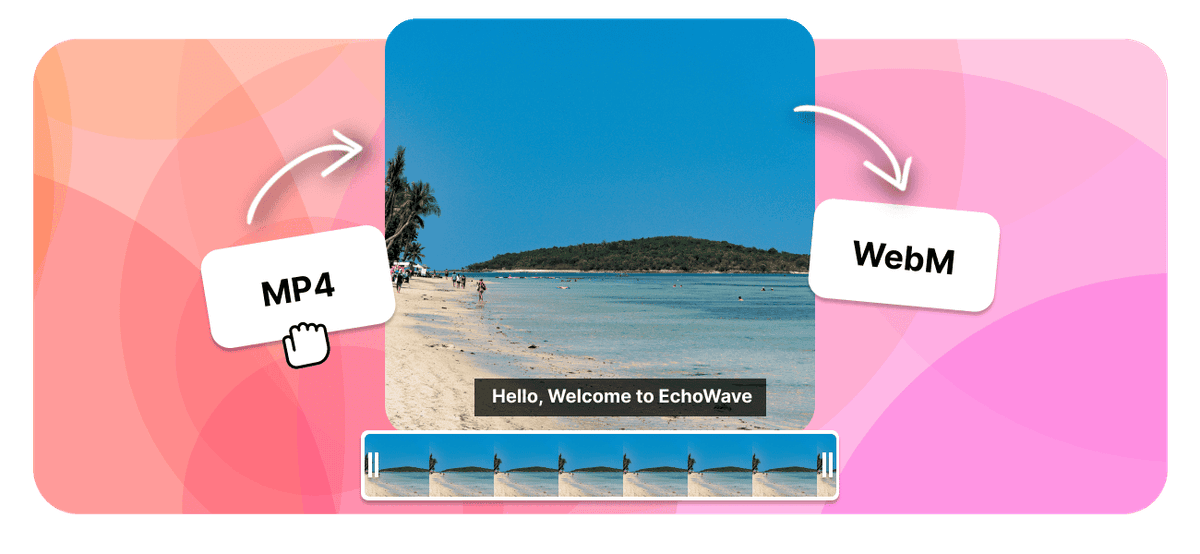
MP4 to WebM Converter Features
EchoWave is used by creators, marketers, educators, and businesses to convert and edit media online.





Convert an MP4 to WebM in your browser, free and with no signup. WebM is the open format built for the web: its VP9 video and Opus audio often produce a noticeably smaller file than the same H.264 MP4 at matching quality, which means faster page loads and lighter uploads. It is the right choice when your video lives in an HTML5 player, a web page, or a platform that prefers WebM.
How it works
How to convert MP4 to WebM
- 1
Upload your MP4
Drag your MP4 onto the converter or pick it from your device. Nothing to install.
- 2
Choose WebM and convert
Select WebM as the output and start. Free, with no sign-up and no watermark.
- 3
Download your WebM
Save the finished WebM, or open it in the editor to trim, crop, or resize it first.
Try it
Estimate your WebM
Pick a video bitrate and a length to see the WebM file size before you convert.
Drag to set the clip length in minutes, from 1 to 30.
An estimate. Real size varies with resolution, frame rate, and how much the picture moves.
The formats
MP4 vs WebM
MPEG-4 Part 14
The video format that plays everywhere
- Type
- Video container
- Holds
- H.264 video plus AAC audio, sometimes subtitles
- Typical size
- Large, it carries video
- Plays on
- Phones, browsers, TVs, almost any player
Best for:Watching and sharing video
WebM
Open video built for the web
- Type
- Open web video container
- Holds
- VP8 or VP9 video with Vorbis or Opus audio
- Typical size
- Small at good quality
- Plays on
- Chrome, Firefox, Edge, and Android
Best for:Video embedded on web pages
Will it lose quality?
- When the codecs already match WebM, the converter can change the container without re-encoding, so the picture stays identical.
- When the video has to be re-encoded for WebM, a high bitrate keeps it visually close to the MP4.
- Converting cannot add detail the MP4 never had. The output is at best as good as the source.
Use cases
What people use it for
Troubleshooting
If something looks off
The WebM will not play
The file got larger
Audio and video drift out of sync
FAQ
MP4 to WebM questions
Is the MP4 to WebM converter free?
How do I convert MP4 to WebM?
Will WebM be smaller than my MP4?
Does converting MP4 to WebM lose quality?
Why would I use WebM instead of MP4?
Does WebM support transparent backgrounds?
Will the WebM play on iPhone and Safari?
Does the WebM keep the audio from my MP4?
Does the converter work on Mac, Windows, and Chromebook?
Can I convert large MP4 videos to WebM?
Why convert MP4 to WebM
MP4 and WebM both wrap video and audio in a container, so on the surface the conversion looks like a lateral move. The difference is what sits inside and who each one was built for.
MP4 normally carries H.264 video with AAC audio. It is the safe default: phones, TVs, editing software, and social platforms all take it without complaint. WebM carries VP9, or the older VP8, with Opus or Vorbis audio, and it was designed specifically for HTML5 video on the open web. It is royalty free, which is why browser vendors adopted it, and VP9 is a generation newer than H.264 as a compression method.
That generational gap is the practical payoff. At matching visual quality, VP9 typically produces a file in the region of 25 to 50 percent smaller than H.264, with the largest savings on high-resolution footage and the smallest on short, fast-moving clips. For video that lives on a web page, smaller is not a nicety. It is page load time, bandwidth cost, and how quickly the first frame appears for someone on a phone connection.
Convert to WebM when the video is going into:
- A page you control. Background loops, hero videos, product demos, and anything sitting in an HTML5 video element. This is the job WebM was built for.
- A site where load time is measured. A lighter file starts playing sooner and stops competing with the rest of the page for bandwidth.
- A platform that asks for WebM. Some CMS and ad specifications list it explicitly, and several open-source players prefer it.
- Anything that needs a transparent background. VP9 can carry an alpha channel, which H.264 in an MP4 cannot. A logo sting or an overlay with genuine transparency has to be WebM.
Keep the MP4 when the destination is a phone gallery, a TV, an editing timeline, or a social upload. WebM is a web format rather than a universal one, and it is the wrong file to hand to someone whose software you cannot see.
How to convert MP4 to WebM
- Upload your MP4. Drag the file in or browse for it. Anything a phone, camera, or screen recorder produced is fine.
- Choose WebM as the output. The video is re-encoded to VP9 and the audio to Opus, both inside the WebM container.
- Download the WebM. The encode runs on our servers, which matters more here than usual, because VP9 is considerably slower to encode than H.264 and would tie up a laptop for a long time. No watermark, no account, nothing installed.
If the clip needs trimming, cropping, or resizing, do it in the editor before you export. Cutting unused footage first means fewer frames to encode, and resizing a 4K source down to the dimensions it will actually be displayed at is the single biggest saving available on a web video.
What people are saying about EchoWave
Serving WebM the way browsers expect
WebM plays natively in Chrome, Firefox, Edge, and on Android. Safari support arrived later and is less consistent across versions, particularly on older iOS releases. That is the whole compatibility story, and it has a standard solution: do not choose between the two formats, offer both and let the browser pick.
<video controls>
  <source src="clip.webm" type="video/webm">
  <source src="clip.mp4" type="video/mp4">
</video>
The browser reads the sources in order and plays the first one it understands. Chrome, Firefox, Edge, and Android take the WebM and get the smaller file. Safari falls through to the MP4 and still works. Put the WebM first, because the fallback only helps if the preferred format is offered ahead of it.
A few practical notes from serving video on real pages:
- Encode from the highest-quality source you have. MP4 to WebM is a re-encode rather than a repack, because VP9 and H.264 are different codecs and nothing can be copied across untouched. Every generation of lossy encoding costs a little detail, so convert from your original export rather than from a file that has already been through a platform's compressor.
- Resolution beats bitrate for web video. A 1080p clip displayed in a 600 pixel wide column is carrying roughly four times the pixels anyone will see. Resize first, then let the codec do its work.
- Do not expect WebM to fix a poor source. Converting cannot add detail the MP4 never had, so a heavily compressed download re-encoded to VP9 simply inherits the original artefacts in a smaller file.
- Autoplaying background video has to be muted. Every browser blocks autoplay with sound. That is a player rule rather than a format one, but it catches people out on exactly the silent loops WebM is best at.
Related conversions
Going the other way, WebM to MP4 is what you want when a WebM download refuses to open on a phone or will not import into an editor, which is the most common reason people need it at all.
For an Apple-first editing workflow, MP4 to MOV suits Final Cut and iMovie, and MP4 to MKV is the choice for media servers that want several audio tracks and soft subtitles in a single file. If you are starting from older footage rather than an MP4, AVI to WebM and MOV to WebM reach the same destination.
If the file is simply too big rather than the wrong format, the video compressor hits a target size directly without changing what can play it, and the video converter covers the rest of the format list.

About the EchoWave team
EchoWave is a browser-based video and audio editor built by Lemon Vault LLC since 2018. The people who build the editor write these guides and test every step in the production app before publishing.
Convert MP4 to WebM for free Free online converter
Upload an MP4 and get a smaller, web-ready WebM back. No signup, no file limits, and no watermark.
Convert Files →
Keep converting























































