
The 9 Best Repurpose.io Alternatives in 2026
Repurpose.io moves finished videos between platforms; it does not make them better. EchoWave is our top alternative because most people shopping here actually need editing, and its AI clip generator now finds the moments too: a Viral Score from 0 to 100 on every highlight, speaker-aware reframing across 7 layouts, word-timed captions in 60+ styles, and podcast-to-video for audio shows. If pure hands-off cross-posting is your real need, we say so plainly below, with free and cheaper options included.



The 9 Best Repurpose.io Alternatives in 2026 Features
Trusted by thousands of creators worldwide





Why people look for a Repurpose.io alternative
Repurpose.io does one thing: set-and-forget publishing workflows that copy new uploads from one platform to others, TikTok to YouTube Shorts, podcast RSS to video clips, and so on. When it works, it is genuinely hands-off. The complaints are about when it does not. One independent analysis found roughly 27 to 31 percent of users reporting workflow failures and connections that need constant re-authorization, and around 12 percent reporting account flags on connected platforms from automated posting. Trustpilot reviews add template rendering bugs (titles printed twice, illegible output), workflows disabled without notice, and cancellation friction. There is also no free plan: entry is $35/mo, which stings if you only cross-post a few videos a week. And the deeper limitation is by design: Repurpose moves content, it does not improve it. No captions styling, no branding, no real edits.
How we picked: we tested each tool in the browser, re-checked every pricing page in August 2026, and sorted picks by the job they actually solve, since this category mixes editors, clippers, and distributors.
TL;DR: EchoWave is the best overall alternative: its AI clip generator scores each highlight 0 to 100 with reasons and reframes around whoever is on screen, and the editor handles captions and branding, though there is no scheduler; OpusClip if you specifically want AI picking and post-scheduling in one plan; quso.ai for the cheapest clip-plus-schedule-plus-analytics bundle.
The best Repurpose.io alternatives in 2026, ranked
Every pick tested in the browser. Prices checked August 2026.
- 1
EchoWave
Our pickBest overall: AI auto-clipping plus real editing, captions, and branding
Repurpose.io ships your content around unchanged. EchoWave is for making it worth posting, and now for finding the moments too. Upload a podcast, webinar, or stream VOD and the AI clip generator returns a ranked grid of highlights, each with a Viral Score from 0 to 100 broken into Hook, Clarity, Emotion, Value, and Trend sub-scores, plus plain-English reasons like "strong hook" or "big reactions". Ask for 1 to 30 clips per run, set lengths from 15 to 90 seconds, or type "Find moments about pricing" to search the transcript directly. Smart camera reframes to vertical using on-screen speaker detection (lip movement matched to the voice) across 7 layouts, from Follow speaker to Presenter + slides, and word-timed captions come in 60+ styles, including Hormozi-style word punch and karaoke, via the caption generator. Every clip opens as a normal project, so any cut or camera move stays editable. Audiograms and podcast-to-video cover audio shows, and text-based editing cuts video when you delete words from the transcript. Editing and exports are not metered per video; clip analysis is, at 30 free source minutes a month (Basic 180, Pro 600).
Its automation story is production, not posting: turn any of your own projects into a template with placeholders, bulk-generate videos from a CSV where one row becomes one video, and drive it all through a REST API, MCP, and Zapier. The honest caveat stays the same: EchoWave does not auto-publish to your social accounts. If untouched, hands-off distribution is the entire job, Repurpose.io still does that and EchoWave does not.
- Pricing:
- Free plan; paid from $9/mo billed annually
- Free plan:
- Free forever: 30 AI clip-analysis minutes a month, full editor, 720p exports with a small watermark; quick tools export with no watermark
- Best for:
- Creators and teams who want AI auto-clipping plus repurposed clips edited, captioned, and branded, plus bulk output via CSV or API

Pros
- AI auto-clipping with a Viral Score 0-100, Hook, Clarity, Emotion, Value, and Trend sub-scores, and reasons per clip
- Speaker-aware auto-reframe across 7 layouts, with every camera move editable as keyframes
- 170+ caption presets with karaoke word-level styles
- Audio-first tools: audiograms, waveform videos, podcast-to-video
- Bulk CSV rendering (1 row = 1 video), REST API, MCP, and Zapier
- Templates built from your own projects keep branding consistent
Cons
- Does not auto-post to your social accounts
- No AI B-roll or dubbing
- Free plan analyses 30 source minutes a month; free exports carry a small watermark at 720p
- 2
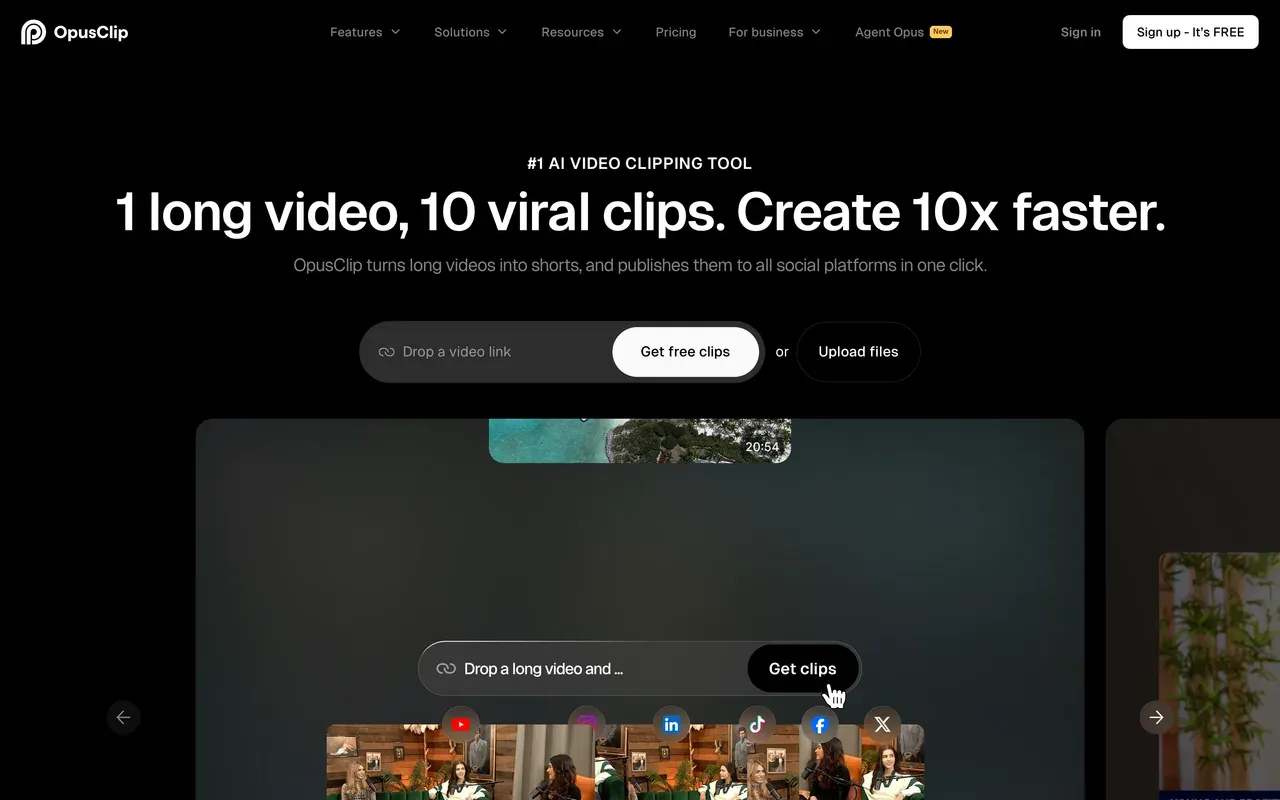
OpusClip
opus.proThe strongest clip-and-distribute replacement: AI picks moments, then schedules them
Where Repurpose.io re-posts what already exists, OpusClip manufactures the shorts: its ClipAnything model clips any genre by spoken word, visuals, and emotion cues, ReframeAnything auto-resizes with subject tracking, and a built-in scheduler plus API covers the distribution half. For most creators leaving Repurpose.io because raw re-posts underperform, this is the closest one-tool answer.
Budget for its credit economics: 1 credit is roughly 1 minute of source video, monthly-plan credits expire after 60 days, Starter at $15/mo has no annual discount, and projects become inaccessible about 3 days after a subscription ends. Independent testing also found a large share of generated clips get discarded.
- Pricing:
- From $15/mo (Starter, monthly only); Pro $29/mo, or $14.50/mo billed annually
- Free plan:
- 60 credits/mo, watermarked, 1080p, media and exports expire after 3 days
- Best for:
- Creators clipping talk-heavy long-form at volume who also want scheduling and an API
Pros
- Best-known AI clipping with virality scoring per clip
- Multi-platform scheduler and API built in
- Animated caption templates with brand kits for teams
- Agent Opus can research, script, and assemble shorts end to end
Cons
- Credits expire after 60 days on monthly plans
- Projects become inaccessible about 3 days after cancelling
- Roughly 40 percent of generated clips were discarded in one independent test
- 3
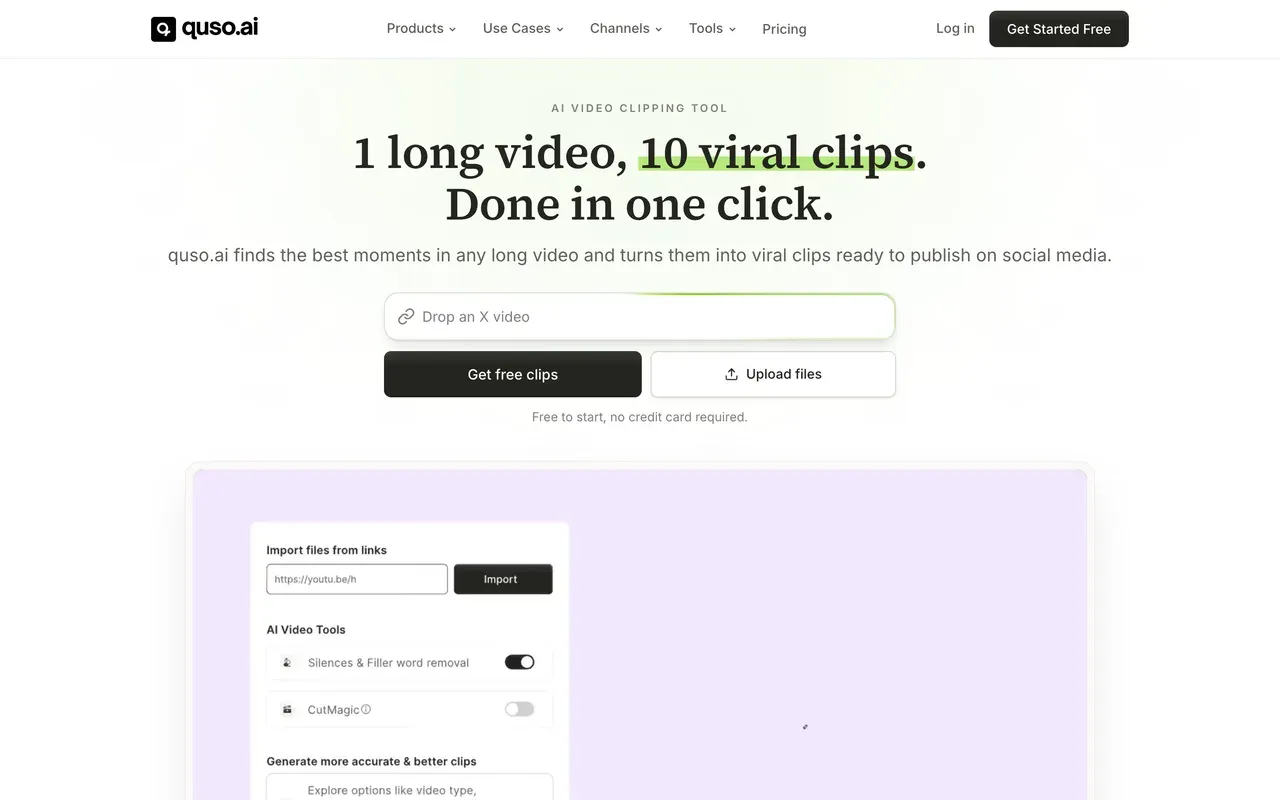
quso.ai (formerly vidyo.ai)
quso.aiCheapest all-in-one: clipping, scheduling to 6 platforms, and analytics
quso.ai, the December 2024 rebrand of vidyo.ai with the same product and logins, is the closest thing here to Repurpose.io's replace-your-stack pitch: AI clipping, native scheduling to TikTok, Reels, Shorts, LinkedIn, Facebook, and X, plus analytics and AI-written captions, from $19/mo billed annually. Subtitles cover 100+ languages with filler-word removal.
Read the credit table before choosing a billing cycle: annual billing doubles your monthly credit allowance (Lite gets 200 credits/mo on annual versus 100 on monthly), so paying monthly is doubly penalized. Reviewers also report bugs that force redoing edits, and clip precision trails OpusClip and Vizard.
- Pricing:
- From $19/mo billed annually (Lite); $29 monthly
- Free plan:
- 75 credits/mo, 720p exports, watermark, 7-day data retention
- Best for:
- Solo creators who want one cheap subscription covering clipping, scheduling, and analytics
Pros
- Clipping, scheduling, and analytics in one subscription
- Subtitles in 100+ languages with filler-word removal
- Annual billing doubles credit allowances on top of the discount
Cons
- Monthly billing gets half the credits of annual at the same tier
- Bugs and glitches that force redoing edits are a recurring review theme
- Clip selection quality rated behind dedicated clipping rivals
- 4
Vizard
vizard.aiMost upload minutes per dollar, with a scheduler included
Vizard wins the volume math: 600 credits a month (roughly 600 upload minutes) from $14.50/mo billed annually, with 4K exports, AI B-roll, text-based editing, and scheduling for up to 6 social accounts on Creator and 20 on Business, where extra team seats are free. For podcasters processing many hours of talk content, no one else on this page comes close per dollar.
The catches are subtle: editing sessions burn credits beyond the upload cost (one tested video consumed 17 of the free plan's 60 credits across two edit sessions), monthly-plan credits expire after 2 months, and rendering slows on long videos at peak times.
- Pricing:
- From $14.50/mo billed annually (Creator); $29 monthly
- Free plan:
- 60 credits/mo, 720p, 10-minute max export, 3-day storage, watermark
- Best for:
- Budget-conscious podcasters and teams processing hours of talk content weekly

Pros
- 600 upload minutes per month from $14.50/mo billed annually
- Scheduler for up to 20 social accounts on Business, with free team seats
- Strong reviews for moment detection and caption accuracy (G2 4.7)
- Text-based editing: cut by deleting transcript lines
Cons
- Editing burns extra credits on top of upload minutes
- Monthly-plan credits still expire after 2 months
- Fine editing control is limited once clips need polish
- 5
Munch (now Munch Studio)
munchstudio.comNo longer a clipper: the self-serve product shut down December 31, 2025
Know this before comparing: the GetMunch AI clipper that used to appear alongside Repurpose.io shut down on December 31, 2025, and the company relaunched as Munch Studio, a done-for-you AI social content service. It trains on your brand materials, then generates strategy, scripts, videos, and graphics you approve from a dashboard, with multi-platform posting and analytics. Existing logins and subscriptions carried over, but the long-video-to-clips editor is gone.
If that managed model appeals, note the terms: pricing is shown as annual billing only ($38/mo Essential, $60/mo Premium, so $456 to $720 upfront) with a 7-day trial, and the legacy getmunch.com Trustpilot page sits at 2.1 with clip-quality and cancellation complaints.
- Pricing:
- $38/mo billed annually ($456/yr); Premium $60/mo billed annually. No monthly billing shown
- Free plan:
- None; 7-day trial
- Best for:
- Small businesses that want hands-off AI-generated social content, not a clipping tool

Pros
- Fully managed: trains on your brand, generates ready-to-post content
- Multi-platform posting with performance analytics
- Approval-based workflow designed to take minutes per week
Cons
- The self-serve AI clipper was discontinued on December 31, 2025
- Annual-only pricing shown, $456 to $720 upfront, after a 7-day trial
- Legacy Trustpilot at 2.1 with cancellation and quality complaints
- 6
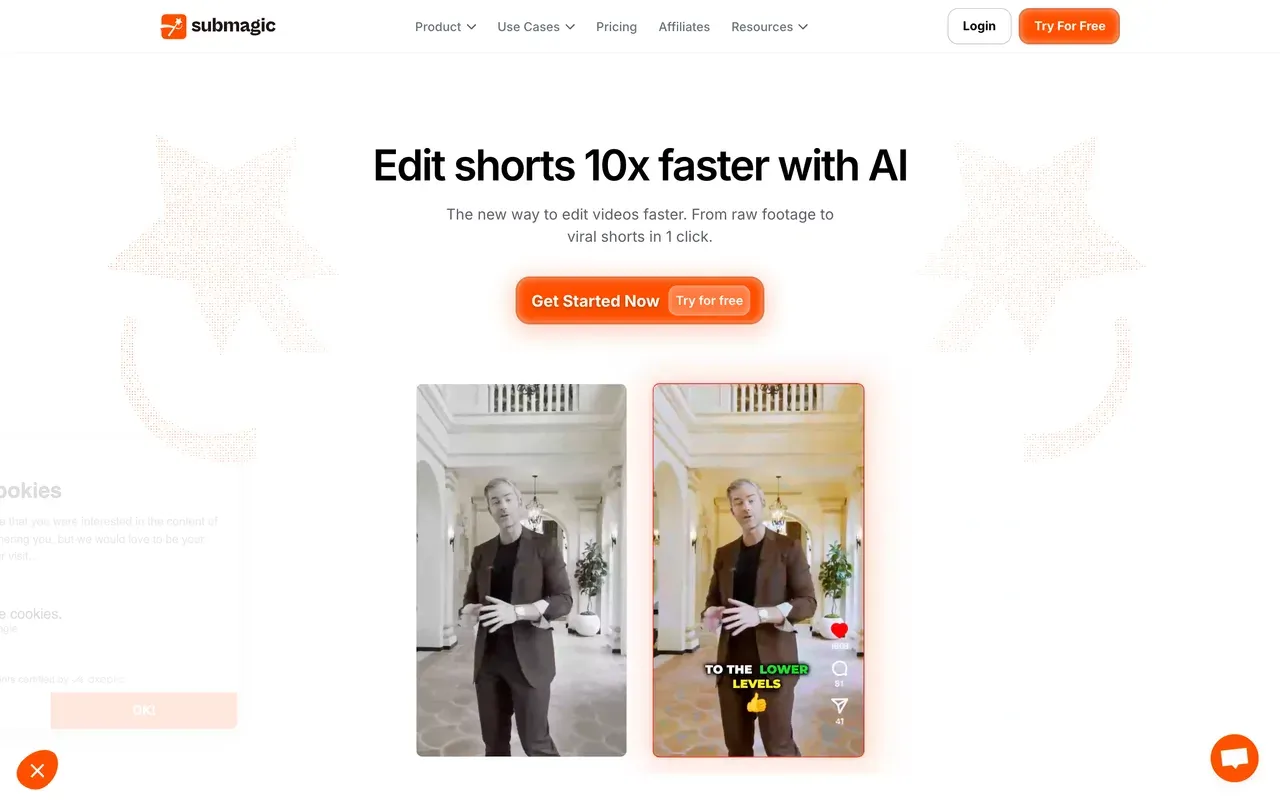
Submagic
submagic.coCaption-led short-form polish with a scheduler, clipping costs extra
Submagic attacks the quality gap that makes raw Repurpose.io re-posts underperform: trendy captions in 123 languages, one-click auto-editing with silence removal, auto-zooms, and sound effects, plus a built-in multi-platform scheduler and a public API for automation stacks. Starter is $12 per member/mo billed annually.
Check the caps against your output: plans limit both video count and per-video length (Starter is 15 videos of up to 2 minutes each), long-video clipping (Magic Clips) is a separate $19/mo add-on even on paid plans, and Trustpilot's recurring gripe is surprise annual renewals with a strict no-refund stance.
- Pricing:
- From $12/mo per member billed annually (Starter); $19 monthly
- Free plan:
- 3 videos/month, 90-second and 200MB caps, watermark
- Best for:
- Short-form creators polishing sub-5-minute clips before publishing
Pros
- Standout caption styles in 123 languages
- Auto-editing: silence removal, zooms, transitions, sound effects
- Scheduler and public API included
Cons
- Caps both video count and per-video length per plan
- Magic Clips long-video clipping is a paid add-on
- Surprise annual renewal complaints on Trustpilot
- 7
Descript
descript.comThe editing-depth pick for podcasters who repurpose
If your Repurpose.io pipeline starts from a podcast, Descript is the deepest upstream tool here: category-defining text-based editing, multitrack audio with Studio Sound and filler-word removal, screen and remote recording, and the Underlord AI co-editor that can polish, clip, and caption from one prompt. An API and MCP make it scriptable into automation stacks.
Its economics and stability need eyes open: plans meter both media hours and AI credits (users report a month's credits can vanish in about a day of heavy AI use), the late-2025 pricing overhaul raised many bills, and the rebuilt editor draws crash and lag complaints on long projects.
- Pricing:
- From $16/mo per user billed annually (Hobbyist); $24 monthly
- Free plan:
- 60 transcription minutes/month, 720p export, watermark, 5GB storage
- Best for:
- Podcasters who edit by transcript and clip episodes for social

Pros
- Best-in-class text-based editing and podcast workflow
- Underlord AI co-editor executes multi-step edits from a prompt
- Screen plus remote recording, API and MCP for automation
Cons
- Dual metering: media hours plus AI credits on every plan
- Stability complaints on longer projects since the editor rebuild
- Frame-precise timeline work remains clunky
- 8
Wave.video
wave.videoEditor, live multistreaming, and video hosting bundled cheap
Wave.video overlaps Repurpose.io from the distribution side: it can multistream live to multiple channels simultaneously and host videos with embeds, bundled with an editor, recorder, thumbnail maker, and a 200M-asset stock library from $24/mo (Creator). For marketers who want one bill covering streaming plus light editing, the bundle is genuinely broad.
Its record is the worry: Trustpilot sits at 2.6, the worst of the mainstream online editors, with reports of streams getting stuck, glitchy rendering, and automatic charges for exceeding plan limits. The free tier caps edited videos at 15 seconds with watermarks on everything, so real evaluation requires paying.
- Pricing:
- From $12.80/mo billed annually (Streamer); $16 monthly
- Free plan:
- Editor capped at 15-second videos, watermark on all outputs, 10GB storage
- Best for:
- Marketers bundling live streaming, hosting, and light editing into one subscription

Pros
- Multistreaming to several channels at once
- Video hosting with a customizable player included
- 200M stock assets on Creator tier and above
Cons
- Trustpilot 2.6 with stream reliability complaints
- Free tier is unusable for editing (15-second cap)
- Reports of automatic overage charges without consent
- 9
VEED
veed.ioFull creative suite for teams that repurpose and produce
VEED belongs at the production end of a repurposing stack: one browser suite with an editor, unlimited auto subtitles on paid plans, a recorder, AI avatars, and a Gen-AI studio spanning 25+ models. Brand kits and team controls suit marketing departments that both create and repurpose in the same workspace.
It is per-seat and credit-metered: Creator runs $10/mo per user billed annually but $20 month-to-month, all AI draws from yearly credit pools that users report draining fast, and the watermarked 720p free tier caps exports at 10 minutes. Billing disputes lead its Trustpilot negatives.
- Pricing:
- From $10/mo per user billed annually ($116/yr); $20 monthly
- Free plan:
- 720p, 10-minute export cap, 2GB storage, watermark
- Best for:
- Marketing teams standardizing subtitles and repurposing in one branded workspace

Pros
- Editor, subtitles, recorder, avatars, and generation in one suite
- Unlimited auto subtitles on paid plans
- Brand kits and enterprise-grade team controls
Cons
- Per-user pricing with monthly rates about double annual
- Yearly AI credit allowances feel small in practice
- Free tier is a watermarked demo
Repurpose.io vs EchoWave at a glance
| Feature | EchoWave | Repurpose.io |
|---|---|---|
| Core job | Browser video editor: editing, captions, branding, audio tools | Automated re-publishing of existing content between platforms |
| Free plan | Free forever: full editor, 90+ tools, videos up to 60 minutes | None; 14-day trial, publish 10 videos free, no credit card required |
| Starting price | Basic $19/mo, or $9/mo billed annually | Starter $35/mo, or about $29/mo billed annually ($349/yr) |
| Video editing and captions | Multi-track editor, auto-subtitles in 50+ languages, 170+ caption presets | No real editing; templates only reformat and resize per platform |
| Auto-clipping (AI finds the moments) | Yes: 1-30 ranked clips per run, each with a Viral Score 0-100 (Hook, Clarity, Emotion, Value, Trend sub-scores) and reasons; 30 free source minutes a month | No, Repurpose.io does not create or edit clips at all |
| Auto-reframe to vertical | Yes: 7 layouts incl. Split and Presenter + slides, cutting between speakers via on-screen speaker detection (lip movement matched to the voice) | No, only reformats and resizes existing files per platform |
| Auto-publishing to social accounts | No, EchoWave does not post to your accounts | Yes: set-and-forget workflows across TikTok, Instagram, YouTube, Facebook, LinkedIn, Pinterest, and podcast feeds |
| Bulk production | Templates from your own projects, bulk CSV (1 row = 1 video), REST API and MCP | Workflows trigger automatically on new uploads; content calendar for scheduling at scale |
| Watermarks | No watermark on quick tools; small badge on free editor exports | Adds no watermark; can remove TikTok watermarks when cross-posting downloads |
| Podcast tools | Audiograms, waveform videos, podcast-to-video, AI voices | Podcast RSS feeds can trigger workflows that output video clips |
| Platforms | Any browser, plus Mac, Windows, and Linux desktop apps | Web |
| Privacy and AI training | Files processed for your session, not used to train AI models | Not stated on the pages we checked |
Free Repurpose.io alternative
Repurpose.io has no permanent free plan, only a 14-day trial that lets you publish 10 videos. Free replacements depend on which half you need. For making clips presentable, EchoWave's free plan gives you the full editor, videos up to 60 minutes, and captions with no monthly meter. For AI clipping, EchoWave analyses 30 source minutes free every month (free exports carry a small watermark at 720p), OpusClip offers 60 free credits a month (watermarked, media expires after 3 days), and quso.ai offers 75 credits at 720p with a watermark. Nothing free replicates Repurpose.io's hands-off auto-posting; that part you either pay for or do manually.
Repurpose.io vs Opus Clip
They solve different problems, which is why the comparison keeps coming up. Repurpose.io redistributes content that already exists, untouched, across up to 3 accounts per network on its $35/mo Starter. OpusClip manufactures new shorts from long videos with AI moment-picking, captions them, and can schedule the results, from $15/mo. If your re-posted clips already perform, keep Repurpose.io. If they need reframing and captions to work on short-form feeds, a clipper beats a pipe, and EchoWave now does that clipping itself: Viral Scores with five sub-scores, prompt search over the transcript, speaker-aware reframing across 7 layouts, and 60+ caption styles, plus the branding in one place, no pairing required.
The cheapest way to repurpose a podcast in 2026
For audio shows, skip generic pipes entirely. EchoWave turns episodes into podcast-to-video clips, audiograms via the audiogram creator, and waveform videos, with no per-minute metering and a free plan to start. Vizard is the volume champion for video podcasts at 600 upload minutes for $14.50/mo billed annually. Descript is the pick when episodes need real editing first, though its media-hour and AI-credit meters need watching.
How to switch from Repurpose.io to EchoWave
Turn one recording into a week of branded, captioned clips.
-
1. Upload your source content
Drop a podcast episode, webinar, or long video into the online video editor. No account is needed to start, and free-plan videos run up to 60 minutes.

-
2. Clip, caption, and brand it
Cut highlights on the timeline, style them with 170+ presets from the caption generator, and add progress bars or waveforms for audio clips. Save the result as a reusable template.

-
3. Export in bulk
Render one-offs, or bulk-generate from a CSV where each row becomes a video, and automate the whole flow with the REST API. See pricing for plan details; quick tools export watermark-free on the free plan.

What people are saying about EchoWave

About the EchoWave team
EchoWave is a browser-based video and audio editor built by Lemon Vault LLC since 2018. The people who build the editor write these guides and test every step in the production app before publishing.
Repurpose.io alternative FAQ
What is the best free Repurpose.io alternative?
It depends on the half you need. Repurpose.io has no free plan (14-day trial only). For free production, EchoWave is the strongest pick: the AI clip generator analyses 30 source minutes a month at no cost and scores every highlight 0 to 100, the full editor handles videos up to 60 minutes with unmetered captions, and quick tools export watermark-free; free editor exports carry a small watermark at 720p. For free AI clipping elsewhere, OpusClip gives 60 credits a month and quso.ai gives 75, both watermarked. No free tool matches Repurpose.io's hands-off auto-posting.
What is cheaper than Repurpose.io?
Almost everything here. Repurpose.io starts at $35/mo (about $29/mo billed annually). EchoWave Basic is $9/mo billed annually, Submagic Starter is $12 per member/mo annually, Vizard Creator is $14.50/mo annually with 600 upload minutes, OpusClip Starter is $15/mo, and quso.ai Lite is $19/mo annually. The catch: those are clipping and editing tools; only some (OpusClip, quso.ai, Submagic, Vizard) also schedule posts.
Does Repurpose.io edit your videos?
No, and it does not claim to. Its templates reformat and resize content per destination platform, but there is no timeline, no caption styling, and no way to improve the material, which its own positioning confirms: it distributes content rather than editing it. Users on Trustpilot also report template rendering bugs, like titles printed twice. If clips need work before posting, pair it with an editor or replace it with one.
Repurpose.io vs EchoWave: do they even compete?
Only partially, and we would rather be precise: Repurpose.io is distribution plumbing, EchoWave is production. Keep Repurpose.io if untouched auto-posting across platforms is working for you. Use EchoWave when clips need to be found and finished: its AI picks 1 to 30 highlights per run with a scored, reasoned ranking, reframes them around whoever is speaking, and captions and brands them, then templates, CSV, and the API mass-produce output. Some creators run both; many find that once clips are made properly, manual posting or platform-native schedulers suffice.
How does EchoWave's AI clip generator pick moments?
It runs a language model over the word-timed transcript and combines it with signals from the recording itself: audio energy and reaction peaks, silences, who-is-speaking turns, and scene cuts. Each candidate gets a Viral Score from 0 to 100 with Hook, Clarity, Emotion, Value, and Trend sub-scores and plain-English reasons, then lands in a ranked grid with an AI title, hook line, hashtags, and timestamps. You can steer it with genre presets, keyword boosts, or a "Find moments about" prompt, and analysis can run on-device in your browser so the video never leaves your machine.
What happened to Munch (GetMunch)?
The self-serve GetMunch AI clipper was sunset: per the company's own transition notice it worked until December 31, 2025, then became Munch Studio, a done-for-you AI social content service at $38 to $60 per month billed annually. Old logins and subscriptions carried over, but the long-video-to-clips editor no longer exists, so former GetMunch users need a replacement like OpusClip, Vizard, or quso.ai.
Does Repurpose.io add a watermark?
No. Repurpose.io adds no watermark of its own, and it can actually remove TikTok watermarks when downloading your videos for cross-posting. Watermarks in this category come from the clipping tools instead: OpusClip, quso.ai, Vizard, and Submagic all watermark free-tier output. EchoWave's quick tools export watermark-free on the free plan, and its editor badge disappears on Basic at $9/mo billed annually.
Can EchoWave post videos to my social accounts automatically?
No. EchoWave deliberately stops at production: it makes, captions, and brands the videos, including bulk runs where a CSV row becomes a video and full automation over a REST API and MCP. Publishing to TikTok, YouTube, or Instagram is yours to do manually or through whatever scheduler you already use. If auto-posting is non-negotiable, look at Repurpose.io itself, OpusClip, quso.ai, or Submagic.
Is Repurpose.io reliable?
Mixed record. It holds a 4.1 on Trustpilot and prolific publishers get real value. But one independent analysis found roughly 27 to 31 percent of users reporting workflow failures and connections needing re-authorization, and about 12 percent reporting account flags from automated posting. Reviewers also describe workflows disabled without notice and cancellation friction. Budget some babysitting time if you adopt it.
What is the best Repurpose.io alternative for podcasters?
EchoWave for clipping that understands talk content: it scores each highlight on Hook, Clarity, Emotion, Value, and Trend, cuts between speakers using on-screen speaker detection (lip movement matched to the voice), and adds word-timed captions in 60+ styles, alongside audiograms, waveform videos, and podcast-to-video clips with subtitles in 50+ languages. Vizard for volume clipping of video podcasts (600 upload minutes at $14.50/mo billed annually). Descript when episodes need genuine editing first: text-based cuts, filler-word removal, and Studio Sound, within its media-hour and credit meters. Repurpose.io itself only pipes RSS content onward; it cannot improve the audio or visuals.
The honest verdict
Make clips worth reposting EchoWave has a free plan
AI-picked clips, captions, branding, and bulk rendering. No credit card required.
Get Started →
How we checked
Sources used for the claims on this page, as checked August 2026:
- Repurpose.io pricing (Repurpose.io)
- Repurpose.io reviews (trustpilot.com) (Trustpilot)
- Repurpose.io review and user analysis (allaboutai.com) (AllAboutAI)
- OpusClip pricing (opus.pro) (OpusClip)
- quso.ai pricing (quso.ai)
- vidyo.ai becomes quso.ai (quso.ai)
- Vizard pricing (vizard.ai) (Vizard)
- Munch Studio pricing (munchstudio.com) (Munch Studio)
- Munch sets, Munch rises: transition notice (intercom.help) (Munch Help Center)
- Submagic pricing (submagic.co) (Submagic)
- Descript pricing (descript.com) (Descript)
- Wave.video pricing (Wave.video)
- VEED pricing (veed.io) (VEED)
Every competitor claim on this page was re-verified against the sources above on August 3, 2026.
Pricing and limits change often. If anything here is out of date, email hello@echowave.io with a link and we'll correct it. Our editorial policy explains how we test and update comparisons.
Trademark and comparison notice. Repurpose.io and all related names, logos, product names and trademarks are the property of their respective owners. EchoWave is an independent product and is not affiliated with, associated with, authorised by, endorsed by, sponsored by, or in any way officially connected to Repurpose.io or its owners. Any third-party names, logos and trademarks are used here only to identify and compare the products honestly (nominative fair use) and do not imply any endorsement, partnership or affiliation.
This comparison reflects EchoWave's own opinion and our understanding of publicly available information believed accurate at the time of writing. Third-party features, pricing and availability change frequently and can vary by region, so figures may be out of date; please confirm the current details on Repurpose.io's official website before making a decision. EchoWave makes no representation or warranty as to the accuracy or completeness of any third-party information shown here. If you believe anything on this page is inaccurate or out of date, please contact us and we will review it promptly.























































