
The 9 Best Pictory Alternatives in 2026
Pictory has no permanent free plan, and paid tiers meter both video minutes and AI credits per year. EchoWave is our top pick for most switchers: a free browser editor with a voiceover studio and captions, none of it metered by video minutes. If the automatic script-to-storyboard magic is the part you love, Lumen5 and Pictory itself still do that best, and this list says so.



The 9 Best Pictory Alternatives in 2026 Features
Trusted by thousands of creators worldwide





Why people look for a Pictory alternative
Pictory's pitch is turning scripts, blog URLs, and documents into stock-footage videos. The friction is the metering and the trial. There is no permanent free plan: the 14-day trial allows 3 video projects total and around 15 minutes of video, watermarks every export, and counts failed renders against the cap. Paid plans meter two things at once, video minutes per year (2,400 on Starter) and AI credits (1,200 on Starter), and both Starter and Professional are priced per user, from $25/mo billed annually. The loudest product gripe in reviews is context-blind stock matching: the AI picks footage that misses the meaning of the sentence, so you replace scenes by hand anyway. Robotic AI voiceover pronunciation on technical content comes up too, and support is known for offering workarounds rather than fixes.
We tested each alternative in the browser and checked every pricing page in August 2026.
TL;DR: EchoWave is the best overall alternative for a free start and unmetered editing with AI voiceovers; Lumen5 if blog-to-video automation is the entire point; FlexClip for the cheapest template editor with URL-to-video AI.
The best Pictory alternatives in 2026, ranked
Every pick tested in the browser. Prices checked August 2026.
- 1
EchoWave
Our pickBest overall: free to start, a real editor, and no annual minute meter
The switch trades Pictory's auto-storyboard for control without meters. Write or paste your script into the text-to-speech studio (voice cloning included) to generate the narration, assemble visuals on a multi-track timeline, and auto-caption in 50+ languages with 170+ presets and translation to 80+ languages. No annual video-minute allowance sits over any of it: the free plan is free forever with videos up to 60 minutes, and quick tools export with no watermark. For Pictory-style volume, your own projects become templates with placeholders, and a CSV can render one video per row through the voiceover video maker workflow, backed by a REST API.
The honest caveat: EchoWave will not read a blog URL and assemble matched stock scenes for you, and it has no stock footage library, only stock sound effects. If automatic article-to-video storyboarding is why you came to Pictory, Lumen5 below, or Pictory itself, genuinely does that job.
- Pricing:
- Free plan; paid from $9/mo billed annually
- Free plan:
- Free forever: full editor, 720p exports with a small badge; quick tools export with no watermark
- Best for:
- Marketers and course creators who want voiceover videos without minute caps

Pros
- Actually free to start; Pictory offers only a 14-day watermarked trial
- No annual video-minute meter on editing or exports
- Text-to-speech voiceover studio with voice cloning built in
- Auto captions in 50+ languages, 170+ presets, translation to 80+ languages
- Templates from your own projects plus bulk CSV rendering and a REST API
- Flat pricing with no per-seat trap on Basic or Pro
Cons
- No automatic script-or-URL-to-storyboard AI
- No stock video footage library (stock sound effects only)
- Free full-editor exports are 720p with a small badge
- 2
Lumen5
lumen5.comThe closest like-for-like blog-to-video machine
Lumen5 does exactly what Pictory sells: paste a blog post, script, or document and get a first-cut video with matched media, plus 1,000+ AI voices and voice cloning on higher tiers. For marketing teams it adds brand kits, blueprint templates, and enterprise workflow on the Team plan.
The ladder is the catch. The free plan allows 5 videos a month capped at 2 minutes with a Lumen5 outro; Basic at $19/mo billed annually removes branding but stays below 1080p; 1080p only arrives on Starter at $59/mo billed annually; and no tier offers 4K at all. AI voice and animation minutes are metered even on paid plans, and Trustpilot carries cancellation complaints, including a user billed for two years after cancelling.
- Pricing:
- From $19/mo billed annually (Basic; $29 monthly); 1080p from $59/mo billed annually
- Free plan:
- 5 videos/month, 2-minute cap, Lumen5-branded outro
- Best for:
- Marketing teams converting blog posts into branded social videos at low volume

Pros
- True blog-URL and script-to-video automation
- 1,000+ AI voices with voice cloning on Starter and up
- Large licensed stock pool (50M+ assets from Starter)
- Brand kits and approval workflows for teams
Cons
- 1080p paywalled to the $59/mo tier and no 4K anywhere
- AI voice and animation minutes metered even on paid plans
- Billing and cancellation complaints on Trustpilot
- 3
InVideo
invideo.ioFull prompt-to-video generation, beyond stock matching
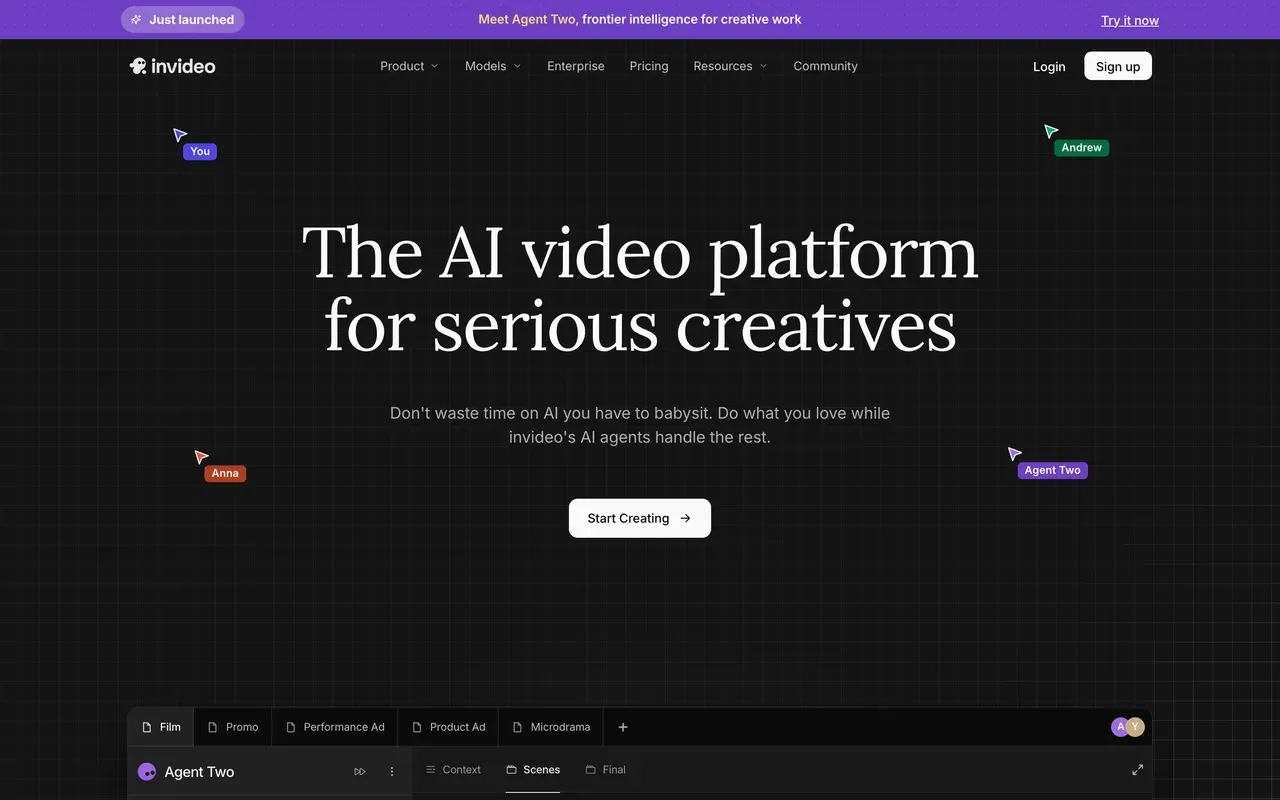
invideo went further than Pictory ever did: Agent Two generates the entire video from a prompt, script, voiceover, stock, and edit in one pass, drawing on 200+ models including Sora 2 and Veo 3.1, with long-term project memory for multi-shot edits. When it works, it produces things Pictory structurally cannot.
The billing model is the risk. Credits are the only currency, they do not roll over, failed generations still consume them, refunds for unusable output are refused, and premium models bill at their original API rates against your credits. Tier prices are hidden behind signup; third parties report Plus around $25/mo. Trustpilot reads 3.4 for the AI product and 2.1 for the legacy Studio editor.
- Pricing:
- Reported around $25/mo (Plus); prices login-gated
- Free plan:
- Small credit allocation, weekly export cap, watermark on every export
- Best for:
- Prompt-first creators generating complete videos from text
Pros
- Generates finished videos from a single prompt
- 200+ models under one subscription, including Sora 2 and Veo 3.1
- Multi-shot editing with long-term project memory
- Stock libraries bundled on paid plans
Cons
- Credits burn on retries and failed generations, no rollover, refused refunds
- Public pricing page shows no prices
- Trustpilot 3.4 (AI product) and 2.1 (legacy Studio)
- 4
VEED
veed.ioHands-on editing plus optional AI generation
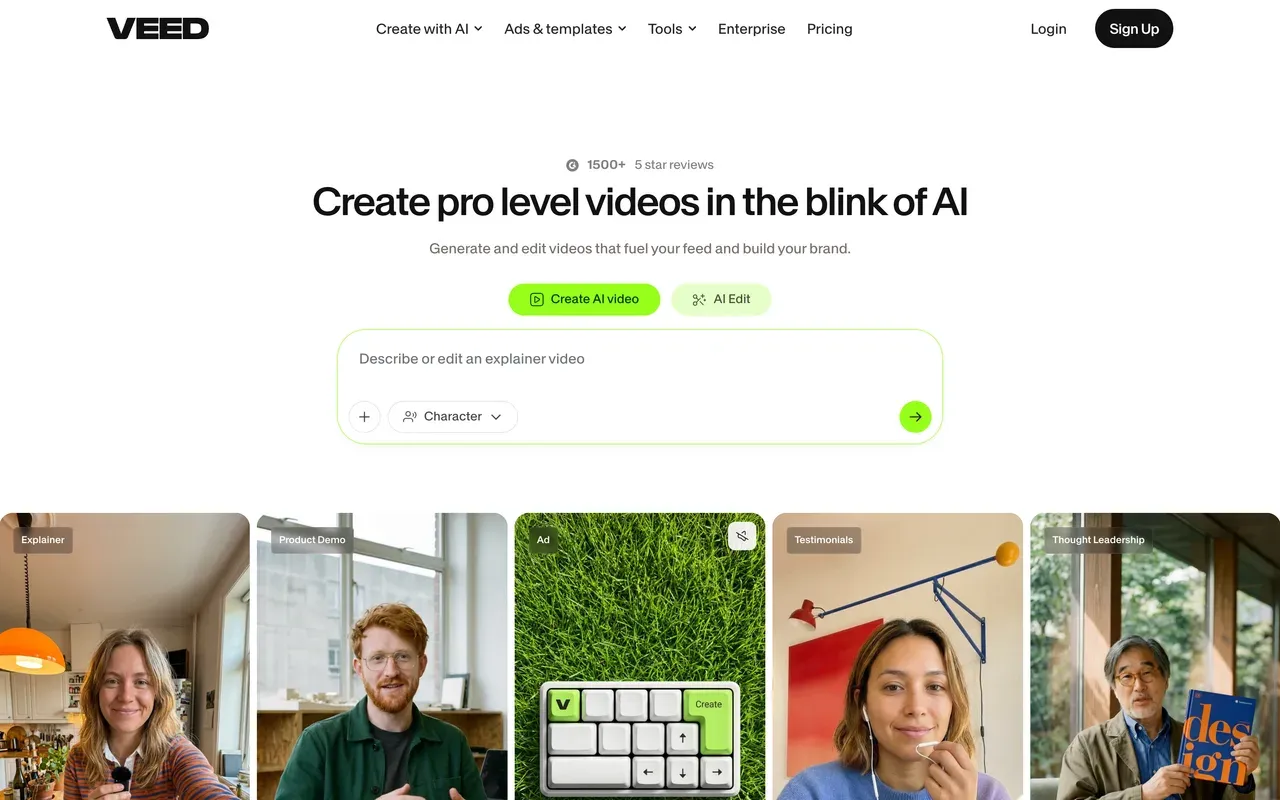
VEED sits between a Pictory-style generator and a plain editor: a broad browser suite with strong auto subtitles and translation, a recorder, TTS with voice cloning, brand kits, and a Gen-AI Studio aggregating 25+ text-to-video models when you do want generation.
Its free tier is a demo (720p, 10-minute export cap, watermark, limited AI credits), and paid plans are per user from $10/mo billed annually, roughly double month to month, with every AI feature metered by a yearly credit allowance. Auto-renewal and refund complaints lead its Trustpilot reviews (4.1 stars, 15% one-star). Choose it over Pictory when you want to edit the video yourself and generate only occasionally.
- Pricing:
- From $10/mo per user billed annually (Creator; $20 monthly)
- Free plan:
- 720p, 10-minute export cap, watermark, limited AI credits
- Best for:
- Teams that want a real editor first and AI generation second
Pros
- Full browser editor with excellent subtitles and translation
- Gen-AI Studio with 25+ text-to-video models when needed
- TTS, voice cloning, and a built-in recorder
- Brand kits and team workspaces
Cons
- Per-user pricing with yearly AI credit metering
- Demo-grade free tier
- Billing complaints dominate its Trustpilot page
- 5
FlexClip
flexclip.comThe cheapest route to URL-to-video with templates
FlexClip is the budget path to Pictory-ish output: its AI covers text, article, and URL-to-video generation, layered over 6,000+ templates and 4M+ stock assets. Watermark-free 1080p with unlimited video length costs $11.99/mo billed annually, roughly half Pictory's Starter.
The compromises are visible. Free exports are 720p and carry a mandatory 3 to 4 second FlexClip intro animation that cannot be removed, renders run slow on longer videos (a 7-minute video taking around 15 minutes), AI credits are small and annualized (3,600 a year on Plus), and even paid Plus caps stock at 5 videos and audios per project. The timeline is closer to a template customizer than an editor.
- Pricing:
- From $11.99/mo billed annually (Plus; $19.99 monthly)
- Free plan:
- 720p, 10-minute videos, mandatory FlexClip intro animation on exports
- Best for:
- Small businesses making short template videos from articles on a tight budget

Pros
- Cheapest paid tier here with article and URL-to-video AI
- 6,000+ templates and 4M+ stock assets
- Genuinely easy for non-editors
- Unlimited video length on Plus
Cons
- Forced intro animation on every free export
- Slow rendering on longer projects
- Small annualized AI credit allowances and stock caps on Plus
- 6
Renderforest
renderforest.comTemplate renders plus logos and a website builder
Renderforest is template-first rather than script-first: 1,200+ video templates (intros, promos, visualizers) rendered in the cloud, with AI generation credits for models like Sora 2 and Veo 3.1 layered on, plus logo, mockup, and website tools in the same subscription. Lite is a cheap entry at $9/mo.
Read the fine print twice. Lite includes only 60 watermark-free exports, unlimited watermark-free starts at Pro, and the annual rates are first-year teasers: Pro's $12/mo renews at $24/mo, Business's $34.30 renews at $49. 4K is locked to Business. Trustpilot reviewers cite surprise annual charges and a strict no-refund policy, and the free tier is a 360p preview with a roughly 3-minute cap.
- Pricing:
- From $9/mo (Lite); Pro $12/mo first-year annual, renewing at $24/mo
- Free plan:
- 360p exports, ~3-minute videos, watermark
- Best for:
- Template shoppers who also want logos and brand assets in one subscription

Pros
- Huge template catalog plus logo and website tools
- Cheap entry at $9/mo
- AI generation credits with current models included
- Pay-per-export option ($24 per HD1080 video) for one-offs
Cons
- First-year teaser pricing renews at up to double
- Only 60 watermark-free exports on Lite; 4K locked to Business
- Surprise-renewal and no-refund complaints on Trustpilot
- 7
Biteable
biteable.comWorkplace explainers with AI storyboards and avatars
Biteable targets HR, internal comms, and sales explainers. Its AVA AI turns a prompt, script, or URL into an editable storyboard with matched stock and pacing, close to Pictory's core trick, and adds AI avatars, including custom ones from an uploaded photo, with voiceovers in 50+ languages.
The structural catches: there is no free plan, and the 7-day trial will not let you download a finished video to judge output quality. Pro at $15/mo billed annually ($29 monthly) caps videos at 10 minutes and 1080p. Long-time customers report repeated price rises (some say their subscription doubled twice in a year), auto-renewals without reminders, and a no-refund policy; Trustpilot now reads 2.3 while G2 holds 4.4.
- Pricing:
- From $15/mo billed annually (Pro; $29 monthly)
- Free plan:
- No free plan; 7-day trial with watermarked previews and no downloads
- Best for:
- HR and internal-comms teams making templated explainer videos

Pros
- AVA builds editable storyboards from prompts, scripts, or URLs
- AI avatars, including custom avatars from a photo
- 500+ workplace-oriented templates
- Video analytics and collaboration built in
Cons
- Trial does not allow downloading a finished video
- Documented history of steep price increases and silent auto-renewals
- Trustpilot rating of 2.3
- 8
CapCut
capcut.comThe manual-editing detour with a huge template culture
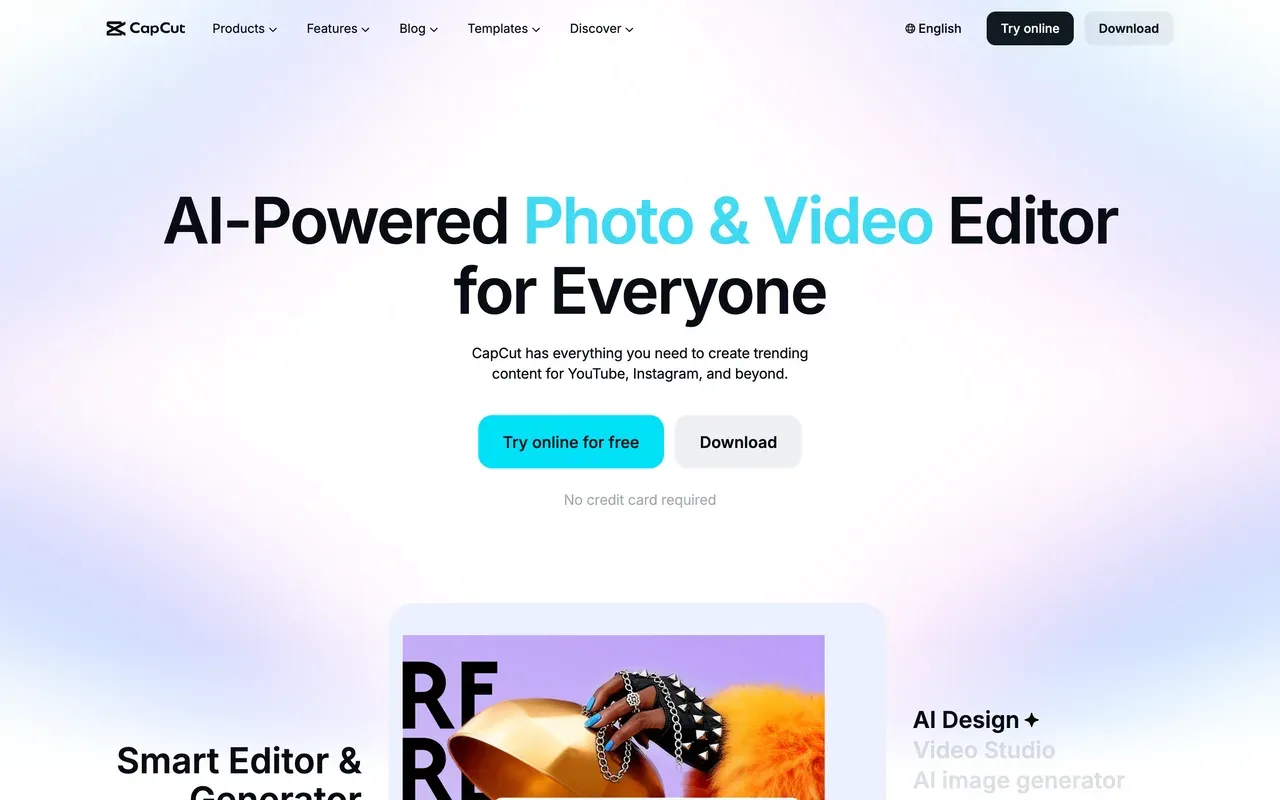
CapCut is the opposite bet to Pictory: no article-to-video automation, but a deep, fast editor with 870K+ templates, keyframes, chroma key, and an AI toolkit on Pro that includes voice cloning and AI image and video generation. For short-form social where trends matter more than narration, it runs circles around storyboard generators.
Since the 2025 changes, free exports carry a watermark and cap around 1080p, auto captions moved behind Pro, and pricing is unpublished, varying by region, device, and promotion; US trackers report Standard at $9.99/mo and Pro at $19.99/mo or $179.99/yr. Factor in that opacity if predictable billing is why you are leaving Pictory.
- Pricing:
- Reported around $9.99/mo (Standard); CapCut publishes no price list
- Free plan:
- Core editing free; exports watermarked and capped around 1080p
- Best for:
- Short-form social creators who edit by hand and live in templates
Pros
- Deep free editor: timeline, keyframes, chroma key
- 870K+ templates tuned for TikTok and Reels
- Cross-device projects on mobile, desktop, and web
- Large AI toolkit on Pro
Cons
- No script-or-URL-to-video automation
- Watermark on free exports; auto captions paywalled
- Opaque, region-dependent pricing
- 9
Descript
descript.comFor repurposing recordings instead of articles
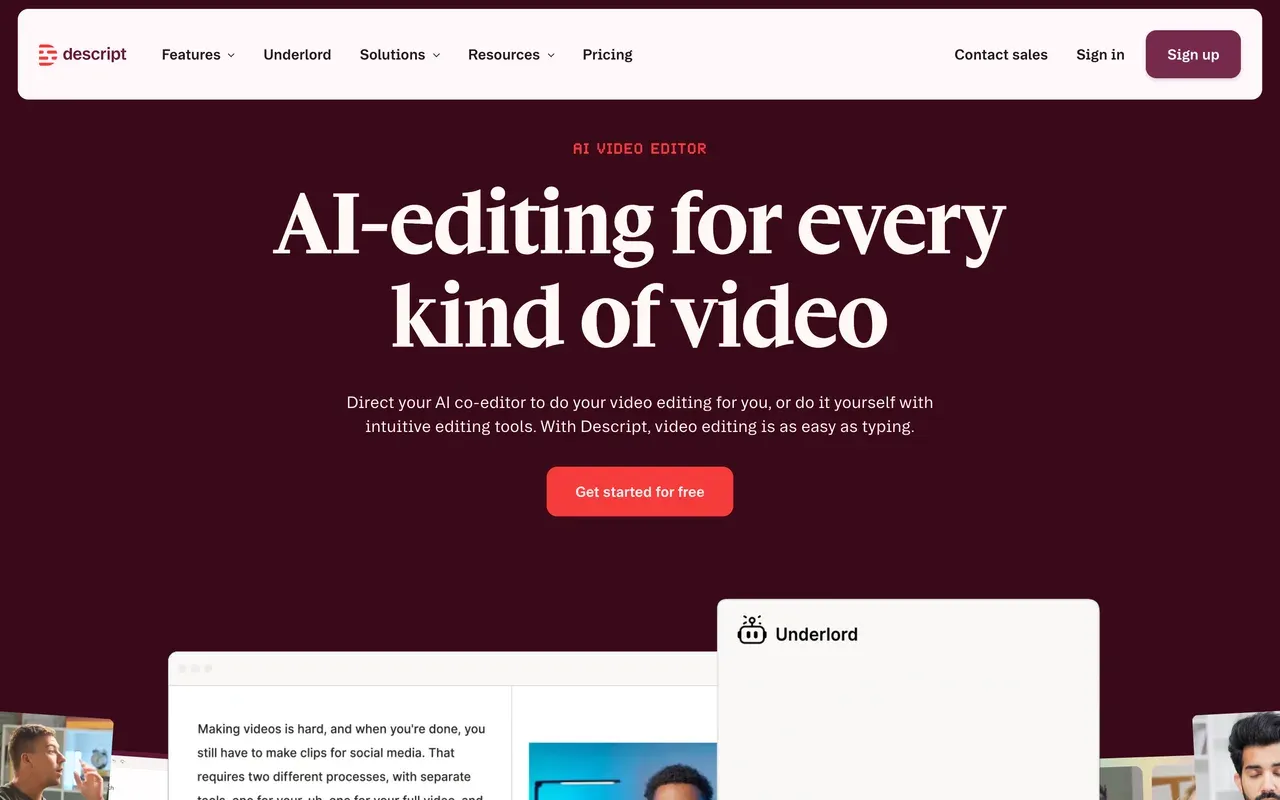
Descript inverts Pictory's direction: instead of generating video from text, it turns your recorded video into text and lets you edit there, deleting words to cut, stripping filler, and mining clips by transcript search. For webinar, podcast, and course repurposing (a large share of Pictory's audience) that direction often fits the actual source material better, and Underlord, its AI co-editor, automates the tedious passes.
Metering followed it, though: every plan bills media hours and AI credits as separate currencies, from Hobbyist at $16/mo billed annually with 10 media hours, and users report credits depleting startlingly fast. Long-project stability complaints have trailed the 2025 editor rebuild. G2 holds at 4.6.
- Pricing:
- From $16/mo billed annually (Hobbyist; $24 monthly)
- Free plan:
- 60 transcription minutes/month, 100 one-time AI credits, 720p export
- Best for:
- Repurposing recorded webinars, podcasts, and courses by transcript
Pros
- Transcript-based editing is ideal for recorded source material
- Underlord AI automates rough cuts, clips, and captions
- Excellent transcription in 25 languages
- Screen and remote recording included
Cons
- Dual meter of media hours plus AI credits
- Stability complaints on long projects
- Not built for article-to-video generation at all
Pictory vs EchoWave at a glance
| Feature | EchoWave | Pictory |
|---|---|---|
| Permanent free plan | Yes, free forever: full editor, videos up to 60 minutes, 720p exports | No, a 14-day trial: 3 projects, ~15 total minutes, failed exports count against the cap |
| Watermark | Quick tools export with no watermark; small badge in the free full editor | Watermark on all trial exports; removed on paid plans |
| Starting paid price | $9/mo billed annually ($19 monthly) | $25/mo billed annually ($29 monthly), per user |
| Usage metering | No video-minute or credit meter on editing, captions, and exports | Annual meters on every plan: 2,400 video minutes plus 1,200 AI credits on Starter |
| Script or URL to auto-storyboard | No, you assemble scenes on a timeline | Yes, script, blog URL, PDF, PPT, or audio to video with auto-matched stock |
| AI voiceover | Yes, text-to-speech studio with voice cloning | Yes, multi-language AI voiceovers and dubbing; reviewers report robotic pronunciation on technical content |
| Stock library | Stock sound effects only; no stock video or music library | Auto-matched stock footage built in, though matching is often context-blind |
| Subtitles and captions | Auto-transcribe 50+ languages, 170+ presets, translation to 80+ languages, SRT/VTT | Auto-captioning built in |
| Per-user pricing | No per-seat trap on Basic or Pro | Yes, Starter and Professional are priced per user |
| Platforms | Browser with no install, plus desktop apps for Mac, Windows, Linux | Web app, plus an API for integrations |
Best free Pictory alternative
Pictory has no free plan at all, only a watermarked 14-day trial, so the bar here is low. EchoWave clears it with room: free forever, videos up to 60 minutes, quick tools with no watermark, captions included. FlexClip keeps a free tier with its article-to-video AI, but exports are 720p and carry a forced FlexClip intro animation. Lumen5 allows 5 free videos a month capped at 2 minutes with a branded outro. If you need free plus automated storyboarding, Lumen5's small allowance is the only real option; if you need free plus usable output, EchoWave is the pick.
Pictory alternative without a watermark
Every Pictory trial export is watermarked, which makes evaluating it awkward. Watermark-free for $0: EchoWave's quick tools (trim, crop, compress, convert) export clean on the free plan. Cheapest watermark-free paid tiers on this page: EchoWave Basic at $9/mo billed annually for the full editor at 1080p, Renderforest Lite at $9/mo but limited to 60 watermark-free exports, and FlexClip Plus at $11.99/mo billed annually. Pictory itself removes the watermark from $25/mo billed annually, per user.
Pictory vs Lumen5 vs EchoWave for blog-to-video
Lumen5 and Pictory play the same game: paste text, get a storyboard with matched stock. Pictory meters minutes and credits per year and publishes its prices; Lumen5 meters AI voice and animation minutes, caps quality below 1080p until its $59/mo tier, and offers no 4K. EchoWave refuses the automation but drops the meters: script to text-to-speech narration, manual scene assembly, captions in 50+ languages, from $9/mo billed annually. Automation-first: Lumen5. Predictable-cost volume: EchoWave.
Cheapest Pictory alternative
Counting annual billing: EchoWave Basic and Renderforest Lite tie at $9/mo, with very different shapes (unmetered editor versus 60 template exports). CapCut's Standard tier is reported around $9.99/mo, though CapCut publishes no price list. FlexClip Plus lands at $11.99/mo billed annually with URL-to-video AI included. All undercut Pictory's Starter at $25/mo billed annually per user; just note Renderforest's rate is a first-year teaser that renews higher.
How to switch from Pictory to EchoWave
Script to finished video in three steps, with no minute meter running.
-
1. Bring your script or media
Paste your script into the text-to-speech studio to generate the narration, or upload footage, images, and slides directly. No account needed to start.

-
2. Assemble and caption
Arrange scenes on the timeline, add music you own, drop in text overlays, and auto-caption in 50+ languages with 170+ presets.

-
3. Export without a meter
Render as often as you need; there is no video-minute allowance to watch. Free exports are 720p, and clean 1080p starts at $9/mo billed annually on pricing.

What people are saying about EchoWave

About the EchoWave team
EchoWave is a browser-based video and audio editor built by Lemon Vault LLC since 2018. The people who build the editor write these guides and test every step in the production app before publishing.
Pictory alternative FAQ
What is the best free Pictory alternative?
EchoWave for a free plan you can actually publish from: it is free forever, the full editor handles videos up to 60 minutes, captions auto-transcribe 50+ languages, and quick tools export with no watermark. If you specifically need automated blog-to-video for free, Lumen5 allows 5 videos a month at up to 2 minutes with a branded outro, and FlexClip's free tier includes URL-to-video AI with a forced intro animation. Pictory itself has no free plan, only a 14-day watermarked trial.
What is cheaper than Pictory?
Almost everything on this page. Pictory Starter is $25/mo billed annually ($29 monthly), per user. EchoWave Basic is $9/mo billed annually with no per-user pricing and no minute meter, and purchasing-power pricing makes it cheaper in many countries. Renderforest Lite is $9/mo (60 watermark-free exports; first-year rate). FlexClip Plus is $11.99/mo billed annually. Lumen5 Basic is $19/mo billed annually but stays below 1080p. Only VEED, invideo, and Descript's upper tiers reach or exceed Pictory territory.
Does Pictory add a watermark?
During the trial, yes: every export from the 14-day trial is watermarked, and the trial's 3-project cap even counts failed renders, which makes evaluation frustrating. All paid plans from Starter ($25/mo billed annually) upward remove the watermark. If you want to test a workflow watermark-free without paying first, EchoWave's quick tools export clean on the free plan, and its full editor adds only a small badge until any paid plan.
Pictory vs EchoWave: which is better?
Depends on which half of Pictory you use. If it is the automation, feeding in scripts and URLs and letting AI storyboard with stock footage, keep Pictory or try Lumen5; EchoWave does not do that. If it is the output, voiceover videos with captions for social and courses, EchoWave makes them in a real editor with TTS and voice cloning, no annual minute meter, a permanent free plan, and flat pricing from $9/mo billed annually versus $25 per user.
Pictory vs Lumen5: which makes better blog videos?
They are the two genuine article-to-video machines here. Pictory takes more input types (script, URL, PDF, PPT, audio), publishes its prices, and offers avatar and voice cloning on Professional, but meters video minutes and AI credits annually and bills per user from $25/mo billed annually. Lumen5 is cheaper to enter at $19/mo billed annually with unlimited videos, but that tier stays below 1080p, 4K does not exist, and AI voice minutes are metered. Test both trials on the same article; stock-matching quality on your niche should decide it.
Pictory vs InVideo: which should I trust with my card?
Pictory is the more predictable purchase: prices are published, meters are defined per year, and the main risks are stock-matching quality and per-user costs. invideo is the more powerful generator, producing complete videos from prompts with 200+ models, but its billing is the recurring complaint: login-gated prices, credits that burn on failed generations without refunds, no rollover, and a 3.4 Trustpilot score. If you go invideo, start monthly and measure how far credits actually stretch before committing annually.
Pictory vs Descript: which for repurposing content?
Match the tool to the source. Pictory turns written content into stock-footage videos, so it fits blogs and documents. Descript turns recorded content into editable text, so it fits webinars, podcasts, and course tapes, with transcript cutting and clip mining. Both meter usage (Pictory: minutes plus credits per year; Descript: media hours plus AI credits per month). If your source is recordings and you want no meter at all, EchoWave covers transcript-based cutting and captions on flat plans.
Can I make videos from a script without a monthly minute cap?
Yes, that is the EchoWave route: generate narration in the text-to-speech studio, assemble visuals on the timeline, caption automatically, and export without any video-minute allowance, on the free plan or from $9/mo billed annually. The trade is that you place the visuals yourself instead of an AI matching stock to sentences. For volume, templates built from your own projects plus CSV rendering (one row per video) recover most of the batch speed people buy Pictory for.
Why does Pictory pick the wrong stock footage?
Reviewers describe the scene-selection AI as context-blind: it matches keywords rather than meaning, with examples like email 'open rates' illustrated by people opening physical mail. Abstract or technical topics fare worst, forcing manual scene replacement that erodes the time savings. There is no setting that fully fixes it; workarounds are concrete, literal script phrasing or replacing footage by hand. If you would rather choose visuals once than correct them repeatedly, a manual editor like EchoWave or VEED ends up faster.
Pictory vs CapCut: are they even comparable?
Barely, and that is the useful answer. Pictory automates video creation from text with metered minutes; CapCut is a hands-on editor with 870K+ templates, born on mobile, with no article-to-video automation. People compare them because both promise fast social video, but the workflows are opposites. Choose Pictory (or Lumen5) to avoid editing; choose CapCut to edit quickly with trends, accepting its free-export watermark and unpublished, region-dependent pricing; choose EchoWave for hands-on editing with flat, published pricing.
The honest verdict
Start free, skip the minute meter No trial clock
The free plan is free forever, and quick tools export with no watermark.
Get Started →
How we checked
Sources we relied on for the claims above, as checked August 2026:
- Pictory pricing (pictory.ai) (pictory.ai)
- Pictory free trial breakdown (marcandrews.com) (Marc Andrews)
- Pictory review (autoposting.ai) (Autoposting)
- Pictory reviews on Capterra (capterra.com) (Capterra)
- Pictory reviews on Trustpilot (trustpilot.com) (Trustpilot)
- Lumen5 pricing (lumen5.com) (lumen5.com)
- How do invideo credits work (invideo.io) (invideo Help)
- VEED pricing (veed.io) (veed.io)
- FlexClip pricing guide (flexclip.com) (flexclip.com)
- Renderforest subscription (renderforest.com) (renderforest.com)
- Biteable pricing (biteable.com) (biteable.com)
- How much does CapCut Pro cost (capcut.com) (CapCut Help)
- Descript pricing (descript.com) (descript.com)
Every competitor claim on this page was re-verified against the sources above on August 3, 2026.
Pricing and limits change often. If anything here is out of date, email hello@echowave.io with a link and we'll correct it. Our editorial policy explains how we test and update comparisons.
Trademark and comparison notice. Pictory and all related names, logos, product names and trademarks are the property of their respective owners. EchoWave is an independent product and is not affiliated with, associated with, authorised by, endorsed by, sponsored by, or in any way officially connected to Pictory or its owners. Any third-party names, logos and trademarks are used here only to identify and compare the products honestly (nominative fair use) and do not imply any endorsement, partnership or affiliation.
This comparison reflects EchoWave's own opinion and our understanding of publicly available information believed accurate at the time of writing. Third-party features, pricing and availability change frequently and can vary by region, so figures may be out of date; please confirm the current details on Pictory's official website before making a decision. EchoWave makes no representation or warranty as to the accuracy or completeness of any third-party information shown here. If you believe anything on this page is inaccurate or out of date, please contact us and we will review it promptly.























































